Lifestyle
Finish your first small project
Use an independent copy of the Small Steps todo website to change its heading and background. Identify the five practice files and compare the diff, core tests and two viewport widths while preserving behavior and data.
About 12 min read · Practice 30 min
On this page
Back to the Codex learning hubCodex learning hub: tutorial directoryA planned 60-lesson, ten-unit Codex curriculum, from setup and your first task to MD instructions and advanced integrations. Find your next lesson by experience, platform, goal or command; unpublished entries show their status.Read the full article
What you will be able to do
Before starting: choose the right version
Download the Small Steps exercise and extract start, broken and expected. Copy only expected into a new codex-first-site folder and retain the extracted original. Filtering is unfinished in start and deliberately wrong in broken; those versions belong to later lessons. Do not merge the three folders or you will lose track of the version being checked.
The copy's root should directly contain index.html, style.css, app.js, core.mjs and core.test.mjs. HTML defines structure, CSS presentation, app.js browser interaction, core.mjs data behavior and the test file core checks. You need not understand everything yet, but all five files must exist. You need Codex, Node.js and Python 3; if already installed, verify commands rather than reinstalling.
Open PowerShell in this folder on Windows or a terminal on macOS/Linux. See terminal pathsTerminal paths and project rootsCreate a practice folder on Windows, macOS or Linux and distinguish current, relative and absolute paths.Read the full article if location checks are unfamiliar. Check Python with py --version on Windows or python3 --version elsewhere; use node --version on all three. If a command is missing, install the corresponding tool and reopen the terminal. There is no package.json here, so do not use npm install or npm test.
Step 1: establish a working baseline
Run the core tests at the copy's root. Expect three passing tests and zero failures. This is evidence from before the edit. If tests already fail, check whether you copied start or broken or omitted a file. Do not ask for visual edits and every unrelated fix on a broken baseline; that obscures which result belongs to which request.
node --test core.test.mjs
On Windows, start the preview with the command below. Keep this terminal open while it displays server logs; it is not supposed to immediately return to a prompt. Open another terminal for other commands. The server binds only to the local address 127.0.0.1.
py -m http.server 4173 --bind 127.0.0.1
On macOS or Linux, use the equivalent command below. Run only the one for your platform; two servers cannot share port 4173. If your other exercise already uses it, stop that identified server or use 4174 and consistently change the URL.
python3 -m http.server 4173 --bind 127.0.0.1
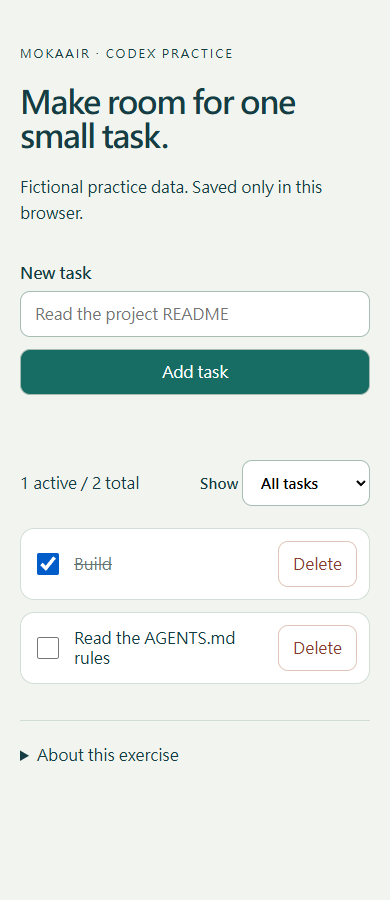
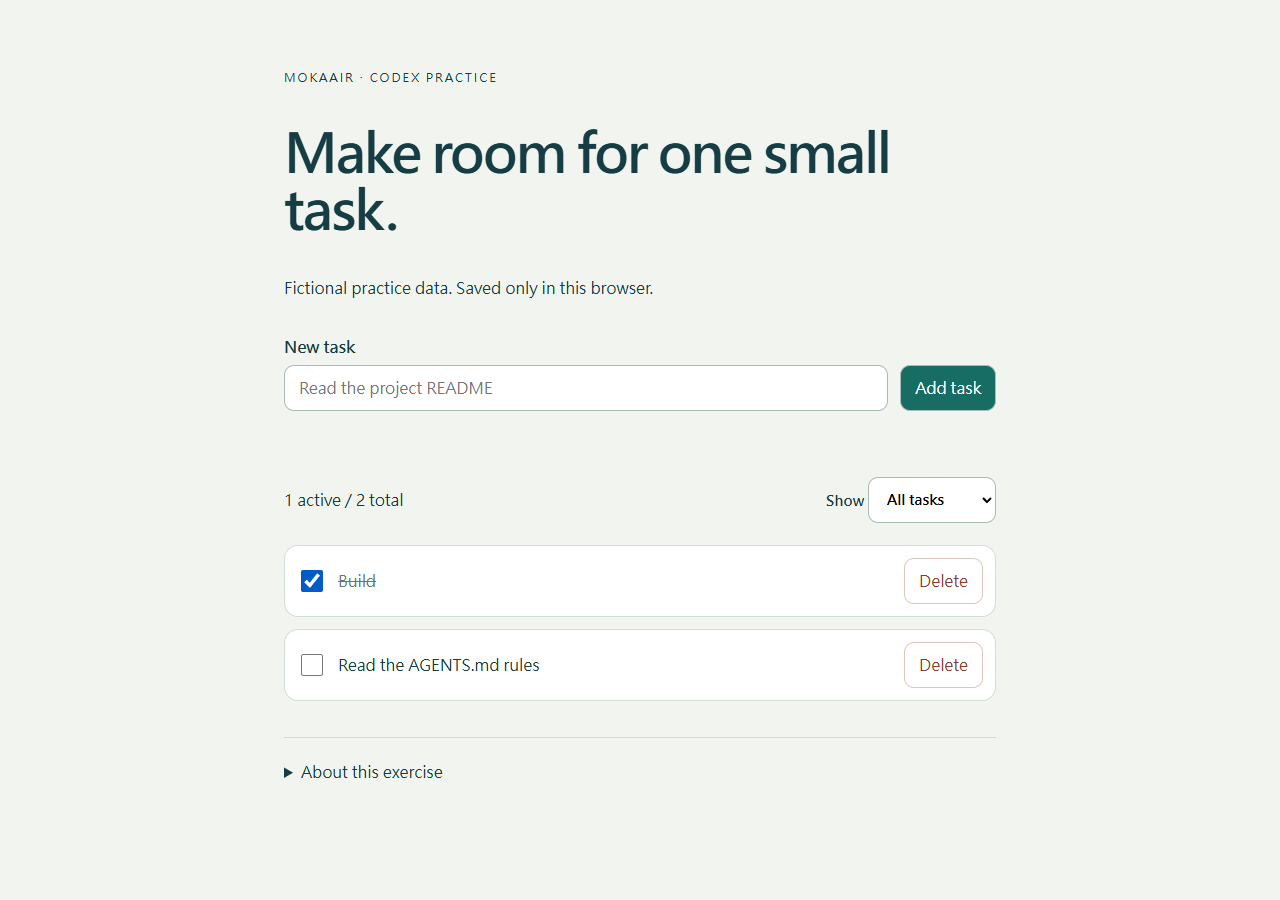
Open http://127.0.0.1:4173 in your browser. If this origin contains fictional tasks you want to keep, record them first. Open About this exercise, choose Reset practice data, select All tasks, and confirm the list is empty. This resets practice data only; it does not restore source files. Add Read and Build, complete Read, then check that Completed shows only Read and Active only Build. Refresh to confirm persistence. Double-clicking index.html may prevent module loading under a file URL; use the HTTP address of the running server.
Step 2: inspect before requesting edits
Select codex-first-site as a desktop project, or start CLI at its root. First request a read-only summary of the five files, working directory and test command. Confirm that the agent recognizes a static site without a package installation step, then send the complete request below. Even a small visual edit should state which behavior must be preserved.
Work only in this codex-first-site practice folder.
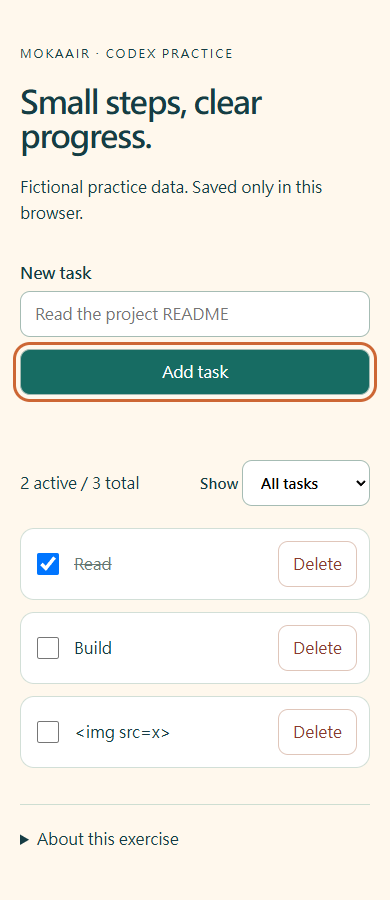
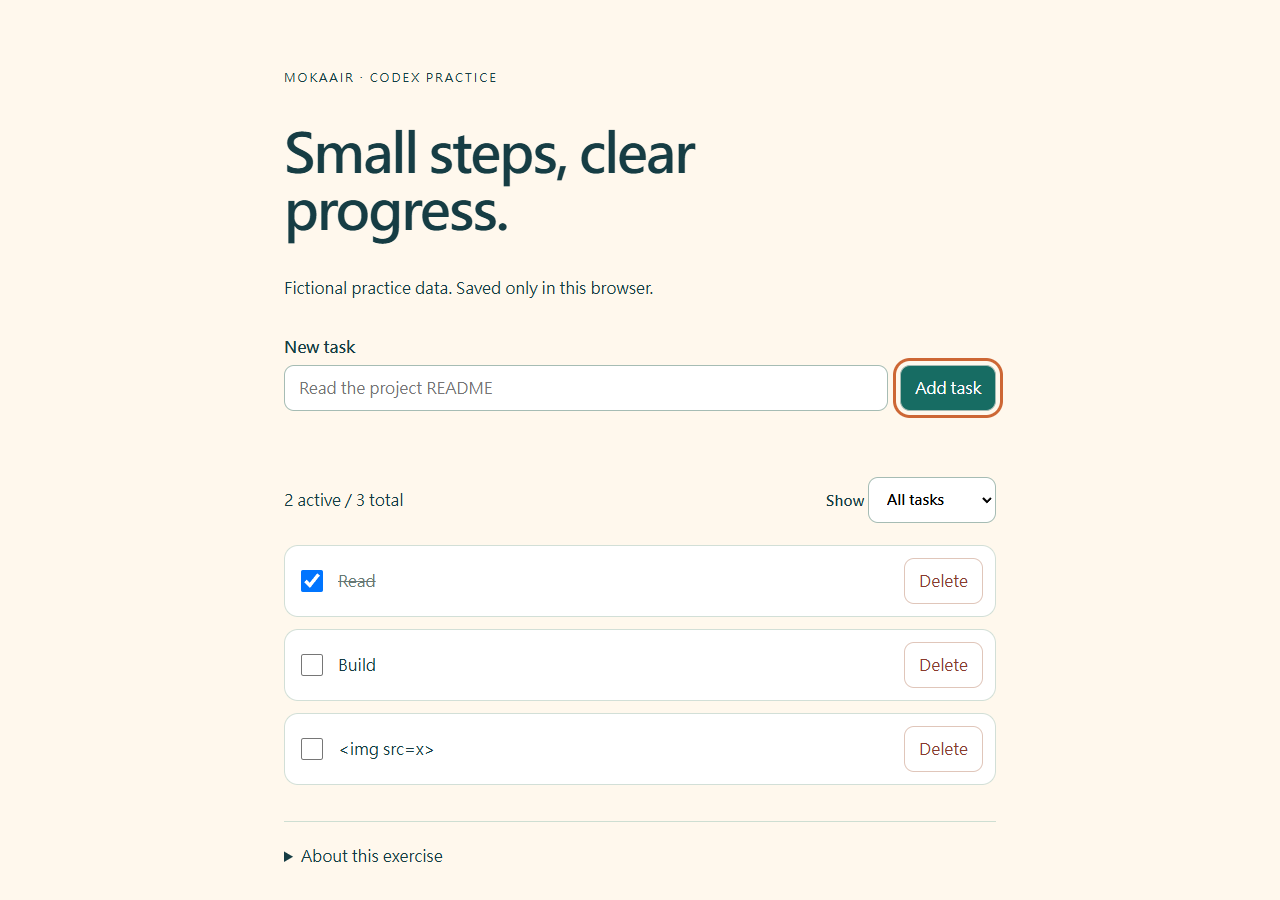
1. In index.html, set the h1 text to "Small steps, clear progress."
2. In style.css, set the :root background to #fff8ed.
Keep all todo behavior, labels, storage keys and data formats unchanged.
Do not add packages or external requests. Do not deploy the site.
Run node --test core.test.mjs.
Check the page at 390px and 1280px if browser access is available.
Report changed files, checks performed and any checks not run.
The intended diff changes only the h1 in index.html and background color in style.css, not a wholesale HTML rewrite or a different data framework. If Codex lacks browser tools, it should mark visual checks as not run so that you can perform them. Do not invite guessed screenshots or treat absence of error messages as visual acceptance.
Step 3: independently verify the result
Reopen the two files and verify the requested text and color. Run core tests again and retain the result. Refresh the browser to check heading, background and the existing Read and Build items. At about 390px, the full page should not scroll horizontally; at 1280px, inspect content width. A narrow viewport checks responsive layout, not physical iPhone or Android behavior.
Check two boundaries: whitespace alone must not add a task, and the sample below must display as text rather than becoming an image. Use Tab to reach the input, button, filter and checkbox with visible focus. These checks catch data-handling or keyboard regressions accompanying a visual edit. Core tests do not automatically inspect CSS appearance, so examine both kinds of evidence.
<img src=x>
Troubleshooting, stopping and restoring
A directory listing means the server started too high in the folder tree: stop it, enter the copy directly containing index.html and restart. For a busy port, identify your preview or choose another port rather than stopping unrelated services. If edits do not appear, check saving, URL, folder and refresh. A different port uses a different browser storage origin, so missing todos do not necessarily mean the code deleted them.
Stop the preview with Ctrl+C in the Python terminal. Restore only index.html and style.css from the retained expected original, or undo the two edited lines. Do not clear all browser data. To remove practice todos, Reset practice data under About this exercise targets this exercise's storage key. Retain any fictional records you need before using it.
Practice and verification notes
For independent practice, change only the heading to another English sentence, preserve all behavior and repeat normal and empty-input cases. Finish by delivering the actual diff, test results, observations at both widths and checks not run. Continue with writing requestsWrite a clear task requestA useful request explains the outcome, available context, boundaries and acceptance checks. 'Improve the page' could mean speed, appearance or accessibility. Convert it into observable behavior before adding more instructions.Read the full article, project instructionsProject instructions with AGENTS.mdAGENTS.md supplies project instructions before Codex starts work. Global guidance and files along the project-root-to-working-directory path form an instruction chain. At the same level, AGENTS.override.md takes precedence. Keep rules concrete and verify what was actually loaded.Read the full article and testing and reviewTests, code review and pull requestsTests check behavior under specified conditions, review examines the change for defects and a PR presents proposed integration. They complement each other: tests passing does not establish review approval, and an open PR is not a merge.Read the full article to make the process repeatable.
The materials are an original, shareable fictional website. Reference core and browser behavior were verified on Windows/Edge; other OS startup instructions are not claimed as hands-on tests. Codex entry points were checked on 2026-09-20 against the official quickstart and CLI documentation. Images illustrate exercise results, not Codex product UI.
Record expectations separately from actual checks
The table below lists expected acceptance results, not a record of your run. Separately record four things: files actually changed; the test working directory and pass/fail counts; actual visual results at 390px and 1280px; and unfinished checks. All three core tests can pass while the heading or background is wrong because these tests cover todo data logic. If preview is unavailable, mark visual checks as not run and leave them pending; a color value in source code is not a visual result.
| Check | Before | After |
|---|---|---|
| Main heading | Make room for one small task. | Small steps, clear progress. |
| Background | #f2f5ef | #fff8ed |
| Core tests | 3 pass / 0 fail | 3 pass / 0 fail |
| Existing todos | Read, Build | Preserved |
Back to the Codex learning hubCodex learning hub: tutorial directoryA planned 60-lesson, ten-unit Codex curriculum, from setup and your first task to MD instructions and advanced integrations. Find your next lesson by experience, platform, goal or command; unpublished entries show their status.Read the full article
Read the full description
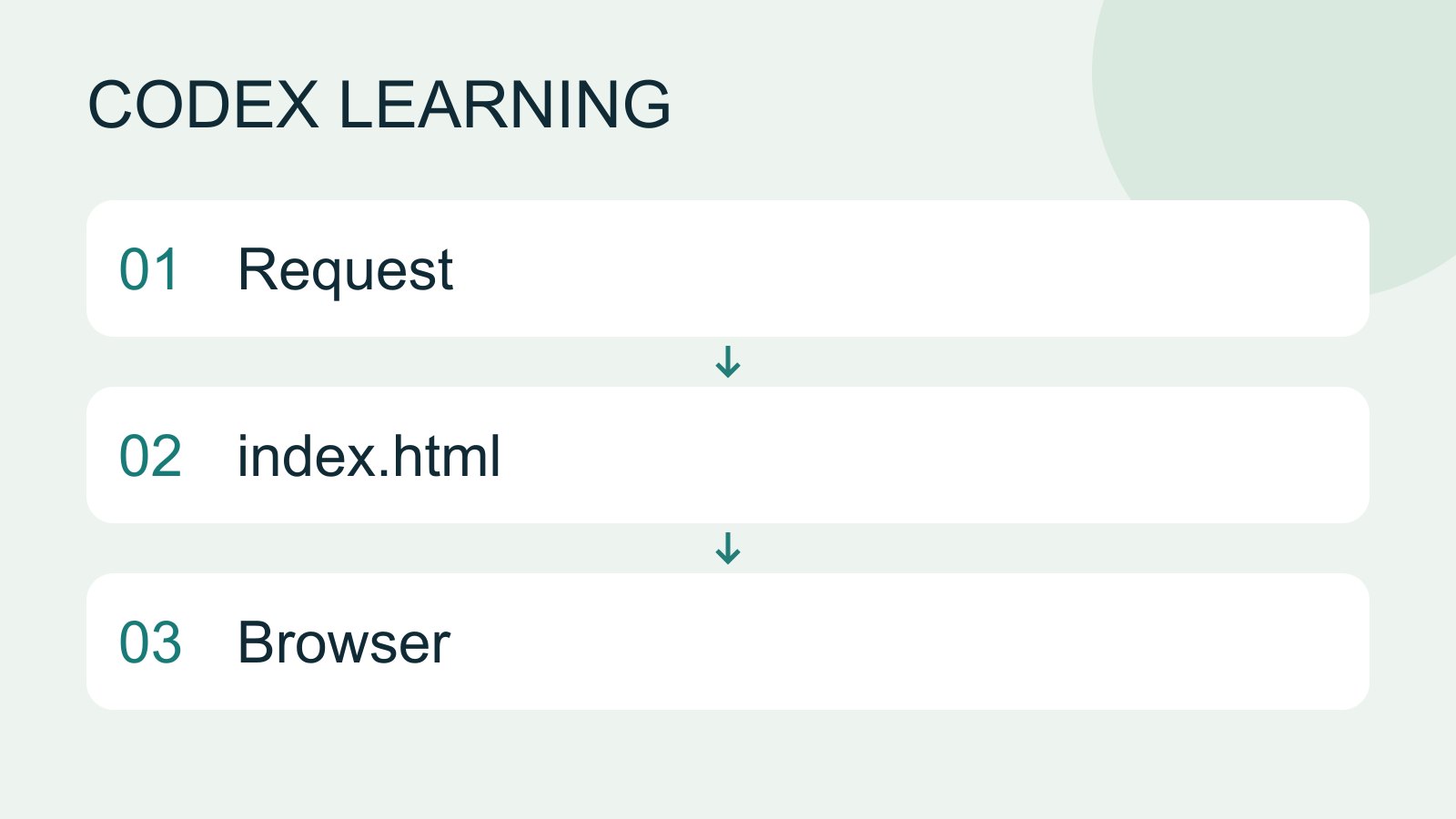
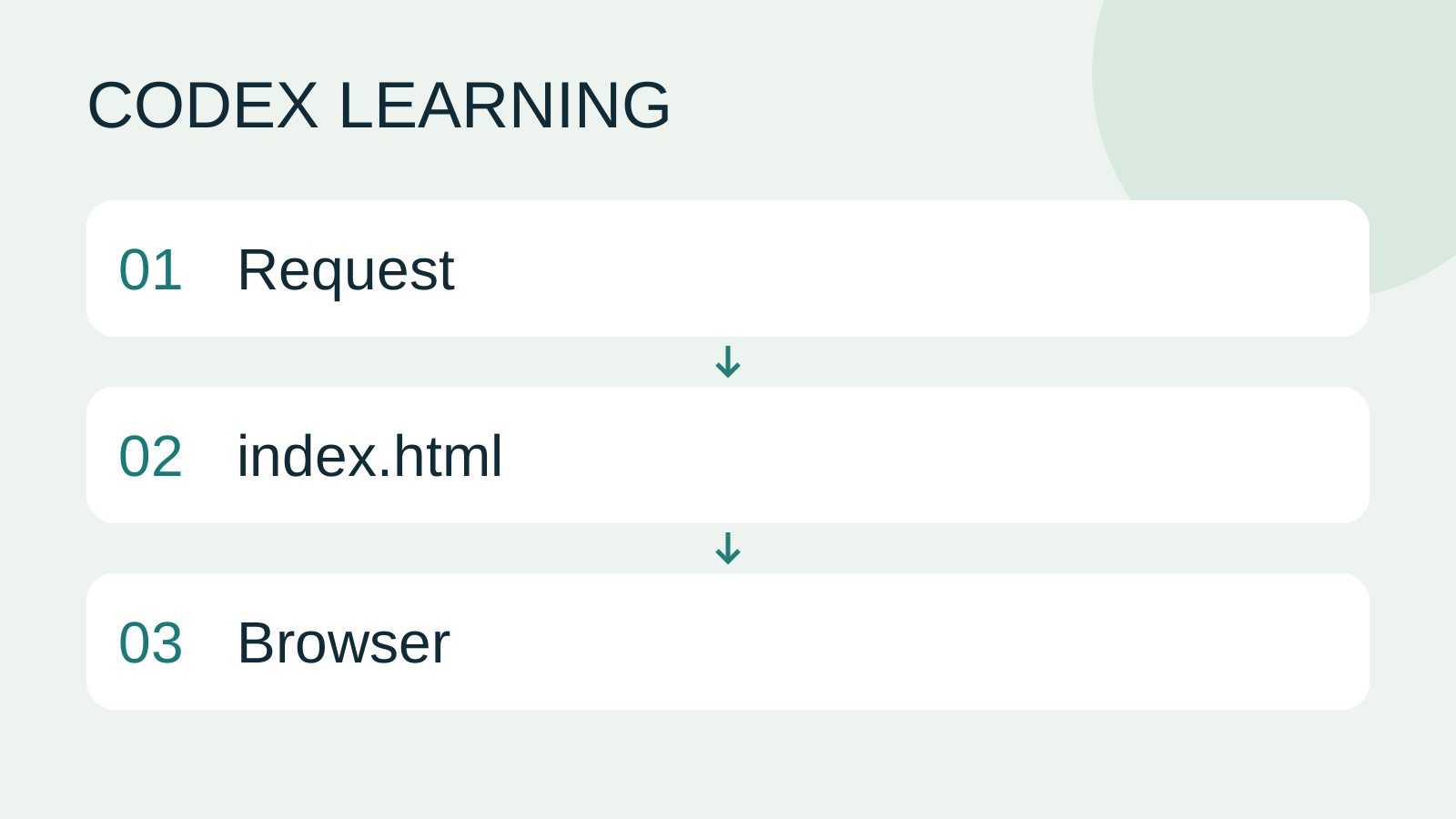
Request to index.html to Browser
Lifestyle
Codex learning hub: tutorial directory
A planned 60-lesson, ten-unit Codex curriculum, from setup and your first task to MD instructions and advanced integrations. Find your next lesson by experience, platform, goal or command; unpublished entries show their status.
Lifestyle
Worktrees and isolated tasks
A Git worktree gives one repository multiple working directories on different branches. It isolates file edits, but databases, ports and external services may still be shared. File isolation is not full resource isolation.
Lifestyle
Usage and efficiency: reducing rework
Record task conditions, model options, time and outcomes to reduce unnecessary retries and excess context.
Articles that cite this one
Latest travel guides

GuideTokyo
Where to Stay in Tokyo: Comparing Shinjuku, Ueno, Tokyo Station, Shibuya, Asakusa, Ikebukuro, and Ginza, Plus Airport Access, Accommodation Tax, and Luggage Delivery
Where should you stay in Tokyo? Compare Shinjuku, Ueno, Tokyo Station, Shibuya, Asakusa, Ikebukuro, and Ginza by the same criteria: access from Narita and Haneda, transit routes, nearby attractions, neighborhood character, and who each area suits. Includes a comparison table, a Yamanote Line diagram, Tokyo’s accommodation tax as verified in 2026/9 (changing to 3% in 2027/4), and Airport TA-Q-BIN luggage shipping rules.
- Budget
- Hotels

GuideTokyo
How to Choose Tokyo Transit Passes: Are Suica, Welcome Suica, the Tokyo Subway Ticket, and the JR Pass Worth It?
On a first Tokyo trip, start with an IC card and pay per ride (Welcome Suica has no deposit and is valid for 28 days). If you take four or more subway rides in a day, add a 72-hour Tokyo Subway Ticket for 2,000 yen; a JR Pass is never worthwhile if you stay in Tokyo and do not go to Kansai. See what TOURIST PASMO, Suica on iPhone, and the Tokyo Metro day pass do and do not cover, with a decision chart. Prices verified in September 2026.
- Transport
- Budget

GuideTokyo
Tokyo Disneyland and DisneySea Guide: Ticket Prices, Fantasy Springs, Disney Premier Access (DPA), Standby Pass, and Which Park to Choose for Your First Visit
Tokyo Disney one-day Passport prices vary: most weekdays in 9/2026 cost ¥9,900 and weekends ¥10,900. At 14:00 daily, tickets go on sale for the same date two months later. Free Priority Pass is no longer on the official service list; only paid Disney Premier Access (¥1,000–3,500 per person per use) shortens waits. Covers hours, the 25th anniversary, Standby Pass, Entry Request, Fantasy Springs access and first-visit park choice; checked on the official site in 9/2026.
- Itineraries
- Family
Sources
- Codex quickstart · Checked:
- Codex CLI documentation · Checked: