Lifestyle
Understanding an existing codebase
Use a read-only workflow to locate entry points, data flow and tests, with file-backed explanations.
About 14 min read · Practice 25 min
Practical · Desktop / CLI / VS Code / JetBrains / cloud
Before you start
On this page
Back to the Codex learning hubCodex learning hub: tutorial directoryA planned 60-lesson, ten-unit Codex curriculum, from setup and your first task to MD instructions and advanced integrations. Find your next lesson by experience, platform, goal or command; unpublished entries show their status.Read the full article
Goal and preparation
Complete your first projectFinish your first small projectUse an independent copy of the Small Steps todo website to change its heading and background. Identify the five practice files and compare the diff, core tests and two viewport widths while preserving behavior and data.Read the full article. Understanding a codebase means finding its entry point, action path, storage and evidence, not translating every line. Follow one user action through a fixed small website instead of producing an impressive-looking file list that cannot guide edits.
Step 1: Verify version, entry point and baseline
Copy the five expected files from the practice ZIP into new codex-read-lab and preserve the original. Use the correct reference, not start/broken. Open the root and check Get-Location on PowerShell or pwd on macOS/Linux. It directly contains index.html, style.css, app.js, core.mjs and core.test.mjs. Do not add package.json merely to make the project look familiar.
node --version
node --test core.test.mjs
Expect three passing tests; record actual results before the read-only investigation. If baseline fails, retain error and version rather than silently fixing an unknown defect during orientation. In a real project, record pre-existing uncommitted changes and avoid whole-directory resets or formatting while reading.
In desktop, add codex-read-lab as a local project and create a task there. In CLI, run codex from the verified lab terminal. Confirm the task directory, then send the prompt inside Codex, not the system shell.
Read this codex-read-lab without editing any files. Identify the actual entry point, file responsibilities and commands available from the files, not from framework assumptions.
Trace adding a task, marking it complete, changing the filter and reloading the page. Name the relevant functions and DOM elements.
Separate observed code from inferred intent. List what the existing tests cover and what still needs browser verification. If evidence is missing, say so instead of inventing a backend or build step.
Step 2: Build an evidence-based file map
Check the expected responsibilities below against actual files, not extensions alone. index.html loads style.css and module app.js, which imports core.mjs. core.test.mjs uses Node's built-in tests, not an npm script. This fixture has no backend API, database server or bundler. Ask for evidence if the response invents them.
| File | Role | Evidence |
|---|---|---|
| index.html | Entry and controls | task-form, task-title, filter, tasks |
| style.css | Layout, appearance, focus | Form and list style rules |
| app.js | DOM events, state, persistence, rendering | submit, change, persist, render |
| core.mjs | Data operations and validation | addTask, visibleTasks, decodeTasks |
| core.test.mjs | Node functional tests | Three test blocks and assertions |
Trace adding Read completely: submit prevents default submission, addTask validates text and returns a new array, tasks receives it, persist writes encoded data to localStorage, input is cleared, render updates the list, then input receives focus. Verify names in app.js/core.mjs and the sequence and data types before proposing features.
Distinguish data from display: filter.value selects what render shows without deleting hidden tasks from tasks. Completion targets task.id, not a guessed visible row index. Otherwise, a Completed “fix” might delete unfinished records and appear visually correct while corrupting behavior.
Step 3: Trace persistence and error paths
Find mokaair-codex-todo-v1 in app.js: it is the localStorage key. Startup decodeTasks checks JSON version and fields; encodeTasks produces the stored versioned document. Browser origin and blocked storage matter; this is not cloud-account sync. Ask how catch branches report temporary state rather than explaining only success.
Read the third test for invalid JSON, version, duplicate IDs and field types. It validates core decoding, not actual browser error messages, keyboard focus or reload persistence. Record data-function tests separately from user-interaction checks so later testing and reviewTests, code review and pull requestsTests check behavior under specified conditions, review examines the change for defects and a PR presents proposed integration. They complement each other: tests passing does not establish review approval, and an open PR is not a merge.Read the full article can assess coverage.
Step 4: Verify understanding in the browser and record it
Start the familiar Python server from codex-read-lab: use the first command on Windows or the second on macOS/Linux, not both. Open http://127.0.0.1:4173. If your earlier practice server occupies the port, stop it in its terminal first rather than reusing an unknown folder's page. Run tests in another terminal.
py -m http.server 4173 --bind 127.0.0.1
python3 -m http.server 4173 --bind 127.0.0.1
Preserve any earlier practice records you need, then use Reset practice data under About this exercise. Select All tasks and confirm an empty list before adding Read/Build and completing only Read. All shows both, Active only Build, Completed only Read. Return to All and reload to verify persistence. This checks core/UI integration, not every error branch. Clear only this fixture data afterwards.
Save project-map.md in your editor using the skeleton below, filling actual tests and unchecked items. This new document needs no changes to the five original files. If asking Codex to write it, explicitly permit only that new file and require original-file comparison afterwards, ending the earlier read-only phase without authorizing refactoring.
# Small Steps project map

## Entry and runtime
index.html loads style.css and app.js as a browser module.
app.js imports core.mjs. Local HTTP preview; no dependency installation.

## Flow
submit -> addTask -> tasks -> persist -> input clear -> render -> input focus
checkbox change -> toggleTask by ID -> persist -> render with focus restoration
filter change -> render -> visibleTasks; hidden tasks stay in tasks
reload -> localStorage -> decodeTasks -> tasks -> render

## Storage
Key: mokaair-codex-todo-v1. Versioned JSON; invalid data is rejected.
Browser storage failures leave a temporary session and a visible message.

## Verification
node --test core.test.mjs: fill actual result and date.
Browser filters, reload, keyboard and storage errors: record separately.
Do not claim checks you did not perform.

## Change boundaries
Filter logic: core.mjs visibleTasks.
DOM and storage orchestration: app.js.
Layout and controls: style.css and index.html.
Unknowns and next task: fill from evidence.
Trace failure paths and identify the evidence
Find the submit handler in app.js and compare it with addTask in core.mjs. Whitespace trims to length zero, so addTask throws title-length; the handler's catch displays a message and returns, skipping persist, input clearing and render for that submission. This is a code-derived path, not evidence that you clicked the button. Similarly trace a failed localStorage write: storageAvailable becomes false, allowing temporary in-tab work without promising persistence after reload.
Check two tempting but incorrect map claims: “Changing the filter saves data” and “Three passing tests prove the buttons work.” The filter's change listener only calls render, and core-function tests do not exercise the DOM. Append the section below to project-map.md, leaving unperformed checks as NOT RUN. If a cited function is missing, verify that you opened the expected copy, then correct the map while leaving the five source files unchanged.
## Evidence and limits
- Blank input: core.mjs/addTask throws; app.js/submit catches and returns before persist.
- Filter change: app.js connects change to render; that handler does not persist.
- Count: app.js/render counts all tasks, not only the displayed subset.
- Storage failure: app.js/persist disables further writes after a failed setItem.
- Automated baseline: node --test core.test.mjs; record actual exit and totals.
- Browser submit/filter/reload checks: NOT RUN until performed.
Common mistakes, stopping and acceptance
For package installation, ask which file declares the dependency. For a directory-only report, request one submit trace. If passing tests are equated with perfect UI, request unchecked boundaries. Verify the root before searching broadly. Distinguish same-named functions by actual path, so expected findings are not applied to broken.
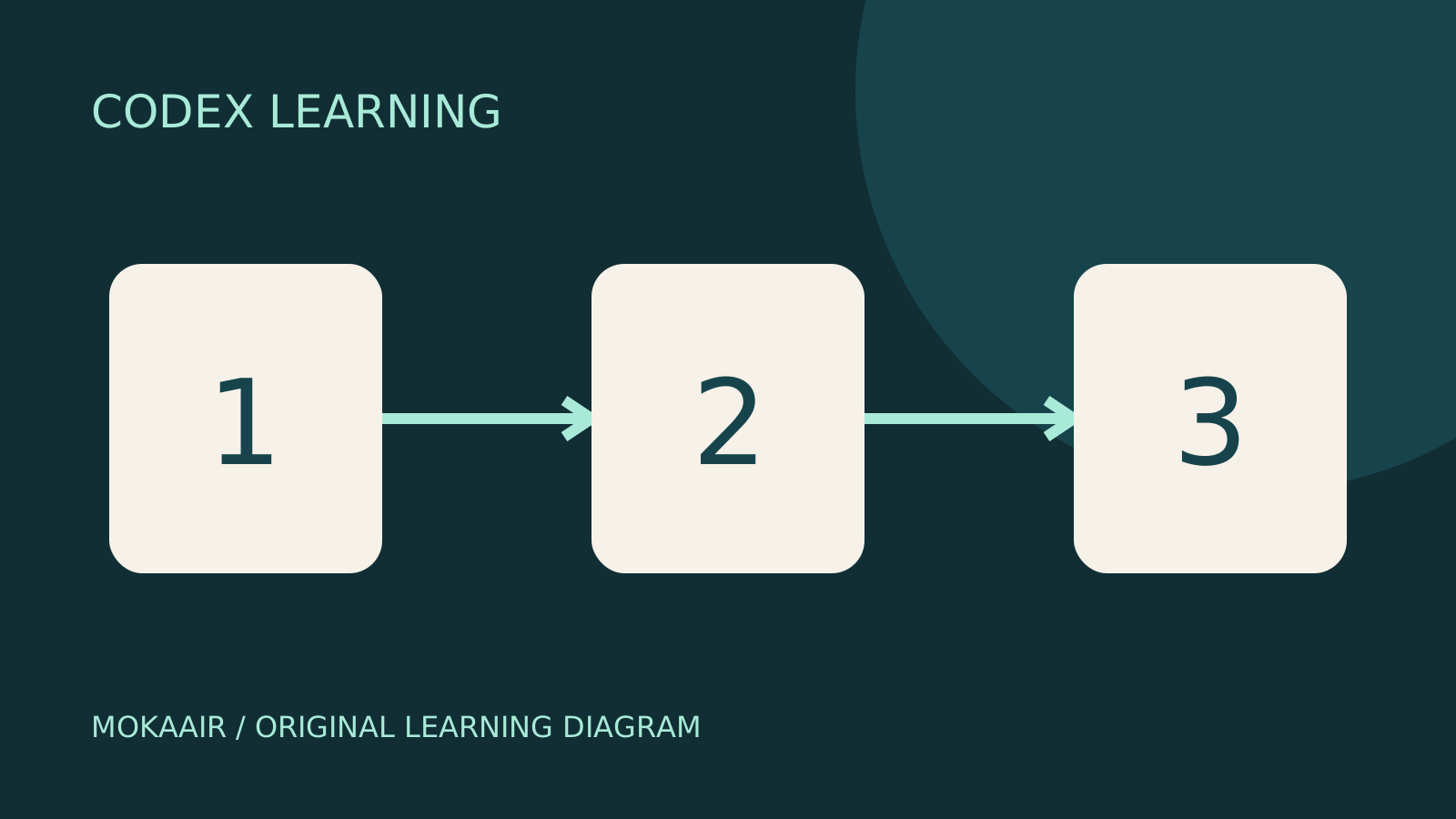
Finish by tracing add, toggle, filter and reload through the map and naming at least one unverified behavior. Stop the server with Ctrl+C, retain the map and compare all five files to original expected. Restore only an accidentally edited file, not the entire project. Diagram 1 is baseline, 2 tracing, 3 evidence checks; then proceed to feature implementationImplementing the todo filtersImplement Active and Completed filters from start, preserving data and verifying normal and boundary cases.Read the full article.
Back to the Codex learning hubCodex learning hub: tutorial directoryA planned 60-lesson, ten-unit Codex curriculum, from setup and your first task to MD instructions and advanced integrations. Find your next lesson by experience, platform, goal or command; unpublished entries show their status.Read the full article
Read the full description
Three numbered stages: identify the starting point, perform the exercise, and verify the result. Original illustration, not a product screenshot.
Lifestyle
Codex learning hub: tutorial directory
A planned 60-lesson, ten-unit Codex curriculum, from setup and your first task to MD instructions and advanced integrations. Find your next lesson by experience, platform, goal or command; unpublished entries show their status.
Lifestyle
Worktrees and isolated tasks
A Git worktree gives one repository multiple working directories on different branches. It isolates file edits, but databases, ports and external services may still be shared. File isolation is not full resource isolation.
Lifestyle
Workshop: build a small website
Plan and build the Small Steps task website from brief.md, with adding, completing, deleting, filtering and local persistence. Separate HTML, CSS, data functions, UI events and tests, verify with Node and browser checks, and document restart and recovery steps.
Lifestyle
Usage and efficiency: reducing rework
Record task conditions, model options, time and outcomes to reduce unnecessary retries and excess context.
Articles that cite this one
Latest travel guides

GuideTokyo
Where to Stay in Tokyo: Comparing Shinjuku, Ueno, Tokyo Station, Shibuya, Asakusa, Ikebukuro, and Ginza, Plus Airport Access, Accommodation Tax, and Luggage Delivery
Where should you stay in Tokyo? Compare Shinjuku, Ueno, Tokyo Station, Shibuya, Asakusa, Ikebukuro, and Ginza by the same criteria: access from Narita and Haneda, transit routes, nearby attractions, neighborhood character, and who each area suits. Includes a comparison table, a Yamanote Line diagram, Tokyo’s accommodation tax as verified in 2026/9 (changing to 3% in 2027/4), and Airport TA-Q-BIN luggage shipping rules.
- Budget
- Hotels

GuideTokyo
How to Choose Tokyo Transit Passes: Are Suica, Welcome Suica, the Tokyo Subway Ticket, and the JR Pass Worth It?
On a first Tokyo trip, start with an IC card and pay per ride (Welcome Suica has no deposit and is valid for 28 days). If you take four or more subway rides in a day, add a 72-hour Tokyo Subway Ticket for 2,000 yen; a JR Pass is never worthwhile if you stay in Tokyo and do not go to Kansai. See what TOURIST PASMO, Suica on iPhone, and the Tokyo Metro day pass do and do not cover, with a decision chart. Prices verified in September 2026.
- Transport
- Budget

GuideTokyo
Tokyo Disneyland and DisneySea Guide: Ticket Prices, Fantasy Springs, Disney Premier Access (DPA), Standby Pass, and Which Park to Choose for Your First Visit
Tokyo Disney one-day Passport prices vary: most weekdays in 9/2026 cost ¥9,900 and weekends ¥10,900. At 14:00 daily, tickets go on sale for the same date two months later. Free Priority Pass is no longer on the official service list; only paid Disney Premier Access (¥1,000–3,500 per person per use) shortens waits. Covers hours, the 25th anniversary, Standby Pass, Entry Request, Fantasy Springs access and first-visit park choice; checked on the official site in 9/2026.
- Itineraries
- Family
Sources
- Grounding requests in project context · Checked: