Lifestyle
Implementing the todo filters
Implement Active and Completed filters from start, preserving data and verifying normal and boundary cases.
About 14 min read · Practice 30 min
Practical · Desktop / CLI / VS Code / JetBrains / cloud
Before you start
On this page
Back to the Codex learning hubCodex learning hub: tutorial directoryA planned 60-lesson, ten-unit Codex curriculum, from setup and your first task to MD instructions and advanced integrations. Find your next lesson by experience, platform, goal or command; unpublished entries show their status.Read the full article
Goal and preparation
Lessons and resources mentioned here: codebase orientationUnderstanding an existing codebaseUse a read-only workflow to locate entry points, data flow and tests, with file-backed explanations.Read the full article
Plan modePlan mode: agree on the work firstPlan mode is useful when scope or approach still needs decisions. It produces an implementation plan, not finished code. Define the questions to resolve and check that the plan includes inputs, outputs, constraints and verification.Read the full article focused on reviewing and handing off a plan. This lesson focuses on evidence from failing to completed behavior. A one-row display alone is insufficient: hidden data must survive, order must remain and equal titles must still be distinguished by identity.
Step 1: Establish the unfinished baseline
Copy the five start files from the ZIP into new codex-feature-lab. Do not reuse expected or a previously fixed core.mjs. Confirm the path using Get-Location in PowerShell or pwd on macOS/Linux. Preserve original start files and run existing tests: expect two passes and one filter failure.
node --test core.test.mjs
Read index.html's options and app.js's filter change handler: controls already exist. The gap is visibleTasks behavior, so no UI rewrite or framework is needed. Frontend-looking files do not imply that every change starts with the screen. Retain the baseline failure; deleting assertions is not a fix.
Step 2: Make acceptance concrete
Save the three acceptance tests below as root filter.test.mjs, without replacing core.test.mjs. The first uses same-title Read tasks a/c to verify both IDs and order. The second checks All retains data; the third covers empty lists for every filter. Frozen inputs help detect improper mutation.
import test from "node:test";
import assert from "node:assert/strict";
import { visibleTasks } from "./core.mjs";

const tasks = Object.freeze([
  Object.freeze({ id: "a", title: "Read", completed: true }),
  Object.freeze({ id: "b", title: "Build", completed: false }),
  Object.freeze({ id: "c", title: "Read", completed: true }),
]);
const ids = (items) => items.map((item) => item.id);

test("filters preserve identity and order with duplicate titles", () => {
  assert.deepEqual(ids(visibleTasks(tasks, "active")), ["b"]);
  assert.deepEqual(ids(visibleTasks(tasks, "completed")), ["a", "c"]);
  assert.deepEqual(ids(tasks), ["a", "b", "c"]);
});

test("All retains every task without changing its completion state", () => {
  assert.deepEqual(ids(visibleTasks(tasks, "all")), ["a", "b", "c"]);
  assert.deepEqual(tasks.map((task) => task.completed), [true, false, true]);
});

test("every filter accepts an empty list", () => {
  for (const filter of ["all", "active", "completed"]) {
    assert.deepEqual(visibleTasks(Object.freeze([]), filter), []);
  }
});
node --test core.test.mjs filter.test.mjs
Against start, expect four passes and two failures: the existing filter test and the new first test fail, while All/empty behavior already works. This proves the new test detects the missing feature. Syntax or missing-file errors are setup defects, not the expected behavioral failures; fix copying and location first.
Step 3: Implement the smallest feature change
In desktop, add codex-feature-lab as a local project and start a task there; in CLI, run codex from that directory. Verify the task path and send the complete request. Only core.mjs may change now; the new filter.test.mjs is also fixed. Ask for a concrete reason if other files are proposed. Avoid an unrestricted cleanup of tests, UI and settings. Ensure it reads the tests instead of guessing from prose alone.
Implement the missing filters in this codex-feature-lab.
Read index.html, app.js, core.mjs, core.test.mjs and filter.test.mjs first.
Modify only visibleTasks in core.mjs: all keeps every task, active returns unfinished tasks, completed returns finished tasks. Preserve original order, IDs and input data. Do not edit tests, add dependencies or change UI/storage.
Run node --test core.test.mjs filter.test.mjs. Inspect the final diff and report actual results and any unperformed browser checks. Stop and explain if the requested scope cannot satisfy the tests. Do not publish or deploy.
Compare with the reference below. filter creates a selected array containing original task objects; selection does not modify those objects. All may return the original array, so unnecessary deep copying is not required. Understand !task.completed versus task.completed yourself, rather than recognizing only green tests.
export function visibleTasks(tasks, filter) {
  if (filter === "active") return tasks.filter((task) => !task.completed);
  if (filter === "completed") return tasks.filter((task) => task.completed);
  return tasks;
}
Step 4: Verify data, UI and scope
Rerun the same command: expect all six tests to pass. Inspect differences: only core.mjs among the original five files, plus your added filter.test.mjs. Restore any weakened assertions before rerunning, and inspect unrelated additions rather than accepting a polished success summary. Record implementation and acceptance separately.
Start Python HTTP preview from codex-feature-lab: Windows py -m http.server 4173 --bind 127.0.0.1; macOS/Linux replace py with python3. Open http://127.0.0.1:4173. Resolve only your own prior preview's port conflict. Direct HTML opening may block modules; for stale UI, verify server directory and reload.
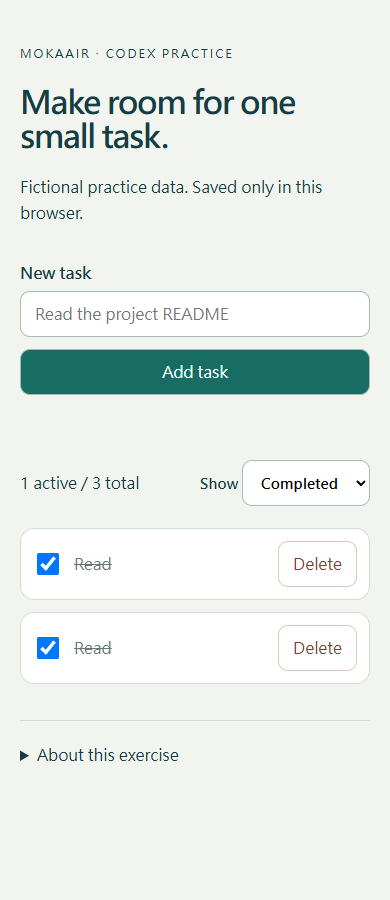
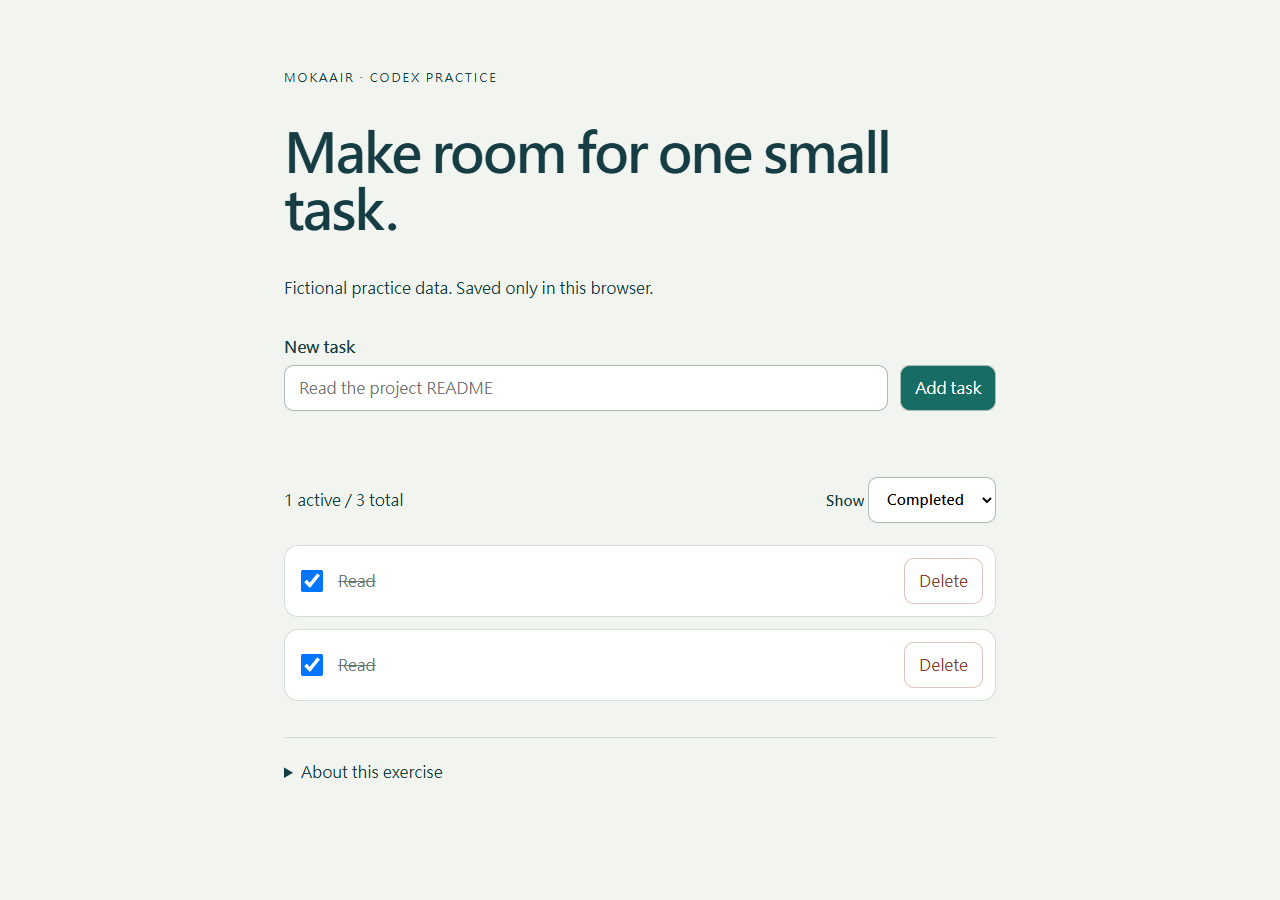
Preserve any earlier practice records you need, then use Reset practice data under About this exercise. Select All tasks and confirm an empty list before adding Read, Build, Read in order and completing the first/third. Check the table, return to All and verify all records remain. Distinguish equal titles by original position and checkbox state. Uncomplete the first: Completed should retain only the original third; Active the original first plus Build. Return to All and reload to verify persistence.
| Checkpoint | All | Active | Completed |
|---|---|---|---|
| Original first/third complete | Read, Build, Read | Build | Read, Read |
| Original first uncompleted | Read, Build, Read | Read, Build | Original third Read |
| After resetting practice data | Empty | Empty | Empty |
Negative check: full counts and duplicate titles
With Read, Build, Read and the first and third completed, All/Active/Completed display 3/1/2 rows, but all three views should show 1 active / 3 total. After unchecking the first task, the row counts become 3/2/1 and every view shows 2 active / 3 total. app.js counts the full tasks array. Passing core-filter tests does not prove the displayed count; record the actual UI result separately.
After all six tests pass, save the repaired core.mjs outside the practice folder. Temporarily replace only its Completed branch with the faulty line below and rerun both test files. It filters by completion, then deduplicates by title, losing ID c: expect five passes and one failure. The original three tests alone still pass because their two tasks have different titles. Read the actual failing IDs, then immediately restore core.mjs from the saved repaired copy; expect six passes and zero failures without changing tests.
if (filter === "completed") return tasks.filter((task) => task.completed).filter((task, index, selected) => selected.findIndex((other) => other.title === task.title) === index);
If the negative check passes, confirm that filter.test.mjs ran, that the third task is still Read with a distinct ID, and that you tested the edited copy. For a syntax or missing-module error, restore the file and check the replacement location; that is not evidence of detecting deduplication. This exercise checks coverage and requires no UI change or commit of the faulty variant.
Failure diagnosis, delivery and restoration
If records vanish, inspect whether filtered output was assigned back to tasks or persisted. Correct counts with wrong same-title records suggest title used instead of ID. Passing core tests with stale UI calls for import, HTTP origin and cache checks. Report the specific failing matrix row and reproduction instead of repeatedly requesting another fix.
Deliver six-test results, UI cases, final diff and omitted checks. To repeat, stop preview and restore only core.mjs from start. With new tests retained, expect four passes/two failures; original tests alone yield two passes/one failure. Distinguish those commands rather than treating count changes as another defect. Diagram 1 fixes cases, 2 limits edits, 3 verifies regression/restoration. These are executable reference materials, not claims of running your Codex task.
Back to the Codex learning hubCodex learning hub: tutorial directoryA planned 60-lesson, ten-unit Codex curriculum, from setup and your first task to MD instructions and advanced integrations. Find your next lesson by experience, platform, goal or command; unpublished entries show their status.Read the full article
Read the full description
Three numbered stages: identify the starting point, perform the exercise, and verify the result. Original illustration, not a product screenshot.
Lifestyle
Codex learning hub: tutorial directory
A planned 60-lesson, ten-unit Codex curriculum, from setup and your first task to MD instructions and advanced integrations. Find your next lesson by experience, platform, goal or command; unpublished entries show their status.
Lifestyle
Worktrees and isolated tasks
A Git worktree gives one repository multiple working directories on different branches. It isolates file edits, but databases, ports and external services may still be shared. File isolation is not full resource isolation.
Lifestyle
Workshop: build a small website
Plan and build the Small Steps task website from brief.md, with adding, completing, deleting, filtering and local persistence. Separate HTML, CSS, data functions, UI events and tests, verify with Node and browser checks, and document restart and recovery steps.
Lifestyle
Usage and efficiency: reducing rework
Record task conditions, model options, time and outcomes to reduce unnecessary retries and excess context.
Articles that cite this one
Latest travel guides

GuideTokyo
Where to Stay in Tokyo: Comparing Shinjuku, Ueno, Tokyo Station, Shibuya, Asakusa, Ikebukuro, and Ginza, Plus Airport Access, Accommodation Tax, and Luggage Delivery
Where should you stay in Tokyo? Compare Shinjuku, Ueno, Tokyo Station, Shibuya, Asakusa, Ikebukuro, and Ginza by the same criteria: access from Narita and Haneda, transit routes, nearby attractions, neighborhood character, and who each area suits. Includes a comparison table, a Yamanote Line diagram, Tokyo’s accommodation tax as verified in 2026/9 (changing to 3% in 2027/4), and Airport TA-Q-BIN luggage shipping rules.
- Budget
- Hotels

GuideTokyo
How to Choose Tokyo Transit Passes: Are Suica, Welcome Suica, the Tokyo Subway Ticket, and the JR Pass Worth It?
On a first Tokyo trip, start with an IC card and pay per ride (Welcome Suica has no deposit and is valid for 28 days). If you take four or more subway rides in a day, add a 72-hour Tokyo Subway Ticket for 2,000 yen; a JR Pass is never worthwhile if you stay in Tokyo and do not go to Kansai. See what TOURIST PASMO, Suica on iPhone, and the Tokyo Metro day pass do and do not cover, with a decision chart. Prices verified in September 2026.
- Transport
- Budget

GuideTokyo
Tokyo Disneyland and DisneySea Guide: Ticket Prices, Fantasy Springs, Disney Premier Access (DPA), Standby Pass, and Which Park to Choose for Your First Visit
Tokyo Disney one-day Passport prices vary: most weekdays in 9/2026 cost ¥9,900 and weekends ¥10,900. At 14:00 daily, tickets go on sale for the same date two months later. Free Priority Pass is no longer on the official service list; only paid Disney Premier Access (¥1,000–3,500 per person per use) shortens waits. Covers hours, the 25th anniversary, Standby Pass, Entry Request, Fantasy Springs access and first-visit park choice; checked on the official site in 9/2026.
- Itineraries
- Family
Sources
- Scoped implementation and validation · Checked:
- Prompting with explicit acceptance · Checked: