Lifestyle
Workshop: build a small website
Plan and build the Small Steps task website from brief.md, with adding, completing, deleting, filtering and local persistence. Separate HTML, CSS, data functions, UI events and tests, verify with Node and browser checks, and document restart and recovery steps.
About 20 min read · Practice 60 min
Advanced · Desktop / CLI / VS Code / JetBrains
On this page
Back to the Codex learning hubCodex learning hub: tutorial directoryA planned 60-lesson, ten-unit Codex curriculum, from setup and your first task to MD instructions and advanced integrations. Find your next lesson by experience, platform, goal or command; unpublished entries show their status.Read the full article
Goal and starting point
Lessons and resources mentioned here: Codex basicsWhat is Codex? How it differs from ChatGPTCodex is a coding agent that can inspect a project, edit files and run tools in a chosen environment. A model supplies its reasoning; a task is one assignment; a project groups related work and files. Unlike copying a code answer from chat into an editor, an agent can make the change in the workspace you selected.Read the full article
Step 1: Prepare an empty workspace and reference
Download the Small Steps materials, extract them and keep expected in a separate reference folder. Start this lesson in a new website-lab with brief.md; do not mix in start or broken, which are controlled exercises for other lessons. expected contains five code files for comparison if you get stuck. Check node --version in your workspace terminal, then py -3 --version on Windows or python3 --version on macOS/Linux. Resolve missing commands using installation and Terminal pathsTerminal paths and project rootsCreate a practice folder on Windows, macOS or Linux and distinguish current, relative and absolute paths.Read the full article first.
Windows, macOS and Linux use the same HTML/CSS/JavaScript. Open website-lab in Codex desktop, CLI or IDE: choose the folder in desktop, cd into it before codex in CLI, or open it as the IDE project. A phone can follow a computer task, but files and preview remain on the execution host; the phone's 127.0.0.1 is not your computer. Do responsive checks on the computer before considering any public network exposure for a phone demo.
Step 2: Specify the deliverable and acceptance criteria
Save the following as brief.md. English UI labels match the shared reference so all five language editions can verify the same buttons. Viewing added tasks supplies reading and toggling completion supplies updating, so the exercise covers all four CRUD operations without accounts, sync or collaboration. Define not only appearance, but corrupt-data behavior, blank input and keyboard use.
# Small Steps website brief
Build a local todo website using HTML, CSS and JavaScript only.

## Files
- index.html: accessible page and form
- style.css: responsive layout
- core.mjs: immutable data functions
- app.js: DOM events and localStorage
- core.test.mjs: Node built-in tests

## Data contract
- Task: {id: string, title: string, completed: boolean}
- Trim titles; accept 1 to 100 non-blank characters. IDs must be unique.
- Export addTask(tasks, title, id), toggleTask(tasks, id), removeTask(tasks, id),
  visibleTasks(tasks, filter), decodeTasks(raw), encodeTasks(tasks).
- Filters: all, active, completed. Missing toggle/delete IDs leave data unchanged.
- Store {version: 1, tasks: [...]} under mokaair-codex-todo-v1.
- Invalid stored data must remain untouched; warn and allow temporary work.

## Interface and acceptance
- Labels: New task, Add task, Show, All tasks, Active, Completed, Delete.
- Show active and total counts, including when a filter is selected.
- Add, toggle, delete, filter and reload must work.
- Render task text as text, not HTML.
- Visible keyboard focus; preserve sensible focus after list updates.
- Fit 360px, 390px and 1280px viewports without page overflow.
- Include an About this exercise disclosure with a Reset practice data button.
- Reset practice data removes only this app's storage key.
- No dependencies, account, backend, analytics or external requests.

## Delivery
Explain changes, run node --test core.test.mjs, and list actual browser checks.
Do not claim checks that were not run. Do not publish or deploy.
Step 3: Review the design, then implement in stages
Use Plan modePlan mode: agree on the work firstPlan mode is useful when scope or approach still needs decisions. It produces an implementation plan, not finished code. Define the questions to resolve and check that the plan includes inputs, outputs, constraints and verification.Read the full article to read brief.md and propose responsibilities for the five files, data flow and acceptance checks. Ensure core.mjs does not access the DOM, while app.js handles controls/storage, without frameworks or extra services. Add missing corrupt-data or recovery behavior before switching to implementation. Split implementation into data/tests and UI/interactions, requiring actual changes and unverified items after each stage.
Implement core.mjs and core.test.mjs from the approved brief.md contract.
Keep all data operations immutable. Test empty and long titles, Unicode,
duplicate IDs, filters, missing IDs, storage round trips and invalid storage.
Run node --test core.test.mjs and report the command, result and remaining work.
Do not change the brief, publish anything or build the UI in this stage.
Implement index.html, style.css and app.js using the tested core.mjs.
Follow the UI, storage, accessibility and responsive criteria in brief.md.
Do not weaken the data tests to accommodate UI bugs.
Run the data tests again. Give local preview instructions and list which
browser interactions you actually verified and which still need verification.
After each stage, inspect files and run tests yourself. The reference core.test.mjs has three top-level tests with several assertions; generated test counts may differ, so do not compare counts alone. Implementation and tests can share the same mistaken assumption, which is why the independent UI checklist follows. If stuck, compare the relevant expected file and understand the difference before overwriting any unsaved work. Consult Git and recoveryGit, branches, diffs and recoveryGit stores file history, branches organize changes and diffs show what changed. Codex can help, but you must verify that the changes belong to the task. Restoring an old conversation does not restore Git files.Read the full article before reverting.
Step 4: Preview the same folder
node --test core.test.mjs
py -3 -m http.server 4173 --bind 127.0.0.1
node --test core.test.mjs
python3 -m http.server 4173 --bind 127.0.0.1
Open http://127.0.0.1:4173 and leave that terminal running; use another for commands. If the port is occupied, identify whether it is your own practice server before stopping anything. If choosing a free port, update both the URL and verification record. Double-clicking HTML uses file URLs that can restrict ES modules. If the wrong version appears, inspect the served folder, URL and app.js network response before asking Codex to rewrite the site.
Step 5: Verify behavior and layout
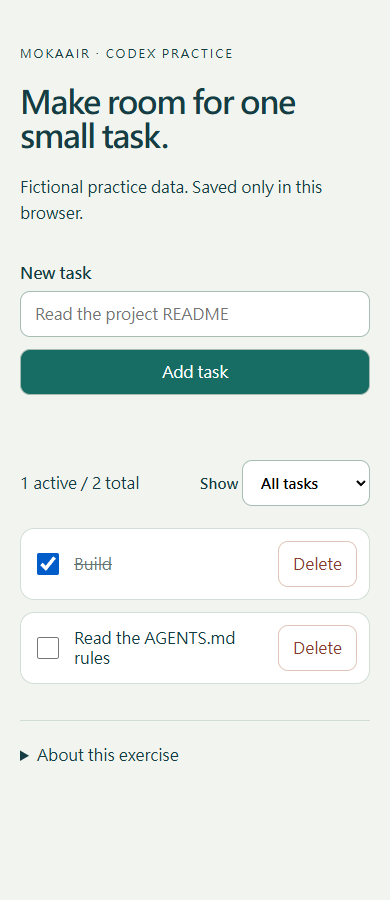
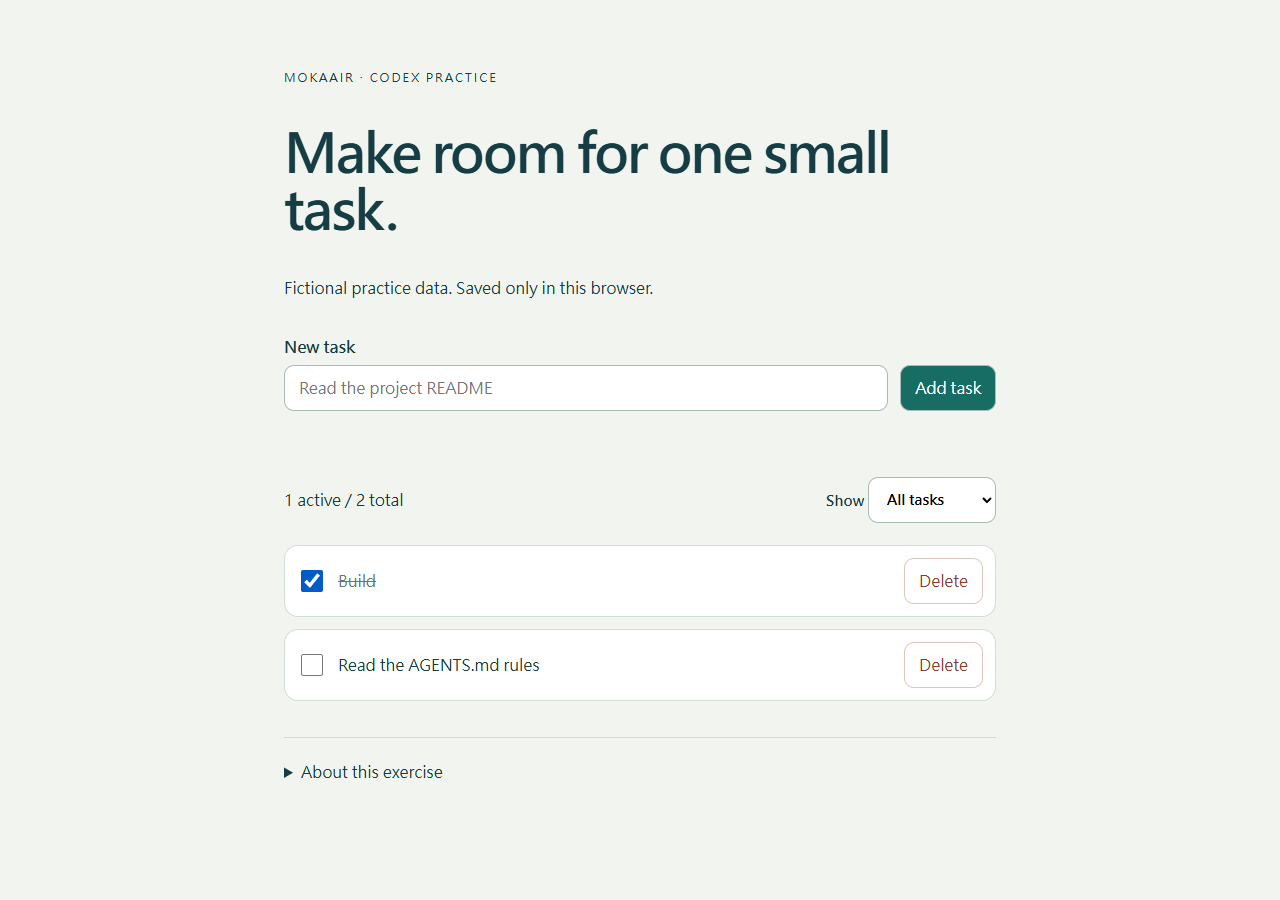
Expand About this exercise, confirm all tasks are disposable fictional data, then use Reset practice data to clear only this app's key. Select All tasks under Show, confirm 0 active / 0 total, then add Read and Build, and complete Read. All tasks shows two, Active only Build, Completed only Read, with 1 active / 2 total. Reload and confirm persistence; return to All tasks and delete Read, leaving Build. Continue with the table instead of accepting a single home-page screenshot.
| Case | Action | Expected result |
|---|---|---|
| Blank | Submit three spaces | No task; understandable error |
| Unicode | Add 寫作 ✨ | Preserved through reload |
| Text safety | Add the HTML test string below | Literal text, no image element |
| Keyboard | Tab, Enter and Space | Visible focus; usable after toggle/delete |
| Phone widths | 360px and 390px with long titles | Wrapping without page overflow |
| Desktop width | 1280px | Readable list, counts and controls |
Responsive emulation is not a physical iOS/Android test. Attached Windows/Edge reference images do not prove your generated result.
<img src=x>
Step 6: Corrupt data, fix and deliver
Perform the advanced check only on the local fictional page. Save needed test records, open browser developer tools → Storage/Application → Local Storage and select the current 127.0.0.1 origin and port. Change mokaair-codex-todo-v1 to bad-json and reload. Expect a warning; add a temporary task and verify stored data remains bad-json rather than being silently overwritten. Use Reset practice data to remove only that key, then add and reload a task to confirm recovery. Do not clear all data for other sites.
Before handing over, start with cleared fictional data and follow the sequence below, keeping expected and observed columns separate. Observe your own page even when using the reference implementation. Counts use all tasks while filtering, which catches accidental counting of the visible subset. Leave browser checks unverified when preview is unavailable.
# Website handoff
Root / source version:
Node test command / exit status:
Browser / version / viewport / date:

| Step | Expected active / total | Observed |
| --- | --- | --- |
| Reset fictional practice data; select All tasks | 0 / 0 | |
| Add Read, then Build | 2 / 2 | |
| Complete Read | 1 / 2 | |
| Select Active; only Build visible | 1 / 2 | |
| Select Completed; only Read visible | 1 / 2 | |
| Select All tasks, delete Read | 1 / 1 | |

Input/storage recovery evidence:
Keyboard and narrow-layout evidence:
Actual changed files:
Unverified requirements:
How to restart / restore:
When acceptance fails, report exact input, actions, expected and actual values. Ask Codex to fix the relevant layer and rerun affected checks using the Bug workflowA complete debugging workflowDebugging starts with a reproducible symptom, narrows causes with evidence and verifies the fix. Give the input, exact step, expected behavior and observed failure instead of only saying the site is broken.Read the full article. Deliver the brief, five files, Node test record, wide/narrow screenshots, untested platforms and recovery method. Stop the server with Ctrl+C in its original terminal. Ask for restart instructions in the Handoff formatContext and task handoffLong work needs durable decisions and evidence, not just a long conversation. README explains use, design documents explain choices, handoffs record current progress and AGENTS.md holds ongoing instructions. Do not turn all temporary progress into permanent rules.Read the full article. Frameworks, a backend or public hosting require a separate explicit scope; a visible local page is not a deployment.
Back to the Codex learning hubCodex learning hub: tutorial directoryA planned 60-lesson, ten-unit Codex curriculum, from setup and your first task to MD instructions and advanced integrations. Find your next lesson by experience, platform, goal or command; unpublished entries show their status.Read the full article
Read the full description
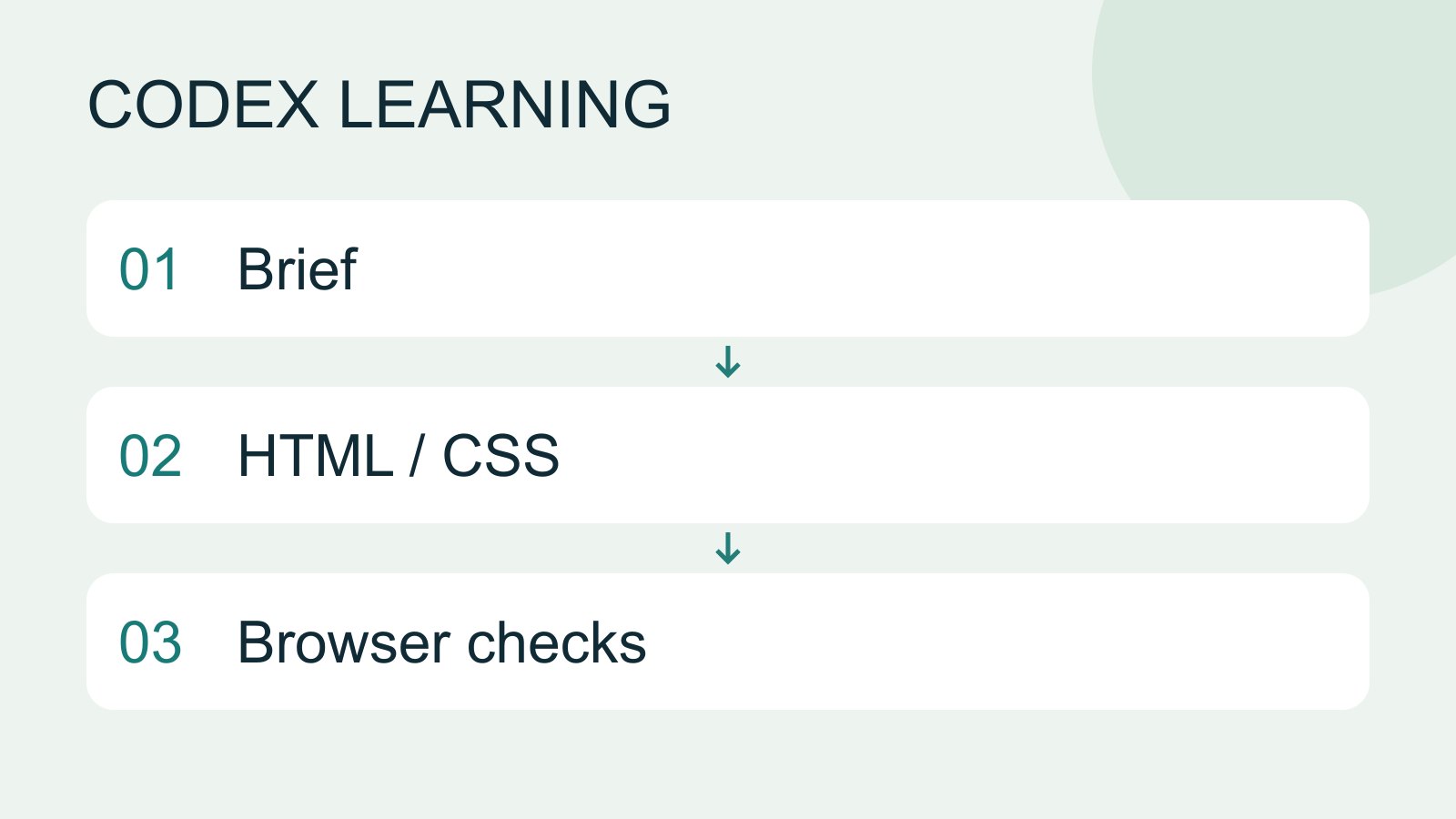
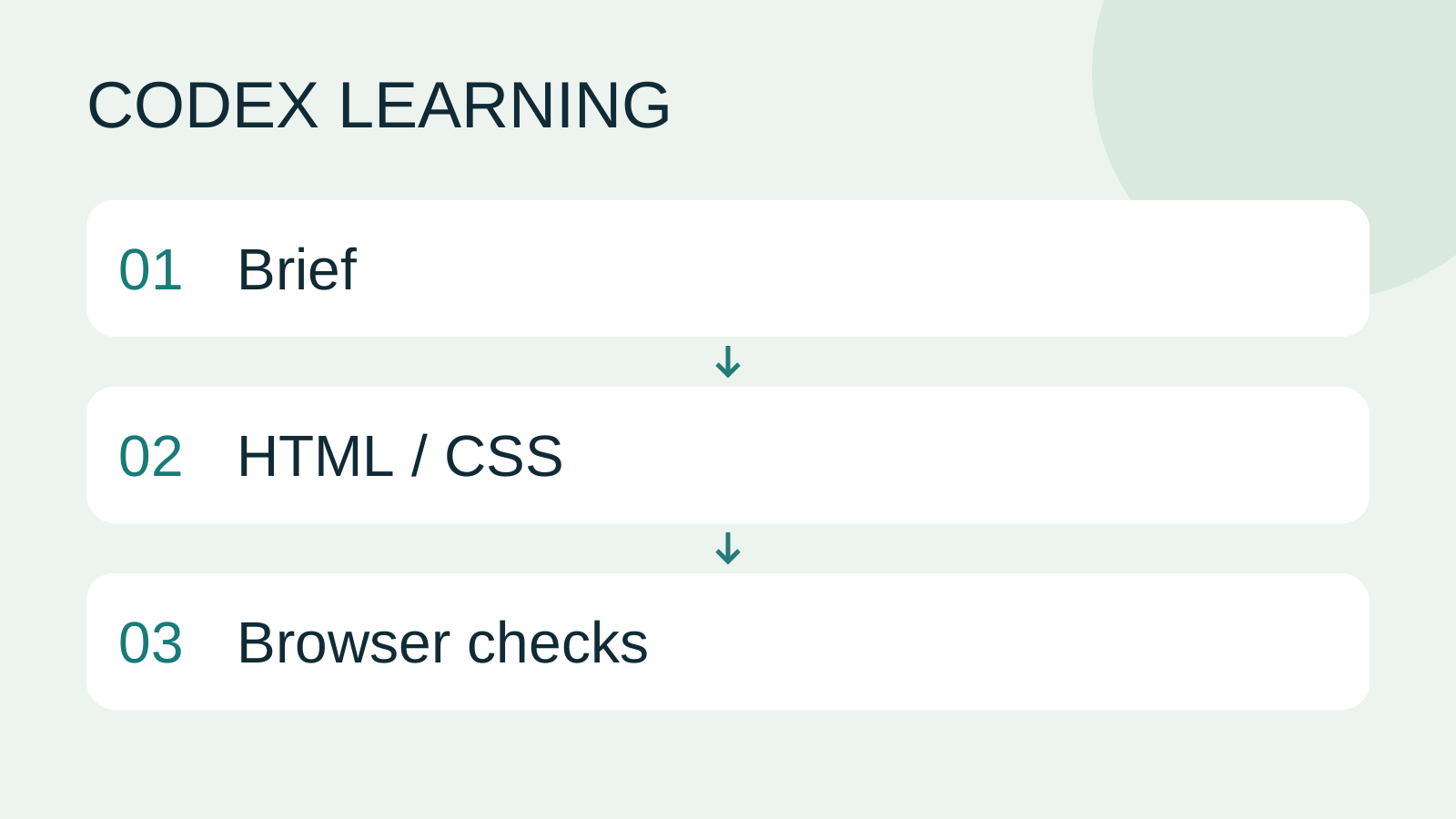
Brief to HTML / CSS to Browser checks
Lifestyle
Codex learning hub: tutorial directory
A planned 60-lesson, ten-unit Codex curriculum, from setup and your first task to MD instructions and advanced integrations. Find your next lesson by experience, platform, goal or command; unpublished entries show their status.
Lifestyle
Worktrees and isolated tasks
A Git worktree gives one repository multiple working directories on different branches. It isolates file edits, but databases, ports and external services may still be shared. File isolation is not full resource isolation.
Lifestyle
Usage and efficiency: reducing rework
Record task conditions, model options, time and outcomes to reduce unnecessary retries and excess context.
Lifestyle
Understanding an existing codebase
Use a read-only workflow to locate entry points, data flow and tests, with file-backed explanations.
Latest travel guides

GuideTokyo
Where to Stay in Tokyo: Comparing Shinjuku, Ueno, Tokyo Station, Shibuya, Asakusa, Ikebukuro, and Ginza, Plus Airport Access, Accommodation Tax, and Luggage Delivery
Where should you stay in Tokyo? Compare Shinjuku, Ueno, Tokyo Station, Shibuya, Asakusa, Ikebukuro, and Ginza by the same criteria: access from Narita and Haneda, transit routes, nearby attractions, neighborhood character, and who each area suits. Includes a comparison table, a Yamanote Line diagram, Tokyo’s accommodation tax as verified in 2026/9 (changing to 3% in 2027/4), and Airport TA-Q-BIN luggage shipping rules.
- Budget
- Hotels

GuideTokyo
How to Choose Tokyo Transit Passes: Are Suica, Welcome Suica, the Tokyo Subway Ticket, and the JR Pass Worth It?
On a first Tokyo trip, start with an IC card and pay per ride (Welcome Suica has no deposit and is valid for 28 days). If you take four or more subway rides in a day, add a 72-hour Tokyo Subway Ticket for 2,000 yen; a JR Pass is never worthwhile if you stay in Tokyo and do not go to Kansai. See what TOURIST PASMO, Suica on iPhone, and the Tokyo Metro day pass do and do not cover, with a decision chart. Prices verified in September 2026.
- Transport
- Budget

GuideTokyo
Tokyo Disneyland and DisneySea Guide: Ticket Prices, Fantasy Springs, Disney Premier Access (DPA), Standby Pass, and Which Park to Choose for Your First Visit
Tokyo Disney one-day Passport prices vary: most weekdays in 9/2026 cost ¥9,900 and weekends ¥10,900. At 14:00 daily, tickets go on sale for the same date two months later. Free Priority Pass is no longer on the official service list; only paid Disney Premier Access (¥1,000–3,500 per person per use) shortens waits. Covers hours, the 25th anniversary, Standby Pass, Entry Request, Fantasy Springs access and first-visit park choice; checked on the official site in 9/2026.
- Itineraries
- Family
Sources
- Codex prompting · Checked:
- Codex browser · Checked: