Lifestyle
Workshop: build a CSV cleanup tool
Build a CSV cleaner that preserves its input and writes a new output. The exercise trims whitespace, lowercases email, keeps the first valid occurrence of an address and skips blank names or malformed addresses. It reports kept, duplicate and invalid counts. Its format check does not prove a mailbox exists.
About 20 min read · Practice 45 min
Advanced · Desktop / CLI / VS Code / JetBrains
Before you start
On this page
- Goal and preparation
- Step 1: Create manually checkable data
- Step 2: Ask Codex to plan the cleaning contract
- Step 3: Inspect the reference safeguards
- Step 4: Run, capture status and verify output
- Step 5: Unicode, quotes and malformed rows
- Step 6: Retain repeatable acceptance tests
- Delivery, recovery and limits
Back to the Codex learning hubCodex learning hub: tutorial directoryA planned 60-lesson, ten-unit Codex curriculum, from setup and your first task to MD instructions and advanced integrations. Find your next lesson by experience, platform, goal or command; unpublished entries show their status.Read the full article
Goal and preparation
Step 1: Create manually checkable data
Open csv-lab in an editor and create UTF-8 contacts.csv exactly below. The header must be name,email in that order. Preserve the spaces around Alice and the first email as test conditions. Inspect with a text editor so spreadsheet re-saving does not change encoding or values. Check py -3 --version on Windows or python3 --version on macOS/Linux. Confirm Python 3.9 or later. This example needs no pip packages, pandas or database.
name,email
 Alice , ALICE@EXAMPLE.TEST
Alice duplicate,alice@example.test
Bob,bob@example.test
Missing,
| Input row | Decision | Output |
|---|---|---|
| Alice / ALICE@EXAMPLE.TEST | Valid; trim and lowercase | Alice / alice@example.test |
| Alice duplicate / alice@example.test | Duplicate valid email | Omit |
| Bob / bob@example.test | Valid | Bob / bob@example.test |
| Missing / blank email | Invalid | Omit |
Expect kept 2, duplicate 1, invalid 1. Deduplicate normalized email, not names. If an earlier row for that address is invalid because its name is blank, the first later valid row can still be kept. Specify these rules before generating code.
Step 2: Ask Codex to plan the cleaning contract
Open csv-lab in Codex and use Plan modePlan mode: agree on the work firstPlan mode is useful when scope or approach still needs decisions. It produces an implementation plan, not finished code. Define the questions to resolve and check that the plan includes inputs, outputs, constraints and verification.Read the full article to agree on input, output, exceptions and acceptance before implementing. Write only a new output file. Structural corruption must fail the run without a misleading partial result. An invalid email is countable bad data, while missing/extra columns or a wrong header violate the contract. Downstream use depends on that distinction, so ask for more than simply cleaning a CSV.
Create clean_contacts.py using Python's standard library only.
Expose clean(source: Path, target: Path) returning kept/duplicate/invalid counts.
Read UTF-8 with optional BOM using csv.DictReader, not string splitting.
Require exactly name,email. Trim both fields and lowercase email.
Keep the first valid row per email; reject empty names and invalid email shapes.
Treat missing/extra columns or malformed CSV as whole-run failures.
Read and validate before creating output. Never change input or overwrite output.
Write UTF-8 with name,email and a newline after each row.
CLI takes source and target paths, reports counts on stderr and exits 0 on success,
1 on data/file errors. Add tests for preservation, duplicates, Unicode, quoted
commas, malformed rows and overwrite refusal. Do not use real contact data.
Step 3: Inspect the reference safeguards
The complete reference below can run independently as clean_contacts.py. Back up your generated version before comparing. The csv module handles quotes, commas and newlines; split(',') cannot replace it. After reading all input, the program creates output with x mode, refusing existing targets. This avoids output on malformed input, but a disk failure during writing can still leave a partial file. Mark that run failed and inspect its artifacts; this is not a transactional system.
"""Clean a practice CSV without overwriting either the input or an existing output."""
import argparse
import csv
import json
import re
import sys
from pathlib import Path


def clean(source: Path, target: Path) -> dict[str, int]:
    if source.resolve() == target.resolve():
        raise ValueError("Input and output must differ")
    rows = []
    seen = set()
    counts = {"kept": 0, "duplicate": 0, "invalid": 0}
    with source.open(encoding="utf-8-sig", newline="") as stream:
        reader = csv.DictReader(stream, strict=True)
        if reader.fieldnames != ["name", "email"]:
            raise ValueError("Expected exactly: name,email")
        for row in reader:
            if None in row or any(value is None for value in row.values()):
                raise ValueError("Malformed CSV row")
            name = row["name"].strip()
            email = row["email"].strip().lower()
            # An exercise-level shape check, not proof an address can receive mail.
            if not name or not re.fullmatch(r"[^\s@]+@[^\s@]+\.[^\s@]+", email):
                counts["invalid"] += 1
            elif email in seen:
                counts["duplicate"] += 1
            else:
                seen.add(email)
                rows.append({"name": name, "email": email})
                counts["kept"] += 1
    # Exclusive creation: a rerun never silently replaces an existing result.
    with target.open("x", encoding="utf-8", newline="") as stream:
        writer = csv.DictWriter(stream, fieldnames=["name", "email"], lineterminator="\n")
        writer.writeheader()
        writer.writerows(rows)
    return counts


def main() -> int:
    parser = argparse.ArgumentParser(description=__doc__)
    parser.add_argument("source", type=Path)
    parser.add_argument("target", type=Path)
    args = parser.parse_args()
    try:
        counts = clean(args.source, args.target)
    except (OSError, ValueError, csv.Error) as error:
        print(str(error), file=sys.stderr)
        return 1
    print(json.dumps(counts), file=sys.stderr)
    return 0


if __name__ == "__main__":
    raise SystemExit(main())
Step 4: Run, capture status and verify output
Check that cleaned-01.csv is unused. On macOS/Linux, contacts-before.csv must also be unused so cp cannot overwrite a backup. Record the input SHA256 in PowerShell or copy this fictional input for cmp on macOS/Linux. Counts are written to stderr even on success; text on that channel alone is not failure. Save exit status immediately, then compare output and input.
$csvBefore = (Get-FileHash -LiteralPath contacts.csv -Algorithm SHA256).Hash
py -3 clean_contacts.py contacts.csv cleaned-01.csv
$csvExit = $LASTEXITCODE
$csvExit
Get-Content -LiteralPath cleaned-01.csv
$csvBefore -eq (Get-FileHash -LiteralPath contacts.csv -Algorithm SHA256).Hash
cp contacts.csv contacts-before.csv
python3 clean_contacts.py contacts.csv cleaned-01.csv
csv_exit=$?
echo "$csv_exit"
cat cleaned-01.csv
cmp contacts-before.csv contacts.csv
name,email
Alice,alice@example.test
Bob,bob@example.test
Expect exit 0, counts kept 2, duplicate 1, invalid 1, two output records in original order, and True or no cmp difference. Repeat the same command: existing cleaned-01.csv must cause exit 1 without changing it. Do not delete it first and claim overwrite protection passed. Then use contacts.csv as both input and output; it must refuse without changing the original. These expected failures are part of successful acceptance.
Step 5: Unicode, quotes and malformed rows
Create contacts-unicode.csv below and output cleaned-unicode.csv. Expect kept 1, duplicate 0, invalid 0, with the comma inside one name field and Unicode preserved. If re-opening looks garbled, check UTF-8 decoding before rewriting input. Create bad.csv containing name,email followed by a newline and Alice, a missing email column. A new cleaned-bad.csv target must not be created and exit must be 1. Reversed headers or an extra third column must also fail.
name,email
"林, Alex",alex@example.test
Extension: retain the first valid row
name,email
 ,first@example.test
First valid,FIRST@example.test
Later duplicate,first@example.test
Run the same program with this new input and an unused cleaned-first-valid.csv target. Expect kept 1, duplicate 1, invalid 1. The blank-name row must not reserve the email; First valid is the first valid row, and the final row is the duplicate. If First valid is missing, check that seen is updated only after validation. Preserve contacts.csv and cleaned-01.csv.
name,email
First valid,first@example.test
Step 6: Retain repeatable acceptance tests
Save the complete test as test_clean_contacts.py beside the program and contacts.csv. It uses temporary folders to check byte-preserved input, overwrite refusal, Unicode, quoting and structural errors without accumulating test outputs in your practice folder. Run py -3 -m unittest -v test_clean_contacts.py on Windows or python3 -m unittest -v test_clean_contacts.py on macOS/Linux. All three reference tests should pass. If your generated interface differs, align the clean function contract rather than deleting failing cases.
import csv
import tempfile
import unittest
from pathlib import Path

from clean_contacts import clean


class CleanupTests(unittest.TestCase):
    def test_contract_and_input_preservation(self):
        original = (Path(__file__).parent / "contacts.csv").read_bytes()
        with tempfile.TemporaryDirectory() as directory:
            source = Path(directory) / "input.csv"
            target = Path(directory) / "output.csv"
            source.write_bytes(original)
            self.assertEqual(clean(source, target), {"kept": 2, "duplicate": 1, "invalid": 1})
            self.assertEqual(source.read_bytes(), original)
            with target.open(encoding="utf-8", newline="") as stream:
                self.assertEqual(list(csv.DictReader(stream)), [{"name": "Alice", "email": "alice@example.test"}, {"name": "Bob", "email": "bob@example.test"}])
            with self.assertRaises(FileExistsError):
                clean(source, target)
            with self.assertRaises(ValueError):
                clean(source, source)

    def test_unicode_and_quoted_comma(self):
        with tempfile.TemporaryDirectory() as directory:
            source, target = Path(directory) / "in.csv", Path(directory) / "out.csv"
            source.write_text('name,email\n"林, Alex",alex@example.test\n', encoding="utf-8")
            self.assertEqual(clean(source, target)["kept"], 1)
            self.assertIn('"林, Alex"', target.read_text(encoding="utf-8"))

    def test_bad_header_and_malformed_rows_create_no_output(self):
        with tempfile.TemporaryDirectory() as directory:
            source, target = Path(directory) / "in.csv", Path(directory) / "out.csv"
            for value in ["email,name\na@b.test,A\n", "name,email\nAlice\n", "name,email\nA,a@b.test,extra\n"]:
                source.write_text(value, encoding="utf-8")
                with self.assertRaises(ValueError):
                    clean(source, target)
                self.assertFalse(target.exists())


if __name__ == "__main__":
    unittest.main()
Delivery, recovery and limits
Deliver the fictional source CSV, program, tests, command, counts and evidence of preserved input. Download the complete CSV exercise for comparison; it includes reference code and needs no earlier project. Use new output names for reruns and clean only identified artifacts. Real contacts, very large files or spreadsheet imports need separate access, streaming and formula-text rules. This lesson saves data as text and never executes external content as commands. Continue to Maintaining an existing projectWorkshop: maintaining an existing projectEstablish a baseline, implement one change and deliver traceable regression checks and handoff notes.Read the full article with the same baseline and verification discipline.
Back to the Codex learning hubCodex learning hub: tutorial directoryA planned 60-lesson, ten-unit Codex curriculum, from setup and your first task to MD instructions and advanced integrations. Find your next lesson by experience, platform, goal or command; unpublished entries show their status.Read the full article
Read the full description
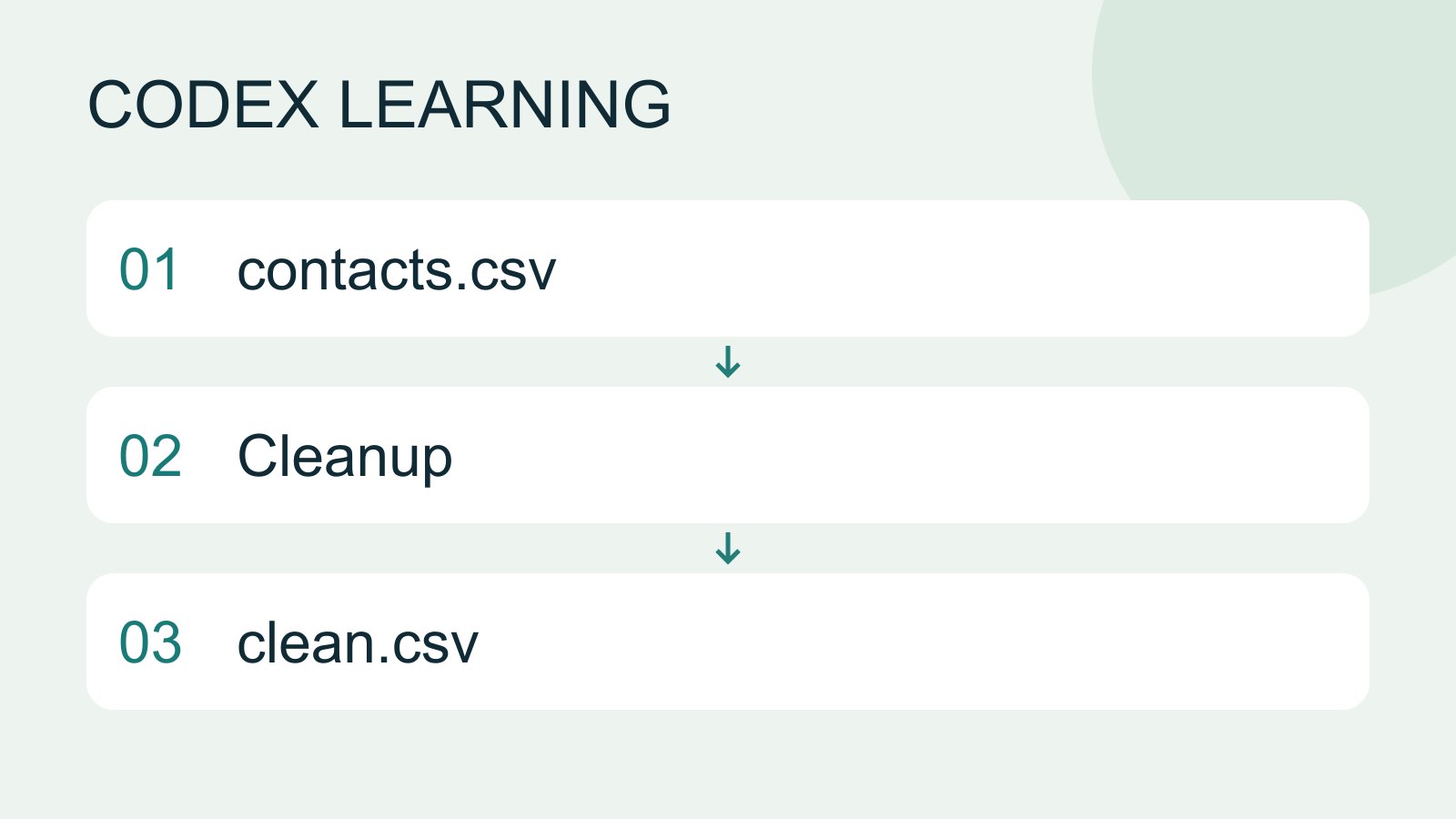
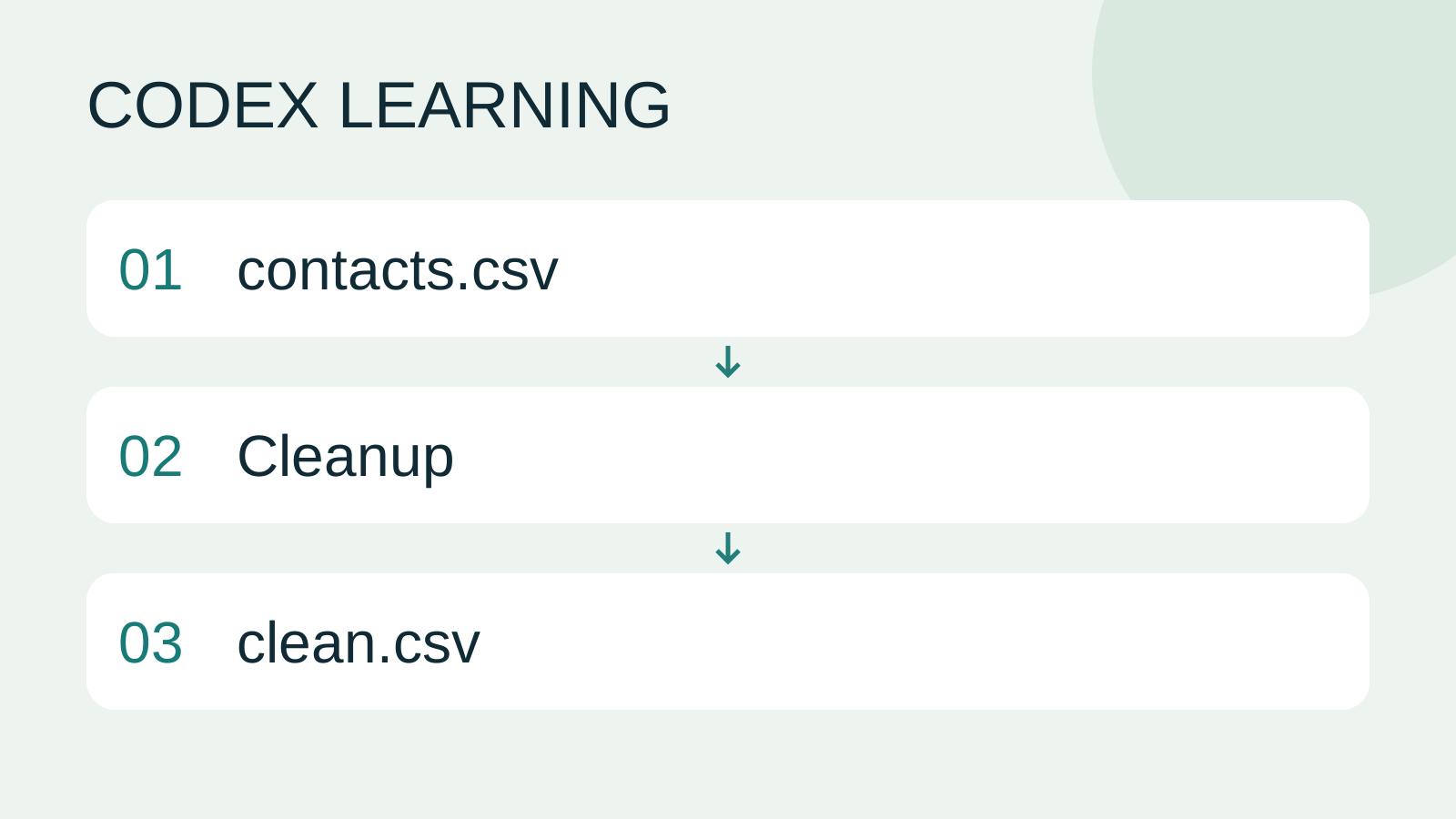
contacts.csv to Cleanup to clean.csv
Lifestyle
Codex learning hub: tutorial directory
A planned 60-lesson, ten-unit Codex curriculum, from setup and your first task to MD instructions and advanced integrations. Find your next lesson by experience, platform, goal or command; unpublished entries show their status.
Lifestyle
Worktrees and isolated tasks
A Git worktree gives one repository multiple working directories on different branches. It isolates file edits, but databases, ports and external services may still be shared. File isolation is not full resource isolation.
Lifestyle
Workshop: build a small website
Plan and build the Small Steps task website from brief.md, with adding, completing, deleting, filtering and local persistence. Separate HTML, CSS, data functions, UI events and tests, verify with Node and browser checks, and document restart and recovery steps.
Lifestyle
Usage and efficiency: reducing rework
Record task conditions, model options, time and outcomes to reduce unnecessary retries and excess context.
Latest travel guides

GuideTokyo
Where to Stay in Tokyo: Comparing Shinjuku, Ueno, Tokyo Station, Shibuya, Asakusa, Ikebukuro, and Ginza, Plus Airport Access, Accommodation Tax, and Luggage Delivery
Where should you stay in Tokyo? Compare Shinjuku, Ueno, Tokyo Station, Shibuya, Asakusa, Ikebukuro, and Ginza by the same criteria: access from Narita and Haneda, transit routes, nearby attractions, neighborhood character, and who each area suits. Includes a comparison table, a Yamanote Line diagram, Tokyo’s accommodation tax as verified in 2026/9 (changing to 3% in 2027/4), and Airport TA-Q-BIN luggage shipping rules.
- Budget
- Hotels

GuideTokyo
How to Choose Tokyo Transit Passes: Are Suica, Welcome Suica, the Tokyo Subway Ticket, and the JR Pass Worth It?
On a first Tokyo trip, start with an IC card and pay per ride (Welcome Suica has no deposit and is valid for 28 days). If you take four or more subway rides in a day, add a 72-hour Tokyo Subway Ticket for 2,000 yen; a JR Pass is never worthwhile if you stay in Tokyo and do not go to Kansai. See what TOURIST PASMO, Suica on iPhone, and the Tokyo Metro day pass do and do not cover, with a decision chart. Prices verified in September 2026.
- Transport
- Budget

GuideTokyo
Tokyo Disneyland and DisneySea Guide: Ticket Prices, Fantasy Springs, Disney Premier Access (DPA), Standby Pass, and Which Park to Choose for Your First Visit
Tokyo Disney one-day Passport prices vary: most weekdays in 9/2026 cost ¥9,900 and weekends ¥10,900. At 14:00 daily, tickets go on sale for the same date two months later. Free Priority Pass is no longer on the official service list; only paid Disney Premier Access (¥1,000–3,500 per person per use) shortens waits. Covers hours, the 25th anniversary, Standby Pass, Entry Request, Fantasy Springs access and first-visit park choice; checked on the official site in 9/2026.
- Itineraries
- Family
Sources
- Codex prompting · Checked:
- Python csv module · Checked: