Lifestyle
codex exec and scripts
codex exec runs one non-interactive task for scripts or CI. Normally progress goes to stderr and the final answer to stdout. --json produces JSON Lines events, not a single JSON object.
About 15 min read · Practice 20 min
On this page
Back to the Codex learning hubCodex learning hub: tutorial directoryA planned 60-lesson, ten-unit Codex curriculum, from setup and your first task to MD instructions and advanced integrations. Find your next lesson by experience, platform, goal or command; unpublished entries show their status.Read the full article
Goal and preparation
Lessons and resources mentioned here: CLI installation and loginInstall and start Codex CLIChoose an installation platform, sign in, inspect a file, make a one-line change, verify it independently and resume the session. Includes a repeatable two-file exercise and a missing-file test.Read the full article
Step 1: Identify the execution surface
codex exec is a terminal command, not a desktop chat slash command. Use PowerShell on Windows, Terminal on macOS, or a Linux terminal. In WSL, install and authenticate inside WSL; do not assume Windows login has synchronized. Desktop and IDE terminals can host the CLI. A phone conversation is not this local process: a computer or controlled remote environment must run it. On every OS, run the following two commands and confirm your installed version supports the flags before continuing.
codex --version
codex exec --help
| Surface | This exercise | Use |
|---|---|---|
| Terminal | codex exec | Start one non-interactive run |
| Prompt argument | Read tasks.md… | State the agent's objective |
| stdout | Final answer | Save as text |
| stderr | Progress and diagnostics | Text does not itself mean failure |
| Exit status | Integer | 0 means process success; validate the answer too |
The JSON/JSONLJSON output and result validationSeparate event streams from final results, parse structured output and reject missing or invalid fields.Read the full article lesson changes stdout's format; keep plain text here. Neither an empty diagnostic file nor an answer saying Done replaces exit-status and content checks.
Step 2: Create an isolated input
Create a new exec-lab folder in your practice area and open it in an editor. If that name already contains files, choose another empty folder. Add UTF-8 tasks.md exactly as below. Avoid a production project, private logs or your whole user directory: a small list that you can check by hand is enough. Initialize Git in that folder's terminal. No commit, remote or GitHub account is required.
# Practice tasks
Revision: exec-practice-1

- [x] Read the guide
- [ ] Create a practice file
- [ ] Verify the result
git init
git status --short
Expect tasks.md to be untracked. Git initialization satisfies the CLI's working-directory check and uploads nothing. Privately note revision exec-practice-1, total 3, completed 1, pending 2. Do not include these answers in the next prompt, so the result can demonstrate reading the input. If other files appear, use Terminal pathsTerminal paths and project rootsCreate a practice folder on Windows, macOS or Linux and distinguish current, relative and absolute paths.Read the full article to verify your location.
Step 3: Save output and immediately capture the exit status
Choose the command set for your OS. Confirm report-01.md, stdout-01.txt and stderr-01.log (and tasks-before.md on macOS/Linux) do not exist first; use 02 for a second attempt to avoid mistaking an old answer for new success. The read-only sandbox limits agent edits; shell redirection and -o still write the specified reports. --ephemeral avoids persisted session files, but does not mean zero account usage or the absence of these three output files.
$practiceBefore = (Get-FileHash -LiteralPath tasks.md -Algorithm SHA256).Hash
codex exec --sandbox read-only --ephemeral -o report-01.md 'Read tasks.md. Report its revision and the total, completed and pending checkbox counts. Do not edit input files or use external tools.' 1> stdout-01.txt 2> stderr-01.log
$practiceExit = $LASTEXITCODE
$practiceExit
Get-Content -LiteralPath report-01.md
$practiceBefore -eq (Get-FileHash -LiteralPath tasks.md -Algorithm SHA256).Hash
cp tasks.md tasks-before.md
codex exec --sandbox read-only --ephemeral -o report-01.md 'Read tasks.md. Report its revision and the total, completed and pending checkbox counts. Do not edit input files or use external tools.' > stdout-01.txt 2> stderr-01.log
practice_exit=$?
printf '%s\n' "$practice_exit"
cat report-01.md
cmp tasks-before.md tasks.md
External tools in the prompt means external services; Codex can use local file-reading tools for tasks.md. Capture exit status before the next native command replaces it. Success requires status 0, the correct revision and 3/1/2 counts, and unchanged input. PowerShell's last line should be True; on macOS/Linux, cmp produces no output and exits 0 when files match. Accept different response wording or language if the values and evidence are correct.
Step 4: Ensure a failure is not accepted as an answer
codex exec --sandbox invalid 'Read tasks.md'
This should be rejected during argument parsing, without a new model answer. Immediately inspect $LASTEXITCODE in PowerShell or echo $? on macOS/Linux; expect nonzero. The previous report-01.md can still exist and does not prove this run succeeded. To retry with read-only, use new output names and capture status again. Do not bypass permissions or sandboxing to hide errors: invalid arguments, authentication failures, exhausted quota and missing input need different fixes.
Keep two result rows: the read-only run's actual filenames, exit status and counts; then the invalid-flag attempt marked argument parsing failed, no new answer. An existing report-01.md proves only that the earlier file remains. If the model run was not performed, leave it unexecuted; the invalid-flag exercise can still be done independently.
Troubleshooting, cleanup and next steps
If codex is missing, check PATH in the installation lesson rather than repeatedly logging in. For Git-directory errors, check exec-lab and git status before considering any override. For authentication or quota errors, inspect codex login status and the relevant Account and usageAccounts, sign-in, plans and usageCheck how you signed in before interpreting usage. ChatGPT sign-in uses the Codex allowance associated with that account; API-key authentication in a supported client requires checking API billing separately. This tutorial teaches you where to verify your own allowance rather than freezing a price or message limit that may change.Read the full article surface. Do not publish credentials, user paths or private prompts from diagnostics. If interactive approval is required, investigate the needed permission interactively, then narrow the non-interactive task as appropriate.
Keep this run's exit status and verification result, then reopen tasks.md. For cleanup, individually select your report, stdout, stderr and, on macOS/Linux, tasks-before.md in the file manager. Do not delete the project or clear every untracked file. You now have a verifiable read-only run. Next add structured-output validation, then move to CICodex in CI workflowsDesign a CI job with explicit input, permissions and exit states, preserving artifacts and separating proposals from application.Read the full article. Flags are checked against official documentation and CLI help; passing reference-script checks does not prove a model run succeeded for every reader's account.
Back to the Codex learning hubCodex learning hub: tutorial directoryA planned 60-lesson, ten-unit Codex curriculum, from setup and your first task to MD instructions and advanced integrations. Find your next lesson by experience, platform, goal or command; unpublished entries show their status.Read the full article
Read the full description
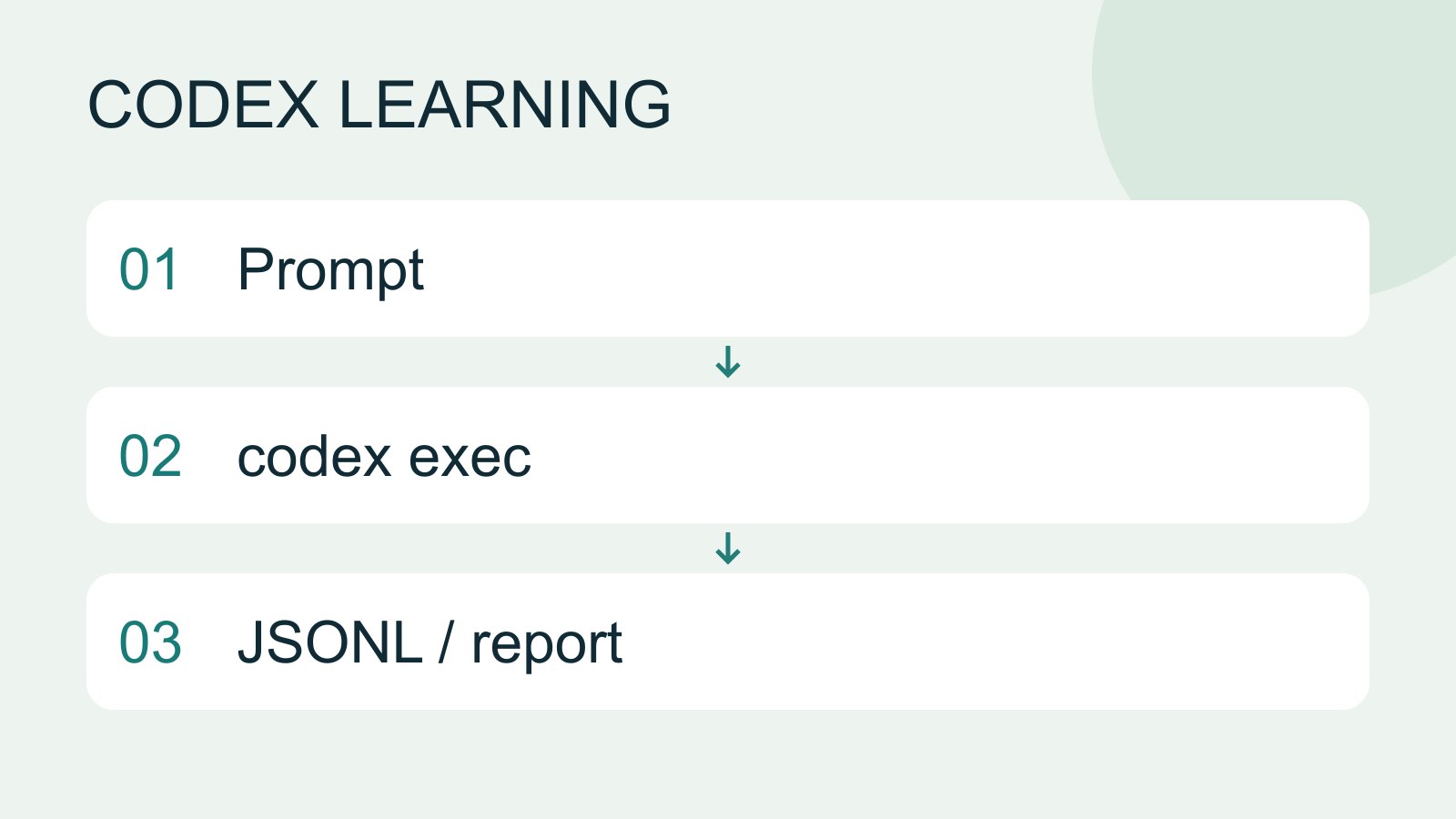
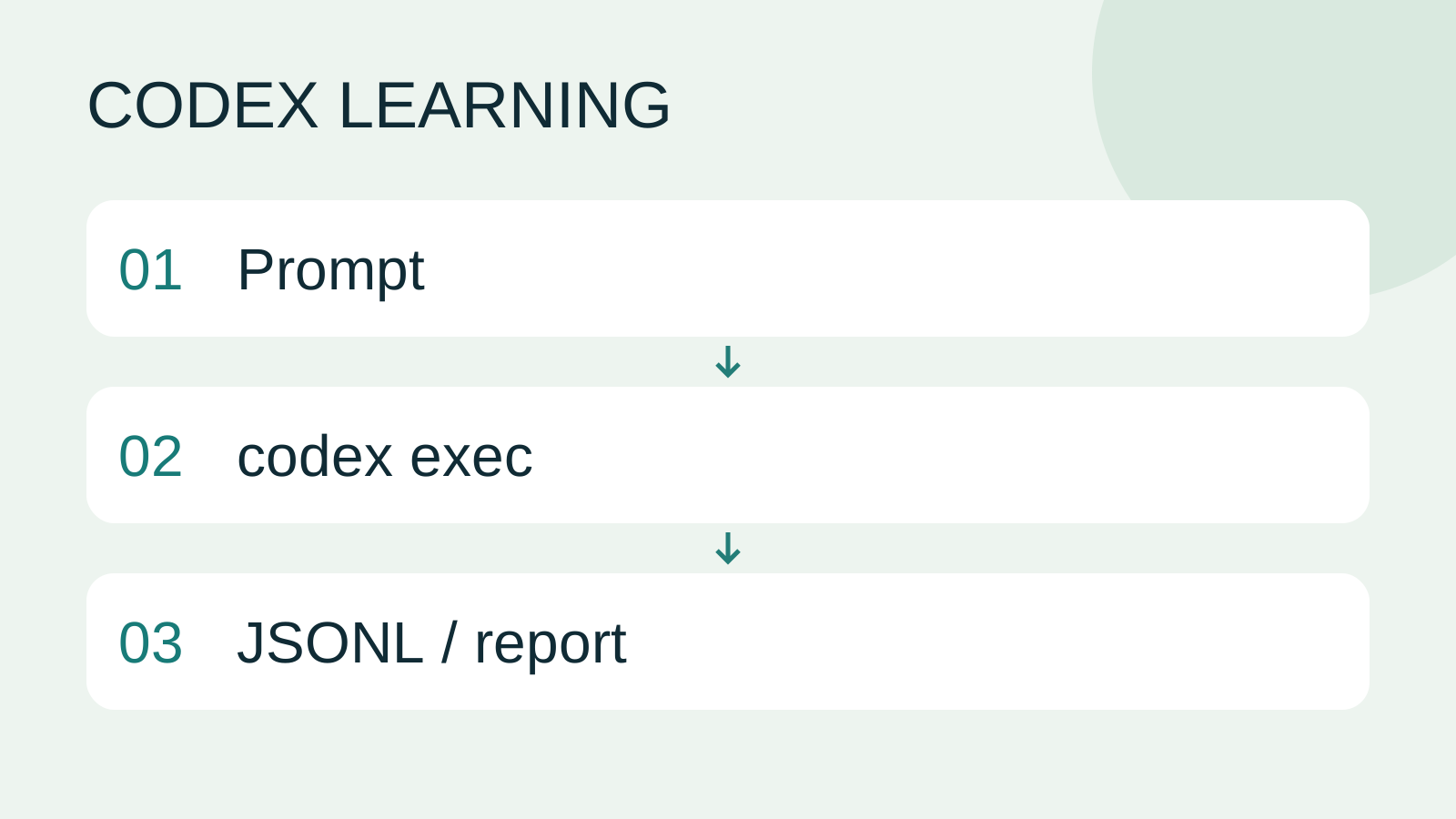
Prompt to codex exec to JSONL / report
Lifestyle
Codex learning hub: tutorial directory
A planned 60-lesson, ten-unit Codex curriculum, from setup and your first task to MD instructions and advanced integrations. Find your next lesson by experience, platform, goal or command; unpublished entries show their status.
Lifestyle
Worktrees and isolated tasks
A Git worktree gives one repository multiple working directories on different branches. It isolates file edits, but databases, ports and external services may still be shared. File isolation is not full resource isolation.
Lifestyle
Workshop: build a small website
Plan and build the Small Steps task website from brief.md, with adding, completing, deleting, filtering and local persistence. Separate HTML, CSS, data functions, UI events and tests, verify with Node and browser checks, and document restart and recovery steps.
Lifestyle
Usage and efficiency: reducing rework
Record task conditions, model options, time and outcomes to reduce unnecessary retries and excess context.
Articles that cite this one
Latest travel guides

GuideTokyo
Where to Stay in Tokyo: Comparing Shinjuku, Ueno, Tokyo Station, Shibuya, Asakusa, Ikebukuro, and Ginza, Plus Airport Access, Accommodation Tax, and Luggage Delivery
Where should you stay in Tokyo? Compare Shinjuku, Ueno, Tokyo Station, Shibuya, Asakusa, Ikebukuro, and Ginza by the same criteria: access from Narita and Haneda, transit routes, nearby attractions, neighborhood character, and who each area suits. Includes a comparison table, a Yamanote Line diagram, Tokyo’s accommodation tax as verified in 2026/9 (changing to 3% in 2027/4), and Airport TA-Q-BIN luggage shipping rules.
- Budget
- Hotels

GuideTokyo
How to Choose Tokyo Transit Passes: Are Suica, Welcome Suica, the Tokyo Subway Ticket, and the JR Pass Worth It?
On a first Tokyo trip, start with an IC card and pay per ride (Welcome Suica has no deposit and is valid for 28 days). If you take four or more subway rides in a day, add a 72-hour Tokyo Subway Ticket for 2,000 yen; a JR Pass is never worthwhile if you stay in Tokyo and do not go to Kansai. See what TOURIST PASMO, Suica on iPhone, and the Tokyo Metro day pass do and do not cover, with a decision chart. Prices verified in September 2026.
- Transport
- Budget

GuideTokyo
Tokyo Disneyland and DisneySea Guide: Ticket Prices, Fantasy Springs, Disney Premier Access (DPA), Standby Pass, and Which Park to Choose for Your First Visit
Tokyo Disney one-day Passport prices vary: most weekdays in 9/2026 cost ¥9,900 and weekends ¥10,900. At 14:00 daily, tickets go on sale for the same date two months later. Free Priority Pass is no longer on the official service list; only paid Disney Premier Access (¥1,000–3,500 per person per use) shortens waits. Covers hours, the 25th anniversary, Standby Pass, Entry Request, Fantasy Springs access and first-visit park choice; checked on the official site in 9/2026.
- Itineraries
- Family
Sources
- Codex non-interactive mode · Checked:
- CLI command reference · Checked: