Lifestyle
Website Caching and CDNs: Which Layer to Clear When Updates Do Not Appear
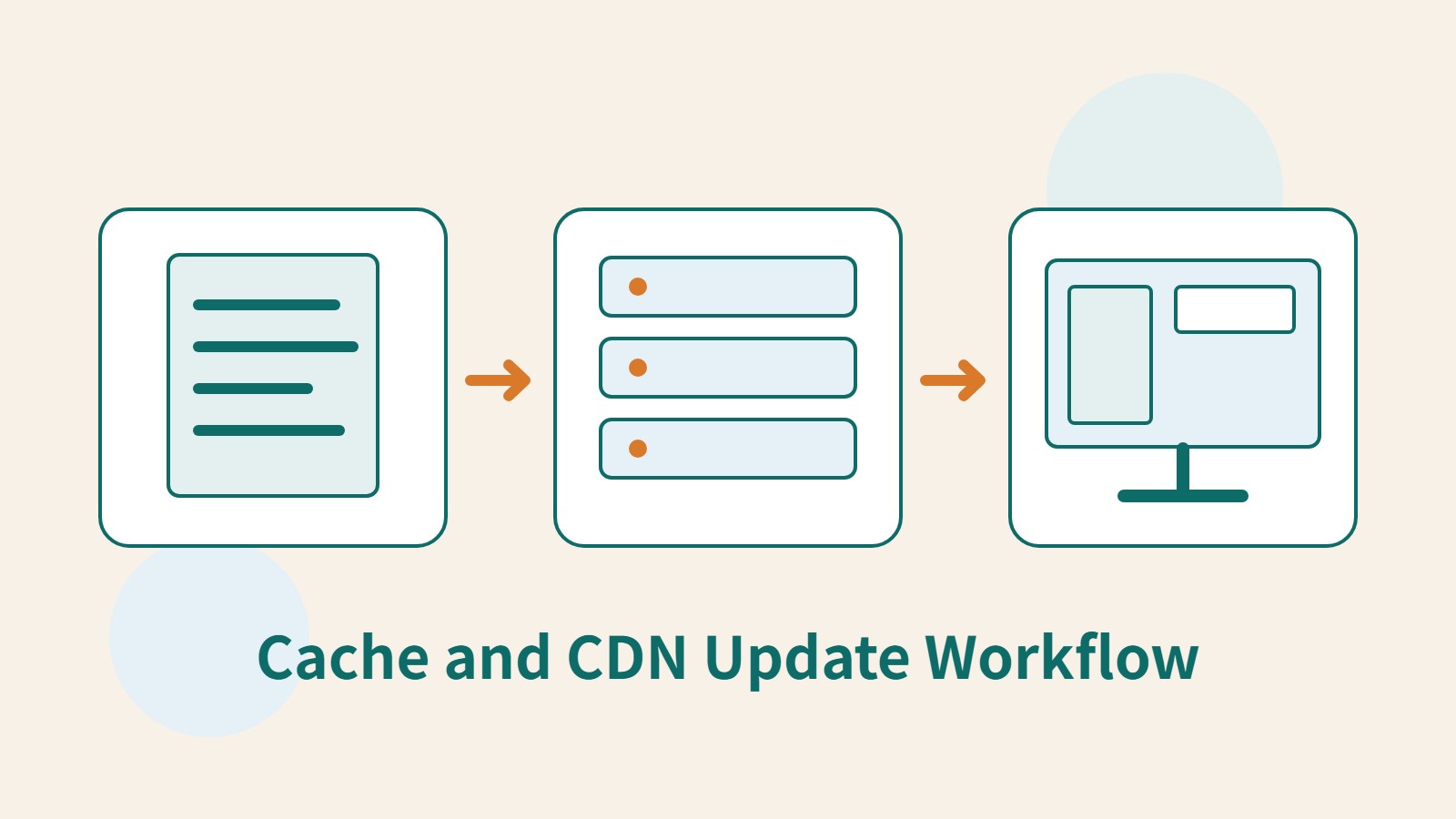
A website may be updated while phones still show old content because caches remain in different places. Using a Taiwan studio's business-hours update, this article explains browser, WordPress/hosting and CDN roles, cache responses, expiry times and targeted purging. An ordered procedure, comparison table and original diagram help site managers trace old versions while keeping account and shopping workflows correct.
About 7 min read
Contents
- 1. First identify whether the outdated element is text, an image or the entire layout
- 2. Distinguish the browser, website and CDN layers
- 3. Check expiry times together with cache status
- 4. Confirm the origin is updated, then purge the correct resources
- 5. Account and shopping content needs more than public-page rules
- 6. Make cache updates part of the publishing workflow
A studio has updated its Sunday business hours, and the admin preview is correct, but a customer's phone still displays the old hours. You need to find where the old version is stored: the edit may not have been published, the web server may be retaining an old page, or an image cache or browser cache may be involved.
Caching temporarily stores reusable results to reduce repeated downloads or computation. It makes websites more efficient, but also requires managing version updates. Knowing who controls each layer, what it caches and how to verify updates turns troubleshooting into an orderly process.
First identify whether the outdated element is text, an image or the entire layout
Record the full URL with the problem and the outdated content. Article text, a business-hours image and a stylesheet are different resources. Even on the same page, each may be cached separately. If only the hours image has not updated, first check its URL and file contents instead of immediately rebuilding the entire site.
Return to the editing dashboard to confirm that the changes have been saved and published in the correct environment. Rule out changes made only to a draft, scheduled post or test site. Next, view the same URL while logged out. Some sites use different caching strategies for administrators and regular visitors, so seeing new content when logged in proves only what is served in that state.
For a business-hours update, record the expected text, the actual text on the public page, the version of the hours image and the time of the check. These four details help your hosting provider or engineer identify exactly which data you are tracing, preventing everyone from viewing different pages yet insisting that nothing is wrong on their end.
Distinguish the browser, website and CDN layers
The browser cache resides on the reader's device. Website caches may be managed by WordPress plugins or hosting services, while a CDN serves reusable content from distributed nodes. Clearing one layer does not prove that the others have updated; an incognito window may still receive the same CDN response.
A CDN can deliver images, stylesheets and other files from nodes closer to visitors and reduce repeated processing on the origin server. It does not replace the site's database or content editing, nor does it handle every application task. If the origin server already outputs incorrect business hours, even a fast CDN may simply deliver that incorrect content.
Cloudflare, for example, caches some resources by file extension by default, but does not cache HTML or JSON by default. Sites can change this behavior through rules. A domain using Cloudflare therefore does not prove that it caches the entire page's HTML; check the actual rules and responses.
Check expiry times together with cache status
TTL specifies how long cached content can be retained, but browser and CDN edge-node durations can be managed separately. Cloudflare's documentation explicitly distinguishes Edge Cache TTL from Browser Cache TTL. Do not change just one value and assume that old files on every reader's device will immediately disappear.
Ask an engineer or a site manager familiar with the tools to inspect the response headers. Cloudflare's CF-Cache-Status: HIT indicates that a resource was found in its cache; MISS indicates that the cacheable resource was not in the cache for that request and must be fetched from the origin. A MISS may still retrieve stale content from the origin server's own cache, so it does not prove that the content is up to date.
In Cache-Control, no-cache requires revalidation before reuse; it does not prohibit storage entirely. no-store means the response should not be stored. These names are easily misunderstood, and a service's custom rules may also change actual behavior. Site managers should first understand the current setup, then ask the person responsible to adjust it; there is no need to blindly assemble a string of headers.
Confirm the origin is updated, then purge the correct resources
First confirm that the content generated by the site is the new version. If necessary, follow the plugin or hosting documentation to clear the relevant page cache. Then handle the outer CDN layer, so it does not fetch an old page from the origin immediately after being purged. Reload and record the result after each step to identify which layer causes the difference.
For Cloudflare, the official targeted purge procedure is to select Custom Purge in the cache settings, choose URL, enter the full resource URL to purge, check it and execute the purge. Identify the hours image and article page separately; purging the article HTML does not mean the separate image file has also been purged.
If a custom cache key includes specific headers or Cookie values, a single-URL purge through the dashboard may not cover every version. The person responsible must handle this using the official methods. Single-file purging also does not accept wildcards. Do not casually enter an asterisk without understanding the scope or assume that a purge-success message means every variant has been verified.
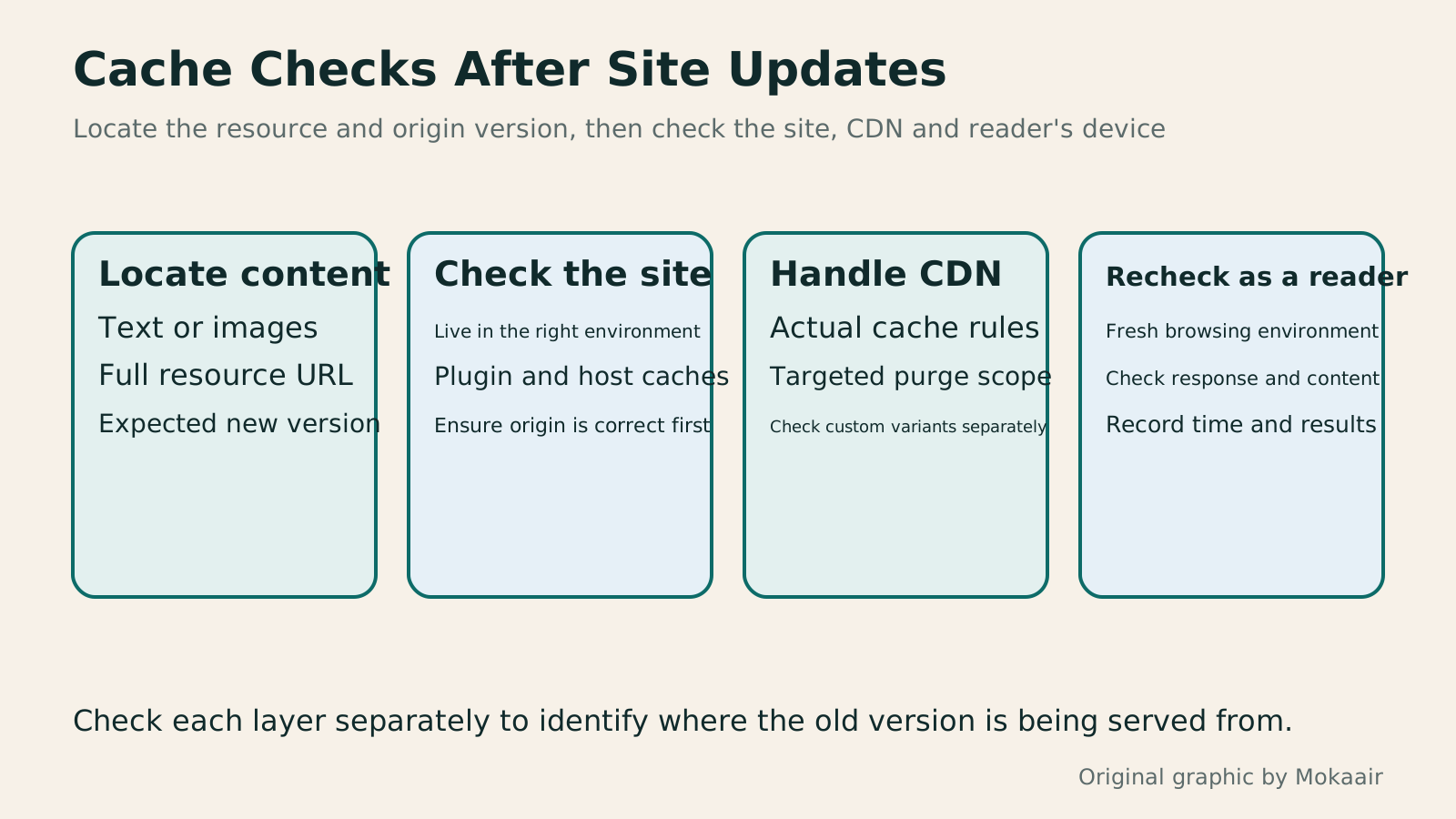
- Confirm that the public origin content has updated, and list the affected page and resource URLs.
- Handle the corresponding page caches according to the site's plugin or hosting settings.
- If the CDN actually caches the resource, perform a targeted purge according to its rules.
- Reload and verify the content version, then check again in a fresh browsing environment.
Account and shopping content needs more than public-page rules
Informational article pages can share the same result among many readers, while account details, shopping carts and individual orders vary by user. If personalized content is mistakenly placed in a shared cache, other people may see data that does not belong to them. Configure exclusions or correctly distinguish this content according to the site's architecture; treating “cache everything” as a universal way to speed up a site is inappropriate.
The presence of a Cookie does not itself guarantee that a response is private. The person responsible should check how application responses, hosting caches and CDN rules work together to handle login status. Use separate test accounts to confirm that shopping carts and data remain independent, and avoid saving real customers' personal content in the records.
Correct dynamic functionality takes priority over the cache hit rate. If incorrect prices, login states or someone else's content appear after an update, immediately disable the relevant faulty rules and investigate. Simply asking users to clear their browsers is insufficient, because incorrect settings in a shared layer may keep delivering the same problem to other people.
Make cache updates part of the publishing workflow
Create a simple management table listing content types, the services responsible for caching, where to clear each cache, expiry policies and verification methods. Business-hours text, cover images and site-wide styles may follow different update paths. Keeping consistent records makes it easier to maintain stability than clearing every cache after every change.
For static files that need long-term caching, the build or asset workflow can use versioned filenames, with pages referencing the new files when updated. Main article URLs should remain stable; there is no need to repeatedly change paths just to replace an image. When deciding when to remove old assets, also consider pages that may still reference them.
Finally, verify the content actually served instead of relying only on a dashboard success message. Keep the purge time, URLs, versions before and after the purge, and the checking environment. If old data reappears, these records help determine whether a cache layer, the origin content or the publishing workflow is responsible, so the fix addresses what actually needs changing.
Read the full description
Four steps cover checking old and new content, verifying the site origin, purging relevant CDN resources and rechecking as a reader, rather than relying on a success message.
| Location | Usually managed by | Still verify after clearing |
|---|---|---|
| Browser cache | User device and response policies | Whether outer layers still serve old content |
| WordPress/hosting | Plugin or hosting administrator | Whether the origin page has been regenerated |
| CDN nodes | CDN rules and administrators | URL, variants and origin version |
| Personalized content | Coordinated application and cache-layer settings | Whether different users' data remains independent |
Establish comparable speed measurementsHow to Read PageSpeed Insights Scores: The Right Order for Measuring Website SpeedFluctuating PageSpeed Insights scores do not always mean the site has changed. For website managers in Taiwan, this article distinguishes real-user data, Lighthouse tests and score categories, and establishes comparable URLs, devices, versions and test conditions. An original report-reading sequence, improvement log and practical steps help speed checks support concrete decisions instead of merely collecting a high-score screenshot.Read the full article
Troubleshoot outdated images in sharing previewsHow to Fix Website Sharing Previews: Open Graph Titles, Images, and CachesAfter changing a website's cover, social media may still show the old image because of page tags, image access, or platform caches. This article covers Open Graph title, description, URL, and image fields, showing how to check WordPress's actual output, spot plugin conflicts, and check previews with platform tools. An original troubleshooting table and image composition tips help Taiwan website administrators fix sharing cards without repeatedly changing article URLs.Read the full article
Organize routine website maintenanceWhat website maintenance involves: a routine for backups, updates, and incident reportsWebsite maintenance includes more than plugin updates: check content, accounts, backups, outgoing email, and expiring services. Using a small WordPress content site, this guide covers routine observation, pre- and post-update checks, restoration, and incident reports, with a worksheet for owners, editors, and maintainers. Set a schedule by update frequency, identify urgent cases, and keep records the next collaborator can use.Read the full article
Found this guide helpful? Share it with someone who needs it
Lifestyle
www, Subdomains, and Subdirectories: Choosing a Website URL Structure
Whether to use www or put a blog at blog.example.com or example.com/blog/ depends on platform support and maintenance. This article explains hostnames and paths, then compares content roles, DNS settings, HTTPS certificates, and URL consistency for subdomains and subdirectories. An original decision table and launch checklist help small websites in Taiwan build URL structures that are easy to use, manage, and hand over.
Lifestyle
Before Hiring a Web Design Agency: The Brief, Quotes and Deliverables Checklist
Before hiring a web design agency, define your site's audience, key actions and deliverables so you can compare quotes. Using a small studio as an example, this guide covers page and template counts, content duties, feature specs, mobile and accessibility checks, account and source-file handover, and post-launch maintenance terms. An editable requirements checklist helps reduce extra costs and communication gaps; no agency recommendations are included.
Lifestyle
How to Start a Web Design Project: Requirements, Content, and Acceptance Testing in Order
Building your first website often stalls over unclear requirements, content, and acceptance criteria, rather than colors. Using an original neighborhood repair studio example, this guide covers user interviews, content preparation, prototyping, development, and handover, with deliverables for each stage. Steps, a comparison table, learning resources, and original diagrams help readers building or commissioning a site turn “Is it finished?” into tasks they can verify.
Lifestyle
How to Map Website Structure: From Content Inventory to Navigation and Page Relationships
Website structure is more than a homepage and a few subpages: it helps users know where information is, find it, and understand the next step. An original community equipment-sharing site example covers content inventories, task grouping, navigation labels, page relationships, and tree testing, distinguishing card sorting, site structure diagrams, and Sitemaps for search engines. Steps, a comparison table, and original diagrams help small sites build usable, maintainable information structures.
Articles that cite this one
Sources
- MDN HTTP caching principlesChecked:
- WordPress performance optimization and hosting configurationChecked:
- Cloudflare default cache behaviorChecked:
- Cloudflare Edge and Browser TTLChecked:
- Cloudflare single-file cache purgingChecked:
- Cloudflare cache response statusChecked:
Compiled from the references and verification dates listed above; fares, schedules, product features, and terms can change, so please confirm the latest details on the relevant official website before travelling, booking, or purchasing.