Lifestyle
A keyword research workflow: Reader needs, long-tail queries, and topic priorities
Keyword research should produce a schedulable content list, not hundreds of unused terms. Using a small baking tutorial site, this guide collects clues from reader questions, Search Console, Google Keyword Planner, and Google Trends. It separates search-volume estimates, ad competition, and relative interest, then groups specific needs, checks existing pages, and prioritizes topics by value and production capacity.
Updated: About 6 min read
Keyword research easily produces a long spreadsheet; deciding what to write next is harder. Tool figures can clarify demand, but even high-volume queries may be poor topics if you do not know your readers or what your site can offer.
Build a seed list from questions your site can answer
For a baking tutorial site, list questions before, during, and after baking: ingredient swaps, equipment choices, timing, and storage. These are research starting points; recipes and food-storage safety still need separate verification. Collect readers' actual wording before polishing it into technical terms.
Reader emails, site search, and course inquiries offer clues. Remove names, contact details, and personal context before use. Record source and date beside each question, separating actual inquiries from editorial guesses. Keep a one-person question if useful, but do not call it the market's most popular need.
Add constraints to each seed group, such as a small oven, first attempt, or weekend-only practice. Constraints reveal specific problems but promise neither search volume nor easy rankings. Ask whether the site can supply enough diagrams, evidence, and instructions before expanding into unfamiliar subjects.
Find opportunities on existing pages with Search Console
Once a site has impressions, inspect queries by page in Search Console and ask whether that page answers them. If an equipment guide draws cleaning queries, consider a maintenance section or a link to a dedicated tutorial before writing another guide to the same tool.
The query report is not a complete market-demand list. Google omits some anonymized queries and limits stored and displayed rows. A missing term does not mean nobody searched it. For new sites or sparse pages, record insufficient evidence and cross-check other sources.
Export the date, country, device, and search-type filters with the data. Keep an untouched copy and separate cleaned comparison fields, so merging synonyms does not erase provenance. Put existing content and proposals in one table to see needs already covered.
Check settings before using Keyword Planner
Google Ads Keyword Planner primarily serves search-ad research but also suggests terms and search-volume estimates. Official guidance checked for this article required account setup and billing information for basic suggestions. Understand those account requirements; researching content is not a commitment to run ads.
Use the new-keyword tool with relevant terms, or inspect volume and forecasts for an existing list. Check location, language, period, and search-network settings before export. Do not compare unlike scopes or treat worldwide figures as demand from Taiwan readers.
Average monthly searches are historical estimates for the chosen scope and may include close variants. Competition measures advertisers, not organic-ranking difficulty. Forecast clicks and costs reflect bids, budgets, and other ad conditions; they do not predict an article's organic traffic.
Use Google Trends for seasonality and language differences
Google Trends shows changes in relative interest, not exact searcher counts. Google says data is sampled and normalized to a 0–100 scale; low-volume terms may show zero. Thus 100 is not 100 searches, and zero does not prove nobody has the need.
Hold location, period, and search type constant when comparing. Note whether you chose a search term or a topic: topics can combine the same concept across languages. Do not compare a broad topic with a narrow term while ignoring their different coverage.
For holiday baking, look for repeated rises in relevant terms during certain months, then allow time for verification, illustration, and editing. Investigate a one-day spike for news or other context before calling it lasting demand. This is a planning method, not an invented trend measurement.
Group long-tail queries by problem instead of publishing one page per term
Long-tail queries generally occupy smaller, more specific parts of demand. More words do not guarantee easier rankings. Group 'first cookies in a small oven' with similar phrasings and ask whether they need the same preparation and steps. If the answer is the same, cover them in one article.
Normalize spaces, case, and common wording while keeping the original query. Then group manually by reader question and task, such as equipment choice, settings, troubleshooting, or cleaning. Shared nouns need not mean shared intent, and slightly different names need not mean separate pages.
Assign each group an existing URL or planned slug and a decision: add, improve, merge, or defer. Record required points, evidence gaps, and image needs so writers know why the page exists. Handing over a list of terms and demanding every one appear invites repetitive content without a complete answer.
Prioritize by reader value and ability to produce the content
Before ranking ideas, assess reader relevance, gaps in current answers, verifiable sources, production cost, and future maintenance. Keep search volume as one clue, not the sole sort key. These are editorial planning fields, not Google's ranking formula.
Define a sensible outcome too. A tutorial might help readers finish a preparation checklist; a course page might prompt a relevant inquiry after explaining terms. More clicks alone do not prove success. Plan suitable events and data use to track sign-ups, inquiries, or purchases; do not mistake tool estimates for conversions.
Choose a small set of topics you can answer fully. After completing each article, record additions, verification date, and related queries. Review later with data from the same scope and reorder if needed. A list with decisions and owners becomes a maintainable content plan rather than an unused spreadsheet.
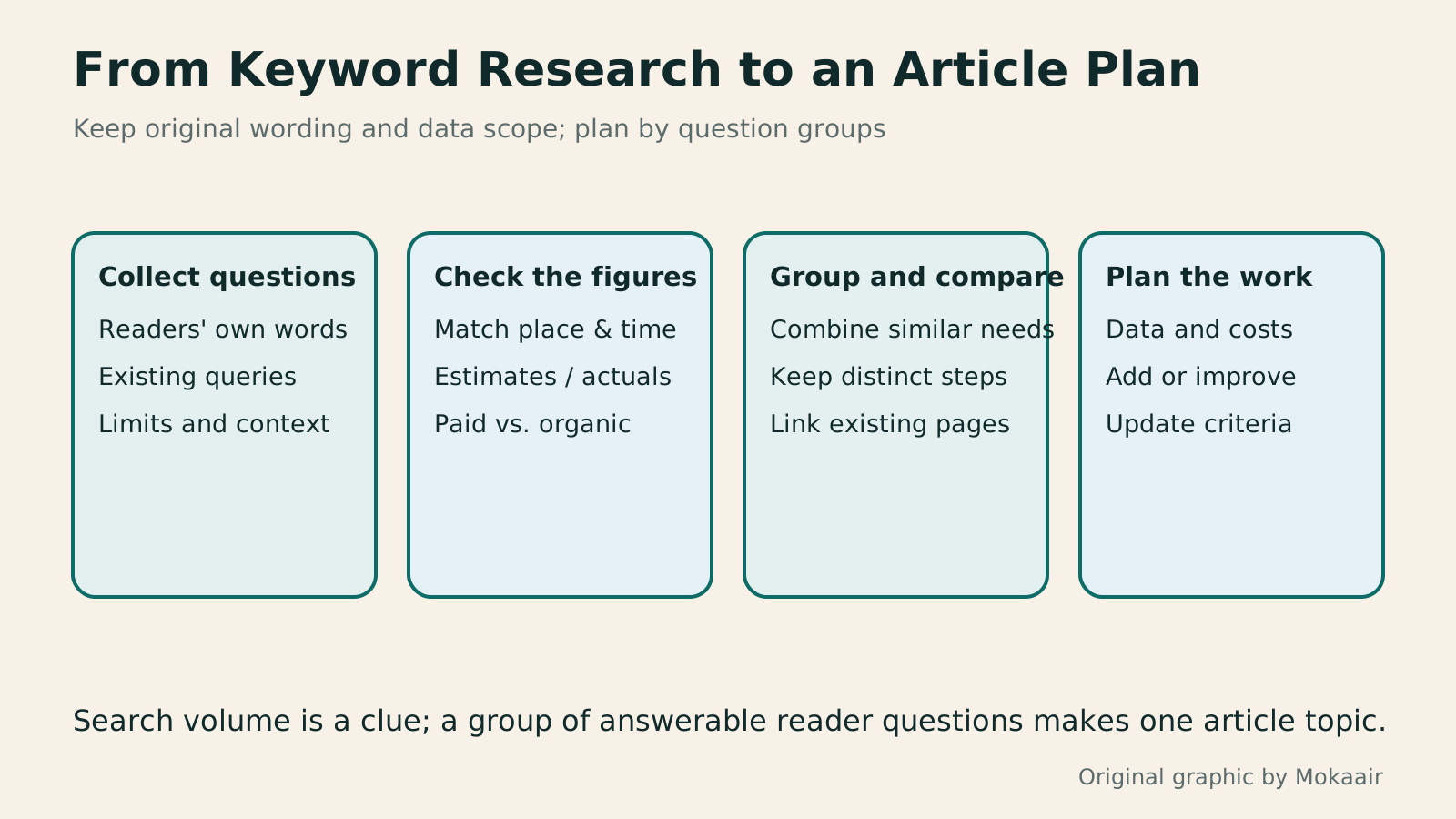
- Collect readers' original wording and distinguish observed sources from guesses.
- Keep tool settings, raw data, and the date checked.
- Group by problem and task; compare each group with existing URLs.
- Prioritize verifiable, feasible topics and define outcomes and update triggers.
| Source or metric | Useful for | Limit |
|---|---|---|
| Reader-question log | Where readers currently get stuck | Remove identifiers; one question is not general demand |
| Search Console queries | How people find your pages | Anonymization and row limits |
| Planner monthly searches | Demand estimate for the chosen scope | An estimate that may include close variants |
| Planner competition | Advertiser competition | Not organic-ranking difficulty |
| Google Trends interest | Relative change and seasonality | Not exact counts; zero need not mean no demand |
| Editorial priority | Which topic merits work first | Human judgment, with no ranking guarantee |
Identify the search intent behind each query group
Turn a topic choice into an actionable article
Lifestyle
Technical SEO audit order: crawling, indexing, rendering, and site structure
A useful technical SEO audit needs reproducible evidence and a sensible repair order. Using a site relaunch as an example, this guide explains how to sample page templates and check public access, indexing directives, JavaScript rendering, canonical URLs, and site structure. It separates urgent repairs, scheduled improvements, and later observation so that a general site owner can hand actionable findings to maintainers without treating a passing test as a ranking guarantee.
Lifestyle
How to write article titles: Show search readers the scope and purpose
A useful title tells readers before they click what problem an article addresses, when it applies, and what information they will get. Using original rewrites of everyday tutorials, this guide checks the topic, purpose, limits, and evidence behind title promises. It explains why the page heading, HTML title, and Google search title may differ, then offers prepublication checks and post-change observation without stuffing keywords, claiming tests that never happened, or adding an unverified year.
Lifestyle
How to Identify Search Intent: Turn Keywords into Questions Worth Answering
The same keyword can signal learning, comparison, finding a specific entry point or taking action. Using original luggage-storage examples, this guide shows how to judge intent from wording, time and place, result formats and your own query data, then turn a hypothesis into a clear content task. It includes an observation table, ways to handle mixed intent, content-format choices and later validation. Do not copy ranking pages or treat one search-results screen as the answer for every reader.
Lifestyle
A beginner's SEO learning roadmap: make your site readable before measuring traffic and results
SEO beginners need not memorize ranking factors or buy a suite of tools. Using a small Taiwan website, this guide orders five topics: how search works, site readability, content planning, Search Console metrics, and results. Exercises by stage, a resource table, and a change log help you make pages readers and search engines can understand, then plan further work from data instead of tool scores or short-term swings.
Articles that cite this one
Latest travel guides

GuideTokyo
Where to Stay in Tokyo: Comparing Shinjuku, Ueno, Tokyo Station, Shibuya, Asakusa, Ikebukuro, and Ginza, Plus Airport Access, Accommodation Tax, and Luggage Delivery
Where should you stay in Tokyo? Compare Shinjuku, Ueno, Tokyo Station, Shibuya, Asakusa, Ikebukuro, and Ginza by the same criteria: access from Narita and Haneda, transit routes, nearby attractions, neighborhood character, and who each area suits. Includes a comparison table, a Yamanote Line diagram, Tokyo’s accommodation tax as verified in 2026/9 (changing to 3% in 2027/4), and Airport TA-Q-BIN luggage shipping rules.
- Budget
- Hotels

GuideTokyo
How to Choose Tokyo Transit Passes: Are Suica, Welcome Suica, the Tokyo Subway Ticket, and the JR Pass Worth It?
On a first Tokyo trip, start with an IC card and pay per ride (Welcome Suica has no deposit and is valid for 28 days). If you take four or more subway rides in a day, add a 72-hour Tokyo Subway Ticket for 2,000 yen; a JR Pass is never worthwhile if you stay in Tokyo and do not go to Kansai. See what TOURIST PASMO, Suica on iPhone, and the Tokyo Metro day pass do and do not cover, with a decision chart. Prices verified in September 2026.
- Transport
- Budget

GuideTokyo
Tokyo Disneyland and DisneySea Guide: Ticket Prices, Fantasy Springs, Disney Premier Access (DPA), Standby Pass, and Which Park to Choose for Your First Visit
Tokyo Disney one-day Passport prices vary: most weekdays in 9/2026 cost ¥9,900 and weekends ¥10,900. At 14:00 daily, tickets go on sale for the same date two months later. Free Priority Pass is no longer on the official service list; only paid Disney Premier Access (¥1,000–3,500 per person per use) shortens waits. Covers hours, the 25th anniversary, Standby Pass, Entry Request, Fantasy Springs access and first-visit park choice; checked on the official site in 9/2026.
- Itineraries
- Family
Sources
- Google Ads: Use Keyword Planner · Checked:
- Google Ads: Forecast and historical metric definitions · Checked:
- Google Trends: Data FAQ · Checked:
- Google Trends: Compare search terms and topics · Checked:
- Search Console: Query dimensions and limitations · Checked: