Lifestyle
Technical SEO audit order: crawling, indexing, rendering, and site structure
A useful technical SEO audit needs reproducible evidence and a sensible repair order. Using a site relaunch as an example, this guide explains how to sample page templates and check public access, indexing directives, JavaScript rendering, canonical URLs, and site structure. It separates urgent repairs, scheduled improvements, and later observation so that a general site owner can hand actionable findings to maintainers without treating a passing test as a ranking guarantee.
About 8 min read
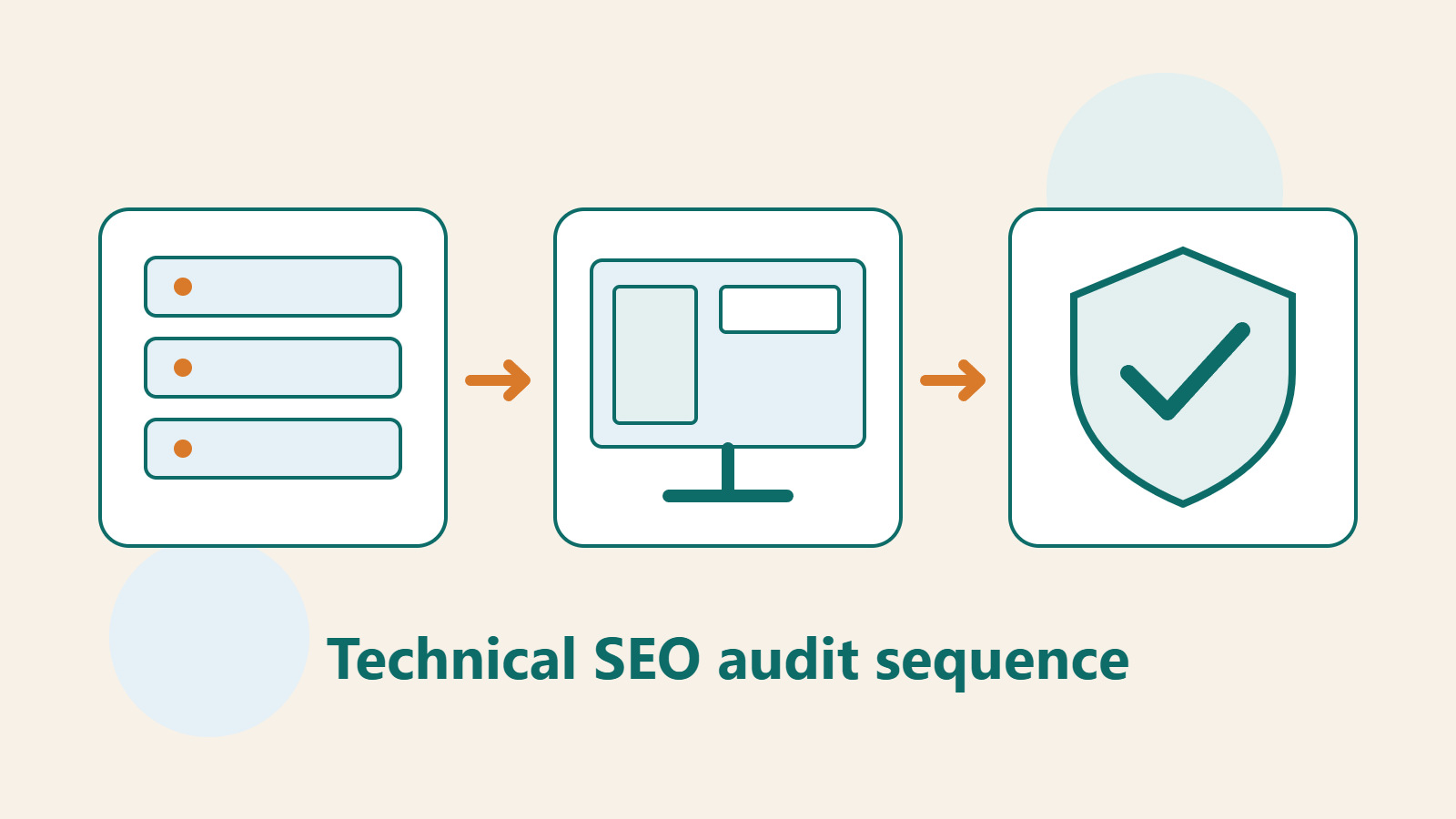
When an SEO report contains hundreds of red warnings, the hardest part is often deciding what to fix first, not learning the terminology. An unavailable home page, one image without a description, and a few missing speed-test points have very different effects on readers and the site.
Think of technical SEO as a basic check before content enters the search process: can a URL be found, does it return the right response, is its main content readable, and do different versions point to sensible destinations? This guide turns those checks into an audit a maintainer can act on, with a scope, evidence, and acceptance criteria for each issue.
Define the site scope and representative pages first
After a bakery studio redesign, the site may have a home page, a course list, individual courses, articles, a contact page, and a member area. Mark which pages should be publicly searchable and which are only for signed-in students. An unindexed member area may be working as designed; not every unindexed URL is an error.
Choose representative URLs for each page template, then add recently created, moved, and previously broken pages. For the course template, include one open for enrollment and one completed course; for articles, include one with charts or diagrams and one with text only. Sampling should reveal shared-template problems, not justify assuming the whole site works because one page does.
Create a worksheet with at least the URL, page type, intended public access, check time, observed problem, and affected scope. Also note which themes, plugins, domains, or paths changed during the redesign. That lets you compare later failures with actual changes instead of guessing across every possible cause.
Layer one: verify that the right content can be fetched
Google's basic technical requirements include not blocking its crawler, returning a successful response, and providing indexable content. Meeting them still does not guarantee indexing. But if a course page intended to be public returns an error or demands a login, remove that entry barrier first. Restore usable content before polishing search appearance.
Open representative URLs in a signed-out window and confirm the correct page appears. Ask the maintainer to check the HTTP status, redirects, and firewall response as well. Seeing a course title on screen does not prove that the server response is correct. Conversely, a successful response that only displays a blank page or verification screen does not meet real reading needs.
Separate site-wide, template-wide, and single-page failures. If every course page sends visitors to a login screen, inspect shared access settings; if only an old course fails, inspect its path mapping. Save both the starting URL and final destination so a redirect fix does not send visitors into another loop.
Layer two: check indexing directives and version selection
Inspect the page's robots meta tag, related response headers, and robots.txt to ensure they match the intended public access. Staging sites often block indexing; if that setting is not checked before launch, production articles may be excluded too. Inspect the actual output rather than trusting that an admin toggle was turned off.
For multiple URLs serving the same content, compare the canonical declaration, Sitemap, internal links, and redirects. Google treats these as canonicalization signals of different strengths, not as absolute commands from the site. Avoid listing one version in the Sitemap while the page declares another, or pointing different courses all at the home page.
In Search Console, inspect the canonical information for the indexed version, then use the live test to check the current page. They answer questions about different points in time; Google's documentation says the live test cannot predict which canonical version Google will ultimately select. For acceptance, record separately whether current output is fixed and whether indexed data has updated.
Layer three: inspect actual rendering and internal paths
If JavaScript loads the main content, inspect rendered HTML, the visible page, and failed resources. Google can run JavaScript, but blocked resources or code errors can still interfere; other tools may not have the same capabilities. A page loading on your own previously used computer does not prove that every first-time visitor sees the same content.
For a bakery course page, check the name, schedule, location, materials, and enrollment entry point one by one. Before putting all course information behind an interface that appears only after interaction, confirm what the checking tool can retrieve. If the source response contains only a shell, ask a developer to review rendering and assess whether server-side or pre-generated content fits the page.
Follow the path from home page to course category, individual course, and related articles. Confirm important pages have crawlable link entry points. Record orphan pages, wrong destinations, and excessive redirects instead of merely counting menu levels. Acceptance should consider whether readers understand where to go next as well as whether crawlers can find the URL.
Layer four: schedule experience and search-appearance improvements
Once the basics work, check mobile loading, responsiveness, and layout stability. Core Web Vitals currently cover LCP, INP, and CLS for those aspects. First find real problems such as a course image shifting an enrollment button or a click doing nothing, then use tool data to locate the cause. A single speed-test score is not a substitute for user experience.
If the site uses structured data, check that its markup matches visible page content and the official rules for that type. Do not invent ratings or add information the page does not show just to obtain a search feature. The Rich Results Test can reveal technical issues, but passing it does not guarantee that the corresponding appearance will be shown in search.
Break improvements into small tasks, such as reserving space for course images, fixing one shared data field, or reducing an oversized resource. Keep before-and-after examples for each task and make sure enrollment and reading still work. This makes costs easier to plan and helps trace which change caused an unexpected result.
Write an audit report that can become finished work
Prioritize issues by whether they block important content from being read, affect some entrances or information, or concern quality and maintenance. Mark the number of affected pages and repair risk separately. This is a management classification, not a score published by Google. If two issues are equally serious, handle the one affecting a core service with a clear cause first.
Each work item needs reproduction steps, the expected result, current result, affected URLs, and acceptance criteria. For example, 'A signed-out visitor sees the correct schedule on the course page, receives a successful response, and finds no unintended noindex' is easier to verify than 'improve SEO.' After fixing a shared template, sample other pages that previously worked too.
At the end of the report, list completed fixes, pending index updates, and outcomes still under observation separately. A technical task can be complete once site settings pass their checks; if search data has not updated, keep a follow-up date rather than claiming a ranking gain during the wait. The same representative pages can serve as an acceptance baseline for the next redesign.
- Define the public scope and representative URLs for each page type; record what changed in the redesign.
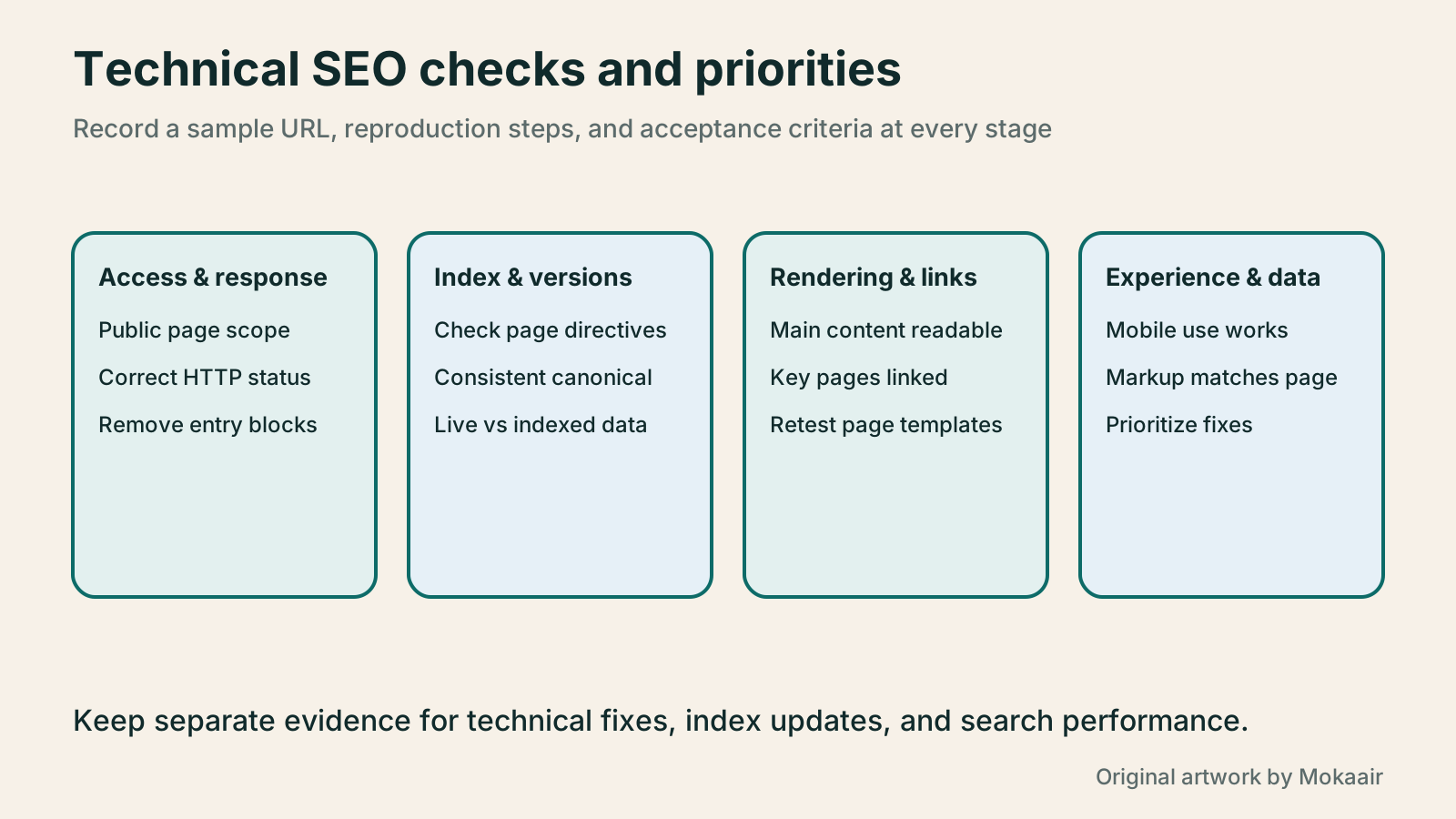
- Gather evidence in order: access, indexing, rendering, links, and experience.
- Record the impact, owner, and reproducible acceptance criteria for each issue.
- Retest affected templates after repair; track index and search data separately.
| Priority example | Issue | Acceptance evidence |
|---|---|---|
| Fix first | All public courses require a login | Signed-out visitors can read them; actual response and access match the plan |
| Fix first | Production pages inherited staging noindex | The actual directive is corrected; later indexing is tracked separately |
| Schedule | An old entry point redirects several times before reaching the right course | Primary links go directly to the destination or use reasonable redirects |
| Schedule | The JavaScript version omits course information | Rendered content matches what visitors can see |
| Improve quality | An image load shifts the enrollment button | Visual checks and performance data confirm the improvement |
| Observe separately | Markup passes validation but no special search appearance shows | Record eligibility; do not promise display |
Examine crawl efficiency and site logs in depth
Back up the site before a redesignHow to back up WordPress: files, databases and restoration drillsA successful backup message is not enough. Build a checklist for WordPress files, databases and off-site copies, then learn the UpdraftPlus and WPvivid controls, restore limitations and isolated drills needed to confirm recovery. Plan schedules, retained versions, configuration files and acceptance records so someone can restore a personal or studio website.Read the full article
Lifestyle
How to write article titles: Show search readers the scope and purpose
A useful title tells readers before they click what problem an article addresses, when it applies, and what information they will get. Using original rewrites of everyday tutorials, this guide checks the topic, purpose, limits, and evidence behind title promises. It explains why the page heading, HTML title, and Google search title may differ, then offers prepublication checks and post-change observation without stuffing keywords, claiming tests that never happened, or adding an unverified year.
Lifestyle
How to Identify Search Intent: Turn Keywords into Questions Worth Answering
The same keyword can signal learning, comparison, finding a specific entry point or taking action. Using original luggage-storage examples, this guide shows how to judge intent from wording, time and place, result formats and your own query data, then turn a hypothesis into a clear content task. It includes an observation table, ways to handle mixed intent, content-format choices and later validation. Do not copy ranking pages or treat one search-results screen as the answer for every reader.
Lifestyle
A beginner's SEO learning roadmap: make your site readable before measuring traffic and results
SEO beginners need not memorize ranking factors or buy a suite of tools. Using a small Taiwan website, this guide orders five topics: how search works, site readability, content planning, Search Console metrics, and results. Exercises by stage, a resource table, and a change log help you make pages readers and search engines can understand, then plan further work from data instead of tool scores or short-term swings.
Lifestyle
A keyword research workflow: Reader needs, long-tail queries, and topic priorities
Keyword research should produce a schedulable content list, not hundreds of unused terms. Using a small baking tutorial site, this guide collects clues from reader questions, Search Console, Google Keyword Planner, and Google Trends. It separates search-volume estimates, ad competition, and relative interest, then groups specific needs, checks existing pages, and prioritizes topics by value and production capacity.
Articles that cite this one
Latest travel guides

GuideTokyo
Where to Stay in Tokyo: Comparing Shinjuku, Ueno, Tokyo Station, Shibuya, Asakusa, Ikebukuro, and Ginza, Plus Airport Access, Accommodation Tax, and Luggage Delivery
Where should you stay in Tokyo? Compare Shinjuku, Ueno, Tokyo Station, Shibuya, Asakusa, Ikebukuro, and Ginza by the same criteria: access from Narita and Haneda, transit routes, nearby attractions, neighborhood character, and who each area suits. Includes a comparison table, a Yamanote Line diagram, Tokyo’s accommodation tax as verified in 2026/9 (changing to 3% in 2027/4), and Airport TA-Q-BIN luggage shipping rules.
- Budget
- Hotels

GuideTokyo
How to Choose Tokyo Transit Passes: Are Suica, Welcome Suica, the Tokyo Subway Ticket, and the JR Pass Worth It?
On a first Tokyo trip, start with an IC card and pay per ride (Welcome Suica has no deposit and is valid for 28 days). If you take four or more subway rides in a day, add a 72-hour Tokyo Subway Ticket for 2,000 yen; a JR Pass is never worthwhile if you stay in Tokyo and do not go to Kansai. See what TOURIST PASMO, Suica on iPhone, and the Tokyo Metro day pass do and do not cover, with a decision chart. Prices verified in September 2026.
- Transport
- Budget

GuideTokyo
Tokyo Disneyland and DisneySea Guide: Ticket Prices, Fantasy Springs, Disney Premier Access (DPA), Standby Pass, and Which Park to Choose for Your First Visit
Tokyo Disney one-day Passport prices vary: most weekdays in 9/2026 cost ¥9,900 and weekends ¥10,900. At 14:00 daily, tickets go on sale for the same date two months later. Free Priority Pass is no longer on the official service list; only paid Disney Premier Access (¥1,000–3,500 per person per use) shortens waits. Covers hours, the 25th anniversary, Standby Pass, Entry Request, Fantasy Springs access and first-visit park choice; checked on the official site in 9/2026.
- Itineraries
- Family
Sources
- Google Search technical requirements · Checked:
- Search Console URL Inspection tool · Checked:
- Google JavaScript SEO basics · Checked:
- Google canonical URL guidance · Checked:
- Google Core Web Vitals · Checked:
- Google general structured data guidelines · Checked: