Lifestyle
A beginner's SEO learning roadmap: make your site readable before measuring traffic and results
SEO beginners need not memorize ranking factors or buy a suite of tools. Using a small Taiwan website, this guide orders five topics: how search works, site readability, content planning, Search Console metrics, and results. Exercises by stage, a resource table, and a change log help you make pages readers and search engines can understand, then plan further work from data instead of tool scores or short-term swings.
About 8 min read
When you are new to SEO, you may hear about keywords, backlinks, site speed, and AI search all at once. You end up reading a little about each but still do not know what to change on your site today. A more useful approach is to choose a real page and practice step by step according to the problems it currently has.
SEO is ongoing work that helps search engines and readers understand a website. First make sure a page can be accessed and answers a question; then establish how to observe its performance. What you need is a working order that lets you explain why you made each change, not a fixed formula that promises rankings.
Stage 1: Understand the three parts of search
Google describes search as crawling, indexing, and serving results. Crawling retrieves page data; indexing analyzes and organizes it; serving selects content for a user's query. Understanding these three parts helps you distinguish a site that cannot be opened, a page that has not been indexed, and an indexed page that receives few clicks. They are different problems.
Start with Google's documentation on how search works and Search Essentials. Turn unfamiliar terms into questions in your own words. For example, 'Can a search engine see my article?' points more clearly to a next step than copying a definition of indexing. Whenever you learn a concept, compare it with an example from your own site.
Meeting basic requirements does not guarantee crawling, indexing, or appearance in search results, and Google does not accept payment for organic rankings. While learning, distinguish search ads, organic search, and referral traffic from other websites. Otherwise, a paid service can sound as though it lets you skip work on site quality and content.
Stage 2: Make important pages readable and reachable
Choose your home page, one article, and a main service or product page. View each on a phone and a computer. Check that the text is not available only inside images, the menu works, important links do not lead to errors, and readers can find a next step. For this pass, fix problems that obstruct use before adjusting every small design detail.
Set up Search Console access for a website you manage, then use URL Inspection to understand the status of important pages. If a page is blocked by a login requirement, a mistaken setting, or a server failure, fix access first. Without enough evidence, do not delete large numbers of pages or change indexing directives just to make every report indicator green.
Learn to reach each main page through the site's categories, menu, and related-article links. A sitemap can help provide URL information, but it does not guarantee rankings. Build a natural reading path first: for example, link a service description to its price range and booking method so people can understand how the information fits together.
Stage 3: Practice answering one specific question
Take a site about organizing a rented home. 'Storage methods' is too broad; start instead with 'How can I keep a walkway clear in a narrow entryway?' Write down the reader's space constraints, which measurements they need, and what choice they should be able to make after reading. Then decide what belongs on the page. That makes a more complete exercise than starting with the term that has the most searches.
State clearly who the advice is for and where it applies. Then provide steps, criteria for comparison, and common mistakes. Add a measurement checklist or a diagram of movement paths that you have prepared yourself, and cite sources for information that needs verification. If you have not personally tested a product or method, clearly label it as a synthesis of available information or a suggestion; do not write it as a first-hand review.
Google's starter guide emphasizes clear, original, useful content; there is no universally best article length. An editorial word-count range can help you manage delivery, but you cannot claim that reaching a certain length makes ranking more likely. Answer the question fully first, then remove paragraphs that merely repeat keywords.
- Choose one page and the problem its reader wants to solve now.
- List the essential information, its sources, and the reader's next action.
- Write a clear title, organized sections, and charts or diagrams that serve a purpose.
- Ask someone unfamiliar with the subject to read it and record what they still cannot decide.
Stage 4: Establish a performance baseline you understand
Search Console's search performance report shows impressions, clicks, click-through rate, and average position. An impression is not a visit, and a click is not an order. Average position aggregates appearances across searches; it does not mean everyone searching right now sees the same position. Understand each metric before deciding which number to track.
Record the practice page's URL, the date of each edit, and its main change. Compare results using consistent periods, countries, and device filters. When there is little data, start by checking whether queries relate to the topic and whether the page is beginning to receive impressions. Do not rewrite the entire article because it got a few fewer clicks on one day.
If visitors are meant to inquire, subscribe, or buy, use a correctly configured analytics tool to observe what they do after arriving. Google Analytics and Search Console measure different things; sessions and clicks need not match exactly. First verify that tracking works, then use the data to understand whether readers complete the action your service is meant to support.
Stage 5: Prioritize improvements by their impact
Group problems into barriers to use, content gaps, and efficiency improvements. An important page that will not load, a broken checkout, or main content hidden from view usually deserves attention before fine-tuning a sentence in a summary. If readers repeatedly ask a question that the site does not answer, plan to add that information. This is a way to prioritize work, not an official table of Google's ranking weights.
For each improvement, record a clear hypothesis where possible. For example, 'Customers repeatedly ask about dimensions because the specifications are incomplete.' Add instructions for measuring and a diagram, then observe inquiries and usage. If you change the URL and title and rewrite all the content at once, it becomes harder to tell which change had an effect.
Changes can take time to show up in search; Google says the interval may range from a few hours to several months. Allow a reasonable observation period, and record factors such as holidays, campaigns, and seasonal demand. A traffic increase may suggest possible causes, but without comparative evidence do not credit all of it to one SEO technique.
Build habits for continuing to learn and checking evidence
Use Google Search Central as your main reference for principles and rules, and Search Console Help to understand tool metrics. When your own site encounters a problem, find the relevant technical documentation. Courses and third-party articles can help explain ideas, but check their publication dates and cited sources, and whether they present a single case as something that works for every site.
Write down advanced topics that you do not need yet. A site with only a few static pages may not need to study crawl resources for large sites immediately. If you have no multilingual content, you do not need to memorize every international-site annotation first. Study a topic in depth when your site has a matching need; the knowledge is then easier to retain.
Set a sustainable rhythm: regularly check that important pages work, choose one problem to research and fix, keep a record of changes and observations, and decide what to learn next. When you can explain 'why did we change this, how will we verify it, and what remains uncertain?', you have built a more dependable SEO working skill than chasing tool scores.
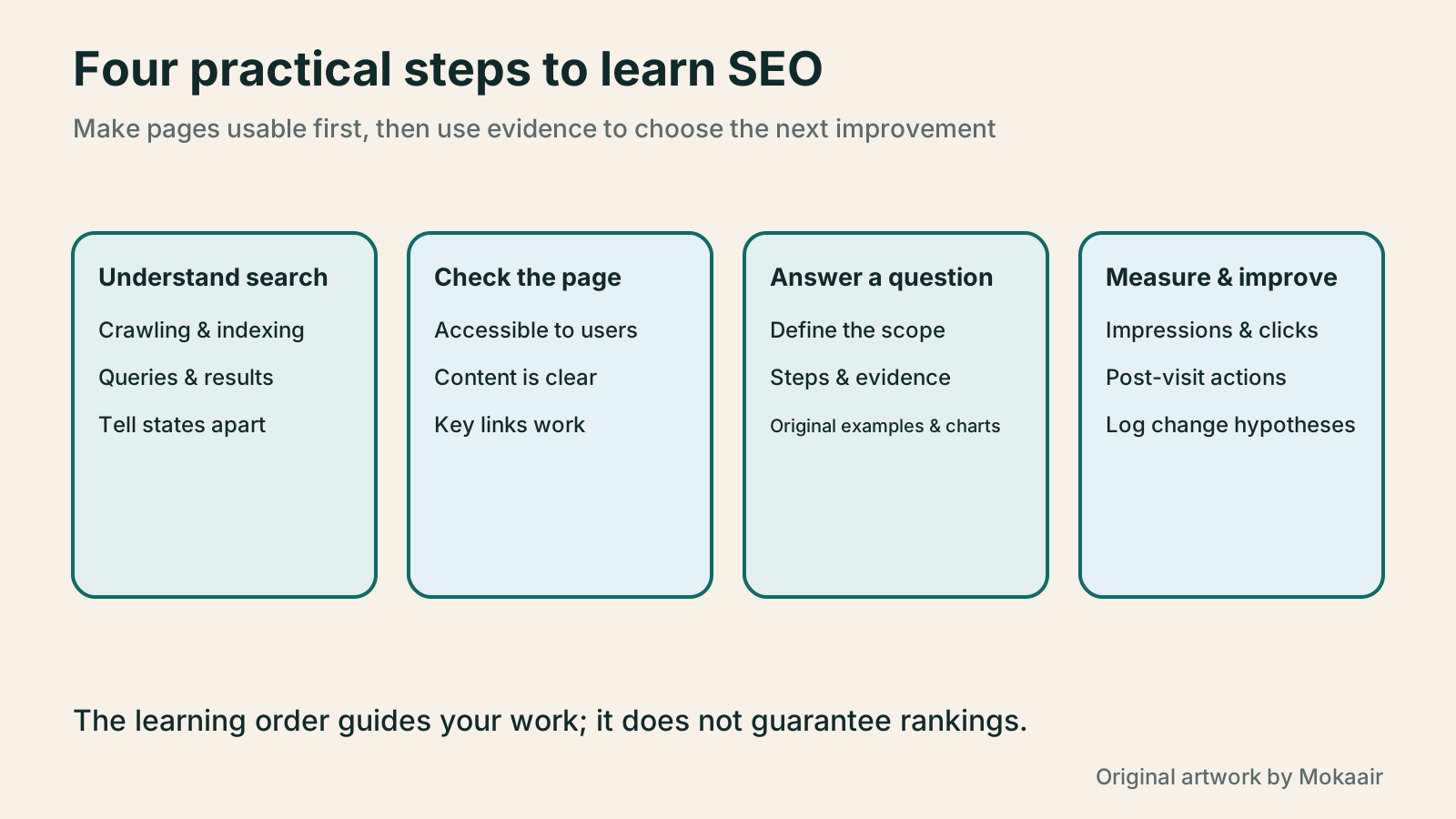
| Learning stage | Priority resource | Exercise to complete |
|---|---|---|
| How search works | Google's How Search Works documentation | Distinguish crawling, indexing, and serving |
| Website fundamentals | Search Essentials and the starter guide | Check important pages and paths to them |
| Content practice | The starter guide and primary topic sources | Answer one specific reader question |
| Interpreting results | Search Console metric explanations | Compare with consistent conditions |
| Continuous improvement | Change log and relevant technical documents | Test one clear hypothesis at a time |
First build a WordPress site that works properlyYour first WordPress site: from a test site to a public websiteYour first WordPress site needs more than a successful installation: its URL, content, email and backups must work too. Using a typical personal site, this guide covers accounts and information to prepare, automatic versus manual installation, basic admin settings, home-page and post organisation, and visitor tests before launch. The goal is a site someone else can maintain, not just a completion screen visible to its administrator.Read the full article
Plan routine website maintenanceWhat website maintenance involves: a routine for backups, updates, and incident reportsWebsite maintenance includes more than plugin updates: check content, accounts, backups, outgoing email, and expiring services. Using a small WordPress content site, this guide covers routine observation, pre- and post-update checks, restoration, and incident reports, with a worksheet for owners, editors, and maintainers. Set a schedule by update frequency, identify urgent cases, and keep records the next collaborator can use.Read the full article
Lifestyle
Technical SEO audit order: crawling, indexing, rendering, and site structure
A useful technical SEO audit needs reproducible evidence and a sensible repair order. Using a site relaunch as an example, this guide explains how to sample page templates and check public access, indexing directives, JavaScript rendering, canonical URLs, and site structure. It separates urgent repairs, scheduled improvements, and later observation so that a general site owner can hand actionable findings to maintainers without treating a passing test as a ranking guarantee.
Lifestyle
How to write article titles: Show search readers the scope and purpose
A useful title tells readers before they click what problem an article addresses, when it applies, and what information they will get. Using original rewrites of everyday tutorials, this guide checks the topic, purpose, limits, and evidence behind title promises. It explains why the page heading, HTML title, and Google search title may differ, then offers prepublication checks and post-change observation without stuffing keywords, claiming tests that never happened, or adding an unverified year.
Lifestyle
How to Identify Search Intent: Turn Keywords into Questions Worth Answering
The same keyword can signal learning, comparison, finding a specific entry point or taking action. Using original luggage-storage examples, this guide shows how to judge intent from wording, time and place, result formats and your own query data, then turn a hypothesis into a clear content task. It includes an observation table, ways to handle mixed intent, content-format choices and later validation. Do not copy ranking pages or treat one search-results screen as the answer for every reader.
Lifestyle
A keyword research workflow: Reader needs, long-tail queries, and topic priorities
Keyword research should produce a schedulable content list, not hundreds of unused terms. Using a small baking tutorial site, this guide collects clues from reader questions, Search Console, Google Keyword Planner, and Google Trends. It separates search-volume estimates, ad competition, and relative interest, then groups specific needs, checks existing pages, and prioritizes topics by value and production capacity.
Latest travel guides

GuideTokyo
Where to Stay in Tokyo: Comparing Shinjuku, Ueno, Tokyo Station, Shibuya, Asakusa, Ikebukuro, and Ginza, Plus Airport Access, Accommodation Tax, and Luggage Delivery
Where should you stay in Tokyo? Compare Shinjuku, Ueno, Tokyo Station, Shibuya, Asakusa, Ikebukuro, and Ginza by the same criteria: access from Narita and Haneda, transit routes, nearby attractions, neighborhood character, and who each area suits. Includes a comparison table, a Yamanote Line diagram, Tokyo’s accommodation tax as verified in 2026/9 (changing to 3% in 2027/4), and Airport TA-Q-BIN luggage shipping rules.
- Budget
- Hotels

GuideTokyo
How to Choose Tokyo Transit Passes: Are Suica, Welcome Suica, the Tokyo Subway Ticket, and the JR Pass Worth It?
On a first Tokyo trip, start with an IC card and pay per ride (Welcome Suica has no deposit and is valid for 28 days). If you take four or more subway rides in a day, add a 72-hour Tokyo Subway Ticket for 2,000 yen; a JR Pass is never worthwhile if you stay in Tokyo and do not go to Kansai. See what TOURIST PASMO, Suica on iPhone, and the Tokyo Metro day pass do and do not cover, with a decision chart. Prices verified in September 2026.
- Transport
- Budget

GuideTokyo
Tokyo Disneyland and DisneySea Guide: Ticket Prices, Fantasy Springs, Disney Premier Access (DPA), Standby Pass, and Which Park to Choose for Your First Visit
Tokyo Disney one-day Passport prices vary: most weekdays in 9/2026 cost ¥9,900 and weekends ¥10,900. At 14:00 daily, tickets go on sale for the same date two months later. Free Priority Pass is no longer on the official service list; only paid Disney Premier Access (¥1,000–3,500 per person per use) shortens waits. Covers hours, the 25th anniversary, Standby Pass, Entry Request, Fantasy Springs access and first-visit park choice; checked on the official site in 9/2026.
- Itineraries
- Family
Sources
- How Google Search works · Checked:
- Google Search Essentials · Checked:
- Google's SEO Starter Guide · Checked:
- Search Console definitions of impressions, clicks, and position · Checked:
- Search Console Performance report configuration · Checked:
- Using Search Console and Google Analytics together · Checked: