Lifestyle
Choose a model, effort and speed
Model choice affects available capabilities and usage conditions; reasoning effort affects how much work the agent devotes to a problem. Compare quality on the same small task before increasing effort. Use the options currently exposed by your account rather than assuming a named model is universally available.
About 12 min read · Practice 20 min
Practical · Desktop / CLI / VS Code / JetBrains / cloud
Before you start
On this page
Back to the Codex learning hubCodex learning hub: tutorial directoryA planned 60-lesson, ten-unit Codex curriculum, from setup and your first task to MD instructions and advanced integrations. Find your next lesson by experience, platform, goal or command; unpublished entries show their status.Read the full article
Goal and preparation
First understand account usageAccounts, sign-in, plans and usageCheck how you signed in before interpreting usage. ChatGPT sign-in uses the Codex allowance associated with that account; API-key authentication in a supported client requires checking API billing separately. This tutorial teaches you where to verify your own allowance rather than freezing a price or message limit that may change.Read the full article. Model, reasoning effort and speed/service tier are separate choices, not one “smarter” setting. Client, authentication and rollout can change the options. Do not expect identical menus for everyone or treat documentation illustrations as your account's entitlement.
Step 1: Record current choices
In desktop, inspect model/reasoning controls below the composer. If you see a Power slider, record its position and use Advanced only for specific choices. In interactive CLI, use /model to inspect models and supported efforts, then /status to check state. These are slash commands inside Codex, not shell commands. Do not alter unfamiliar global configuration to match this article.
/model
/status
Create comparison.md in your editor with date, client version, sign-in type and visible choices. Omit email, API keys and billing data. Record CLI and desktop separately when their menus differ; that alone does not indicate a fault. Cloud model controls have different restrictions, so these local steps do not automatically apply to cloud tasksCloud tasks and GitHubCloud tasks run in a remote environment configured for a repository. They suit longer delegated work, but cannot automatically see uncommitted files on your computer. Creating a pull request is distinct from merging or deploying it.Read the full article.
Step 2: Prepare a fixed, scoreable task
Create codex-model-lab and sample.mjs below in your editor. It is a plain text fixture on all three OSes; no execution or packages are required. Preserve its intentional defect. Compare accurate diagnosis and proposed verification, without allowing two tasks to edit the same file.
export function completedTitles(tasks) {
  return tasks.filter((task) => !task.completed).map((task) => task.title);
}

export const sample = [
  { title: "Read", completed: true },
  { title: "Build", completed: false },
];
Establish the answer independently: the intended completed titles are Read, while the current function returns Build. Remove ! rather than changing task state, field names or order. Empty input should return an empty array and inputs should remain unchanged. An explicit rubric prevents choosing merely the most confident or longest response.
Read sample.mjs without modifying any file. The requirement is to return titles of completed tasks in original order.
1. State the actual output for sample and the required output.
2. Identify the precise defect and the smallest fix.
3. Give two verification cases, including empty input, and say whether inputs are mutated.
Do not install tools or run a web search. Distinguish reasoning from tests you actually ran. Keep the answer under 250 words.
Step 3: Change one option and compare
In desktop, add codex-model-lab as a project and create both new tasks there. For CLI, open that folder and its integrated terminal. Confirm the path with Get-Location in Windows PowerShell or pwd on macOS/Linux, then run codex. After run A, use /exit and launch codex again from that directory for run B; do not resume A.
Run the full prompt in a fresh task at current defaults. Record elapsed time, correct file reading and answer. Start another fresh task with identical files and prompt, changing only reasoning effort for the same model. Keep model, speed, permissions and tools constant. If no alternate effort exists, record a baseline only instead of inventing a comparison.
Do not reuse the same conversation for run B: it has already seen run A's answer. Changing both model and effort also obscures the cause of differences. If usage only shows account-wide percentages while other tasks run, do not attribute the entire difference to this task. Mark unavailable per-run usage as unavailable.
# Model comparison
Date / client / sign-in type: fill from your environment
Task: completedTitles review; identical sample.mjs and prompt

| Check | Run A | Run B |
| --- | --- | --- |
| Model and reasoning effort | NOT RUN | NOT RUN |
| Speed / permissions unchanged | NOT RUN | NOT RUN |
| Elapsed time | NOT RUN | NOT RUN |
| Actual Build, required Read | NOT RUN | NOT RUN |
| Correct minimal fix | NOT RUN | NOT RUN |
| Empty-input case and no mutation | NOT RUN | NOT RUN |
| Files unchanged | NOT RUN | NOT RUN |
| Per-run usage, if available | UNAVAILABLE | UNAVAILABLE |

Decision and reason: pending observed results
Limit: one small task is not a general model ranking.
| Check | Evidence | Insufficient substitute |
|---|---|---|
| Correctness | Build versus Read and correct fix | Length or confidence |
| Scope | Unchanged sample.mjs | Claiming no edits |
| Speed | Measured time from identical starts | Feelings from different tasks |
| Usage | Available per-run record | Shared-account delta during other work |
If both are wrong, first verify that they read sample.mjs and received the completed requirement instead of immediately selecting a costlier or slower option. Missing files, wrong directories and conflicting constraints invalidate the comparison. Correct them and start fresh tasks from the same baseline.
Decide whether the results are comparable
Two fictional cases: A takes 20 seconds and answers correctly; B takes 8 seconds but says Build is required. B is faster but fails this task. If both answer correctly but B saw A's answer or an already-fixed file, mark the comparison invalid and retry from identical fresh inputs. These times are teaching examples, not model measurements.
For an effort comparison, verify the actual model and effort through Advanced or CLI /model. Moving Power can also change the model; a slider position alone does not establish one changed variable. If other settings cannot be held constant, record a trial of different combinations, not an isolated effort effect.
Apply the result to daily work
Judge correctness, scope and honest test reporting before speed or usage. If both solve this one-line defect, you have a useful setting for similar small tasks, not a universal model ranking for large projects. Service load and response variation affect single measurements. Repeat another day if needed, rather than consuming usage to manufacture attractive numbers.
Start well-scoped edits at account defaults. For dependencies, elusive bugs or tradeoffs, try more reasoning and revalidate. Higher effort can take longer and use more tokens without guaranteeing correctness. Max and Ultra are optional; Ultra involves subagentsSubagents and task delegationSubagents suit independent work that can be reviewed and combined by the main task. They consume additional model and tool usage. Parallel tasks with mutual dependencies or overlapping edits can create more conflict than speed.Read the full article, unnecessary for this single-task comparison. Follow your actual picker and the official models page.
Troubleshooting, restoration and acceptance
If a model is missing, check sign-in, version and visible availability before copying old IDs into config.toml. For invalid settings, use configuration troubleshootingConfiguration precedence and diagnosisTrace ineffective or conflicting settings, change one item at a time and keep a reversible record.Read the full article, remove only this experiment's overrides and restore the original choice. If displayed state differs, check launch/project overrides before counting the run.
Slowness may be a tool, network or permission wait. Inspect current activity before changing effort or duplicating work. If usage runs out, save the incomplete table and check your reset information in account usageAccounts, sign-in, plans and usageCheck how you signed in before interpreting usage. ChatGPT sign-in uses the Codex allowance associated with that account; API-key authentication in a supported client requires checking API billing separately. This tutorial teaches you where to verify your own allowance rather than freezing a price or message limit that may change.Read the full article. Prices, quota counts and universal model lists are not duplicated here.
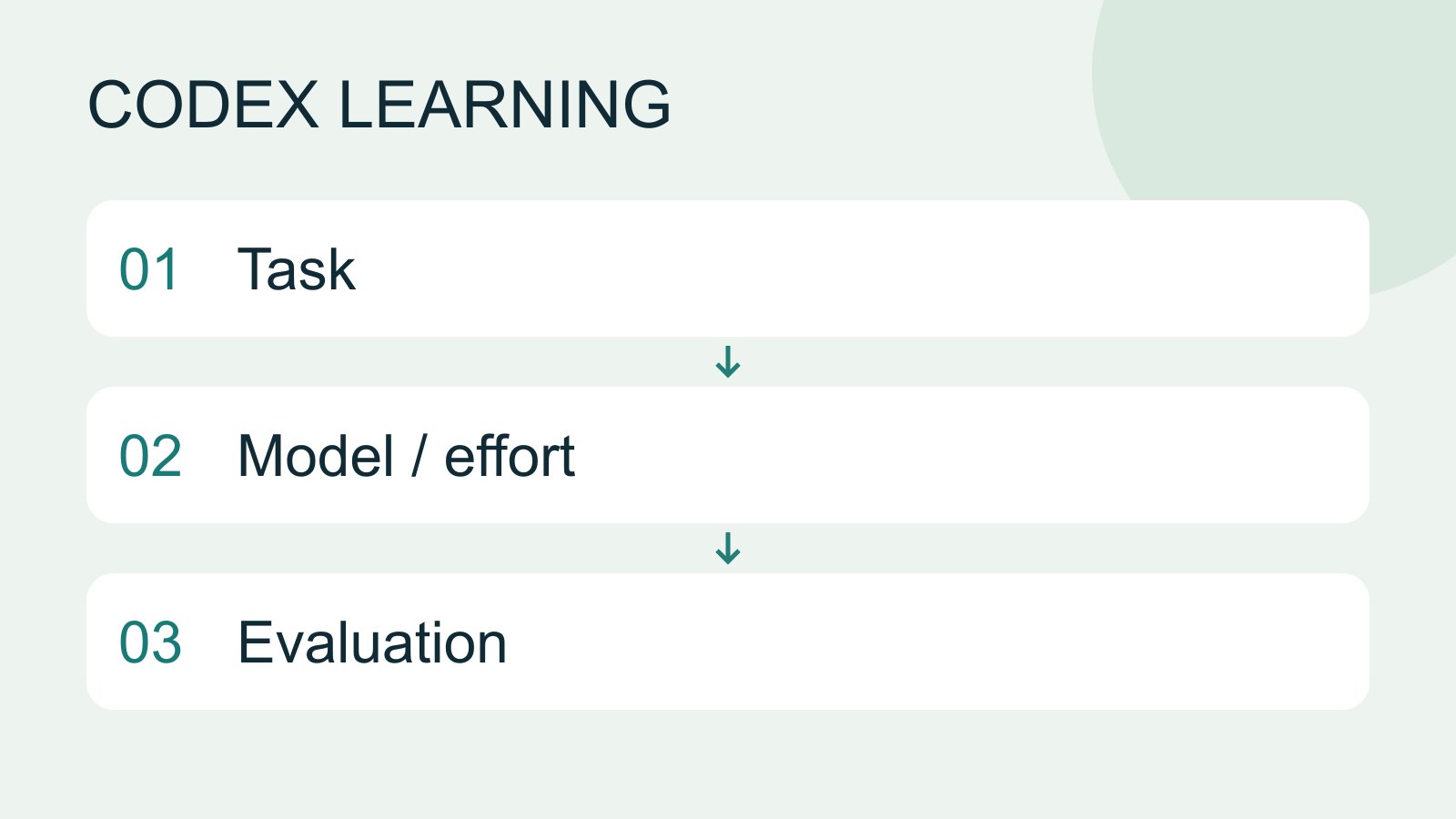
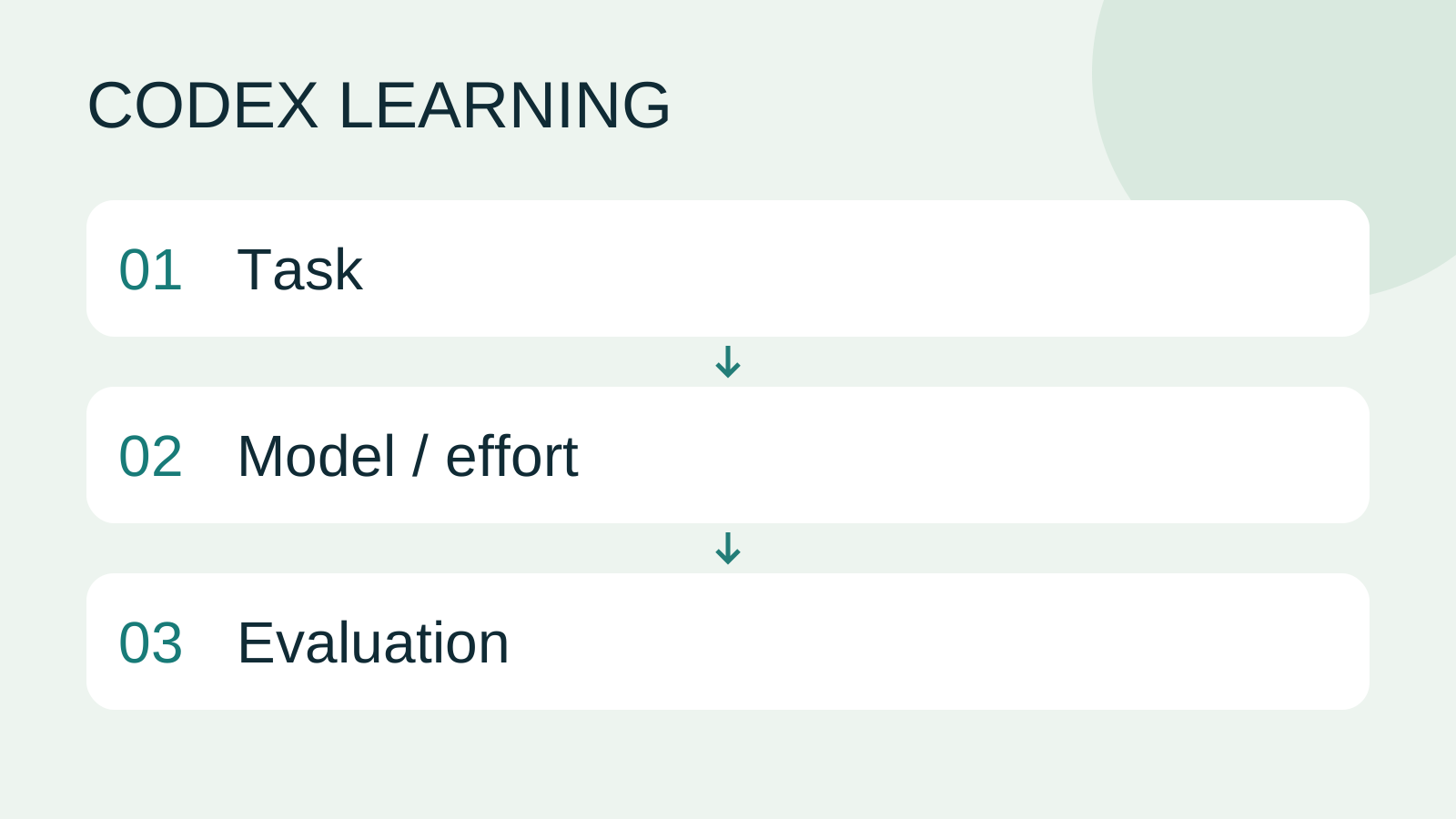
Finish by identifying actual settings, scoring identical tasks, explaining limitations and restoring pre-exercise model/effort. sample.mjs should be unchanged. If edited, preserve the diff, restore the full sample above and mark that run as a scope failure. Diagram 1 records settings, 2 compares one variable, 3 chooses from evidence. No fabricated speed ranking is supplied.
Back to the Codex learning hubCodex learning hub: tutorial directoryA planned 60-lesson, ten-unit Codex curriculum, from setup and your first task to MD instructions and advanced integrations. Find your next lesson by experience, platform, goal or command; unpublished entries show their status.Read the full article
Read the full description
Task to Model / effort to Evaluation
Lifestyle
Codex learning hub: tutorial directory
A planned 60-lesson, ten-unit Codex curriculum, from setup and your first task to MD instructions and advanced integrations. Find your next lesson by experience, platform, goal or command; unpublished entries show their status.
Lifestyle
Worktrees and isolated tasks
A Git worktree gives one repository multiple working directories on different branches. It isolates file edits, but databases, ports and external services may still be shared. File isolation is not full resource isolation.
Lifestyle
Workshop: build a small website
Plan and build the Small Steps task website from brief.md, with adding, completing, deleting, filtering and local persistence. Separate HTML, CSS, data functions, UI events and tests, verify with Node and browser checks, and document restart and recovery steps.
Lifestyle
Usage and efficiency: reducing rework
Record task conditions, model options, time and outcomes to reduce unnecessary retries and excess context.
Articles that cite this one
Latest travel guides

GuideTokyo
Where to Stay in Tokyo: Comparing Shinjuku, Ueno, Tokyo Station, Shibuya, Asakusa, Ikebukuro, and Ginza, Plus Airport Access, Accommodation Tax, and Luggage Delivery
Where should you stay in Tokyo? Compare Shinjuku, Ueno, Tokyo Station, Shibuya, Asakusa, Ikebukuro, and Ginza by the same criteria: access from Narita and Haneda, transit routes, nearby attractions, neighborhood character, and who each area suits. Includes a comparison table, a Yamanote Line diagram, Tokyo’s accommodation tax as verified in 2026/9 (changing to 3% in 2027/4), and Airport TA-Q-BIN luggage shipping rules.
- Budget
- Hotels

GuideTokyo
How to Choose Tokyo Transit Passes: Are Suica, Welcome Suica, the Tokyo Subway Ticket, and the JR Pass Worth It?
On a first Tokyo trip, start with an IC card and pay per ride (Welcome Suica has no deposit and is valid for 28 days). If you take four or more subway rides in a day, add a 72-hour Tokyo Subway Ticket for 2,000 yen; a JR Pass is never worthwhile if you stay in Tokyo and do not go to Kansai. See what TOURIST PASMO, Suica on iPhone, and the Tokyo Metro day pass do and do not cover, with a decision chart. Prices verified in September 2026.
- Transport
- Budget

GuideTokyo
Tokyo Disneyland and DisneySea Guide: Ticket Prices, Fantasy Springs, Disney Premier Access (DPA), Standby Pass, and Which Park to Choose for Your First Visit
Tokyo Disney one-day Passport prices vary: most weekdays in 9/2026 cost ¥9,900 and weekends ¥10,900. At 14:00 daily, tickets go on sale for the same date two months later. Free Priority Pass is no longer on the official service list; only paid Disney Premier Access (¥1,000–3,500 per person per use) shortens waits. Covers hours, the 25th anniversary, Standby Pass, Entry Request, Fantasy Springs access and first-visit park choice; checked on the official site in 9/2026.
- Itineraries
- Family
Sources
- Models and reasoning controls · Checked:
- CLI model and status commands · Checked: