Lifestyle
Skills and SKILL.md
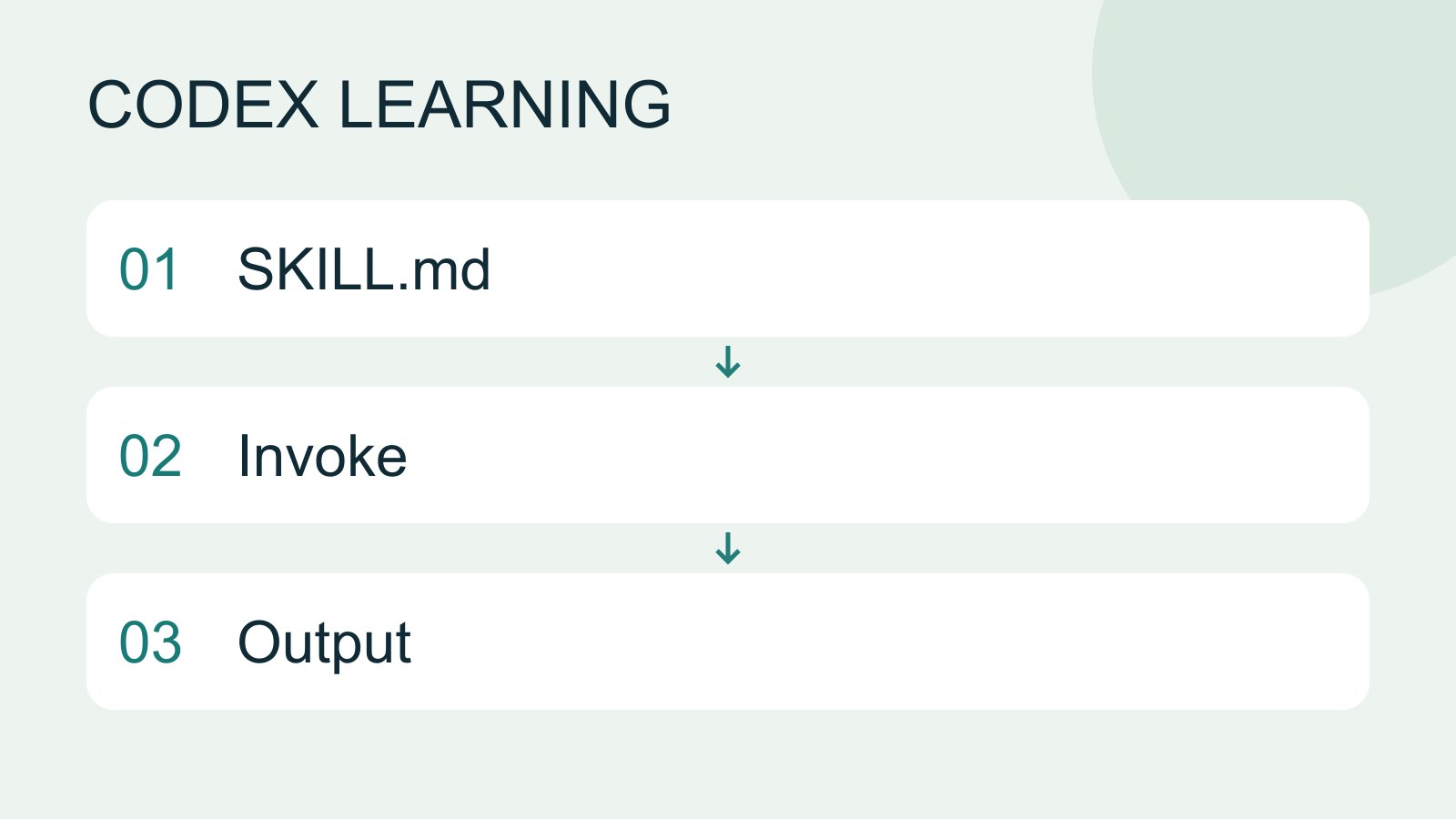
A skill packages a repeatable workflow with instructions and optional resources. The minimum is a directory containing SKILL.md with name and description metadata followed by the procedure and expected output. Installation alone does not prove a task used it.
About 12 min read · Practice 25 min
Advanced · Desktop / CLI / VS Code / JetBrains
Before you start
On this page
- What you will accomplish
- Before you begin
- Name, description and instructions
- Step 1: create the project skill location
- Step 2: write the complete skill
- Step 3: find and explicitly use it
- Step 4: compare a pass with a deliberate failure
- Troubleshooting, disabling and restoring
- Practice and verification record
Back to the Codex learning hubCodex learning hub: tutorial directoryA planned 60-lesson, ten-unit Codex curriculum, from setup and your first task to MD instructions and advanced integrations. Find your next lesson by experience, platform, goal or command; unpublished entries show their status.Read the full article
What you will accomplish
A Skill packages a workflow you repeat, such as acceptance checks after a website change. Keep persistent project requirements in AGENTS.mdProject instructions with AGENTS.mdAGENTS.md supplies project instructions before Codex starts work. Global guidance and files along the project-root-to-working-directory path form an instruction chain. At the same level, AGENTS.override.md takes precedence. Keep rules concrete and verify what was actually loaded.Read the full article; a Skill is selected for a particular task. PluginsPlugins and connected servicesA plugin can distribute skills and MCP tools as an installable capability. Installing it, connecting an external account and successfully calling a tool are distinct stages. A listing does not establish access to your data.Read the full article can distribute skills and service connections.
Before you begin
Prepare a signed-in Codex CLI or a desktop/IDE entry point supporting Skills. Download the todo materials, copy expected into codex-practice and keep broken as a separate later exercise. Do not mix files from the two versions.
Tests use Node.js and previewing uses Python 3. Without a browser tool, the skill must report visual checks as not run and provide manual steps; an instruction cannot create an unavailable tool. You can also download the complete skill example. Read it before placing it in your practice project.
Name, description and instructions
A skill needs a folder containing SKILL.md. YAML frontmatter at the top provides name and description; the body contains the workflow. Codex initially sees the name and description, then reads the full file when using it. A description such as “help with everything” can attract unrelated work.
The example is named todo-acceptance and specifically covers Small Steps verification, not general website development. Start with instructions only, without scripts, external services or a global installation. Add scripts when deterministic repeated operations justify them; place substantial reference material in references and explain when to read it.
Step 1: create the project skill location
At the codex-practice root, create .agents/skills/todo-acceptance. The leading dot matters: this is not .codex or agents without a dot. On Windows, use the following PowerShell command. If the directory exists, inspect it before overwriting any skill.
New-Item -ItemType Directory -Force .agents/skills/todo-acceptance
mkdir -p .agents/skills/todo-acceptance
Create SKILL.md in a plain-text editor. Check for an accidental .txt extension on Windows and preserve uppercase SKILL.md on Linux. The complete required structure follows. This keeps the skill with the exercise rather than making it a personal skill for all projects.
codex-practice/
  index.html
  style.css
  app.js
  core.mjs
  core.test.mjs
  .agents/
    skills/
      todo-acceptance/
        SKILL.md
Step 2: write the complete skill
This is identical to the download. It reads the existing code, runs existing tests, checks a browser when available and reports PASS, FAIL or NOT RUN. It does not silently fix implementation to make acceptance pass; you can inspect the problem before choosing to change it.
---
name: todo-acceptance
description: Verify the Small Steps todo practice website after a change, using its existing tests and browser checks. Use for acceptance checks of this exercise, not unrelated websites or feature implementation.
---

# Small Steps acceptance

Confirm the requested practice folder contains index.html, style.css, app.js,
core.mjs and core.test.mjs. If these are missing, stop and report the path checked.

Read the existing code, then run `node --test core.test.mjs` from that folder.
Do not rewrite tests or implementation to make an acceptance run pass.

If a browser is available, preview the site on a loopback address with a fresh
browser context. Add Read and Build, complete Read, check Active and Completed
filters, reload, and delete Read. Reject whitespace-only input. Check 390px and
1280px widths and visible Tab focus. Keep existing user browser data unchanged.

Report PASS, FAIL or NOT RUN for each check, with the command, observation or
limitation. Include the working folder and remaining issues. Do not claim that
tests, screenshots, deployment or publication happened without evidence.

If a check fails, report the reproduction and relevant file. If a required tool
is unavailable, report NOT RUN and the manual steps. Finish with results only;
implement fixes only when the user requests them.
Use lowercase letters, digits and hyphens for the name and match the folder name. Put the trigger scope early in description and retain body instructions that actually affect decisions. This example needs no extra packages or configuration files. Empty folders do not improve it.
Step 3: find and explicitly use it
Codex detects skill changes. If the skill is missing, restart the session and check the working directory. In CLI or IDE, use /skills or type $ to find it. In the desktop app, inspect Skills in the sidebar and use the current interface's selector. A visible name proves discovery, not execution.
$todo-acceptance Check this Small Steps practice folder. Report the results without editing files.
With a desktop skill selector, choose todo-acceptance and send the same verification request. Confirm it reads this project's SKILL.md rather than a different skill with the same name. Duplicate names are not automatically merged; paths matter when a global or other directory contains a matching name.
Step 4: compare a pass with a deliberate failure
In the expected copy, node --test core.test.mjs should pass three tests. The report should include the real command and result. If the browser workflow ran, expect observations about Read, Build, filters, reload and blank input. Without a browser, that check is NOT RUN, not passed and not proof the entire skill failed.
Make a separate broken copy, place the same skill under that copy's .agents/skills and create a new task from there. Completed filtering is intentionally reversed: when Read is completed and Build is active, it incorrectly shows Build. The tests should report two passes and one failure. The skill should report FAIL and reproduction steps while leaving source files unchanged.
This comparison checks whether the workflow reports failures faithfully. Format validation only establishes parseable metadata and structure, not that an agent followed the workflow. Conversely, a failing test can mean the skill successfully found a bug. Preserve these separate kinds of evidence instead of one ambiguous “success” checkbox.
Verify the missing-material stop condition
Make a separate incomplete copy of expected and add the same skill. Move only that copy's core.test.mjs to a backup outside the folder, leaving the original expected and broken intact. Start a new task in incomplete and select the skill. It should name the missing file and checked path, then stop acceptance work. It must not invent tests, run against a different copy or reuse an earlier passing result. Put the backup back in its original location before running acceptance again.
These are different outcomes: broken has all required files and actually runs a failing test; incomplete does not meet the starting conditions; a missing browser makes only the screen checks NOT RUN. Do not collapse all three into one FAIL. Continue to skill testingTesting skill selection and resultsTest format, selection and outcomes separately, using matching and non-matching requests to refine descriptions.Read the full article for input and trigger cases, or skill resourcesSkill scripts, references and assetsMove repeated logic and large references into useful resources, then verify conditional loading and relative paths.Read the full article before adding scripts and references.
Troubleshooting, disabling and restoring
Missing skill: inspect the .agents/skills location, true SKILL.md extension, the two --- frontmatter delimiters and required name/description. A ZIP placed in the folder is not an extracted skill. Fix the issue and restart Codex before checking the selector again.
Visible but unused: select it explicitly or use $todo-acceptance, then verify name and path. Automatic selection depends on description and task interpretation; similar wording does not guarantee a trigger. If ordinary greetings trigger acceptance, narrow the description to this exercise's verification.
Selected but unable to test: check Node.js on the actual host and core.test.mjs in the working directory. With mobile Remote, both skills and tools come from the host; installation on computer A does not provide them on B. Do not have the skill install every missing tool to hide prerequisites.
Stop active verification in the task. To disable this exercise skill, move it outside the project's scanned skill locations, preserve a copy and restart to verify. For configuration-based disabling, consult the official [[skills.config]] guidance and preserve your existing config.toml. Disabling removes neither previous reports nor past file changes.
| State | Evidence establishes | Does not establish |
|---|---|---|
| Valid format | Required metadata parses | Selection will occur |
| Discovered | Selector shows correct name and path | Full workflow was read |
| Selected | Task reads the instructions | Every check completed |
| Verified | Actual test or browser observations | Website publication |
Practice and verification record
Compare “Verify Small Steps filtering and persistence” with “Explain today's exercise objective.” The first fits the skill; the second does not require full acceptance. Record selection, source path and result, then refine the description based on observations. One correct trigger does not validate every situation.
Mechanics were checked against Build skills on 2026-09-14. The example receives format validation, and the website's core and deliberate failure have actual test results. Automatic triggers and selectors across Codex interfaces still need separate hands-on validation. Continue with PluginsPlugins and connected servicesA plugin can distribute skills and MCP tools as an installable capability. Installing it, connecting an external account and successfully calling a tool are distinct stages. A listing does not establish access to your data.Read the full article, MCPMCP setup and connection checksMCP connects Codex to tools and data. STDIO servers usually start as local processes; HTTP servers use a URL. Saving configuration only proves it exists: verify startup, authentication and an actual tool response.Read the full article and testing and reviewTests, code review and pull requestsTests check behavior under specified conditions, review examines the change for defects and a PR presents proposed integration. They complement each other: tests passing does not establish review approval, and an open PR is not a merge.Read the full article.
Back to the Codex learning hubCodex learning hub: tutorial directoryA planned 60-lesson, ten-unit Codex curriculum, from setup and your first task to MD instructions and advanced integrations. Find your next lesson by experience, platform, goal or command; unpublished entries show their status.Read the full article
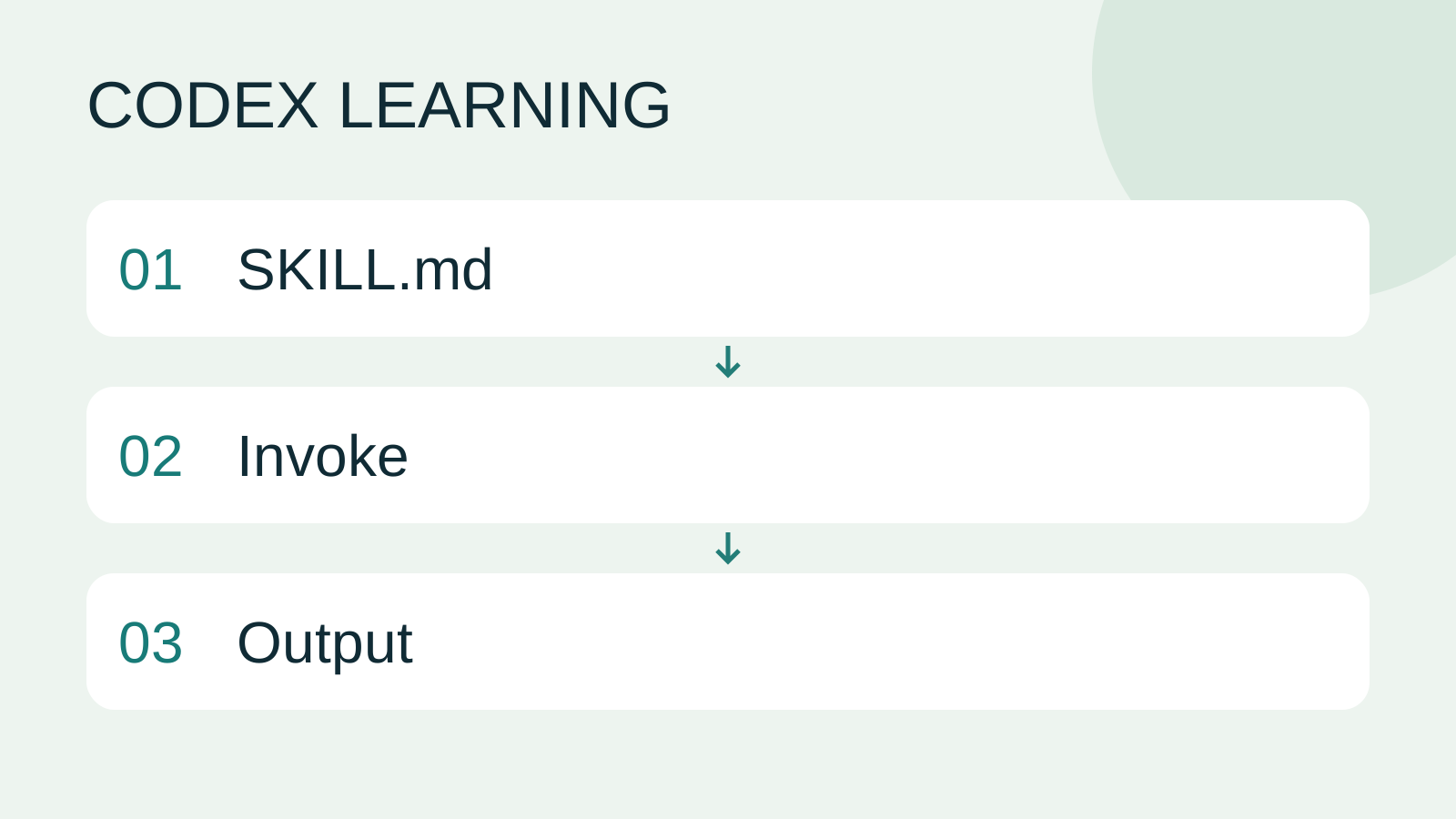
Read the full description
SKILL.md to Invoke to Output
Lifestyle
Codex learning hub: tutorial directory
A planned 60-lesson, ten-unit Codex curriculum, from setup and your first task to MD instructions and advanced integrations. Find your next lesson by experience, platform, goal or command; unpublished entries show their status.
Lifestyle
Worktrees and isolated tasks
A Git worktree gives one repository multiple working directories on different branches. It isolates file edits, but databases, ports and external services may still be shared. File isolation is not full resource isolation.
Lifestyle
Workshop: build a small website
Plan and build the Small Steps task website from brief.md, with adding, completing, deleting, filtering and local persistence. Separate HTML, CSS, data functions, UI events and tests, verify with Node and browser checks, and document restart and recovery steps.
Lifestyle
Usage and efficiency: reducing rework
Record task conditions, model options, time and outcomes to reduce unnecessary retries and excess context.
Articles that cite this one
Latest travel guides

GuideTokyo
Where to Stay in Tokyo: Comparing Shinjuku, Ueno, Tokyo Station, Shibuya, Asakusa, Ikebukuro, and Ginza, Plus Airport Access, Accommodation Tax, and Luggage Delivery
Where should you stay in Tokyo? Compare Shinjuku, Ueno, Tokyo Station, Shibuya, Asakusa, Ikebukuro, and Ginza by the same criteria: access from Narita and Haneda, transit routes, nearby attractions, neighborhood character, and who each area suits. Includes a comparison table, a Yamanote Line diagram, Tokyo’s accommodation tax as verified in 2026/9 (changing to 3% in 2027/4), and Airport TA-Q-BIN luggage shipping rules.
- Budget
- Hotels

GuideTokyo
How to Choose Tokyo Transit Passes: Are Suica, Welcome Suica, the Tokyo Subway Ticket, and the JR Pass Worth It?
On a first Tokyo trip, start with an IC card and pay per ride (Welcome Suica has no deposit and is valid for 28 days). If you take four or more subway rides in a day, add a 72-hour Tokyo Subway Ticket for 2,000 yen; a JR Pass is never worthwhile if you stay in Tokyo and do not go to Kansai. See what TOURIST PASMO, Suica on iPhone, and the Tokyo Metro day pass do and do not cover, with a decision chart. Prices verified in September 2026.
- Transport
- Budget

GuideTokyo
Tokyo Disneyland and DisneySea Guide: Ticket Prices, Fantasy Springs, Disney Premier Access (DPA), Standby Pass, and Which Park to Choose for Your First Visit
Tokyo Disney one-day Passport prices vary: most weekdays in 9/2026 cost ¥9,900 and weekends ¥10,900. At 14:00 daily, tickets go on sale for the same date two months later. Free Priority Pass is no longer on the official service list; only paid Disney Premier Access (¥1,000–3,500 per person per use) shortens waits. Covers hours, the 25th anniversary, Standby Pass, Entry Request, Fantasy Springs access and first-visit park choice; checked on the official site in 9/2026.
- Itineraries
- Family
Sources
- Build skills · Checked:
- Codex CLI developer commands · Checked: