Lifestyle
Plugins and connected services
A plugin can distribute skills and MCP tools as an installable capability. Installing it, connecting an external account and successfully calling a tool are distinct stages. A listing does not establish access to your data.
About 15 min read · Practice 25 min
On this page
Back to the Codex learning hubCodex learning hub: tutorial directoryA planned 60-lesson, ten-unit Codex curriculum, from setup and your first task to MD instructions and advanced integrations. Find your next lesson by experience, platform, goal or command; unpublished entries show their status.Read the full article
Goal and preparation
Lessons and resources mentioned here: Permissions and data scopePermissions, sandbox, network and keysSandbox rules define technical access to files and networks; approval policy determines when the agent asks before acting. No prompt does not guarantee permission, and read access does not imply write access everywhere.Read the full article
Plugins bundle SkillsSkills and SKILL.mdA skill packages a repeatable workflow with instructions and optional resources. The minimum is a directory containing SKILL.md with name and description metadata followed by the procedure and expected output. Installation alone does not prove a task used it.Read the full article, MCPMCP setup and connection checksMCP connects Codex to tools and data. STDIO servers usually start as local processes; HTTP servers use a URL. Saving configuration only proves it exists: verify startup, authentication and an actual tool response.Read the full article and supporting components. Skills describe workflows; MCP tools access services. Installation, service authentication and tool availability are separate states: an installed plugin may still be unable to read a document.
Step 1: Confirm your surface
Open Plugins and inspect the OpenAI, workspace, Personal and Installed categories shown. On Windows/macOS/Linux, check app version and plugin requirements; confirm Linux-preview availability locally. A public listing does not prove support. See Platform selectionChoosing a Codex platformCompare desktop, mobile, CLI, IDE and cloud scenarios, and identify where files and tools run.Read the full article for desktop setup.
On Windows/macOS/Linux, enter your practice folder in a terminal, run codex, then enter /plugins inside Codex. The first is a shell command, the second an interactive command. Plugins are unsupported in the IDE extension; use desktop or CLI.
codex
/plugins
| Surface | Confirm first | Practice route |
|---|---|---|
| Windows/macOS/Linux desktop | Version, directory, plugin platform requirements | Install and connect through Plugins details |
| CLI on all three | Login, /plugins, marketplace source | Inspect, install, then start a fresh session |
| iOS/Android | Plugins available in account Chat/Work | Check it is not Desktop only; use a supported surface |
| IDE | Plugins unsupported | Use desktop/CLI; standalone Skills are separate |
A mobile plugin does not automatically expose a computer's disk. Tasks needing local computer files still follow Mobile and cross-deviceMobile: iPhone and AndroidRemote in the ChatGPT mobile app lets you guide Codex work on a connected computer. Official documentation lists iOS and Android clients, with Mac or Windows hosts, subject to rollout. This does not install a full development environment on the phone, and does not establish Linux host support.Read the full article connection requirements; this exercise reads only the chosen service document. A Desktop only plugin cannot run directly on a phone merely because its listing is discoverable on the web.
Step 2: Prepare a verifiable document
In your practice Google Drive, create a document titled Codex Plugin Practice and paste the full text below. Keep it private; do not enable public access merely to make a plugin read it. Retain its URL to specify scope. If using another service, first complete installation and state recording, then adapt the example only after confirming equivalent read tools.
Codex Plugin Practice
Revision: 1
Document marker: PLUGIN-LAB-A
Task count: 3
Completed count: 2
Pending count: 1
Scope: fictional practice data; read only.
The marker and revision identify what the tool actually read, rather than testing whether a model can guess three counts. Titles can repeat; the URL and marker must match. If search finds two documents with the same name, do not choose arbitrarily. Inspect the original service page first, then request that exact URL for an independent comparison.
Step 3: Install, connect and start a fresh task
Open plugin details and verify the name, provider, marketplace source and capabilities before installing the intended Google Drive plugin. Desktop documentation describes a plus button; CLI installation is available from details under /plugins marketplace categories. Record the name or ID and date so a similarly named package is not mistaken for the same installation.
When sign-in is required, verify the service and account own the practice document, then read the requested permissions. Do not paste passwords, verification codes, tokens or connection callback URLs into chat. If the requested access exceeds your acceptable purpose, cancel and record not connected. A read-only prompt does not narrow OAuth permissions.
Return to the original surface, inspect Installed and connection state, then start a new chat or CLI session. Some plugins connect only on first use, so installation alone cannot skip this check. API-key Codex authentication does not support every OAuth-dependent plugin. Check authentication mode and plugin requirements rather than repeatedly replacing or printing keys.
Step 4: Verify an actual read
On desktop, use @ to select the installed plugin or bundled skill and paste the request, replacing the marked position with your practice document URL. In a new CLI session, request the installed plugin for the same document and use the skill-selection entry if shown. Read only the specified document, making both results and scope easy to verify.
Use the installed Google Drive plugin to read this practice document:
<PASTE YOUR PRACTICE DOCUMENT URL HERE>
Return the document title, source link, revision, marker, and the three counts.
Use an actual read result. If access is unavailable, say which step failed.
Do not edit, share, move, delete, or search unrelated files.
The reply should link the same document and report Revision 1, PLUGIN-LAB-A and 3/2/1 with actual read evidence. Match values to total, completed and pending fields rather than merely checking the numbers. Then manually change Revision to 2, Completed to 1 and Pending to 2. Request a fresh read without supplying the new values and verify it reports the updated document.
If it returns old counts, request a fresh source read and observed revision. Record connection, account-access or update-delay errors instead of fabricating new results. A fresh task can help separate old conversation context. Finally inspect the service to confirm the agent did not edit, share or move the document, distinguishing your manual revision from the agent's read.
Add a marker the model has not been told
After the two fixed-count checks, change Revision to 3 in the source service and replace Document marker with a new non-sensitive marker of your own; keep the second round's counts at 3/1/2. Put the marker only in the document, not in the Codex prompt. Start a new task with the same document URL and earlier read request. Count this round as verified only when a real tool result supplies your new marker. Repeating the article's marker or the previous revision does not pass.
Fill the record below in your own notes; keep private URLs private and use aliases in public reports. Installed records the bundle, Connected the service connection, and Fresh read needs its own read time, source and marker evidence. After uninstalling, a missing skill does not automatically make Connected false. Check separately connected MCP integrations using the official plugin documentation, then handle only the authorization created for this exercise if needed.
# Plugin read verification
Surface / host / date:
Plugin ID and source:
Practice document alias:
Installed: <observed state>
Connected: <observed state or unconfirmed>
Tool available in this new task: <evidence>
Fresh read time and source: <tool evidence or NOT RUN>
Revision and private practice marker: <actual result, do not copy the tutorial value>
Source unchanged by the tool: <verification>
Bundle removed: <observed or NOT RUN>
Separate connection disconnected: <observed or NOT RUN>
Step 5: Disable, uninstall and disconnect
In CLI /plugins, Space toggles an installed entry; Uninstall plugin in details removes it. On desktop/web, open installed plugin details for that action. Workspace/default plugins may be administrator-controlled. Record restrictions; do not delete app caches or installation folders.
Uninstalling a bundle and disconnecting an external account are separate. Independently connected MCP integrations may remain; disconnect the service in ChatGPT connection management and inspect the provider's third-party authorization page if needed. Check shared use before removing only the practice connection. In a fresh task verify that connection can no longer read, rather than treating a removed Installed entry as proof all access was revoked.
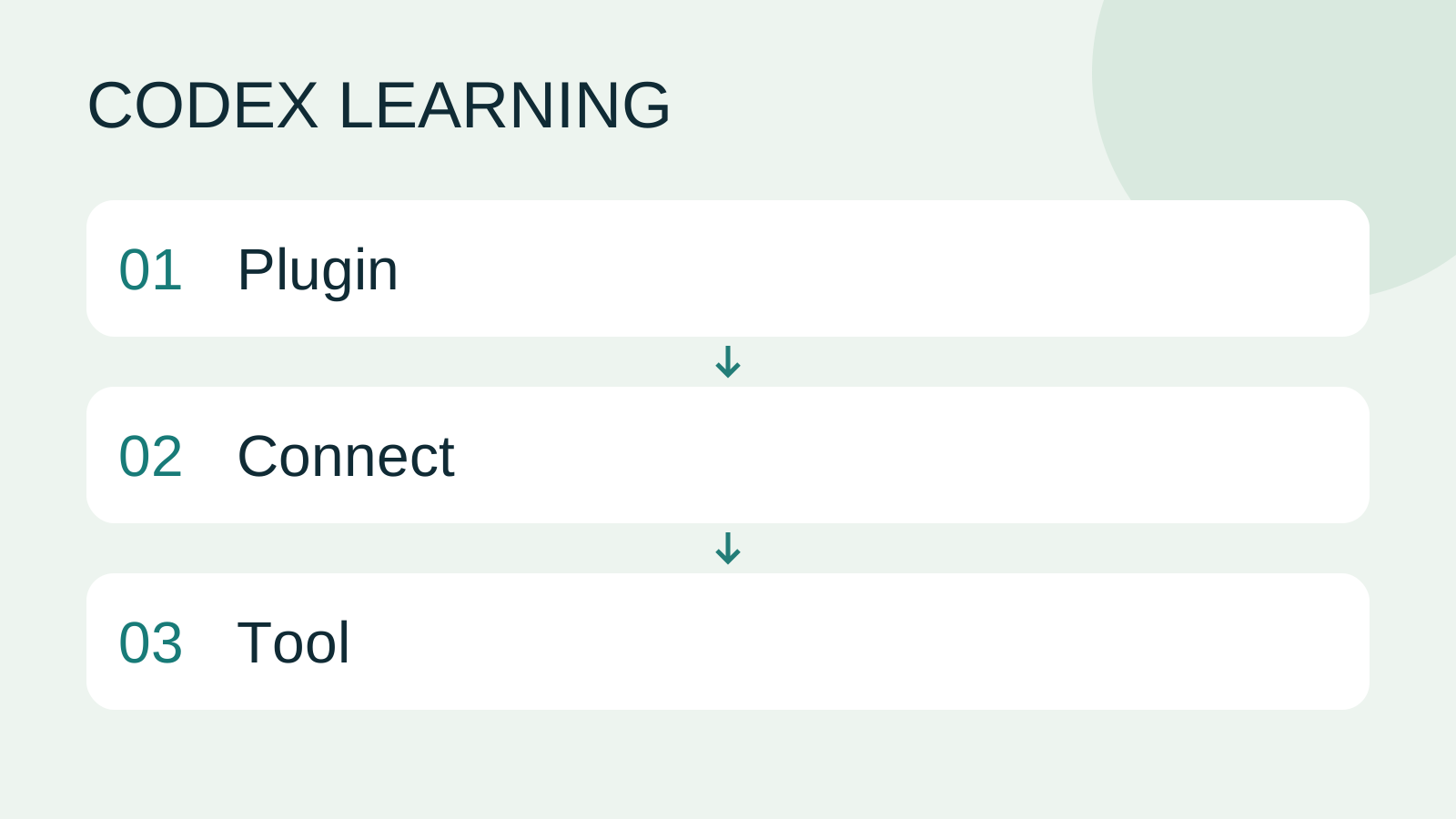
Record installation, authorization, first read, revised read and removal separately. Mark unoperated platforms/services as documentation-checked. This lesson does not claim to have authenticated your Drive or read private documents. Diagram 1 selects capability/scope, 2 connects and reads, and 3 verifies and closes. Continue to Plugin troubleshootingTroubleshooting plugin connectionsDistinguish installation, account connection, authorization and callable tools before reconnecting or removing a plugin.Read the full article for layered diagnosis.
Back to the Codex learning hubCodex learning hub: tutorial directoryA planned 60-lesson, ten-unit Codex curriculum, from setup and your first task to MD instructions and advanced integrations. Find your next lesson by experience, platform, goal or command; unpublished entries show their status.Read the full article
Read the full description
Plugin to Connect to Tool
Lifestyle
Codex learning hub: tutorial directory
A planned 60-lesson, ten-unit Codex curriculum, from setup and your first task to MD instructions and advanced integrations. Find your next lesson by experience, platform, goal or command; unpublished entries show their status.
Lifestyle
Worktrees and isolated tasks
A Git worktree gives one repository multiple working directories on different branches. It isolates file edits, but databases, ports and external services may still be shared. File isolation is not full resource isolation.
Lifestyle
Workshop: build a small website
Plan and build the Small Steps task website from brief.md, with adding, completing, deleting, filtering and local persistence. Separate HTML, CSS, data functions, UI events and tests, verify with Node and browser checks, and document restart and recovery steps.
Lifestyle
Usage and efficiency: reducing rework
Record task conditions, model options, time and outcomes to reduce unnecessary retries and excess context.
Articles that cite this one
Latest travel guides

GuideTokyo
Where to Stay in Tokyo: Comparing Shinjuku, Ueno, Tokyo Station, Shibuya, Asakusa, Ikebukuro, and Ginza, Plus Airport Access, Accommodation Tax, and Luggage Delivery
Where should you stay in Tokyo? Compare Shinjuku, Ueno, Tokyo Station, Shibuya, Asakusa, Ikebukuro, and Ginza by the same criteria: access from Narita and Haneda, transit routes, nearby attractions, neighborhood character, and who each area suits. Includes a comparison table, a Yamanote Line diagram, Tokyo’s accommodation tax as verified in 2026/9 (changing to 3% in 2027/4), and Airport TA-Q-BIN luggage shipping rules.
- Budget
- Hotels

GuideTokyo
How to Choose Tokyo Transit Passes: Are Suica, Welcome Suica, the Tokyo Subway Ticket, and the JR Pass Worth It?
On a first Tokyo trip, start with an IC card and pay per ride (Welcome Suica has no deposit and is valid for 28 days). If you take four or more subway rides in a day, add a 72-hour Tokyo Subway Ticket for 2,000 yen; a JR Pass is never worthwhile if you stay in Tokyo and do not go to Kansai. See what TOURIST PASMO, Suica on iPhone, and the Tokyo Metro day pass do and do not cover, with a decision chart. Prices verified in September 2026.
- Transport
- Budget

GuideTokyo
Tokyo Disneyland and DisneySea Guide: Ticket Prices, Fantasy Springs, Disney Premier Access (DPA), Standby Pass, and Which Park to Choose for Your First Visit
Tokyo Disney one-day Passport prices vary: most weekdays in 9/2026 cost ¥9,900 and weekends ¥10,900. At 14:00 daily, tickets go on sale for the same date two months later. Free Priority Pass is no longer on the official service list; only paid Disney Premier Access (¥1,000–3,500 per person per use) shortens waits. Covers hours, the 25th anniversary, Standby Pass, Entry Request, Fantasy Springs access and first-visit park choice; checked on the official site in 9/2026.
- Itineraries
- Family