Lifestyle
Self-hosting WordPress fonts: files, licenses, and loading speed
Serving fonts from your own WordPress site gives you control over their source and delivery, but you still need to check web-use rights, character coverage, and file size. This guide explains how to use the Font Library or CSS, what to consider for Traditional Chinese subsets, and how to check layout and speed before and after the change so site owners can balance brand appearance, readability, and maintenance.
About 6 min read
You switch to an attractive Chinese font, only to see the home page go blank briefly or a name in an article change typeface. Fonts affect more than appearance: download size, missing glyphs, and layout stability matter too. Self-hosting means your own site serves the font files; moving them there does not automatically make them faster.
Try one body font and only the heading weights you need on a small set of pages before rolling them out sitewide. The steps below cover licensing, files, WordPress settings, and checks from a reader's perspective so the setup remains maintainable.
First, check whether you may serve the font files to visitors
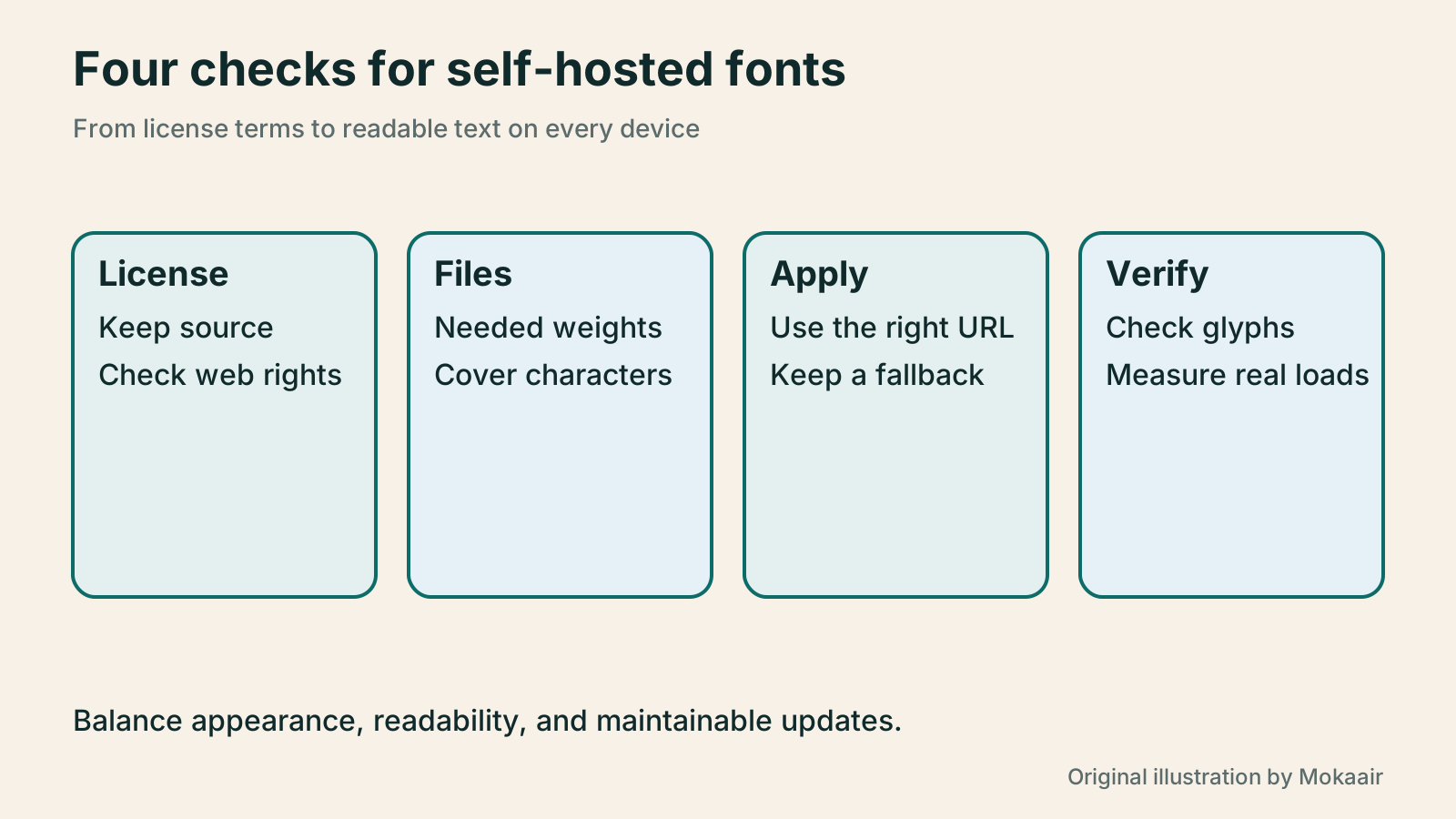
Permission to install a font on your computer does not necessarily allow you to upload it for browsers to download. Keep the official source, license text, author, and version. Check whether the license permits web use, self-hosting, and any modifications you plan to make. Commercial fonts may also impose domain, traffic, or plan limits; follow the terms of the actual license.
For example, the SIL Open Font License permits web-font use and distribution, but distributed files must retain the required license and copyright notices. Modifying a font with a reserved name brings additional naming conditions. A free download is no reason to assume you may rename or resell the file at will.
Decide whether the whole site needs a custom font at all. If only headings need a distinctive look, a system font for body text can reduce downloads and maintenance. System fonts vary somewhat by device, so test readability, but visitors will not need another full Chinese font download for your body copy.
Choose the formats, weights, and characters you need
WOFF2 is a good format to evaluate for the web, subject to the browsers you support. Do not upload a huge desktop font and then load every weight. List the fonts used for body copy, headings, and buttons; if a few files suffice, keep the setup simple.
Chinese fonts contain many characters. Subsetting can reduce file size, but coverage must match your content. Keeping only characters visible on today's home page may leave the next article, a person's name, an address, or a reader comment without glyphs. Sites with substantial dynamic content need a maintainable coverage strategy or suitable segmented subsets, not just the smallest file today.
A variable font can cover a range of weights and other variations in one file, but compare its actual size with what you use. Unused ranges do not become free. If you only need regular and bold, compare both options instead of assuming the newer format must be faster.
Manage files with the WordPress Font Library
Current WordPress Font Library documentation places the entry under Appearance > Fonts and describes support for block and classic themes in newer versions. Older versions may manage fonts through the Site Editor's Styles and Typography controls. Check your WordPress version and theme support before looking for the relevant entry.
In the Font Library's Upload tab, add files whose rights you have checked. Alternatively, choose the Google Fonts families and variants you need in Install Fonts. WordPress says that installation downloads the fonts and serves them locally from your site; separately check any external font requests still made by other plugins.
After installation, apply the font to the relevant text, headings, or blocks, save, and inspect the public page. Appearing in the font list does not mean every page uses it. With a classic theme or page builder, check whether its font menu and global settings use the same source.
- Record the font source, license, and required variants, then back up the current styles.
- Upload or install through the applicable Font Library entry and confirm the files appear.
- Apply the font to representative pages first and verify the public text uses the intended face.
When CSS is needed, check declaration and application separately
For a manual setup, a maintainer can add @font-face to a stylesheet they can continue to manage, defining a name, file URL, weight, and style. Then apply it to target text with font-family. A declaration that no element uses proves nothing changed on screen. Avoid editing theme core files that an update will overwrite.
Visitors must be able to retrieve the file URL and receive the correct content. If files move to a CDN on another domain, check cross-origin settings too. Use the browser's network panel to find missing or failed downloads, then inspect computed styles rather than repeatedly guessing font names.
font-display controls how text appears while the font downloads. With swap, a fallback face can show text first, but replacing it may still change line breaks and layout. Choose a suitable fallback and check that headings, buttons, and body copy remain readable when the web font fails to load.
Compare actual downloads, not just hosting locations
Self-hosting may avoid a connection to a font provider, but speed still depends on your server, caching, file size, and delivery. Google's web.dev guidance notes that self-hosting is not necessarily faster than an external service; replacing segmented, compressed external fonts with one giant file can make pages slower.
Test the same page under the same device conditions, both on a first visit and with a warm cache. Record the number of font requests, bytes downloaded, when text becomes readable, and any visible shift after loading. Address duplicate downloads and unnecessary weights before more elaborate optimizations.
Do not preload every font. preload can fetch a resource early, but may compete with important images or styles. For segmented Chinese fonts in particular, a maintainer should identify the files genuinely needed. Measure first, then decide what to preload.
Check glyph coverage and layout with typical Taiwanese content
Use representative pages with Traditional Chinese punctuation, names, addresses, English, numbers, and symbols. Look for boxes, unusual glyphs, or inconsistent weights. If the site includes Japanese or other languages, test the fallback stack too. A single brand slogan cannot establish that a font covers the whole site.
On a phone, check line wrapping in long headings, buttons that may overflow, narrower table columns, and readability with enlarged text. For articles updated regularly, keep a way to report missing glyphs. Check the subset-generation process whenever new characters appear instead of patching files for each post.
At handover, document file locations, licenses, where each font applies, how subsets are generated, and the last test date. Before removing a font, identify styles and pages that use it, confirm a replacement works, and then remove unneeded files so visual design and content maintenance can continue together.
| Approach | Main advantage | Responsibility |
|---|---|---|
| System fonts | No additional font-file download | Appearance varies slightly across devices |
| Self-hosted web fonts | Control over files and delivery | Licensing, size, caching, and updates |
| External font service | Service handles some subsetting and transfer | Service connections, plan terms, and data flow |
Choose a theme that suits your websiteHow to Choose a WordPress Theme: Reading, Editing, and Long-Term MaintenanceChoose a WordPress theme by starting with readers' and editors' needs, then comparing the appearance of demo sites. This guide explains block, classic, and hybrid themes and provides checks for testing real content, portability, customization, and long-term maintenance. It is written for people in Taiwan building or redesigning a site. Use the same checklist for mobile navigation, articles, forms, and administration so an attractive template does not make daily updates difficult.Read the full article
Create a routine for maintaining your websiteWhat website maintenance involves: a routine for backups, updates, and incident reportsWebsite maintenance includes more than plugin updates: check content, accounts, backups, outgoing email, and expiring services. Using a small WordPress content site, this guide covers routine observation, pre- and post-update checks, restoration, and incident reports, with a worksheet for owners, editors, and maintainers. Set a schedule by update frequency, identify urgent cases, and keep records the next collaborator can use.Read the full article
Lifestyle
After a WordPress Move: Check Search Traffic, the Old Host, and Renewals
A completed WordPress move still needs checks that the new host is stable, search entry points work, backups can be used, and old services can safely stop. This guide provides a cutover observation checklist, a way to interpret search traffic, an inventory of old-host dependencies, and renewal closeout steps. Individual site owners and studios can retain the information needed for rollback without confusing temporary fluctuations, ending renewal, and immediately deleting a site.
Lifestyle
Move WordPress to a New Host Without Changing the Domain: Migration, Testing, and DNS Cutover
When WordPress moves to a new host, its URLs can stay the same, but files, the database, certificates, and external services still need a handoff. This guide covers preparation of the new host, restricted previews, the final data sync, and DNS cutover in order. A verification table and rollback criteria help individual site owners and studios keep their domain while moving hosts, without canceling the old service before recovery options are secure.
Lifestyle
Changing a WordPress Domain: Check Redirects, Search Signals, and Email
Changing a WordPress domain means handling internal URLs, redirects from old links, search signals, and email together. Starting with a URL mapping, this guide explains how to preview database replacements, check permanent redirects, test sending and receiving on the new domain, and monitor the change after launch. It helps personal brands and studios plan a name change without assuming that editing the WordPress site address completes the move.
Lifestyle
Moving from WordPress.com to Self-Hosted WordPress: Content, Media, and URLs
Before moving a WordPress.com site to self-hosted WordPress, check your plan, domain, and the handoff for each kind of content. This guide covers the options available to free and paid sites, XML export and import, verification of actual image files, subscriber migration, and when Site Redirect is available. It helps individual creators in Taiwan plan the move and identifies features and billing items that need separate attention after the new site is ready.
Latest travel guides

GuideTokyo
Where to Stay in Tokyo: Comparing Shinjuku, Ueno, Tokyo Station, Shibuya, Asakusa, Ikebukuro, and Ginza, Plus Airport Access, Accommodation Tax, and Luggage Delivery
Where should you stay in Tokyo? Compare Shinjuku, Ueno, Tokyo Station, Shibuya, Asakusa, Ikebukuro, and Ginza by the same criteria: access from Narita and Haneda, transit routes, nearby attractions, neighborhood character, and who each area suits. Includes a comparison table, a Yamanote Line diagram, Tokyo’s accommodation tax as verified in 2026/9 (changing to 3% in 2027/4), and Airport TA-Q-BIN luggage shipping rules.
- Budget
- Hotels

GuideTokyo
How to Choose Tokyo Transit Passes: Are Suica, Welcome Suica, the Tokyo Subway Ticket, and the JR Pass Worth It?
On a first Tokyo trip, start with an IC card and pay per ride (Welcome Suica has no deposit and is valid for 28 days). If you take four or more subway rides in a day, add a 72-hour Tokyo Subway Ticket for 2,000 yen; a JR Pass is never worthwhile if you stay in Tokyo and do not go to Kansai. See what TOURIST PASMO, Suica on iPhone, and the Tokyo Metro day pass do and do not cover, with a decision chart. Prices verified in September 2026.
- Transport
- Budget

GuideTokyo
Tokyo Disneyland and DisneySea Guide: Ticket Prices, Fantasy Springs, Disney Premier Access (DPA), Standby Pass, and Which Park to Choose for Your First Visit
Tokyo Disney one-day Passport prices vary: most weekdays in 9/2026 cost ¥9,900 and weekends ¥10,900. At 14:00 daily, tickets go on sale for the same date two months later. Free Priority Pass is no longer on the official service list; only paid Disney Premier Access (¥1,000–3,500 per person per use) shortens waits. Covers hours, the 25th anniversary, Standby Pass, Entry Request, Fantasy Springs access and first-visit park choice; checked on the official site in 9/2026.
- Itineraries
- Family
Sources
- WordPress: Font Library · Checked:
- WordPress: Styles and Typography · Checked:
- SIL: How to Use OFL Fonts · Checked:
- MDN: @font-face · Checked:
- Google web.dev: Font Best Practices · Checked: