Lifestyle
WordPress.com or self-hosted WordPress: balancing maintenance, costs and control
WordPress.com and WordPress.org share an ecosystem, but their services, maintenance duties and features differ. For personal blogs and small business sites, this guide compares hosting, self-hosting, plugins, backups, support and migration. It clarifies paid-plan plugin installation using official information available at the check date, so you can compare total costs and real workflows instead of an outdated free-versus-paid split.
About 6 min read
WordPress.com is a service offering website hosting and other features. WordPress.org is where you obtain WordPress software and community resources. Their differences cannot be reduced to ‘free versus paid’: self-hosted software is available free of charge, but hosting, a domain, maintenance and extensions may still cost money.
If you are deciding where to put your first blog, first write down whether you need particular plugins, who will handle updates, how much maintenance you can take on and whether data migration is required. Rather than comparing promotional prices, the following sections separate service responsibilities that are easily confused, so you know exactly what to check before buying.
Choosing hosting also means assigning the work
With WordPress.com, the platform provides hosting and your plan determines the available features. If you self-host the software from WordPress.org, you must choose a host and manage the website, or hire someone to manage it. Self-hosting does not mean putting your site on WordPress.org, and the software community will not handle your bills, site failures or insufficient hosting resources for you.
Separate the work into website infrastructure, content and third-party services. Infrastructure includes servers, certificates and software updates; content includes posts, images and account roles. Third-party services may include email, bookings or payments. A platform handling one layer does not mean all the others are included. Ask specific questions, such as how far support will investigate when a form submission fails to arrive by email.
Check current official requirements for plugins
On the date checked, WordPress.com’s official plugin documentation stated that all paid plans could install plugins, while free sites needed an upgrade. Older tutorials that restrict plugin installation to higher-tier plans cannot be assumed to describe the current rules. Permission to install also does not mean every plugin is compatible: check the platform’s incompatible-plugin list, the plugin’s own requirements and the functions you actually need.
Self-hosted WordPress gives you more flexibility in choosing plugins, but hosting environments, plugin licences and technical compatibility still matter. A plugin activating successfully does not guarantee that email, payments or scheduled tasks work. Compare a real task, such as a visitor completing a booking and receiving confirmation, rather than stopping at a box labelled ‘supports booking plugins’.
Separate plan fees from the total cost
List the advertised subscription fee separately from the website’s total costs. Domain renewals, professional email, paid themes, plugin subscriptions, outside help and migration work may all add expenses. Check the currency, billing cycle, promotional period and renewal terms. A monthly equivalent for a different billing cycle is not necessarily a price you can pay and cancel month by month.
For a personal site with regular posts, start by comparing publishing, media storage and administration needs. A long list of business features is not itself a reason to upgrade. For a shop, assess products, payments, orders, tax display and email workflows together. Features you do not actually need will not automatically bring revenue or better rankings just because they are included in a package.
Backups, content exports and full-site restores are different
WordPress.com’s export documentation explains that the export file contains content such as posts, pages and comments, but not the complete theme design, custom settings or plugins. Media in this type of export is usually represented by source links, which the new site retrieves during import. Downloading a file therefore does not mean you have a complete backup of the site’s appearance and every image.
Self-hosted sites also require separate handling of files, databases and data held by external services. When comparing the options, ask which dates you can restore, who performs the restore, whether services need configuring again afterwards and how missing data will be detected. Do not delete the old site merely to test a move. Keep recoverable original data until content and media have both been checked.
Use a small trial to discover practical limits
Use the same subject and materials to create a post and a static page in each candidate environment. Then edit content with different account roles and check previews, publishing, images and navigation. This reveals the actual editing workload and helps distinguish theme-design issues from platform features or usage problems, instead of attributing everything to hosted or self-hosted operation.
If you need an external integration, read both providers’ official documentation first. Confirm the accounts, permissions and plans required before testing. Do not use real customer lists or live transaction keys during a trial. Keep a record of your actions, missing features and acceptable alternatives so the final choice rests on evidence, rather than a single smooth or frustrating experience.
- List essential features for now separately from features you might add later, rather than mixing them into one purchasing requirement.
- Read the official documentation for current plans and required plugins, and record the date and limitations.
- Use the same content to test editing, publishing, visitor access and required integrations, and keep the results.
- Check content export, hosting backups and account handover, then estimate the full annual cost before choosing.
Choose an arrangement you can keep maintaining
If you want to spend most of your time writing and can work within a platform’s boundaries, an integrated hosting service is worth considering. If you already have maintenance support, specialised data workflows or a required hosting environment, self-hosting may fit better. These are starting points for a decision. Neither model is inherently more professional; reliability still depends on configuration, content and maintenance.
Keep the requirements list used for your decision, especially the limitations you accepted. When the site’s size, payment needs or division of work changes, compare upgrading the existing service, changing workflows and migrating. Whichever option you choose, make ownership of the domain, administration email and important data clear so the site can keep operating when collaborators change.
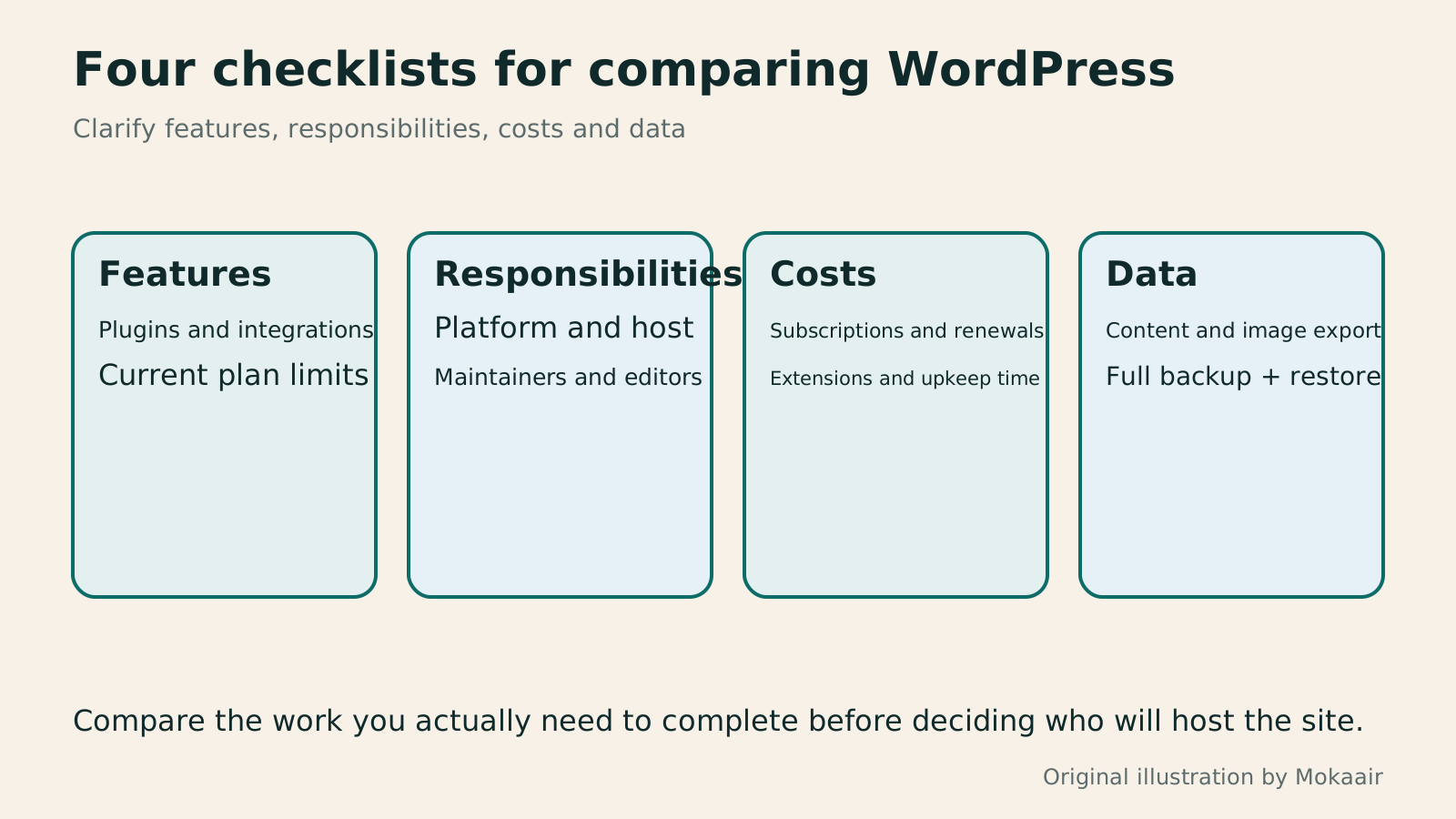
Read the full description
Compare WordPress.com and self-hosting through feature requirements, maintenance responsibilities, total costs and data migration.
| Comparison | WordPress.com | Self-hosted WordPress |
|---|---|---|
| Hosting | Provided as part of the platform service | Choose a host or arrange managed hosting |
| Plugins | Installable on paid plans, subject to compatibility rules | Depends on hosting, plugin and licence requirements |
| Troubleshooting support | Check the responsibilities of the platform and third-party services | Check the responsibilities of the hosting provider and maintainer |
| Data migration | Content export is not a complete website backup | Check files, databases and service settings separately |
Choosing a CMS or website platform: let your update workflow guide the choiceHow to choose a CMS or website platform: let your update workflow decide where your site livesBefore choosing a website tool, identify who will update content, what readers need to do, and who responds when the site breaks. Using a portfolio, publishing blog, and small business site, this guide compares a CMS, an all-in-one builder, and a static site. Build a requirements sheet for trials, quotes, and handover; check export and migration limits; and avoid deciding only from a polished template or introductory price.Read the full article
Planning a website budget: separate first-year, renewal and maintenance costsPlanning a website budget: separate first-year, renewal and maintenance costsA website budget needs more than a promotional monthly price. Group spending into setup, ongoing use, renewal and migration; list hosting, domains, email, themes, plugins and maintenance time. Learn to distinguish long-term monthly equivalents, automatic renewal and outsourced quotes, then practise with clearly hypothetical figures. Build a cost list, decide what is needed now or later, and know which terms to keep before paying.Read the full article
Lifestyle
After a WordPress Move: Check Search Traffic, the Old Host, and Renewals
A completed WordPress move still needs checks that the new host is stable, search entry points work, backups can be used, and old services can safely stop. This guide provides a cutover observation checklist, a way to interpret search traffic, an inventory of old-host dependencies, and renewal closeout steps. Individual site owners and studios can retain the information needed for rollback without confusing temporary fluctuations, ending renewal, and immediately deleting a site.
Lifestyle
Move WordPress to a New Host Without Changing the Domain: Migration, Testing, and DNS Cutover
When WordPress moves to a new host, its URLs can stay the same, but files, the database, certificates, and external services still need a handoff. This guide covers preparation of the new host, restricted previews, the final data sync, and DNS cutover in order. A verification table and rollback criteria help individual site owners and studios keep their domain while moving hosts, without canceling the old service before recovery options are secure.
Lifestyle
Changing a WordPress Domain: Check Redirects, Search Signals, and Email
Changing a WordPress domain means handling internal URLs, redirects from old links, search signals, and email together. Starting with a URL mapping, this guide explains how to preview database replacements, check permanent redirects, test sending and receiving on the new domain, and monitor the change after launch. It helps personal brands and studios plan a name change without assuming that editing the WordPress site address completes the move.
Lifestyle
Moving from WordPress.com to Self-Hosted WordPress: Content, Media, and URLs
Before moving a WordPress.com site to self-hosted WordPress, check your plan, domain, and the handoff for each kind of content. This guide covers the options available to free and paid sites, XML export and import, verification of actual image files, subscriber migration, and when Site Redirect is available. It helps individual creators in Taiwan plan the move and identifies features and billing items that need separate attention after the new site is ready.
Articles that cite this one
Latest travel guides

GuideTokyo
Where to Stay in Tokyo: Comparing Shinjuku, Ueno, Tokyo Station, Shibuya, Asakusa, Ikebukuro, and Ginza, Plus Airport Access, Accommodation Tax, and Luggage Delivery
Where should you stay in Tokyo? Compare Shinjuku, Ueno, Tokyo Station, Shibuya, Asakusa, Ikebukuro, and Ginza by the same criteria: access from Narita and Haneda, transit routes, nearby attractions, neighborhood character, and who each area suits. Includes a comparison table, a Yamanote Line diagram, Tokyo’s accommodation tax as verified in 2026/9 (changing to 3% in 2027/4), and Airport TA-Q-BIN luggage shipping rules.
- Budget
- Hotels

GuideTokyo
How to Choose Tokyo Transit Passes: Are Suica, Welcome Suica, the Tokyo Subway Ticket, and the JR Pass Worth It?
On a first Tokyo trip, start with an IC card and pay per ride (Welcome Suica has no deposit and is valid for 28 days). If you take four or more subway rides in a day, add a 72-hour Tokyo Subway Ticket for 2,000 yen; a JR Pass is never worthwhile if you stay in Tokyo and do not go to Kansai. See what TOURIST PASMO, Suica on iPhone, and the Tokyo Metro day pass do and do not cover, with a decision chart. Prices verified in September 2026.
- Transport
- Budget

GuideTokyo
Tokyo Disneyland and DisneySea Guide: Ticket Prices, Fantasy Springs, Disney Premier Access (DPA), Standby Pass, and Which Park to Choose for Your First Visit
Tokyo Disney one-day Passport prices vary: most weekdays in 9/2026 cost ¥9,900 and weekends ¥10,900. At 14:00 daily, tickets go on sale for the same date two months later. Free Priority Pass is no longer on the official service list; only paid Disney Premier Access (¥1,000–3,500 per person per use) shortens waits. Covers hours, the 25th anniversary, Standby Pass, Entry Request, Fantasy Springs access and first-visit park choice; checked on the official site in 9/2026.
- Itineraries
- Family
Sources
- WordPress.com and WordPress.org comparison · Checked:
- WordPress.com plugin installation requirements · Checked:
- WordPress.com plan features · Checked:
- What a WordPress.com content export includes · Checked: