Lifestyle
How to choose a CMS or website platform: let your update workflow decide where your site lives
Before choosing a website tool, identify who will update content, what readers need to do, and who responds when the site breaks. Using a portfolio, publishing blog, and small business site, this guide compares a CMS, an all-in-one builder, and a static site. Build a requirements sheet for trials, quotes, and handover; check export and migration limits; and avoid deciding only from a polished template or introductory price.
About 6 min read
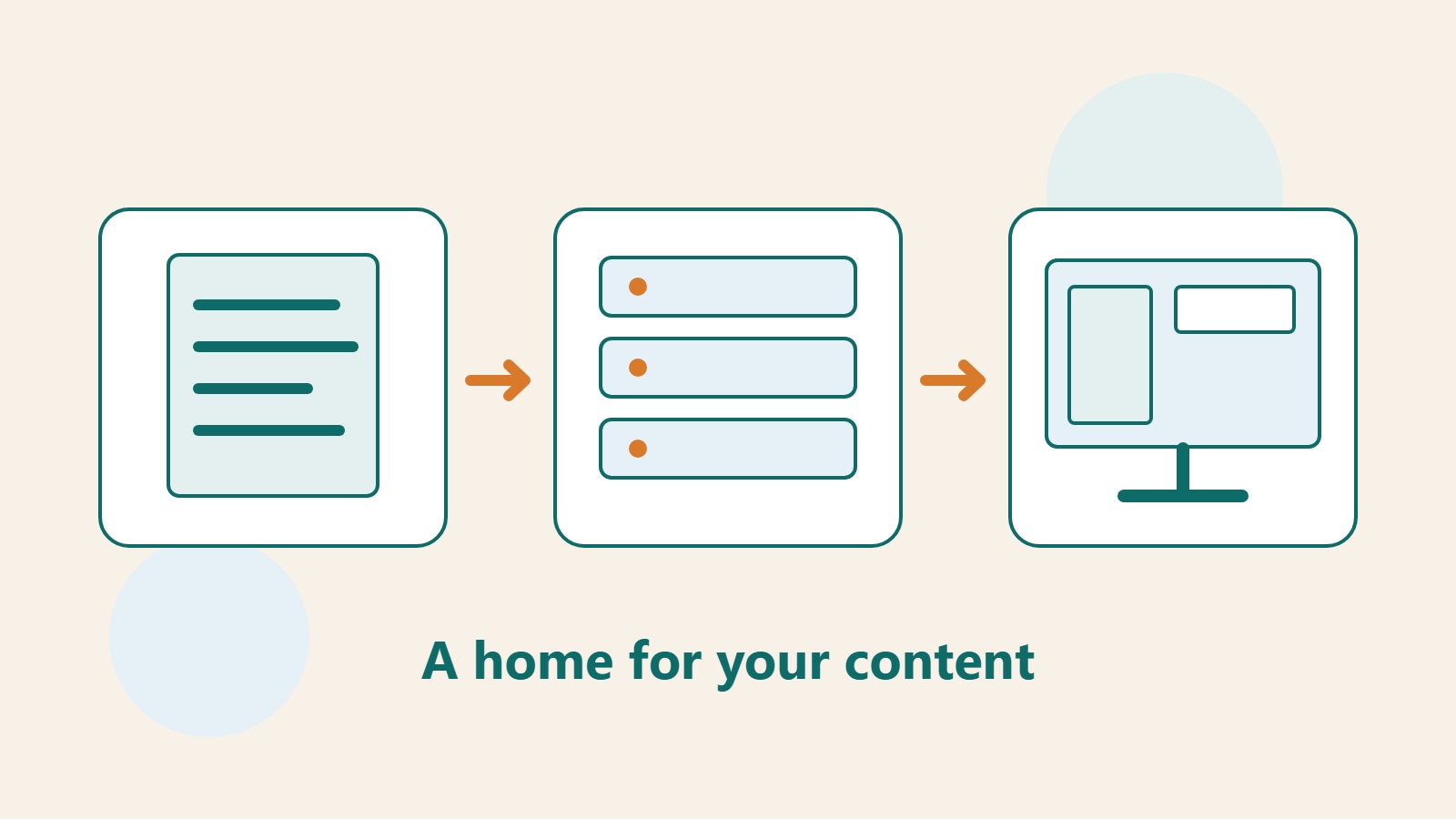
A CMS is a content management system whose core purpose is to let people create, edit, and organize website content. The most useful starting point when choosing a platform is to write down exactly what someone needs to change. A blog updated every week and a personal site whose portfolio changes only a few times a year may not need the same editing tools, permissions, or maintenance model.
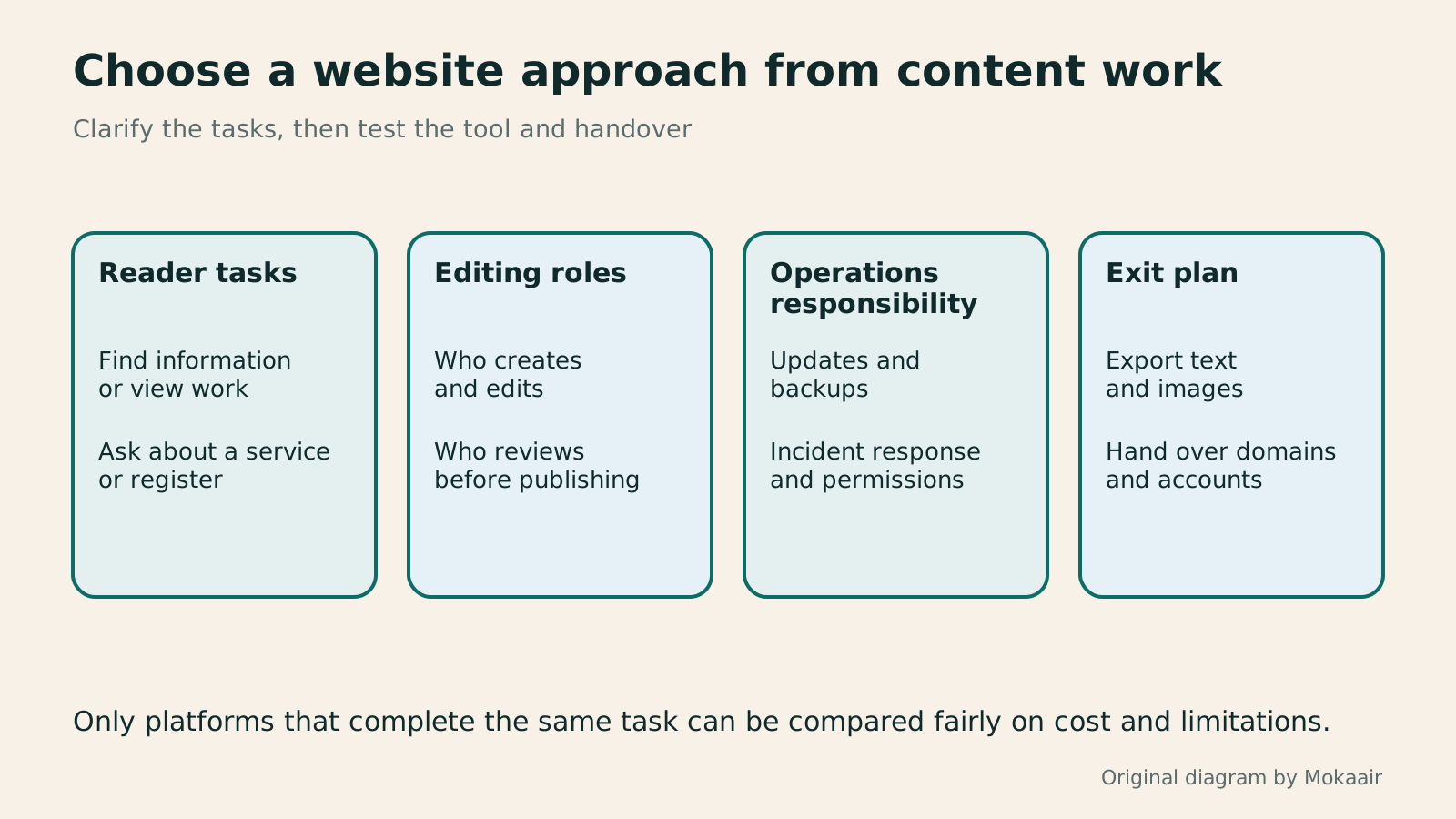
This guide is for people planning a website for the first time. It separates content editing, site presentation, and service operations, then uses several small-site scenarios to build a comparison method. Your goal is a requirements sheet you can actually test: how each candidate tool completes the same task, who is responsible, and what you can take with you if you stop using it.
Map how content moves from its owner to the reader
Suppose you run a baking studio that changes class times every week, occasionally publishes ingredient guides, and accepts customer enquiries. First list the class name, date, capacity, description, and contact details. Record separately which fields are only text and which affect booking eligibility. A tool that can place words on a page does not necessarily manage capacity or confirm reservations.
Next assign an editor, reviewer, and audience to each item. For example, an assistant may edit an event draft, while the owner must approve it before publication. WordPress's official feature page covers posts, pages, drafts, revisions, and different user roles, all of which belong to the content workflow. During a trial, test your real division of roles instead of looking only at what an administrator account can do.
Separate editing tools from operational responsibility
A content editor lets you change text, images, and layout; web hosting makes pages available to visitors; and a domain is the name readers enter. One provider may bundle all three, or you may buy them separately. Break each quote into services, especially backup, updates, incident handling, and email, because plans that look alike may leave very different work to you.
WordPress.org provides software you can install yourself, while WordPress.com provides a service that includes hosting. Self-hosting does not mean you must personally do everything; you may hire managed support. An integrated service still leaves you responsible for content accuracy, accounts, and payment details. Rewrite vague phrases such as “the platform handles it” as concrete responsibilities, including who verifies that a backup can actually be restored.
Compare three approaches with real website tasks
A static site may fit a stable brochure or portfolio when someone can maintain its deployment. A CMS with an admin interface is usually easier to share when nontechnical colleagues publish often. People who value quick layout work and accept platform boundaries can trial an all-in-one website builder. These are differences in working method, not guarantees of speed, search ranking, or quality.
For a blog, test drafts, categories, image descriptions, author details, and updates to old posts. For a portfolio, test case ordering, mobile images, and the contact entry point. Ghost's official documentation emphasizes publishing, memberships, and newsletters, so it can go on a shortlist for publishing needs. Check current product documentation separately for any particular paid, export, or integration requirement.
Run one comparable trial
Use the same material in every candidate tool: one long article, one image set, one service page, and one contact entry point. Do not use a polished ready-made template in one tool and start from a blank page in another, then call the result a capability gap. Record editing problems, and ask someone who did not build the site to find information or make contact on a phone.
Divide the requirements table into must-have, acceptable alternative, and later. Each must-have should point to a real operation or official documentation. For an alternative, state the substitute workflow and its cost. If a tool lacks booking management but an external form with manual confirmation is acceptable, include that manual workload. Clear limits are more useful than a row of undefined check marks.
- List the reader's most important tasks, then identify the content and owner required for each one.
- Load the same real material into every candidate platform and test creating, editing, previewing, and publishing.
- Complete the flow as a normal visitor and as an editor, recording failures and features that require an extra purchase.
- Add backup, permissions, export, and exit procedures to the comparison sheet before deciding.
Test how you would leave the platform
Data portability cannot be confirmed by the phrase “your content belongs to you.” Article text, original images, categories, authors, comments, and member lists may use different export methods. Layout templates, plugin settings, and third-party service data may also be absent from a normal content export. Download a test export and check what it contains and which tool can read it.
The domain registrant, administrator email, and billing account are also part of handover. Keep them in an account that you or your organization controls and give collaborators suitable permissions. A future move requires mapping old and new URLs and redirects, then checking images, forms, and email. Raise these questions before adoption instead of discovering, after the site has accumulated substantial content, that the data is difficult to organize.
Make the final decision with a responsibility table
Do not count subscription fees alone. Estimate editing time, maintenance labor, required extensions, and exit costs. Without stable maintenance capacity, a service with fewer features but a clear operator may be easier to sustain than a more capable self-hosted setup. With technical support and special workflow needs, prioritize customization and complete handover rather than template counts.
Keep a short final record: which approach you chose, which essential requirements led to it, which limits you accepted, and when to reassess. If the site later sells classes, adds memberships, or gains more languages, you can decide whether to add a tool, change the workflow, or switch platforms. A platform's value comes back to whether readers can complete their tasks and the team can maintain the content reliably.
| Requirement | What to do during the trial | Evidence to keep |
|---|---|---|
| Publish articles continuously | Create a draft, then have another role review it | Permission and publishing workflow record |
| Organize a portfolio | Replace images and reorder cases | Mobile reading and navigation results |
| Service enquiries | Send one test message | Submission result and confirmed receipt |
| Move the site later | Export a test article and its images | Export scope and missing-items list |
WordPress.com versus self-hosted WordPress: balancing maintenance, cost, and controlWordPress.com or self-hosted WordPress: balancing maintenance, costs and controlWordPress.com and WordPress.org share an ecosystem, but their services, maintenance duties and features differ. For personal blogs and small business sites, this guide compares hosting, self-hosting, plugins, backups, support and migration. It clarifies paid-plan plugin installation using official information available at the check date, so you can compare total costs and real workflows instead of an outdated free-versus-paid split.Read the full article
How to budget for a website: separate the first year, renewals, and maintenancePlanning a website budget: separate first-year, renewal and maintenance costsA website budget needs more than a promotional monthly price. Group spending into setup, ongoing use, renewal and migration; list hosting, domains, email, themes, plugins and maintenance time. Learn to distinguish long-term monthly equivalents, automatic renewal and outsourced quotes, then practise with clearly hypothetical figures. Build a cost list, decide what is needed now or later, and know which terms to keep before paying.Read the full article
Lifestyle
Changing domain registrars: transfer locks, authorization codes and keeping DNS working
Moving a domain to another registrar changes who manages its registration; it does not automatically move your website or email. This guide covers eligibility, common locks, authorization codes and the application process. DNS, nameserver and email checks help users in Taiwan hand over domains such as .com, while reminding them to check the separate rules for .tw and other extensions.
Lifestyle
Comparing WordPress hosting: assess providers with one requirements worksheet
To compare WordPress hosting, align site content, service responsibilities and billing periods before interpreting plan differences. This guide offers a worksheet and verification process, separates official specifications from your own measurements and unresolved conditions, and covers renewal, backups, support and exit costs. It is for users in Taiwan choosing their first host or considering a different provider, without ranking services by a single speed test or promotional monthly price.
Lifestyle
Setting up a Namecheap domain: connecting it to a website and email after registration
After buying a Namecheap domain, identify its DNS manager to connect your website and email. Official documentation explains Nameservers, Advanced DNS and Mail Settings, with two routes: change nameservers or keep the current DNS. This guide provides preparation checks, step-by-step verification and fault-reporting details for people using different domain, hosting and email providers, helping prevent accidental deletion of existing email records while bringing a website online.
Lifestyle
Managing a Gandi domain: registration, DNS and renewal checks
Gandi keeps registration, DNS, email and renewal settings in separate places. Based on current official documentation, this guide covers post-purchase checks, LiveDNS records, backups, transfers and what the 2026 Classic DNS migration means for existing users. Check your own account and build a domain register others can take over, avoiding outdated tutorial nameservers and the assumption that paying means your website and email are fully configured.
Articles that cite this one
Latest travel guides

GuideTokyo
Where to Stay in Tokyo: Comparing Shinjuku, Ueno, Tokyo Station, Shibuya, Asakusa, Ikebukuro, and Ginza, Plus Airport Access, Accommodation Tax, and Luggage Delivery
Where should you stay in Tokyo? Compare Shinjuku, Ueno, Tokyo Station, Shibuya, Asakusa, Ikebukuro, and Ginza by the same criteria: access from Narita and Haneda, transit routes, nearby attractions, neighborhood character, and who each area suits. Includes a comparison table, a Yamanote Line diagram, Tokyo’s accommodation tax as verified in 2026/9 (changing to 3% in 2027/4), and Airport TA-Q-BIN luggage shipping rules.
- Budget
- Hotels

GuideTokyo
How to Choose Tokyo Transit Passes: Are Suica, Welcome Suica, the Tokyo Subway Ticket, and the JR Pass Worth It?
On a first Tokyo trip, start with an IC card and pay per ride (Welcome Suica has no deposit and is valid for 28 days). If you take four or more subway rides in a day, add a 72-hour Tokyo Subway Ticket for 2,000 yen; a JR Pass is never worthwhile if you stay in Tokyo and do not go to Kansai. See what TOURIST PASMO, Suica on iPhone, and the Tokyo Metro day pass do and do not cover, with a decision chart. Prices verified in September 2026.
- Transport
- Budget

GuideTokyo
Tokyo Disneyland and DisneySea Guide: Ticket Prices, Fantasy Springs, Disney Premier Access (DPA), Standby Pass, and Which Park to Choose for Your First Visit
Tokyo Disney one-day Passport prices vary: most weekdays in 9/2026 cost ¥9,900 and weekends ¥10,900. At 14:00 daily, tickets go on sale for the same date two months later. Free Priority Pass is no longer on the official service list; only paid Disney Premier Access (¥1,000–3,500 per person per use) shortens waits. Covers hours, the 25th anniversary, Standby Pass, Entry Request, Fantasy Springs access and first-visit park choice; checked on the official site in 9/2026.
- Itineraries
- Family
Sources
- WordPress.org: core features and user management · Checked:
- WordPress.com: how it differs from WordPress.org · Checked:
- Official Ghost developer documentation · Checked: