Lifestyle
Comparing WordPress hosting: assess providers with one requirements worksheet
To compare WordPress hosting, align site content, service responsibilities and billing periods before interpreting plan differences. This guide offers a worksheet and verification process, separates official specifications from your own measurements and unresolved conditions, and covers renewal, backups, support and exit costs. It is for users in Taiwan choosing their first host or considering a different provider, without ranking services by a single speed test or promotional monthly price.
About 7 min read
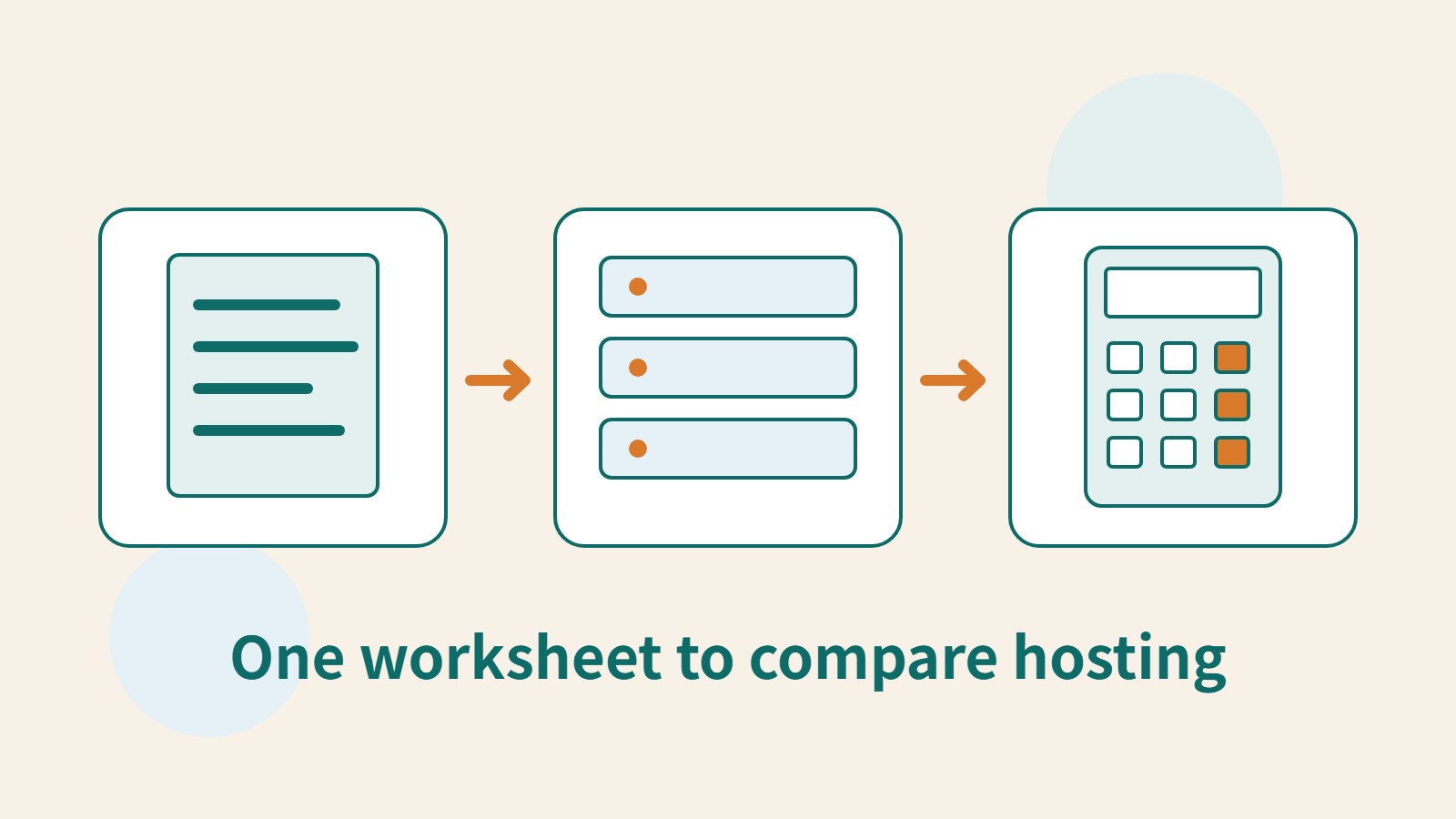
Hosting comparisons often put unlike things side by side: an introductory monthly equivalent paid several years upfront versus monthly payments, or an empty site versus one full of images and plugins. Even a tidy table may not answer which plan suits your site. Align the units of measurement and actual work requirements before comparing.
This is an evaluation method, not a provider performance test or a brand ranking. Use the same worksheet for your current host and two candidate plans, then ask each provider's support team about unresolved points. The result should be a record explaining your trade-offs, rather than just a total score that appears objective.
Write down the requirements you cannot do without
Describe requirements through real site tasks: posting new articles each week, receiving visitor inquiries, keeping existing mailboxes or providing member login. Then list site counts, file and database sizes, required plugins and expected update frequency. If reliable traffic records are unavailable, mark them unknown rather than inventing monthly visitor figures to fill the worksheet.
Sort requirements into essential, acceptable alternatives and not currently needed. For example, a community-class site may need a registration form but no online payments. Verify submission and notifications first, rather than using the highest ecommerce tier as the common starting point. If a plan cannot support a required plugin or let you export data, resolve that gap before comparing prices and speed.
Also establish who handles maintenance: can you manage updates, failures and restoration, or do you need provider assistance? Products bearing the same managed label may offer different support scopes. Ask specifically who deals with plugin conflicts, backup restoration and migration. A tick in a feature table does not mean someone takes responsibility for the whole task.
Keep official specifications separate from unknown conditions
Fill out identical fields for each candidate plan, including site limits, resource allowances, data-center options, backups, staging, email and support. Add the official URL and date consulted beside each entry, and mark unclear items as awaiting confirmation. A blank does not mean included for free, and another plan's specifications should not fill missing information.
FastComet's public plan table, for example, lists site counts, storage and backup retention by plan, while Cloudways billing documentation distinguishes products and billing methods. These sources can help you design worksheet fields; they cannot directly establish that one provider must be better. Recheck the actual product, plan and checkout terms selected for this purchase.
Ask support questions with a concrete scenario, such as: if an update prevents site login, which backup will you restore, and is there an extra charge? Keep the written answer and identify the applicable plan. One quick reply establishes only what happened in that interaction, not a guarantee of long-term support quality. If you never contacted support, do not describe someone else's experience as your own.
Run limited tests on matching copies of the same site
If you have legitimate access to test accounts, make copies with the same content, theme and plugins, and align PHP, caching and other important settings. Record differences you cannot eliminate, such as data centers, platform caching or resource limits. Remove personal information from test data, and disable real payments and unnecessary notifications on test sites.
Choose the home page, a typical article and an interactive page rather than testing only the simplest blank page. Record the tool, time, test location, device type and login state, and repeat observations under similar conditions. Do not send large volumes of requests to sites without permission just to measure hosting. Load testing requires separate service permission and an agreed scope of impact.
- Screen for essential requirements first and select two to three specific, comparable plans.
- Copy the same site without sensitive data, recording versions, caching and differences that cannot be aligned.
- Test several page types under similar conditions and keep every result, not just the best run.
- Verify forms, login, backups and management workflows, then add the results to the requirements worksheet.
Understand what a speed report covers
Google's PageSpeed Insights provides both lab and real-user data. Lab data comes from tests under controlled conditions; real-user data reflects users' devices, networks and visit contexts. Their purposes differ. If they disagree, inspect the source and scope of each dataset instead of choosing only the more attractive number for your table.
Real-user data may be absent when there are too few samples, or it may fall back to the entire site's origin level. Its reporting period is also different from the test you just ran. Missing data on a new site does not prove the host is slow, and historical data after migration cannot immediately be treated as the new host's isolated performance. Record whether the data concerns one URL or the site level, and avoid comparing different scopes.
The overall performance score includes effects from page content and frontend design, so it cannot be attributed to hosting alone. Images, fonts, third-party scripts and cache hits can change results. If the copies still use different plugins or layouts, correct the test conditions first. If that is impossible, state the limitations rather than claiming a fair speed comparison.
Compare total costs over the same period
Choose a common period, such as two or three years, and list the first term, renewals, required extras, migration and maintenance hours separately. Keep foreign-currency amounts in their original currency. If converting to New Taiwan dollars, state the exchange-rate date and that the result is an estimate. Promotions may require long prepayment, so compare both total payments and their timing, not just the average monthly amount.
Suppose two fictional plans each charge six thousand for hosting over the same period, but one also requires a backup add-on costing two thousand in the same currency. They cannot be described as the same price. If the other takes more of your maintenance time, list that time estimate separately too. This example only illustrates how to complete the worksheet: it is not a provider quote and does not set a universal hourly value for everyone's time.
Explain the trade-offs and set a review point
First confirm that all essential requirements are met, then consider whether extra convenience is worth paying for. You might record: we currently choose plan A because its backup and collaboration features better match our work; if membership features grow, reassess resources. This is more useful than declaring A permanently first. Someone taking over can see both the reasoning and the changes that would invalidate it.
Finally, record how to leave: how files, databases, domains, email and paid plugins can be transferred. Hosting can change with your needs, provided you control the data and administration. Updating the same worksheet before renewal makes decisions more consistent than starting over with a new recommendation ranking each time.
Read the full description
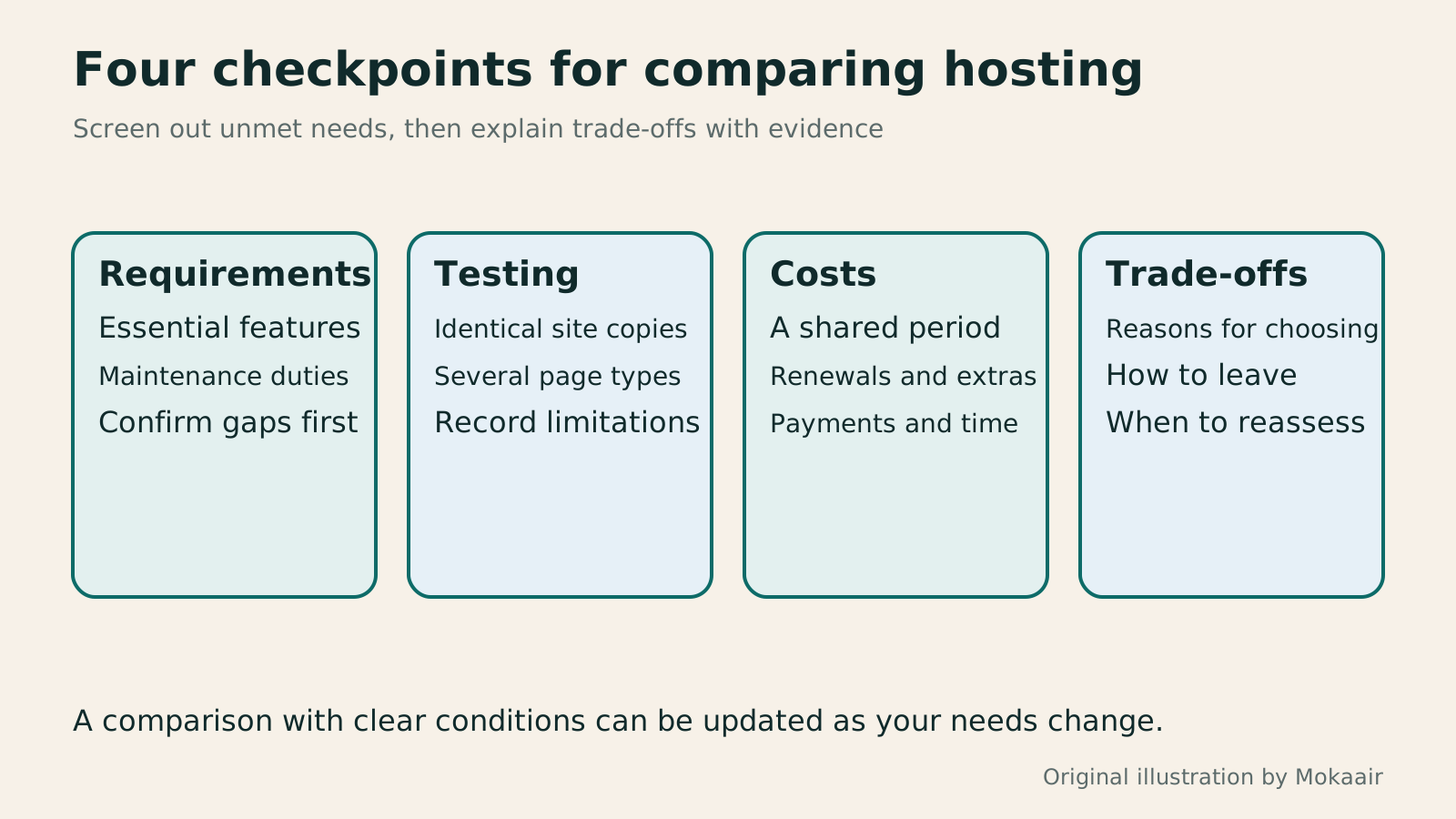
A hosting comparison diagram covering essential requirements, tests under matching conditions, total costs over a shared period and an exit plan.
| Comparison field | Common basis needed | Evidence |
|---|---|---|
| Requirements | Site count and essential features | Your own requirements list |
| Responsibility | Scope of updates, backups and failures | Official documentation and written replies |
| Performance | Content, settings and test context | Complete results and limitations |
| Costs | Billing period and required extras | Checkout terms and renewal information |
| Exit | Data and account portability | Export and migration procedures |
How to plan a website budgetPlanning a website budget: separate first-year, renewal and maintenance costsA website budget needs more than a promotional monthly price. Group spending into setup, ongoing use, renewal and migration; list hosting, domains, email, themes, plugins and maintenance time. Learn to distinguish long-term monthly equivalents, automatic renewal and outsourced quotes, then practise with clearly hypothetical figures. Build a cost list, decide what is needed now or later, and know which terms to keep before paying.Read the full article
The differences between shared hosting, VPS and managed hostingShared Hosting, VPS, and Managed Cloud: How a Small Website Should ChooseShared hosting, VPS, and managed cloud services often share one price list, but the terms may describe resource allocation or maintenance responsibility. This guide uses a small site to compare storage, memory, transfer, backups, and support. Find the real constraint before adjusting settings, upgrading a plan, or moving hosts. You do not need to memorize specifications first: take this concrete checklist to a provider.Read the full article
Lifestyle
Changing domain registrars: transfer locks, authorization codes and keeping DNS working
Moving a domain to another registrar changes who manages its registration; it does not automatically move your website or email. This guide covers eligibility, common locks, authorization codes and the application process. DNS, nameserver and email checks help users in Taiwan hand over domains such as .com, while reminding them to check the separate rules for .tw and other extensions.
Lifestyle
Setting up a Namecheap domain: connecting it to a website and email after registration
After buying a Namecheap domain, identify its DNS manager to connect your website and email. Official documentation explains Nameservers, Advanced DNS and Mail Settings, with two routes: change nameservers or keep the current DNS. This guide provides preparation checks, step-by-step verification and fault-reporting details for people using different domain, hosting and email providers, helping prevent accidental deletion of existing email records while bringing a website online.
Lifestyle
Managing a Gandi domain: registration, DNS and renewal checks
Gandi keeps registration, DNS, email and renewal settings in separate places. Based on current official documentation, this guide covers post-purchase checks, LiveDNS records, backups, transfers and what the 2026 Classic DNS migration means for existing users. Check your own account and build a domain register others can take over, avoiding outdated tutorial nameservers and the assumption that paying means your website and email are fully configured.
Lifestyle
What happens when a domain or hosting expires: a checklist before renewal or shutdown
Domains, hosting and email can expire separately, with different effects if unpaid. Check orders, expiry details and admin access before renewal, recovery eligibility after expiry, and data to save before closing or moving a site. Build a checklist in time order; manage the domain, site backups, email and external accounts separately. Avoid cancelling a service only to lose verification emails, or keeping a content export without images and site settings.
Latest travel guides

GuideTokyo
Where to Stay in Tokyo: Comparing Shinjuku, Ueno, Tokyo Station, Shibuya, Asakusa, Ikebukuro, and Ginza, Plus Airport Access, Accommodation Tax, and Luggage Delivery
Where should you stay in Tokyo? Compare Shinjuku, Ueno, Tokyo Station, Shibuya, Asakusa, Ikebukuro, and Ginza by the same criteria: access from Narita and Haneda, transit routes, nearby attractions, neighborhood character, and who each area suits. Includes a comparison table, a Yamanote Line diagram, Tokyo’s accommodation tax as verified in 2026/9 (changing to 3% in 2027/4), and Airport TA-Q-BIN luggage shipping rules.
- Budget
- Hotels

GuideTokyo
How to Choose Tokyo Transit Passes: Are Suica, Welcome Suica, the Tokyo Subway Ticket, and the JR Pass Worth It?
On a first Tokyo trip, start with an IC card and pay per ride (Welcome Suica has no deposit and is valid for 28 days). If you take four or more subway rides in a day, add a 72-hour Tokyo Subway Ticket for 2,000 yen; a JR Pass is never worthwhile if you stay in Tokyo and do not go to Kansai. See what TOURIST PASMO, Suica on iPhone, and the Tokyo Metro day pass do and do not cover, with a decision chart. Prices verified in September 2026.
- Transport
- Budget

GuideTokyo
Tokyo Disneyland and DisneySea Guide: Ticket Prices, Fantasy Springs, Disney Premier Access (DPA), Standby Pass, and Which Park to Choose for Your First Visit
Tokyo Disney one-day Passport prices vary: most weekdays in 9/2026 cost ¥9,900 and weekends ¥10,900. At 14:00 daily, tickets go on sale for the same date two months later. Free Priority Pass is no longer on the official service list; only paid Disney Premier Access (¥1,000–3,500 per person per use) shortens waits. Covers hours, the 25th anniversary, Standby Pass, Entry Request, Fantasy Springs access and first-visit park choice; checked on the official site in 9/2026.
- Itineraries
- Family
Sources
- Google: understanding PageSpeed Insights data · Checked:
- web.dev: differences between lab and real-user data · Checked:
- FastComet: plan comparison fields · Checked:
- Cloudways: monthly and hourly billing · Checked: