Lifestyle
Short-Form Video Planning: Scripting, Producing, and Reviewing Reels
A short video need not fit in an entire product introduction. Answer one clear question first to plan the shots and next step. Using an original desktop storage shop example, this article covers Reels messaging, storyboards, phone filming, subtitle and music checks, and post-publication performance reviews. A script comparison table, practical steps, and original diagrams help beginners make a clear short video with verifiable usage rights.
About 8 min read
Contents
- 1. Help readers complete one task per short video
- 2. Break the script into visuals, audio, and essential text
- 3. Get clear footage with a phone before adding equipment
- 4. Keep editing and music suited to the use case
- 5. Preview all content before publishing
- 6. Review viewing quality alongside follow-up actions
Even with fast cuts and trending music, viewers may still not understand how to use the product. Planning a short video starts with choosing one thing worth watching to the end, then selecting shots that explain it adequately. Pacing serves the message, subtitles support understanding, and the final call to action must lead to information viewers can actually find.
This article outlines a short-video production workflow based on official Meta and YouTube sources consulted on September 14, 2026. The desktop storage shop, storyboards, and timing are original examples. No product test video was filmed, and the platforms' promotional figures are not treated as guarantees of any video's performance.
Help readers complete one task per short video
Start by framing the topic as a specific question, such as how to adjust this storage tray's dividers or which spot to measure before choosing a size. Do not simply write “introduce a new product,” because that does not tell the person filming what to show. If you need to explain assembly, dimensions, materials, and after-sales service, split them into related short videos that lead to complete product information.
The shop in this original example could plan a video of about thirty seconds to demonstrate divider placement, rather than claim that thirty seconds can improve every desktop. Begin by showing the situation to address, present the key action in the middle, and end with the applicable conditions and next step. This is the planned length for this example, not the optimal duration for Reels or a platform limit.
Claiming impressive results to attract attention without demonstrating them in the video undermines credibility. An opening can present a clear question, a visible difference, or an action to complete; there is no need to invent a crisis. Check product information before filming, and do not describe untested load capacity, speed, or durability as verified.
Break the script into visuals, audio, and essential text
Use three columns to record each segment's visuals, spoken content, and subtitles. First ask what viewers need to see to understand how to complete the action. For a divider adjustment video, clearly show the component positions and hand movements. Do not film only the packaging throughout and rely on a voiceover saying how convenient the product is.
The storyboard for the shop in this original example could move from the desktop setting to a product close-up, the adjustment, and the finished result. Hold each shot long enough for viewers to recognize what they see, rather than cutting small operations into unclear fragments. If a close-up does not make the orientation clear, add a wide shot showing the relative positions of the objects and the person.
Prioritize important terms, steps, and limitations in subtitles, then add conversational content as needed. Check product names, numbers, and units character by character instead of trusting automatic transcription. If the subtitles and narration describe different conditions, viewers will struggle to judge which applies. Making adjustments in the first draft keeps things clearer than adding explanations after publication.
Get clear footage with a phone before adding equipment
YouTube's official beginner guide notes that you can start making short videos with a phone and add a tripod and lighting as needed. The shop in this original example could first secure the phone, clean the lens, and choose a spot with stable lighting, then record a short clip to check the picture and sound. Do not finish recording everything before discovering that hand movements are obstructed or the narration is unclear.
For vertical viewing, start by arranging the main objects in a 9:16 composition. Meta's Reels ad recommendations also emphasize vertical framing and safe zones for important information. Still, check the target platform's specifications for exporting and publishing, including whether the video is an organic post or an ad. Do not assume one set of dimensions will be accepted everywhere.
Keep the product and hands easy to distinguish while filming, leaving room around the edges for cropping and interface overlays. Tidy the background to avoid exposing order addresses or unrelated people. When a different angle is needed, record the objects' positions before changing shots to maintain continuity and make the demonstration feel like one understandable process.
Keep editing and music suited to the use case
First make a rough cut without effects and confirm that viewers can follow the sequence, then add subtitles, narration, and necessary labels. Removing repetitive pauses does not mean eliminating every gap; close-ups of operations, important limitations, and the final destination still need reading time. If you speed up the process, avoid giving viewers the impression that it shows the actual operating speed.
Watch the video once on mute to check whether the key content remains clear. Then listen without watching to check that narration and background audio do not drown each other out. Keep subtitles away from the edges and from the components being demonstrated. Buttons, description text, and different crops in the actual publishing preview can affect readability, so check how it currently appears.
Instagram's licensed music library is primarily intended for personal, noncommercial use. Brands cannot assume a song is available for commercial promotion simply because their account can access it. Meta Sound Collection offers commercial-use options, but you still need to check the scope of use. For other platforms or ads, verify licensing separately rather than directly reusing music added within a platform.
Preview all content before publishing
Check the cover, copy, subtitles, music, content rights, and route to the next step. The cover only needs to make the video's question recognizable; do not fill it with the entire product specification sheet. Organic posts and ads may have different eligibility requirements and restrictions. If you plan to run ads later, retain asset versions during production that let you verify rights and export again.
The shop in this original example could ask someone uninvolved in editing to watch the first draft and explain in their own words what the video taught, which product it applies to, and where to find specifications next. This checks comprehension; it is not a performance experiment. If the person needs additional explanations to understand the video, revise the key visuals or subtitles first.
Keep a clean master file, subtitle text, and music licensing records, and separately record the platform and date for each published version. For collaboration videos, also check platform labeling and disclosures of relevant relationships. When product terms change, these records help identify which short videos still use old information and which versions need correction, replacement, or withdrawal.
- Choose one reader question and write down the action the video should show and the next step.
- Break the script into visuals, audio, and subtitles, checking facts and asset rights first.
- Film a test clip, complete a rough cut, and check muted playback, audio, and the phone preview.
- Check all information before publishing, save versions, and review performance using consistent definitions.
Review viewing quality alongside follow-up actions
View counts, watch time, and unique viewers answer different questions. For YouTube Shorts, for example, the official explanation states that from 2025/3/31, a play or replay counts as a view with no minimum watch time, while Engaged views remains available separately. This view count cannot be interpreted as the number of people who watched the entire video.
When reviewing Reels, record viewing and interaction data according to the definitions in the official reports currently available, noting the video length, reporting period, and whether paid promotion is included. Do not apply another platform's counting method, or simply divide average watch time by video length and claim that the result is the proportion of viewers who watched the entire video. If a metric is unavailable, mark it as not assessable.
The shop in this original example could also compile operations that remain unclear in comments, follow-up questions about the specifications page, and gaps between those questions and the video's explanation. Change one specific element in the next video, such as making the divider close-up clearer, and record why. Differences between organic posts over time may reflect audience and timing effects. Do not treat a single increase in a metric as proof that an editing technique works.
Read the full description
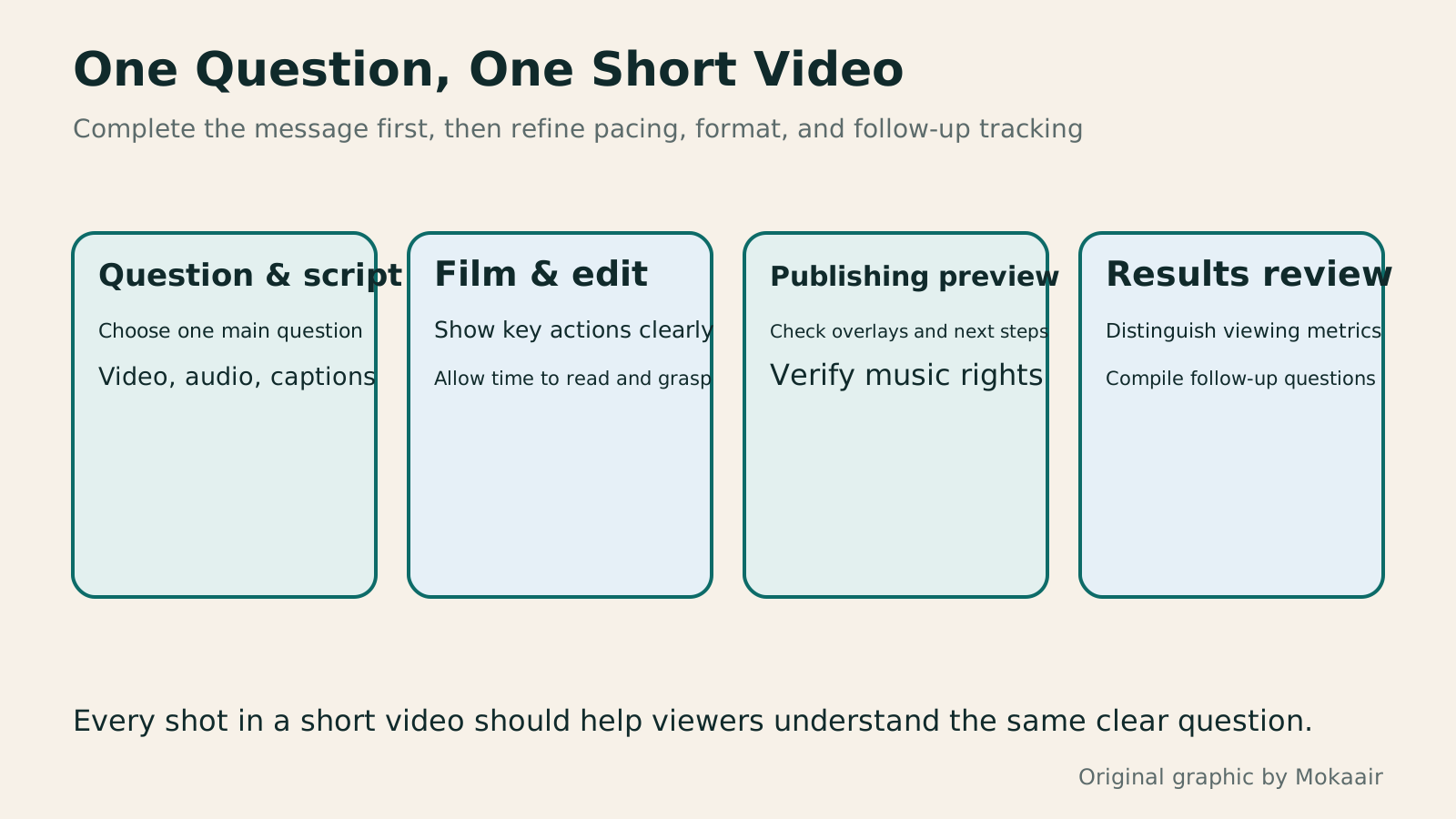
Four cards show question and script, filming and editing, publishing preview, and results review, linking short-video production to the tasks readers need to complete.
| Original example segment | Visual and text tasks | Key checks |
|---|---|---|
| Opening situation | Show the storage position to adjust | Is the question relevant to the product? |
| Product identification | Explain which model is being demonstrated | Can viewers tell what the demonstration applies to? |
| Operation close-up | Clearly show divider placement and adjustment direction | Do hands obscure the key action? |
| Finished result | Let viewers compare before and after adjustment | Are the objects and conditions kept the same? |
| Next step | Direct viewers to the full specifications | Is the route clear and usable? |
Plan Social Content: Topics, Conversation, and Moderation BoundariesPlan Social Content: Topics, Conversation, and Moderation BoundariesRunning social accounts means planning content, conversation, and maintenance together, not just counting weekly posts. Using a fictional jigsaw-puzzle shop, this guide shows how to assign each platform a purpose, choose a flexible mix of topics, adapt formats, and set rules for replies and handoffs. A work table, practical steps, and an original diagram help small teams build a sustainable rhythm and review readers' questions and subsequent actions.Read the full article
Explain conditions and next steps with clear copyHow to Write Marketing Copy: Clarify Value, Conditions, and Next StepsMarketing copy should explain who it suits, its value, conditions, and what happens next. Using an original journal-binding workshop example, this article revises information hierarchy, features and benefits, evidence for claims, and action buttons step by step. A before-and-after table and original diagrams show how to retain appeal without overstating promises, and check that prices, limits, images, and links align before publication.Read the full article
Evaluating Influencer Partnerships: KOLs, KOCs and Deliverable ReviewsEvaluating Influencer Partnerships: KOLs, KOCs and Deliverable ReviewsInfluencer partnerships take more than follower counts: check audience fit, formats and follow-up service capacity. Using an original illustrated postcard brand example, this guide covers practical KOL and KOC selection, briefs, asset rights and performance checks. A comparison table, steps and original diagram help small teams agree separately on deliverables and observed results, avoiding vague quotes and unverifiable traffic promises.Read the full article
Found this guide helpful? Share it with someone who needs it
Lifestyle
How to Read the BCG Matrix: Uses and Limits of Product Portfolio Analysis
The BCG matrix maps product portfolios by market growth and relative share; stars, cash cows, question marks and dogs do not establish actual profit. An original home goods store example shows how to define markets, check comparison periods and denominators, understand model assumptions, and allocate resources using costs, turnover and customer needs. Includes a four-category table, practical steps, original diagrams and options when reliable market data is lacking.
Lifestyle
How to Use the Ansoff Matrix: Four Options for Expanding Products and Markets
The Ansoff matrix maps four growth paths using existing or new products and markets: market penetration, market development, product development and diversification. An original canvas goods studio example shows how to define the current business and compare the capabilities and evidence each path needs. A comparison table, steps and original diagrams turn growth ideas into small, testable plans, without treating the model as a success-rate table.
Lifestyle
How to Write Marketing Copy: Clarify Value, Conditions, and Next Steps
Marketing copy should explain who it suits, its value, conditions, and what happens next. Using an original journal-binding workshop example, this article revises information hierarchy, features and benefits, evidence for claims, and action buttons step by step. A before-and-after table and original diagrams show how to retain appeal without overstating promises, and check that prices, limits, images, and links align before publication.
Lifestyle
Customer Journeys and Marketing Funnels: Find Where Readers Drop Off
Customer journeys explain touchpoints and needs; marketing funnels count people at each step using consistent criteria. Using an original bicycle repair booking example, this article explains how to map online and offline contacts, define completion events, calculate step conversion rates, and set up GA4 open or closed funnels. A calculation table, practical steps, and original diagrams help identify improvement hypotheses to test without mistaking data gaps for causes of customer drop-off.
Sources
- YouTube: Getting Started with Phone Filming and Vertical Short VideosChecked:
- Meta: Vertical Framing and Safe Zones for Reels AdsChecked:
- Instagram: The Licensed Music Library and Scope of Commercial UseChecked:
- YouTube: Shorts View Counts and Engaged viewsChecked:
Compiled from the references and verification dates listed above; fares, schedules, product features, and terms can change, so please confirm the latest details on the relevant official website before travelling, booking, or purchasing.