Lifestyle
Constantly Interrupted by Notifications? Set Exceptions Before Building Focus Periods That Work
Keep notifications you truly need immediately and choose when to review the rest. Identify sources, set exceptions, and test the setup so essential contacts still reach you.
About 4 min read

When your phone sounds during work and a work group lights up while you rest, completely shutting down is not the only way to improve the situation. Notification management is about deciding what deserves to interrupt you now and what can be handled together later. This guide shares a setup method; it does not treat focus mode as therapy or promise a particular percentage gain in efficiency.
Observe what interrupts you before turning everything off at once
Choose a period when you normally work and record what interrupts you: direct contact from a person, calendar reminders, shopping promotions, game events, or social updates. Then separate what needs an immediate response from what only needs to be seen later. Work and family responsibilities differ, so one allowlist will not fit everyone. People with caregiving or on-call duties should be especially careful to confirm that essential notifications can get through.
Apple's guide to Focus on iPhone explains individual settings and notification filters, including different contexts for different activities. Actual options vary by system version and device, so review the current official guidance for your setup. The classification method in this article does not depend on a particular new feature. On other phones, you can also begin with each app's notification settings without replacing the device just to organize notifications.
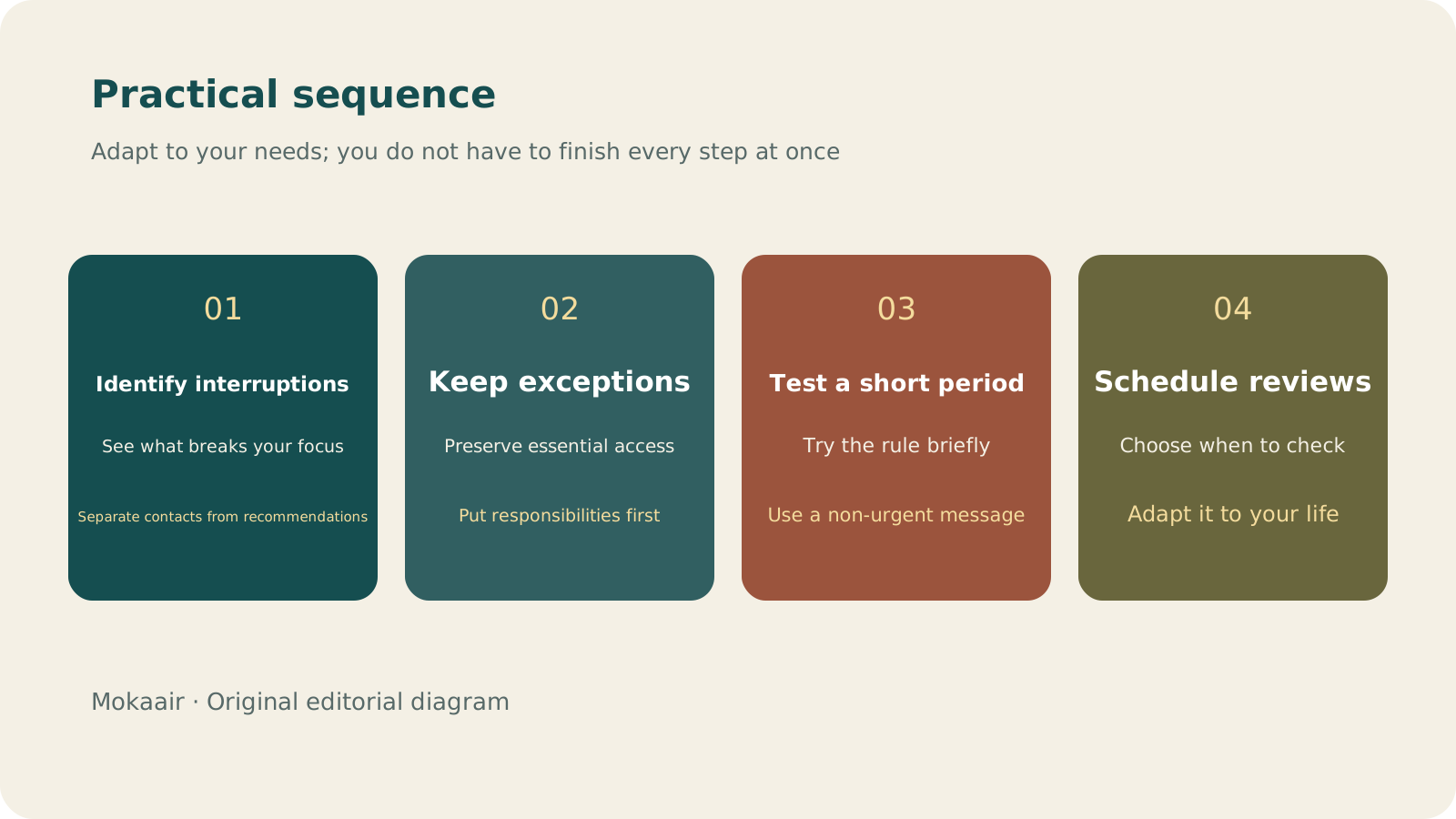
Read the full description
Check in order: identify interruption sources, keep exceptions, test briefly, and schedule reviews. Editorial summary, not a map or measured duration.
Keep contact exceptions first, then reduce the noise
| Notification source | Question to ask | Possible setup |
|---|---|---|
| Essential personal contact | Would missing it immediately affect a responsibility? | Keep suitable exceptions and test them |
| Time-specific commitments | When must you be reminded to have time to prepare? | Keep appropriate calendar reminders |
| General group discussions | Do you need to know about every message? | Review at set times or use quieter alerts |
| Promotions and content recommendations | Do you really need them pushed to you? | Turn off notifications as needed |
Different situations can use different exceptions. For example, you might allow family calls while reading and a designated collaboration tool while working. That does not mean every friend or colleague is always excluded. Check whether lock-screen previews reveal private content and whether another screen among your devices continues to show alerts. A quiet phone does not necessarily mean your watch, tablet, and computer are quiet too.
Test the setup during one short period
First turn on the selected mode manually and ask someone you trust to send a non-urgent test message, then check whether the notification that should arrive is visible. Also confirm that you can find muted messages after the mode ends. Do not test an entirely new rule for the first time when immediate contact is required, and do not use an important call as a test sample. After the test succeeds, decide whether to use a schedule or another trigger.
Set review times so manual refreshing does not replace notifications
If you keep opening social apps every few minutes after turning off notifications, you have only traded one kind of interruption for another. Schedule review points between work periods and group replies into acceptable windows. If you miss an essential message, adjust the source or exceptions rather than abandoning the entire approach. Whenever your role, work, or family responsibilities change, review the setup again so it reflects your current life.
- Identify the sources you truly need to know about immediately.
- Set essential exceptions before adjusting other notifications.
- Test with a non-urgent message.
- Review muted messages at set times and keep adjusting the setup.
How to Start a Weekly Review: Organize Commitments, Trim Tasks, and Make Room for Next WeekHow to Start a Weekly Review: Organize Commitments, Trim Tasks, and Make Room for Next WeekA review is not a scorecard. Set aside a regular period to check your calendar, unfinished items, and pending replies, then decide what you will truly take on next week so your list reflects reality.Read the full article
Lifestyle
GPT-6.1 Sol Launches: New Sol Version in the API, Codex and ChatGPT Work, Not in Chat
OpenAI launched GPT-6.1 Sol on September 29, 2026, with the API name gpt-6.1-sol. The launch rollout covers Codex and ChatGPT Work on Plus, Pro, Business, Enterprise and Edu (Enterprise and Edu need an administrator to enable it); Free and Go are not included at launch, and it is not in Chat (checked September 2026).
Lifestyle
Claude Sonnet 5.5 Launches: Same List Price as Sonnet 5, Available in the API, on Cloud Platforms and in Claude.ai
Anthropic launched Claude Sonnet 5.5 on September 28, 2026. API list prices are the same as Sonnet 5 ($2 per million input tokens, $10 per million output tokens). It is available in Claude.ai, the API and several cloud platforms, and higher-risk cybersecurity requests fall back to Sonnet 5 (checked September 2026).
Lifestyle
Claude Code Adds mods: TypeScript Functions in Plugins Change Its Behavior and Interface
On October 1, 2026, Anthropic introduced Claude Code mods: TypeScript or JavaScript functions that ship inside a plugin and run in the Claude Code process, and can rewrite prompts, manage tool calls and draw new interface. Anthropic says they work in the CLI and the desktop app and are not sandboxed; the documentation says v2.1.287 or later is required (checked October 2026).
Lifestyle
What to Do When Searches Get No Clicks: Rethinking Traffic Value Through Reader Tasks
Readers may find opening hours, phone numbers or brief answers on a search page without visiting a website. A non-click is not always a success, and site CTR cannot reveal the overall zero-click search rate. Using an original clothing alterations shop scenario, this article covers checks for search displays, business interactions and actual tasks, from finding information and comparing services to booking, with a comparison table, practical steps and original SVG diagrams.
Latest travel guides

GuideTokyo
Where to Stay in Tokyo: Comparing Shinjuku, Ueno, Tokyo Station, Shibuya, Asakusa, Ikebukuro, and Ginza, Plus Airport Access, Accommodation Tax, and Luggage Delivery
Where should you stay in Tokyo? Compare Shinjuku, Ueno, Tokyo Station, Shibuya, Asakusa, Ikebukuro, and Ginza by the same criteria: access from Narita and Haneda, transit routes, nearby attractions, neighborhood character, and who each area suits. Includes a comparison table, a Yamanote Line diagram, Tokyo’s accommodation tax as verified in 2026/9 (changing to 3% in 2027/4), and Airport TA-Q-BIN luggage shipping rules.
- Budget
- Hotels

GuideTokyo
How to Choose Tokyo Transit Passes: Are Suica, Welcome Suica, the Tokyo Subway Ticket, and the JR Pass Worth It?
On a first Tokyo trip, start with an IC card and pay per ride (Welcome Suica has no deposit and is valid for 28 days). If you take four or more subway rides in a day, add a 72-hour Tokyo Subway Ticket for 2,000 yen; a JR Pass is never worthwhile if you stay in Tokyo and do not go to Kansai. See what TOURIST PASMO, Suica on iPhone, and the Tokyo Metro day pass do and do not cover, with a decision chart. Prices verified in September 2026.
- Transport
- Budget

GuideTokyo
Tokyo Disneyland and DisneySea Guide: Ticket Prices, Fantasy Springs, Disney Premier Access (DPA), Standby Pass, and Which Park to Choose for Your First Visit
Tokyo Disney one-day Passport prices vary: most weekdays in 9/2026 cost ¥9,900 and weekends ¥10,900. At 14:00 daily, tickets go on sale for the same date two months later. Free Priority Pass is no longer on the official service list; only paid Disney Premier Access (¥1,000–3,500 per person per use) shortens waits. Covers hours, the 25th anniversary, Standby Pass, Entry Request, Fantasy Springs access and first-visit park choice; checked on the official site in 9/2026.
- Itineraries
- Family
Sources
- Apple: Set up Focus on iPhone · Checked: