Lifestyle
Meeting Notes Others Can Act On: Record Decisions, Owners, and Next Steps
You do not need a word-for-word record of every discussion. Use a one-page note to explain the context, decisions made, and open questions, so even people who did not attend can understand who owns the next step.
About 4 min read

After a meeting, everyone may feel the discussion was clear, yet the next day no one knows who should send the materials. The problem is often not that the notes are too short, but that the discussion and final decisions are mixed together. This guide offers a note structure for book clubs, family discussions, and small projects. It is not a transcript, and it does not present unagreed items as a group consensus.
Before the meeting, write down what must be decided
At the top of the file, list the topic, participants, and the question to resolve. Link to original background material instead of copying every paragraph. Before you begin, confirm who will take notes, which matters require agreement from those present, and which are only for sharing information. If the meeting is not meant to produce a decision, state that it is for gathering views so one person's suggestion is not treated as a settled decision afterward.
Google Docs' official help says the @ menu can add building blocks such as meeting notes, checklists, and file links. These features can speed up formatting, but a template does not know who is actually responsible or make unconfirmed content valid automatically. The same fields also work in a plain text file if you do not use Google Docs; the tool only needs to let participants read the appropriate version.
Read the full description
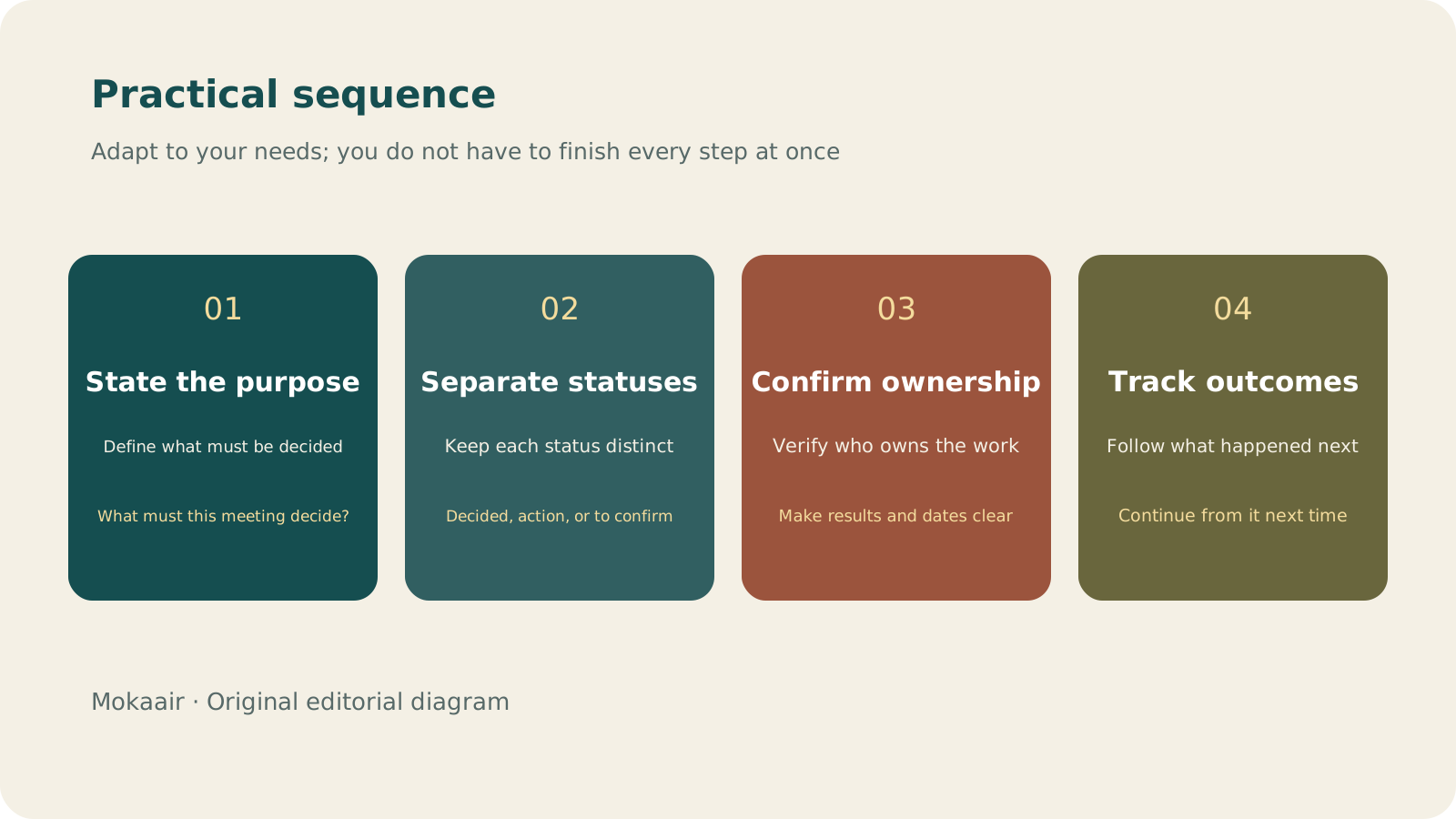
Check in order: state the purpose, separate statuses, confirm ownership, and track outcomes. Editorial summary, not a map or measured duration.
Record three different kinds of statements
| Type | Example wording | Avoid |
|---|---|---|
| Decided | This book club will meet online; participants have confirmed | Writing only “Discuss online meeting” |
| Action item | A-Fang will confirm the meeting tool and report the test result by Thursday | Writing only “Look into the tool” |
| To confirm | Recording still requires participants' agreement | Putting a proposal directly into the decisions |
Give each action item one primary owner; other people can be listed as helpers. State a clear date for the deadline and a clear result for completion. For example, “provide a usable link” is easier to verify than “take care of it.” If no deadline has been agreed, mark it as to confirm; the note taker cannot make a commitment for someone else. For costs, data sharing, or public content, also record whose approval is still needed instead of turning “can be explored” into “can be carried out.”
Use the notes to confirm everyone's understanding before the meeting ends
Before finishing, read out the main decisions and action items so each owner can point out misunderstandings. If someone disagrees, retain the difference as something to confirm rather than erasing it to make the file look tidy. Before sharing the notes, check names, dates, links, and permissions again, especially for files that contain private information. If outside readers only need the conclusion, create a separate summary instead of exposing every internal discussion.
Start the next meeting with unfinished items instead of retelling the whole discussion
During review, begin with the action-item and to-confirm lists, then update results, obstacles, and new next steps. If an earlier decision changes, retain the reason and the latest conclusion instead of deleting history that others need to understand. Keep the notes as a file another person can take over, rather than a verbatim copy of the conversation, and each discussion can build into progress.
- State the purpose and background before the meeting.
- Keep decisions, action items, and items to confirm in separate sections.
- Make both the owner and completion condition explicit.
- Confirm the notes at the end, then share them with appropriate permissions.
How to Start a Weekly Review: Organize Commitments, Trim Tasks, and Make Room for Next WeekHow to Start a Weekly Review: Organize Commitments, Trim Tasks, and Make Room for Next WeekA review is not a scorecard. Set aside a regular period to check your calendar, unfinished items, and pending replies, then decide what you will truly take on next week so your list reflects reality.Read the full article
Lifestyle
What to Do When Searches Get No Clicks: Rethinking Traffic Value Through Reader Tasks
Readers may find opening hours, phone numbers or brief answers on a search page without visiting a website. A non-click is not always a success, and site CTR cannot reveal the overall zero-click search rate. Using an original clothing alterations shop scenario, this article covers checks for search displays, business interactions and actual tasks, from finding information and comparing services to booking, with a comparison table, practical steps and original SVG diagrams.
Lifestyle
Technical SEO audit order: crawling, indexing, rendering, and site structure
A useful technical SEO audit needs reproducible evidence and a sensible repair order. Using a site relaunch as an example, this guide explains how to sample page templates and check public access, indexing directives, JavaScript rendering, canonical URLs, and site structure. It separates urgent repairs, scheduled improvements, and later observation so that a general site owner can hand actionable findings to maintainers without treating a passing test as a ranking guarantee.
Lifestyle
How to write article titles: Show search readers the scope and purpose
A useful title tells readers before they click what problem an article addresses, when it applies, and what information they will get. Using original rewrites of everyday tutorials, this guide checks the topic, purpose, limits, and evidence behind title promises. It explains why the page heading, HTML title, and Google search title may differ, then offers prepublication checks and post-change observation without stuffing keywords, claiming tests that never happened, or adding an unverified year.
Lifestyle
How to Identify Search Intent: Turn Keywords into Questions Worth Answering
The same keyword can signal learning, comparison, finding a specific entry point or taking action. Using original luggage-storage examples, this guide shows how to judge intent from wording, time and place, result formats and your own query data, then turn a hypothesis into a clear content task. It includes an observation table, ways to handle mixed intent, content-format choices and later validation. Do not copy ranking pages or treat one search-results screen as the answer for every reader.
Articles that cite this one
Latest travel guides

GuideTokyo
Where to Stay in Tokyo: Comparing Shinjuku, Ueno, Tokyo Station, Shibuya, Asakusa, Ikebukuro, and Ginza, Plus Airport Access, Accommodation Tax, and Luggage Delivery
Where should you stay in Tokyo? Compare Shinjuku, Ueno, Tokyo Station, Shibuya, Asakusa, Ikebukuro, and Ginza by the same criteria: access from Narita and Haneda, transit routes, nearby attractions, neighborhood character, and who each area suits. Includes a comparison table, a Yamanote Line diagram, Tokyo’s accommodation tax as verified in 2026/9 (changing to 3% in 2027/4), and Airport TA-Q-BIN luggage shipping rules.
- Budget
- Hotels

GuideTokyo
How to Choose Tokyo Transit Passes: Are Suica, Welcome Suica, the Tokyo Subway Ticket, and the JR Pass Worth It?
On a first Tokyo trip, start with an IC card and pay per ride (Welcome Suica has no deposit and is valid for 28 days). If you take four or more subway rides in a day, add a 72-hour Tokyo Subway Ticket for 2,000 yen; a JR Pass is never worthwhile if you stay in Tokyo and do not go to Kansai. See what TOURIST PASMO, Suica on iPhone, and the Tokyo Metro day pass do and do not cover, with a decision chart. Prices verified in September 2026.
- Transport
- Budget

GuideTokyo
Tokyo Disneyland and DisneySea Guide: Ticket Prices, Fantasy Springs, Disney Premier Access (DPA), Standby Pass, and Which Park to Choose for Your First Visit
Tokyo Disney one-day Passport prices vary: most weekdays in 9/2026 cost ¥9,900 and weekends ¥10,900. At 14:00 daily, tickets go on sale for the same date two months later. Free Priority Pass is no longer on the official service list; only paid Disney Premier Access (¥1,000–3,500 per person per use) shortens waits. Covers hours, the 25th anniversary, Standby Pass, Entry Request, Fantasy Springs access and first-visit park choice; checked on the official site in 9/2026.
- Itineraries
- Family