Lifestyle
Product Page SEO: Organizing Specifications, Variants and Buying Questions
Product page SEO goes beyond putting popular terms in titles: search results, variant URLs and the buying interface must point to the same product. Using an original desktop storage box example, this article covers specifications, buying questions, single-page and multipage variants, Product structured data and launch checks. Comparison tables, practical steps and original SVGs help stores keep prices, stock and images in sync.
About 8 min read
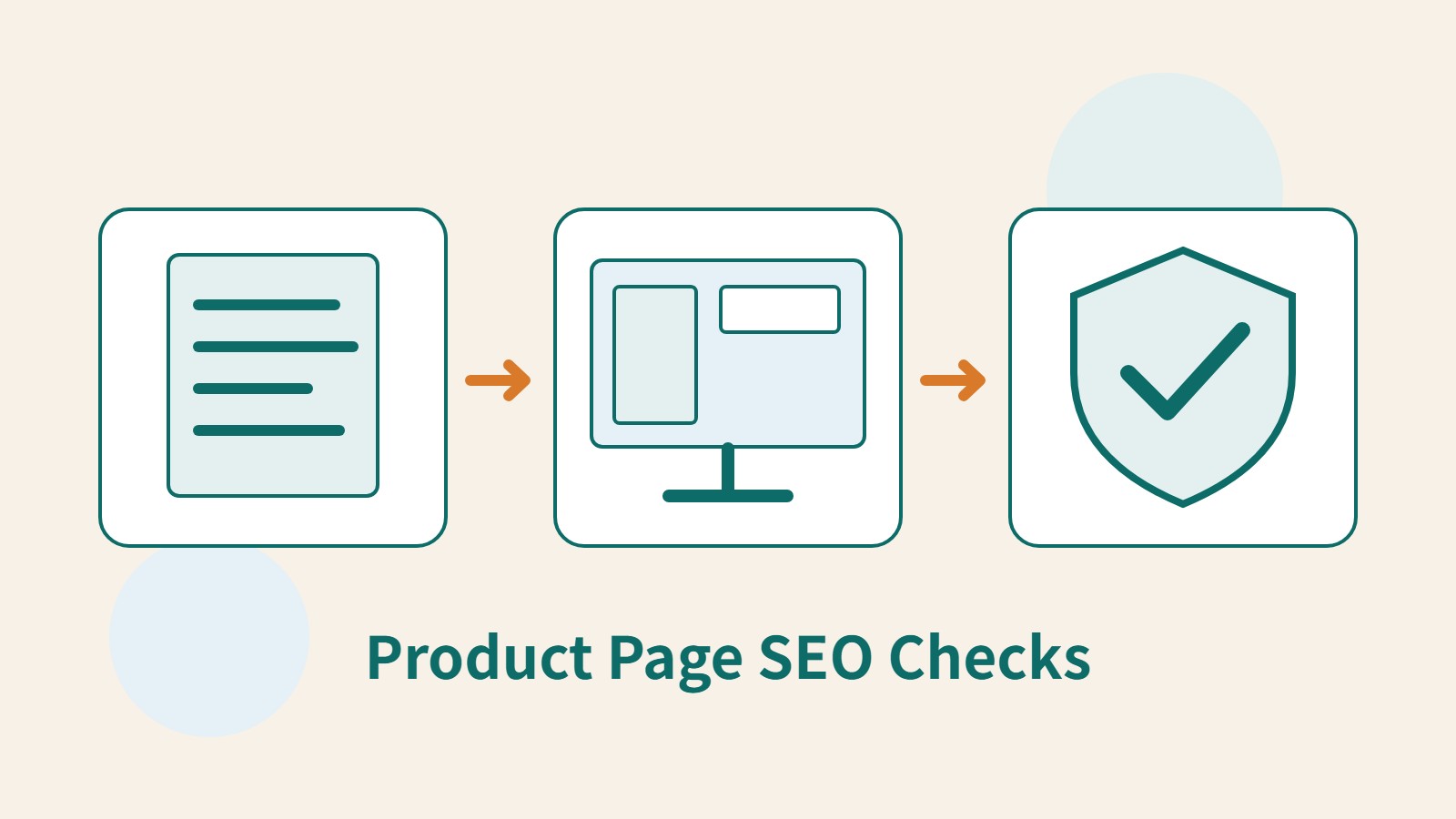
A reader searches for a deep storage box but lands on a product page showing a shallow model, with a price that also differs from the search result. Even if the page contains plenty of keywords, this visit may still fail to lead to a purchase. Product SEO checks should start with which variant readers find, what they see when they arrive and whether they can confirm the purchase conditions.
This article is based on Google's official ecommerce and structured data documentation consulted on 2026-9-14. The desktop storage box is an original teaching example, with no actual product testing, price recommendations or store deployment; markup and URL changes do not guarantee special search placements either.
Start by Answering a Set of Buying Questions on Each Product Page
A product title should identify its category, main purpose and necessary model distinctions. For a storage box, describe the variant, dimensions or material instead of piling together every possible search term. If readers cannot tell which variant they are viewing from its name, they can easily misinterpret the images and specifications that follow.
Organize the body around practical buying questions: will the external dimensions fit the cabinet, is the internal space sufficient, is a lid included and what cleaning restrictions apply? Information should come from your own verification records or manufacturer documentation. Do not invent unmeasured load capacities or heat resistance simply to add search content.
Product pages and category pages serve different purposes. Category pages help readers find a suitable type, while product pages provide complete details for a specific item. If every product simply repeats the same brand story, readers still cannot compare differences. You can retain shared information while adding details that genuinely differ between products and affect the choice.
Specifications, Photos and Purchase Information Should Match
First, create a product data sheet that stores internal and external dimensions, units, materials, package contents and variants separately. Do not treat the box body's height as its height with the lid, or show dimensions only in images without a text explanation. If the supplier revises the product, retain its version and verification date to avoid pairing new photos with old specifications.
Images should show the actual product and selected variant; illustrations should clearly state their purpose. For a storage box, an original diagram can show where to measure dimensions, but it cannot be presented as an actual capacity test. Alt text should describe important visible content, without repeatedly stuffing the same keywords into every image.
Prices, currency, stock, shipping and return or exchange information should be easy for readers to find. This article does not set transaction rules for stores; it recommends having the person responsible confirm the content and linking applicable conditions to the full explanation. If a specification must be selected before a price is available, the interface should make that clear too, rather than using the lowest price for one variant to represent every combination.
Variant URLs Must Restore the Correct Options
A product may have color, size or material variants. First, establish whether the site switches variants on one page or spreads them across multiple pages. For each variant that needs to be identifiable, test whether opening its URL directly selects the correct specifications and shows matching images, price, stock and the item to be added to the cart.
Google's ecommerce URL documentation cautions against relying solely on fragments after # to identify different indexed content. If your site uses URL parameters to select variants, also confirm that the parameters actually affect the page state, rather than merely making the URLs look different. Sending the link to another browser for testing is a basic check a store can perform first.
Handle canonical URLs according to the actual design. Google's single-page variant example is based on one primary URL representing the entire product group; a multipage design has no single URL representing all ProductGroup content. Do not apply a blanket rule that every variant should point back to the first one. Have developers check the page content against the official variant documentation.
- Choose a representative product and check its title, specifications, images and purchase information.
- List all variant URLs, open them directly and check whether they restore the correct purchase options.
- Check the Product and variant markup generated by the existing platform and correct inconsistent data.
- Complete technical and manual checks, then monitor search performance using a fixed set of products and queries.
Choose Product Markup Based on the Sales Page's Purpose
Google distinguishes different uses for product structured data: for pages where customers can buy products from you, consult merchant listings; product descriptions or review pages where customers cannot buy directly from you may be suited to product snippets. The two overlap in some respects, but a page that merely directs visitors to another site to buy should not be treated as your own merchant sales page.
ProductGroup can describe the relationships between variants of the same product, with Product storing information about individual products. The variesBy and hasVariant fields and the group identifier help describe differences, members and the group, respectively. Build these fields around real products; do not force products with completely different purposes into one group for convenience.
Markup is usually generated by the store platform or a plugin, so inspect the existing output before deciding whether adjustments are needed. Google also supports supplying product data through Merchant Center, but more data sources make it even more important to synchronize prices and availability. When website markup conflicts with product data sources, first determine who updates each source and when.
Validate the Same Version of the Page and Its Markup
First, use Rich Results Test to check applicable data and required fields, then use the URL Inspection tool to see the page Google can read. Google recommends placing product markup in the initial HTML whenever possible. If it relies entirely on dynamic generation, pay particular attention to how reliably it can be read when prices and stock change rapidly. Leave the actual adjustments to someone familiar with the platform.
Manual validation should start from variant URLs that search may use, comparing the page title, selected specifications, images, price, availability and markup values. Confirm the item again before adding it to the cart; there is no need to complete payment for testing. If the markup remains on the default variant after switching specifications, record specific reproduction steps for the maintainer.
Passing a search test does not establish factual accuracy or guarantee that ratings, prices or other special information will appear. Do not create ratings without genuine reviews, or enter random numbers when no applicable identifier exists. Retain the test date and product version so you can recover the original comparison baseline when stock or page layouts change later.
Keep Checking Whether Readers Find Suitable Products
After updating products, first monitor impressions and clicks for a fixed set of pages and relevant queries, then check whether readers can select specifications, view shipping information and add items to the cart after arriving. Do not average all products together and overlook a particular variant that keeps leading to the wrong page. If the data volume is very small, address clear errors first rather than rushing to claim a percentage of SEO growth.
Temporary stock shortages and permanent discontinuations require separate decisions. For temporarily unavailable products, retain accurate availability information and reasonable alternatives. For permanently discontinued products, decide how to handle the page based on whether it still offers manuals, after-sales information or a genuine replacement. Do not redirect every old product to an unrelated homepage or popular model simply to preserve traffic.
Create a shared checklist for product managers and website maintainers covering changes to prices, stock, variants and specifications. When readers report a mismatch, record the original URL and the options selected at the time, fix the information problem first, then assess content improvements. Maintain search visibility and purchasing trust together so people who find a product can make a suitable choice.
Read the full description
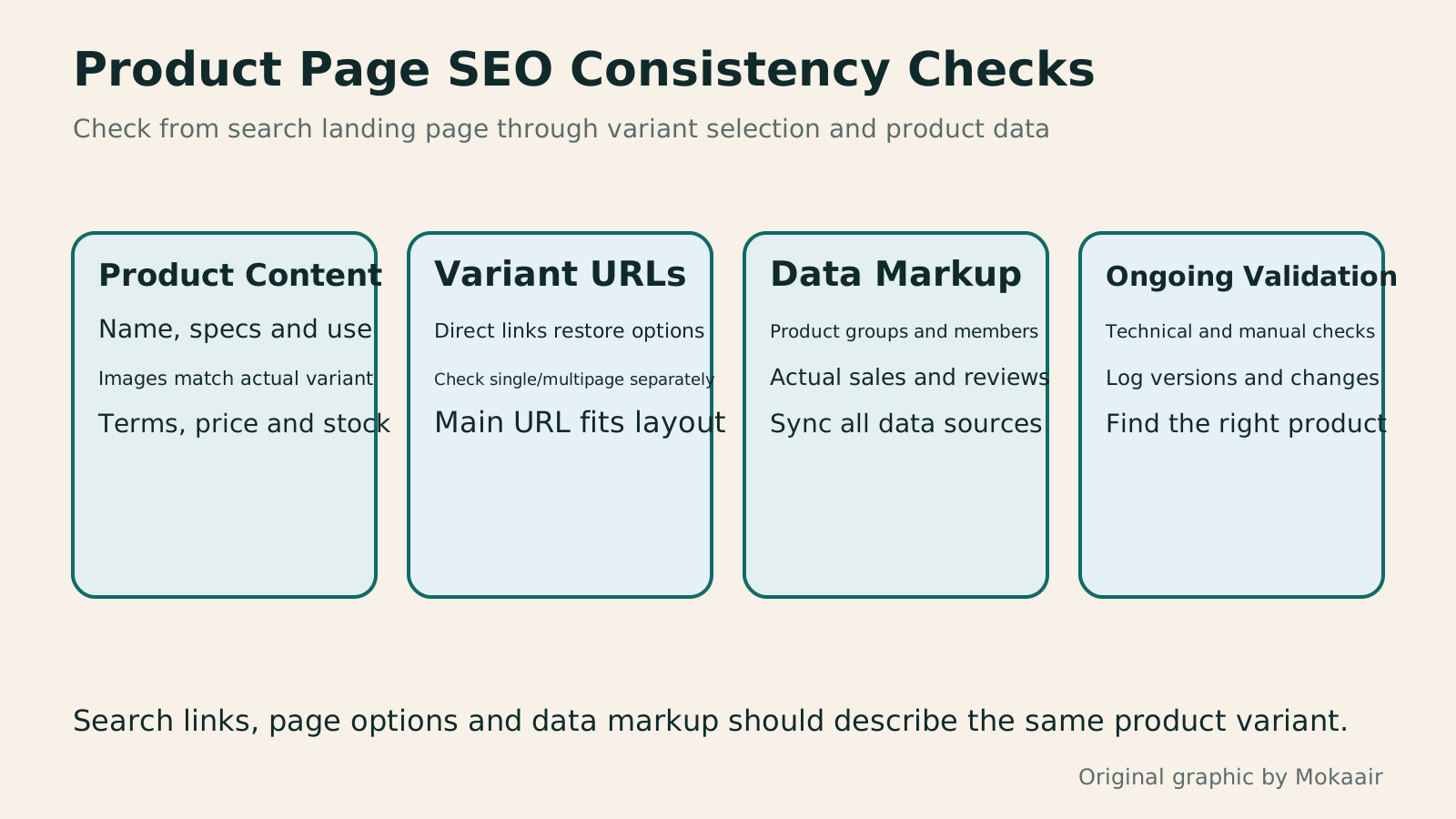
Four columns cover product content, variant URLs, markup and ongoing checks, noting that page layouts need suitable URL strategies and enhanced search appearances are not guaranteed.
| Where to Check | Information That Should Match | Common Issues to Fix |
|---|---|---|
| Product name and body text | Variant, purpose, model and specifications | The title says deep, but the content describes the shallow model |
| Variant URL and page display | Options, images, price and stock | Opening the URL directly returns to the default variant |
| Structured data | Current product and actual sales conditions | Markup still contains an old price or incorrect rating |
| Product data sources | Currency, availability and applicable version | The store is updated, but external data remains outdated |
Organize WooCommerce product information
Understand when canonical applies
Clarify entity relationships between brands and products
Lifestyle
Self-hosted store or marketplace: choose by product, traffic, and upkeep costs
A self-hosted store, a hosted branded storefront, and a marketplace solve different operating needs. This guide gives small brands in Taiwan a way to compare product fit, customer acquisition, payments and delivery, per-order costs, and customer data. It uses a limited trial and data-export checks to assess tools such as Shopify, SHOPLINE, and WooCommerce, helping you build a channel mix you can maintain instead of comparing only monthly fees or templates.
Lifestyle
GPT-6.1 Sol Launches: New Sol Version in the API, Codex and ChatGPT Work, Not in Chat
OpenAI launched GPT-6.1 Sol on September 29, 2026, with the API name gpt-6.1-sol. The launch rollout covers Codex and ChatGPT Work on Plus, Pro, Business, Enterprise and Edu (Enterprise and Edu need an administrator to enable it); Free and Go are not included at launch, and it is not in Chat (checked September 2026).
Lifestyle
Claude Sonnet 5.5 Launches: Same List Price as Sonnet 5, Available in the API, on Cloud Platforms and in Claude.ai
Anthropic launched Claude Sonnet 5.5 on September 28, 2026. API list prices are the same as Sonnet 5 ($2 per million input tokens, $10 per million output tokens). It is available in Claude.ai, the API and several cloud platforms, and higher-risk cybersecurity requests fall back to Sonnet 5 (checked September 2026).
Lifestyle
Claude Code Adds mods: TypeScript Functions in Plugins Change Its Behavior and Interface
On October 1, 2026, Anthropic introduced Claude Code mods: TypeScript or JavaScript functions that ship inside a plugin and run in the Claude Code process, and can rewrite prompts, manage tool calls and draw new interface. Anthropic says they work in the CLI and the desktop app and are not sandboxed; the documentation says v2.1.287 or later is required (checked October 2026).
Latest travel guides

GuideTokyo
Where to Stay in Tokyo: Comparing Shinjuku, Ueno, Tokyo Station, Shibuya, Asakusa, Ikebukuro, and Ginza, Plus Airport Access, Accommodation Tax, and Luggage Delivery
Where should you stay in Tokyo? Compare Shinjuku, Ueno, Tokyo Station, Shibuya, Asakusa, Ikebukuro, and Ginza by the same criteria: access from Narita and Haneda, transit routes, nearby attractions, neighborhood character, and who each area suits. Includes a comparison table, a Yamanote Line diagram, Tokyo’s accommodation tax as verified in 2026/9 (changing to 3% in 2027/4), and Airport TA-Q-BIN luggage shipping rules.
- Budget
- Hotels

GuideTokyo
How to Choose Tokyo Transit Passes: Are Suica, Welcome Suica, the Tokyo Subway Ticket, and the JR Pass Worth It?
On a first Tokyo trip, start with an IC card and pay per ride (Welcome Suica has no deposit and is valid for 28 days). If you take four or more subway rides in a day, add a 72-hour Tokyo Subway Ticket for 2,000 yen; a JR Pass is never worthwhile if you stay in Tokyo and do not go to Kansai. See what TOURIST PASMO, Suica on iPhone, and the Tokyo Metro day pass do and do not cover, with a decision chart. Prices verified in September 2026.
- Transport
- Budget

GuideTokyo
Tokyo Disneyland and DisneySea Guide: Ticket Prices, Fantasy Springs, Disney Premier Access (DPA), Standby Pass, and Which Park to Choose for Your First Visit
Tokyo Disney one-day Passport prices vary: most weekdays in 9/2026 cost ¥9,900 and weekends ¥10,900. At 14:00 daily, tickets go on sale for the same date two months later. Free Priority Pass is no longer on the official service list; only paid Disney Premier Access (¥1,000–3,500 per person per use) shortens waits. Covers hours, the 25th anniversary, Standby Pass, Entry Request, Fantasy Springs access and first-visit park choice; checked on the official site in 9/2026.
- Itineraries
- Family
Sources
- Google Product Structured Data and Ways to Supply It · Checked:
- Google ProductGroup and Product Variants · Checked:
- Google Ecommerce URLs and Fragment Identification Limitations · Checked:
- Google Technical Guidelines for Merchant Product Markup · Checked:
- Google Guidelines on Structured Data Content Consistency · Checked: