Lifestyle
Too Many Browser Bookmarks? Organize Them Around What You Are Doing So You Can Use Them Again
Saving a link does not mean you have read it. Separate frequently used links, active projects, and reading material. Record why you saved each item and when to remove it, so your bookmarks do not become a storehouse you never revisit.
About 4 min read

Clicking the star whenever an article looks useful can easily leave you with hundreds of links whose purpose you no longer remember. A bookmark helps you return to a web page; it does not read the content for you or guarantee that the page will always exist. This guide organizes existing bookmarks around tasks, without requiring a different browser or moving every link into a new note-taking tool.
Separate everyday destinations from temporary research
Keep everyday destinations, such as email, file storage, and regularly used websites, somewhere easy to open. Create a separate folder for a topic you are researching, such as replacing a desk or preparing for a book club; when the task is over, you can archive or trim the whole group. Put pages with interesting titles that you have not read in a reading queue, rather than immediately treating them as reliable references. Keeping these three purposes distinct prevents temporary research from overwhelming your bookmarks bar.
Chrome's official help explains how to add, find, and edit bookmarks and create folders. Use those features to change names and locations, but you do not need to copy someone else's entire structure. Whether bookmarks appear across devices depends on your sign-in and storage settings, so first check which profile you are working in. If work and personal material are already separate, maintain that boundary instead of mixing accounts just to combine bookmarks.
Read the full description
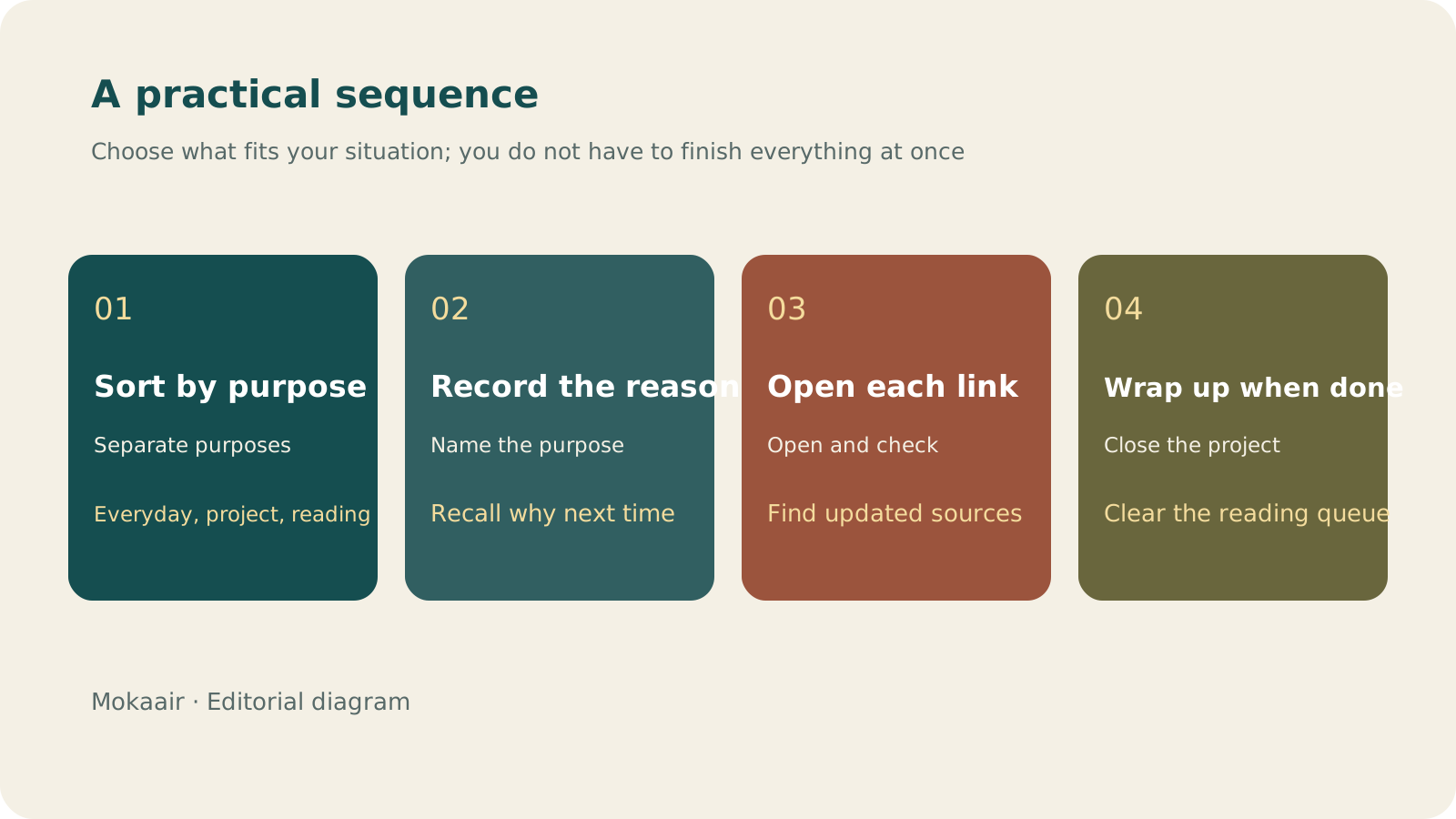
Check in order: sort by purpose, record why you saved it, open the link, and wrap up when finished. Editorial guidance, not a map or measured duration.
Add a short reason: why do I need this?
| Category | Example bookmark name | When to review it |
|---|---|---|
| Everyday destinations | Shared family files | When the destination or access permissions change |
| Active project | Desk comparison | Dimensions and assembly | When the project ends |
| Reading queue | To read | Library borrowing features | During scheduled reading time |
| Long-term reference | Reference | Official camera manual | Check that it is still valid when you next use it |
Replace a long page title with its purpose and useful keywords, such as “Print specifications | Bleed and file formats.” Avoid simply writing “Very useful,” because next month you may not remember what it was useful for. For important sources, retain the website name and enough of the topic to find the material again. A bookmark title is your own reminder; do not rename it in a way that falsely suggests you have verified or finished reading the content. For an event with a date limit, add a separate reminder instead of relying on the bookmark.
Start with a folder you are currently using
Choose a topic you will need soon and open each link to check that the page still exists and remains relevant to your purpose. For a broken link, first search the original website for an updated page. If you cannot find one, there is no need to keep an unusable destination just to maintain the size of your collection. Keep only one copy of duplicate links, but first check whether they are actually different versions or languages. Do not publicly showcase bookmarks containing sign-in or private sharing URLs.
Record important information separately so you can trace it later
If information on a page will affect a decision, record the source, the date you consulted it, and why you chose to use it. Website content can change: saving a URL does not preserve the version you saw at the time. If you need to save the content, choose an appropriate method based on the website's permissions and your needs. After organizing, try searching with the words you would naturally think of. If you cannot find the bookmark, revise its name instead of adding another level of folders.
- Separate everyday links, projects, and reading material first.
- Use names that state a purpose rather than vague praise.
- Review the whole set of bookmarks when a project ends.
- Record sources and reasons separately for important decisions.
How to Take Notes You Can Reuse: Keep Questions, Your Own Explanations, and SourcesForget what you read? Keep useful notes with questions, your own explanations and sourcesCollecting many excerpts does not mean you understand them. For each reading session, keep one question you want to answer, a few sentences in your own words and a source you can revisit. Let a practical use decide whether to develop the note further.Read the full article
Lifestyle
GPT-6.1 Sol Launches: New Sol Version in the API, Codex and ChatGPT Work, Not in Chat
OpenAI launched GPT-6.1 Sol on September 29, 2026, with the API name gpt-6.1-sol. The launch rollout covers Codex and ChatGPT Work on Plus, Pro, Business, Enterprise and Edu (Enterprise and Edu need an administrator to enable it); Free and Go are not included at launch, and it is not in Chat (checked September 2026).
Lifestyle
Claude Sonnet 5.5 Launches: Same List Price as Sonnet 5, Available in the API, on Cloud Platforms and in Claude.ai
Anthropic launched Claude Sonnet 5.5 on September 28, 2026. API list prices are the same as Sonnet 5 ($2 per million input tokens, $10 per million output tokens). It is available in Claude.ai, the API and several cloud platforms, and higher-risk cybersecurity requests fall back to Sonnet 5 (checked September 2026).
Lifestyle
Claude Code Adds mods: TypeScript Functions in Plugins Change Its Behavior and Interface
On October 1, 2026, Anthropic introduced Claude Code mods: TypeScript or JavaScript functions that ship inside a plugin and run in the Claude Code process, and can rewrite prompts, manage tool calls and draw new interface. Anthropic says they work in the CLI and the desktop app and are not sandboxed; the documentation says v2.1.287 or later is required (checked October 2026).
Lifestyle
What to Do When Searches Get No Clicks: Rethinking Traffic Value Through Reader Tasks
Readers may find opening hours, phone numbers or brief answers on a search page without visiting a website. A non-click is not always a success, and site CTR cannot reveal the overall zero-click search rate. Using an original clothing alterations shop scenario, this article covers checks for search displays, business interactions and actual tasks, from finding information and comparing services to booking, with a comparison table, practical steps and original SVG diagrams.
Articles that cite this one
Latest travel guides

GuideTokyo
Where to Stay in Tokyo: Comparing Shinjuku, Ueno, Tokyo Station, Shibuya, Asakusa, Ikebukuro, and Ginza, Plus Airport Access, Accommodation Tax, and Luggage Delivery
Where should you stay in Tokyo? Compare Shinjuku, Ueno, Tokyo Station, Shibuya, Asakusa, Ikebukuro, and Ginza by the same criteria: access from Narita and Haneda, transit routes, nearby attractions, neighborhood character, and who each area suits. Includes a comparison table, a Yamanote Line diagram, Tokyo’s accommodation tax as verified in 2026/9 (changing to 3% in 2027/4), and Airport TA-Q-BIN luggage shipping rules.
- Budget
- Hotels

GuideTokyo
How to Choose Tokyo Transit Passes: Are Suica, Welcome Suica, the Tokyo Subway Ticket, and the JR Pass Worth It?
On a first Tokyo trip, start with an IC card and pay per ride (Welcome Suica has no deposit and is valid for 28 days). If you take four or more subway rides in a day, add a 72-hour Tokyo Subway Ticket for 2,000 yen; a JR Pass is never worthwhile if you stay in Tokyo and do not go to Kansai. See what TOURIST PASMO, Suica on iPhone, and the Tokyo Metro day pass do and do not cover, with a decision chart. Prices verified in September 2026.
- Transport
- Budget

GuideTokyo
Tokyo Disneyland and DisneySea Guide: Ticket Prices, Fantasy Springs, Disney Premier Access (DPA), Standby Pass, and Which Park to Choose for Your First Visit
Tokyo Disney one-day Passport prices vary: most weekdays in 9/2026 cost ¥9,900 and weekends ¥10,900. At 14:00 daily, tickets go on sale for the same date two months later. Free Priority Pass is no longer on the official service list; only paid Disney Premier Access (¥1,000–3,500 per person per use) shortens waits. Covers hours, the 25th anniversary, Standby Pass, Entry Request, Fantasy Springs access and first-visit park choice; checked on the official site in 9/2026.
- Itineraries
- Family