Lifestyle
Before buying new electronics (3C): define your needs, check compatibility, and consider repair and end-of-use costs
A specification sheet can compare products, but it cannot decide whether you need one. Turn problems you have actually encountered into buying requirements, then check compatibility and ongoing costs so you do not bring home another unused tool.
About 4 min read

Presentations of new headphones, tablets, and accessories can all sound convincing, but another device may not be what your everyday life is missing. Writing down the problem you want to solve before buying makes comparisons more specific. This guide does not rank brands, list limited-time prices, or claim that any product offers the best value; it focuses on a way to judge products against your own uses.
Replace the urge to buy with a difficulty you have actually experienced
Write down a situation that has really occurred recently: the other person cannot hear you clearly on calls, your reading setup is too heavy to carry, or your current device lacks a necessary port. Then check whether settings, an accessory adjustment, or a repair could solve the problem. If a video simply made a new feature look interesting, you can honestly classify the purchase as entertainment spending. You do not need to invent an urgent work requirement to justify it.
Separate must-have requirements from nice-to-have features. A must-have is something without which you cannot carry out the intended use, such as a compatible port or an acceptable weight. A nice-to-have makes use more comfortable, but you can still manage without it. Eliminate candidates that fail your essential requirements first, so a long list of extra features does not hide a fundamental limitation. Whenever possible, test with your own files, real use cases, or fit requirements instead of relying only on promotional examples.
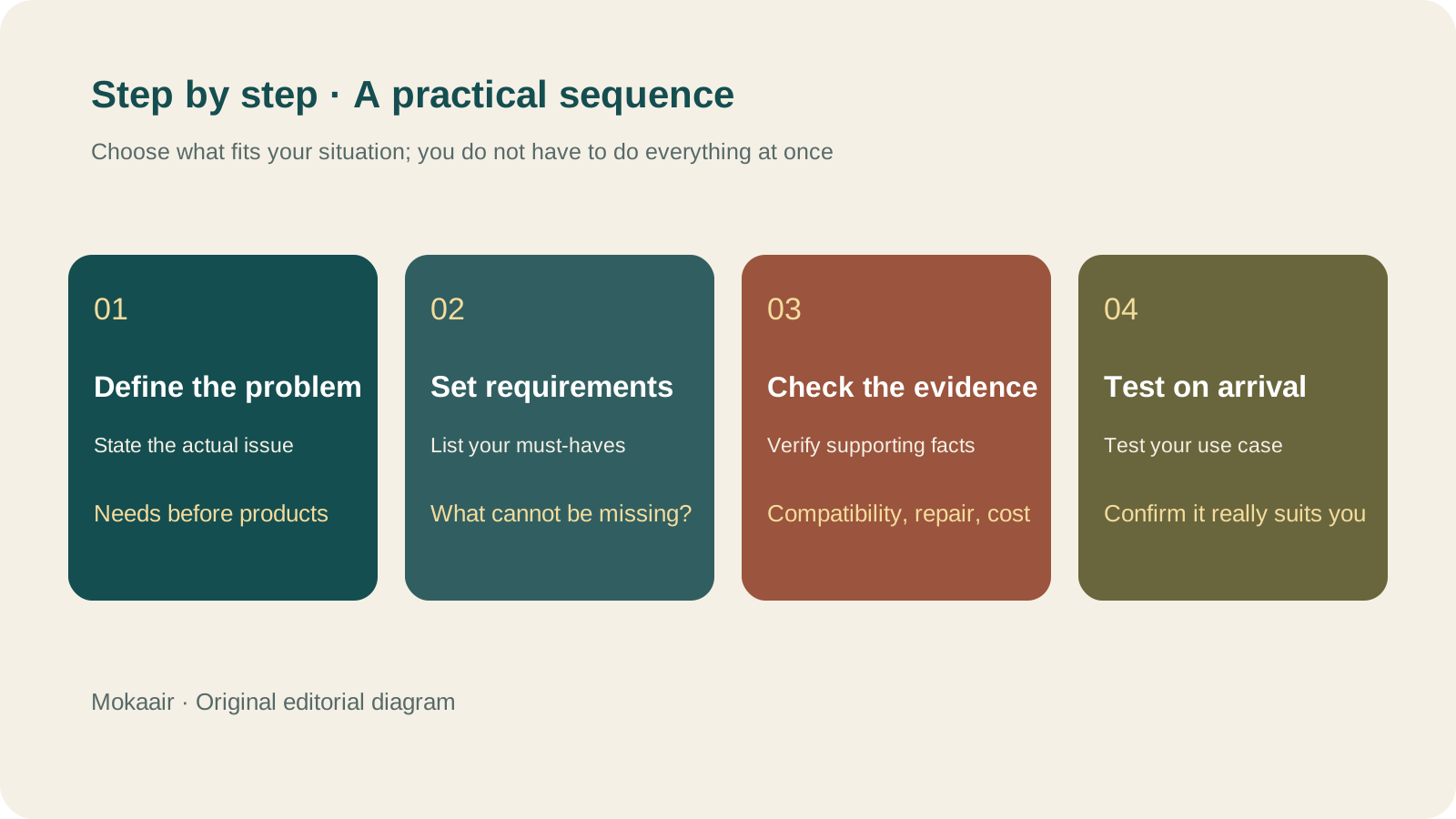
Read the full description
Check in this order: define the actual problem, list essential requirements, check the evidence, and test on arrival. Editorial guidance, not a map or measured timing.
Compare candidates using the same questions
| Comparison point | Evidence to look for | Do not rely only on |
|---|---|---|
| Compatibility | Officially supported devices and system requirements | Ports that look the same |
| Experience in use | Your own trial or reliable testing of the intended use | Someone else saying it is light or comfortable to wear |
| Additional costs | Required accessories, software, and consumables | The device's listed price alone |
| After-sales repair | Official repair options, parts, and terms | The number of warranty years alone |
| What happens if it does not suit you | Return and exchange conditions for the purchase channel | Assuming every seller has the same rules |
If a product needs a subscription, cloud service, or particular app to perform its main functions, include those requirements in your comparison. Access during a trial does not mean it will remain equally free afterward. For compatibility, check your actual model and operating system; sharing a brand, connector, or product series does not guarantee support. If key information appears only as vague marketing language, ask the manufacturer or postpone the decision.
Consider repairability alongside the purchase price
iFixit explains that its repairability scores consider disassembly, repair information, and other factors, and that its scoring method changes over time. This information provides another perspective, but it is not an overall score for quality, durability, or every possible use. Check the product version and scoring method when reading it. Do not treat scores from different periods as fully comparable, or take apart a device still subject to applicable restrictions just because its score is high.
Test the essential use cases as soon as the product arrives
Within the seller's terms, test the functions that motivated the purchase early: can it connect to your existing devices, run the software you use, and meet your weight or fit expectations? Keep the packaging, accessories, and proof of purchase, and raise problems promptly. Do not wait until you are about to leave or need to use it for real before opening the box. Also plan whether to pass on, recycle, or keep your old device as a spare, so both old and new devices do not end up unused in a drawer.
- Write down a real use case before comparing benchmark scores.
- Separate essential requirements from nice-to-have features.
- Look for evidence about compatibility, extra costs, and after-sales support.
- When the product arrives, test the functions you will actually use.
Can't Find a Receipt After Photographing It? Build Searchable Purchase and Warranty FoldersCan't Find a Receipt After Photographing It? Build Searchable Purchase and Warranty FoldersKeeping a photo is only the first step. Connect the product, purchase date, seller, order, and warranty information so that when you need after-sales support, you do not have to search your entire photo library.Read the full article
Lifestyle
Desk cable organization isn't just about looks: label each cable's purpose, specs, and where it's used
A USB-C connector can look identical from cable to cable, yet charging and data capability may differ. Identify what each cable does before you plan the routing and labels, so daily plugging in and out doesn't turn into guesswork.
Lifestyle
Keep Buying Household Supplies You Already Have? Track Location, Quantity, and Restocking Status in a Simple Inventory Sheet
Start with supplies you often buy twice, without building a warehouse system. Help everyone at home see where things are, how much remains, and who has already restocked, so the list better matches what is actually there.
Lifestyle
How to use a shared household calendar: make it clear who is going out, who takes over and when plans change
A shared calendar does not need everyone's entire private life. Share only the plans that need coordination, state responsibilities, locations and changes clearly, and choose permissions that let the household maintain it together.
Lifestyle
Forget what you read? Keep useful notes with questions, your own explanations and sources
Collecting many excerpts does not mean you understand them. For each reading session, keep one question you want to answer, a few sentences in your own words and a source you can revisit. Let a practical use decide whether to develop the note further.
Articles that cite this one
Latest travel guides

GuideTokyo
Where to Stay in Tokyo: Comparing Shinjuku, Ueno, Tokyo Station, Shibuya, Asakusa, Ikebukuro, and Ginza, Plus Airport Access, Accommodation Tax, and Luggage Delivery
Where should you stay in Tokyo? Compare Shinjuku, Ueno, Tokyo Station, Shibuya, Asakusa, Ikebukuro, and Ginza by the same criteria: access from Narita and Haneda, transit routes, nearby attractions, neighborhood character, and who each area suits. Includes a comparison table, a Yamanote Line diagram, Tokyo’s accommodation tax as verified in 2026/9 (changing to 3% in 2027/4), and Airport TA-Q-BIN luggage shipping rules.
- Budget
- Hotels

GuideTokyo
How to Choose Tokyo Transit Passes: Are Suica, Welcome Suica, the Tokyo Subway Ticket, and the JR Pass Worth It?
On a first Tokyo trip, start with an IC card and pay per ride (Welcome Suica has no deposit and is valid for 28 days). If you take four or more subway rides in a day, add a 72-hour Tokyo Subway Ticket for 2,000 yen; a JR Pass is never worthwhile if you stay in Tokyo and do not go to Kansai. See what TOURIST PASMO, Suica on iPhone, and the Tokyo Metro day pass do and do not cover, with a decision chart. Prices verified in September 2026.
- Transport
- Budget

GuideTokyo
Tokyo Disneyland and DisneySea Guide: Ticket Prices, Fantasy Springs, Disney Premier Access (DPA), Standby Pass, and Which Park to Choose for Your First Visit
Tokyo Disney one-day Passport prices vary: most weekdays in 9/2026 cost ¥9,900 and weekends ¥10,900. At 14:00 daily, tickets go on sale for the same date two months later. Free Priority Pass is no longer on the official service list; only paid Disney Premier Access (¥1,000–3,500 per person per use) shortens waits. Covers hours, the 25th anniversary, Standby Pass, Entry Request, Fantasy Springs access and first-visit park choice; checked on the official site in 9/2026.
- Itineraries
- Family