Lifestyle
Google Assistant Exits, Gemini Takes Over: Phone, Watch, and Car Checks Before and After
Google announced in the Gemini help community that from September 4, 2026, most users can no longer use or switch back to Google Assistant on their phones or tablets, while paired watches, headphones, and Android Auto switch to Gemini as well. Based on official help pages, this article sorts out the affected devices and those not included, the features Gemini does not currently support, and the settings Taiwan users can check before and after the switch.
Updated: About 9 min read
September 4, 2026 is the handover date Google announced. A community manager from Google’s Gemini Apps team posted an announcement in the official help community stating that Google Assistant on mobile devices is being discontinued and that Gemini is now the assistant on Android; from that day, most users will no longer be able to use or switch back to Google Assistant on their phones or tablets. Once Gemini becomes the assistant on a phone, Gemini will also respond on the Wear OS watches paired with that phone, on Gemini-compatible headphones, and in vehicles running Android Auto.
This article was fact-checked on September 15, 2026, based on that community announcement and three pages in the Gemini Apps Help Center. Google says it has emailed users who will be affected, but the announcement does not say whether the change rolls out in stages or in what order by country, and it does not mention Taiwan specifically; go by what your screen actually shows to tell which assistant currently responds on your device. This site has not tested the switchover, and the everyday scenarios in this article are examples designed by our editors.
From Delay to Final Date: How This Handover Came About
The lower half of the same community post keeps the explanation from when it was first published in December 2025: Google originally planned to upgrade Assistant to Gemini on most mobile devices by the end of 2025, then adjusted the timeline to make the transition smoother and extended the work into 2026. The post later added an update at the top that states the September 4 date and the paired devices that switch along with the phone.
The announcement says “most users” and does not list any exceptions. The Gemini Help Center states that the Gemini mobile app on Android is available on phones and tablets with 2 GB of RAM or more running Android 9 and up, and that Android Go is not supported. As for what happens after September 4 to older devices that do not meet these requirements, the announcement does not say.
There was also a discrepancy on the day of fact-checking. The Help Center page “Get started with the Gemini mobile app” still includes steps for switching from Gemini back to Google Assistant, and the page “What you can do with your Gemini mobile app” still says you can switch back when a feature is not supported, while the community announcement says most users can no longer switch back from September 4. The two sets of official content are inconsistent, so the switch-back steps on the help pages may not apply to you, and you should not count on switching back as a fallback.
Which Devices Switch Over and Which Stay for Now
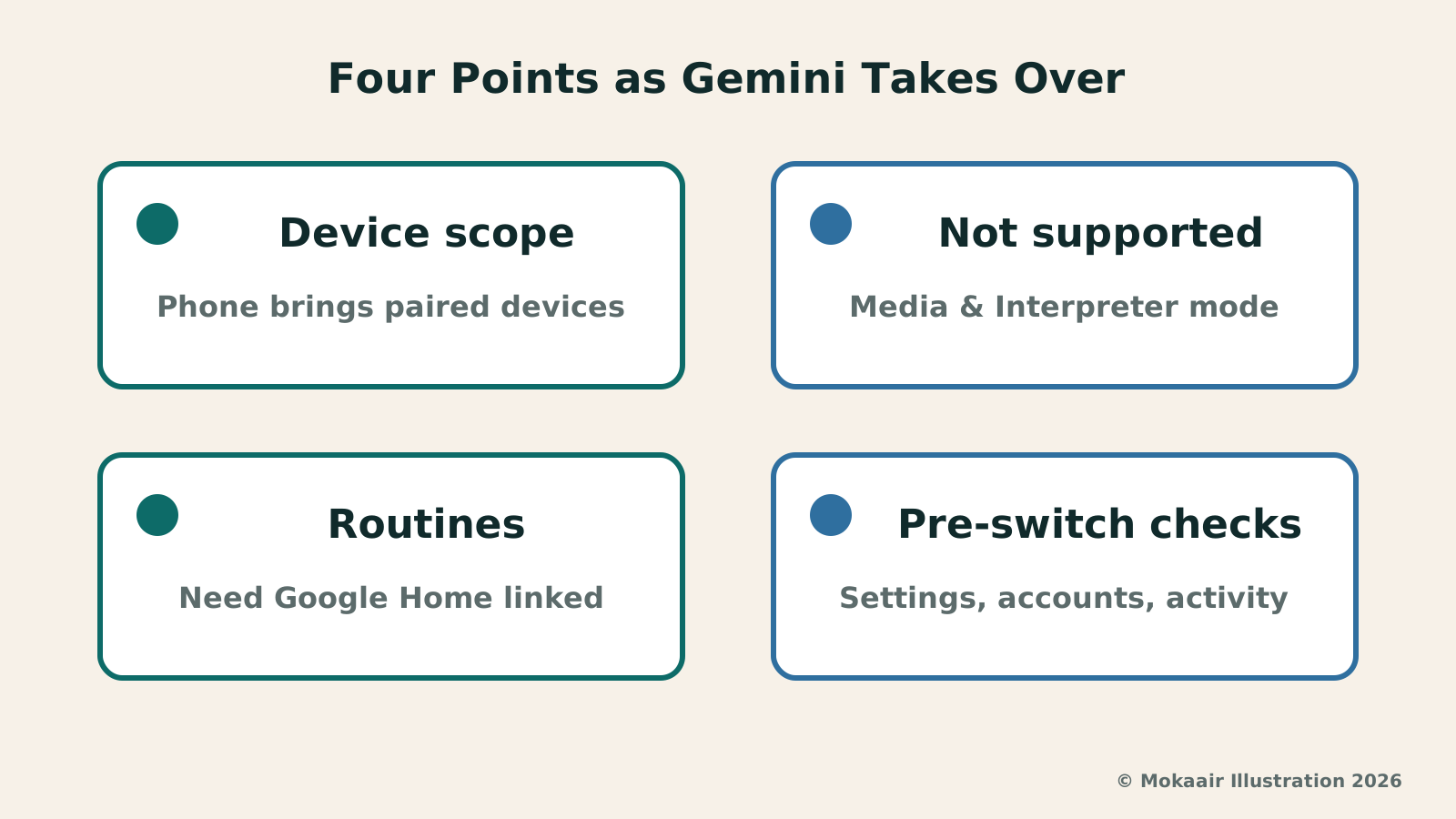
What switches over is a set of devices centered on the phone. The community announcement names phones and tablets, and gives examples of peripherals paired with the phone: Wear OS watches, headphones or earbuds compatible with Gemini, and vehicles running Android Auto. In other words, once your phone switches to Gemini, it is also Gemini that responds to your voice commands through Android Auto while you drive.
Not included in this handover are non-mobile devices. The Help Center states that once Gemini is set as the primary assistant on your phone, other devices with Google Assistant built in, such as Smart Displays, smart speakers, TVs, cars, and Pixel Tablets, will continue to be directly powered by Google Assistant; when a Pixel Tablet is locked (including in Hub Mode), “Hey Google” is also still answered by Assistant. These are the devices that do not change when your phone switches to Gemini; the cars here are cars with Google Assistant built in, not Android Auto, which runs off your phone.
TVs, speakers, Smart Displays, and cars with Google built-in were all left out of the September 4 announcement, and this article does not go into how they will be upgraded later. Readers who have both an Android phone and a Google speaker at home may find their phone answered by Gemini while the speaker is still on Assistant, and the command habits that work on one may not carry over to the other.
| Device | Sept. 4 announcement | Worth noting |
|---|---|---|
| Android phones, tablets | Most users can no longer use or switch back | Confirm the device meets Gemini requirements |
| Wear OS watches | Switch to Gemini with the paired phone | Supported models not listed in the announcement |
| Compatible headphones | Switch to Gemini with the paired phone | Voice command habits may need adjusting |
| Android Auto | Switches to Gemini with the phone | Try common commands before driving |
| Speakers, Smart Displays, TVs | Not included; help page says still powered by Assistant | Follow official announcements on future upgrades |
| Cars with Google built-in | Not included; help page says still powered by Assistant | Treat separately from Android Auto |
Features Assistant Has That Gemini May Not
The Help Center lists features that are not supported when Gemini is your primary assistant, and its examples fall into two groups. The first is media service providers: podcasts, news and radio stations, and some third-party music services, which the page says are not currently supported. The second is Interpreter mode, which the page says requires switching to Google Assistant. Readers who often travel abroad should take particular note, because most users can no longer switch back, and Google has not said whether Gemini will later add a comparable feature.
Routines still work, with conditions. The help page says that after you connect Google Home to the Gemini app, you can start a routine by voice or text; some starters and actions are not supported, and Gemini will tell you when you hit one, such as multi-step actions that require back-and-forth questions. Actions like checking the weather also now get voice and text responses only, without the visual information cards such as maps or detailed weather graphs.
The examples of quick voice actions given on the help page are sending a message and turning on the lights; the pages checked do not itemize which reminder, calling, and in-car commands work fully in Traditional Chinese in Taiwan. The Help Center also notes that “Hey Google” and some features previously available in Assistant are not available in all languages and countries.
Take an example designed by our editors: a user says one sentence to their phone each morning, and a routine turns off the bedroom light and plays a news radio broadcast. After the switch, turning off the light may work as usual, but news and radio stations are among the media types the help page lists as unsupported, so that step will need another app or manual playback.
Checks You Can Make Before and After the Switch
The first thing to look at is your default assistant setting. The Help Center says that for Gemini to act as your mobile assistant, your device’s default digital assistant app must be set to the Google app; the path is Settings, then Apps, then Default apps, where you check “Digital assistant app.” Setting names may differ by brand, so follow your manufacturer’s instructions.
Second, routines and reminders. Write down the trigger phrase and every action of the routines you use often, then test them one by one after the switch. The pages checked do not say whether reminders created in the Assistant era will appear in a list Gemini can manage, so it may be worth keeping important reminders in a calendar or to-do app as well.
Third, children’s and work accounts. The Help Center states that you must be 13 or older, or the applicable age in your country, to use the Gemini mobile app, and that users under 13 need a parent’s approval; parents can also turn off access to the Gemini app in Family Link for users under 13. Supervised accounts cannot use “Hey Google” and Voice Match with Gemini. Some features are unavailable to work or school accounts, including quick voice action features powered by Assistant, and the Gemini mobile app cannot be used in the Android Work Profile.
Fourth, privacy and activity. The help page says Assistant interaction data is saved to your Google Account when Web & App Activity is on, while Gemini interactions are saved to your account when Keep Activity is on; after you switch, data stored on the other side is not automatically deleted, and you can review and delete it at any time. Gemini’s location permissions follow the Google app, so if you want to limit precise location, look under App location permissions.
Timing and Language for Taiwan Users
Taiwan appears in the Gemini Help Center among the countries and territories under “Where you can download the Gemini app from the Google Play Store,” and it is also on the list under “Where you can switch to Gemini through Google Assistant.” The supported languages list includes Chinese (Simplified / Traditional), and it is not marked as a language that lacks support for “Hey Google” voice commands and some Gemini action features.
Being on the list does not mean every feature works the same as in the English interface. The help page also cautions that the Gemini mobile app may not be available for all languages, devices, accounts, or locations, and the September 4 announcement does not mention Taiwan specifically. Google has not said whether each command will work on a Taiwan account after the switch; go by the responses you actually get.
Heavy Assistant users can list the features they rely on and test them against that list after the switch, sorting each into one of three cases: works as usual, needs a different app, or has no replacement for now. People who have already switched to Gemini can also run through the list to catch anything they missed.
2026 AI News Roundup: Highlights and Daily Life Applications from January to September2026 AI News Roundup: Highlights and Daily Life Applications from January to SeptemberOrganizing key AI news stories month by month from January to September 2026, linking to full analyses in five languages. Covering models, work tools, creation, costs, and transparency, explaining backgrounds, uses, and limits.Read the full article
Gemini Spark and Daily Brief: AI Moves from Morning Summaries to Background TasksGemini Spark and Daily Brief: AI Moves from Morning Summaries to Background TasksAnalyzing Google's 2026 technical context of Gemini Spark and Daily Brief, exploring the four-tier architecture, error magnification risks, and authorization check mechanisms of background cloud agents in daily scenarios such as volunteer scheduling.Read the full article
Lifestyle
NVIDIA launches DGX Spark 64GB: on sale October 23 from $4,999, two units can be linked into 128GB
On October 2, 2026, NVIDIA announced a more affordable 64GB memory version of its DGX Spark personal AI computer, available from October 23 through six makers including Acer and ASUS. It is aimed mainly at developers and researchers who want to run AI models on their own machines. Below we summarize the specs NVIDIA published, its claims about linking two units, and what it means for general readers.
Lifestyle
Google Cloud Launches Spanner Queues: Putting Message Queues Inside Database Transactions to Make AI Agents More Reliable
Google Cloud has announced the general availability of Spanner queues, which make message creation part of a database transaction. The aim is to stop AI agents' "state" and "actions" from falling out of sync. This article covers Google Cloud's claims, the main features, and what it means for general readers.
Lifestyle
GPT-6.1 Sol Launches: New Sol Version in the API, Codex and ChatGPT Work, Not in Chat
OpenAI launched GPT-6.1 Sol on September 29, 2026, with the API name gpt-6.1-sol. The launch rollout covers Codex and ChatGPT Work on Plus, Pro, Business, Enterprise and Edu (Enterprise and Edu need an administrator to enable it); Free and Go are not included at launch, and it is not in Chat (checked September 2026).
Lifestyle
Claude Sonnet 5.5 Launches: Same List Price as Sonnet 5, Available in the API, on Cloud Platforms and in Claude.ai
Anthropic launched Claude Sonnet 5.5 on September 28, 2026. API list prices are the same as Sonnet 5 ($2 per million input tokens, $10 per million output tokens). It is available in Claude.ai, the API and several cloud platforms, and higher-risk cybersecurity requests fall back to Sonnet 5 (checked September 2026).
Articles that cite this one
Latest travel guides

GuideTokyo
Where to Stay in Tokyo: Comparing Shinjuku, Ueno, Tokyo Station, Shibuya, Asakusa, Ikebukuro, and Ginza, Plus Airport Access, Accommodation Tax, and Luggage Delivery
Where should you stay in Tokyo? Compare Shinjuku, Ueno, Tokyo Station, Shibuya, Asakusa, Ikebukuro, and Ginza by the same criteria: access from Narita and Haneda, transit routes, nearby attractions, neighborhood character, and who each area suits. Includes a comparison table, a Yamanote Line diagram, Tokyo’s accommodation tax as verified in 2026/9 (changing to 3% in 2027/4), and Airport TA-Q-BIN luggage shipping rules.
- Budget
- Hotels

GuideTokyo
How to Choose Tokyo Transit Passes: Are Suica, Welcome Suica, the Tokyo Subway Ticket, and the JR Pass Worth It?
On a first Tokyo trip, start with an IC card and pay per ride (Welcome Suica has no deposit and is valid for 28 days). If you take four or more subway rides in a day, add a 72-hour Tokyo Subway Ticket for 2,000 yen; a JR Pass is never worthwhile if you stay in Tokyo and do not go to Kansai. See what TOURIST PASMO, Suica on iPhone, and the Tokyo Metro day pass do and do not cover, with a decision chart. Prices verified in September 2026.
- Transport
- Budget

GuideTokyo
Tokyo Disneyland and DisneySea Guide: Ticket Prices, Fantasy Springs, Disney Premier Access (DPA), Standby Pass, and Which Park to Choose for Your First Visit
Tokyo Disney one-day Passport prices vary: most weekdays in 9/2026 cost ¥9,900 and weekends ¥10,900. At 14:00 daily, tickets go on sale for the same date two months later. Free Priority Pass is no longer on the official service list; only paid Disney Premier Access (¥1,000–3,500 per person per use) shortens waits. Covers hours, the 25th anniversary, Standby Pass, Entry Request, Fantasy Springs access and first-visit park choice; checked on the official site in 9/2026.
- Itineraries
- Family
Sources
- Google Gemini Apps Community: Here’s an update on our work to upgrade mobile Assistant devices to Gemini · Checked:
- Google Gemini Apps Help: Get started with the Gemini mobile app · Checked:
- Google Gemini Apps Help: What you can do with your Gemini mobile app · Checked:
- Google Gemini Apps Help: Gemini mobile app availability · Checked: