Lifestyle
OpenAI Agents API Public Beta: Know Billing and Data Location Before Commissioning AI Work
On September 10, 2026, OpenAI launched the Agents API in public beta, giving developers the agent harness that powers Codex. For people who use AI tools and may hire engineers or contractors for automation, this article covers how it differs from agents in ChatGPT and Codex, why costs are hard to estimate in advance, what US-only data residency and no Zero Data Retention support mean, and what to ask about permissions, logs, stopping, and budget before commissioning the work.
Updated: About 10 min read
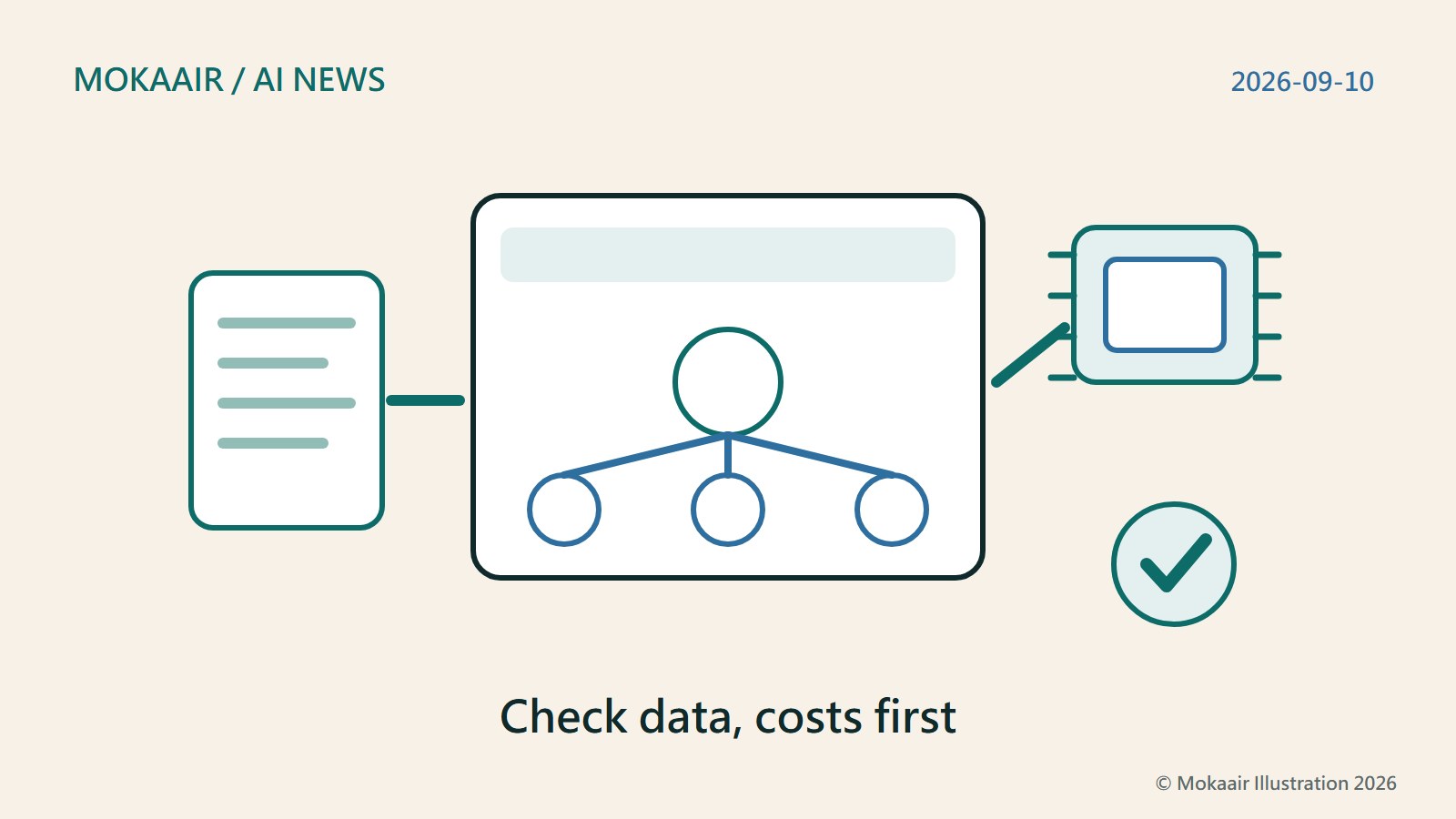
On September 10, 2026, OpenAI published “Introducing the Agents API” and launched the Agents API in public beta. According to the official documentation, the API lets other applications use the harness that powers Codex through an OpenAI-managed service: OpenAI handles sessions, orchestration, context compaction, and recovery, while developers provide the tools and choose the execution environment. Agents can run code, edit files, connect to MCP servers, and produce artifacts inside a sandbox, and they can also divide work among subagents.
This article was checked on September 15, 2026, against OpenAI's launch announcement, the Agents API documentation, and OpenAI's explanation of platform data controls. OpenAI says the public beta is open to developers starting immediately, and that during the beta it will iterate quickly based on feedback as it works toward general availability; the official documentation also notes that some ways of retrieving trace records are outside the scope of this public beta. This is a product for developers. This article contains no code and involved no hands-on integration testing, and the commissioning scenarios in it are examples designed by the editors, meant to help ordinary workers ask the right questions when they look for an engineer or contractor.
How It Differs from the Agents in ChatGPT and Codex
In ChatGPT or Codex, the interface and the available features are designed into OpenAI's products; you sign in and hand over the work directly. The Agents API instead opens up the same Codex harness so that companies or contractors can build agents into their own systems: what the screens look like, which tools the agent can use, and which machine it runs on are all decided by whoever builds the system. In other words, a service you come across in the future that promises to “compile reports automatically” might be running on this API behind the scenes, but its permission scope is set by that provider, not by OpenAI defaults.
The official documentation describes it with four concepts. An agent is a combination of a model, instructions, tools, and MCP servers. An environment is an optional sandbox or computer in which the agent accesses files, loads skills, and runs commands. A session is a durable instance of an agent that works on tasks and responds to new input. Events and items are the input sent to the agent and what it produces while working. For non-engineers, the session is the concept most worth remembering: it keeps earlier progress, so a single job can be continued over several rounds.
The execution environment is a choice. OpenAI wrote in its announcement that an agent's compute environment can be an OpenAI-managed sandbox, the developer's own infrastructure, or one of its official sandbox partners; with the managed sandbox, OpenAI provisions and manages the sandbox. This choice affects where files are actually processed and who is responsible for managing the machines, so when commissioning work, ask the other party to state clearly which option they are using.
How Costs Are Calculated, and Why They Are Hard to Estimate in Advance
The pricing section of the Agents API documentation lists three kinds of charges: model usage is billed at the selected model's API rates, tools provided by OpenAI at their own standard rates, and OpenAI-hosted sandboxes at standard container rates. OpenAI also said in its announcement that there are no additional fees for using the Agents API itself, but the absence of a platform fee does not make the total cost of an automation job easy to estimate.
OpenAI's usage guide points out that an agent may call the model several times while completing one task, and each call is billed according to the model's token pricing and prompt caching rules. The input to each call includes the agent instructions, tool definitions, conversation history, user input, files, and results returned by tools; tokens spent on reasoning are billed as output. Agents carry context forward within a session, and the documentation warns that repeated calls can process a long history over and over. The longer a job runs and the more back-and-forth it involves, the harder it becomes to judge the cost from the task's name alone.
Subagents make their own model calls as well. OpenAI recommends that estimates account for the work of the root agent and its subagents, retries, and any applicable tool, sandbox compute, and third-party service charges. In addition, the usage figures shown for a session are recorded on a best-effort basis: they may be temporarily null and may change later. The documentation states plainly that a null value does not mean zero usage, and that these figures are not the final bill.
| Cost source | Billing basis | Why it is hard to estimate |
|---|---|---|
| Root agent model | Selected model's API rates | Many calls per task |
| Subagents | Also billed by model | Splitting work adds calls |
| OpenAI tools | Each tool's standard rate | Depends on actual use |
| Hosted sandbox | Standard container rates | Billed apart from models |
| Retries | Model and tool rates | Failed reruns count too |
| Third-party services | Set by each provider | Must be added separately |
Where the Data Lives, and Why Zero Data Retention Matters
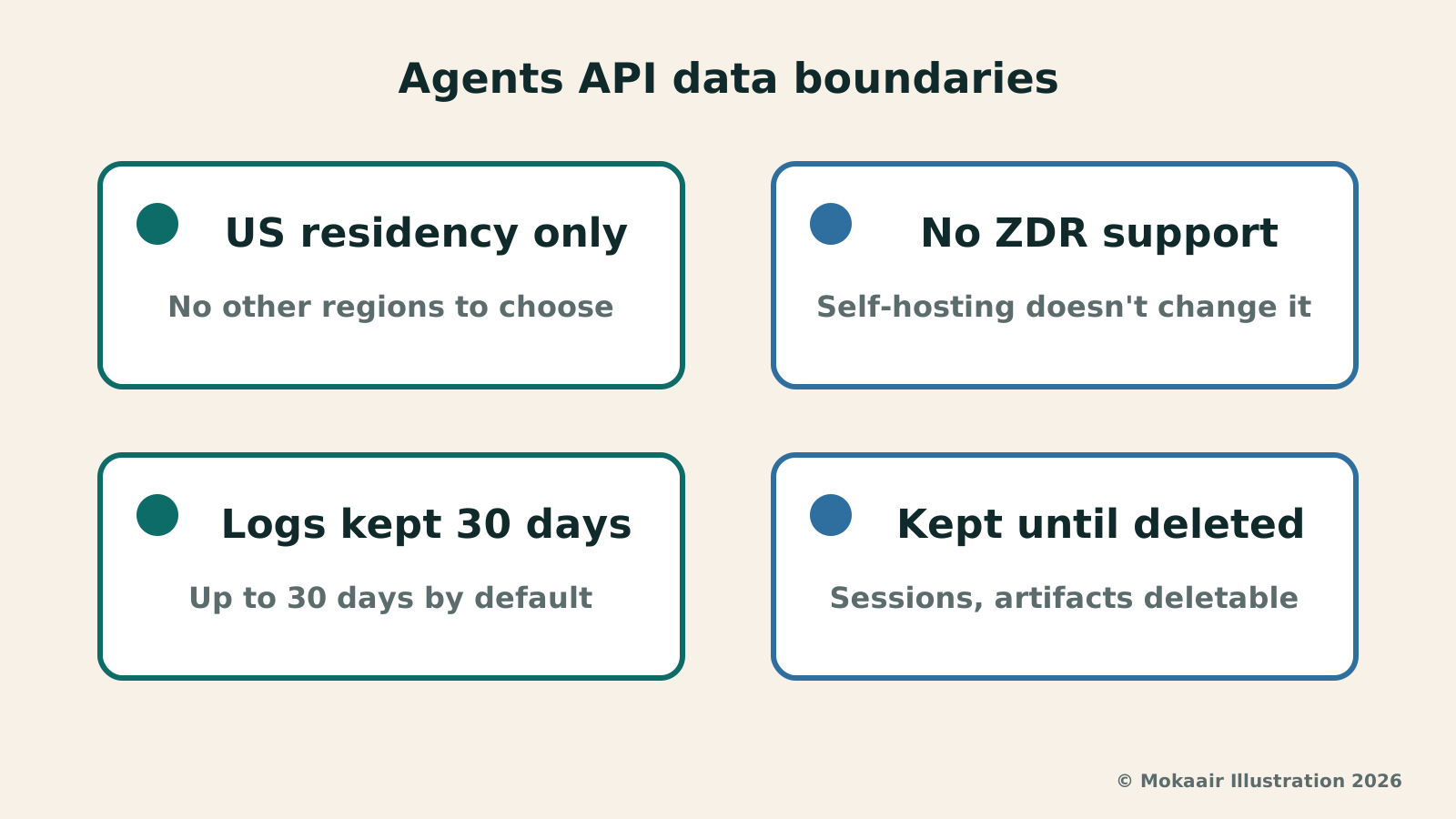
The Agents API documentation states that data residency is currently supported only in the United States, and that Zero Data Retention (ZDR) is not supported. The documentation specifically adds that choosing a self-hosted sandbox does not make the Agents API ZDR-eligible. In other words, even if files are processed on your own machines, the agent's sessions are still managed by OpenAI's service.
What is ZDR? According to OpenAI's explanation of data controls, API usage generates abuse monitoring logs by default, which may contain content such as prompts and responses, and these are retained for up to 30 days by default (except where longer retention is required by law or needed to prevent harm). Customers who have received prior approval from OpenAI can use controls such as ZDR to keep customer content out of these logs. In the data controls table, the Agents API row reads: data not used for training, abuse monitoring retention of 30 days, application state retained until deleted, and not eligible for ZDR.
The implications for corporate compliance are straightforward. If your company's contracts with clients require that data not be retained on the vendor's side, or specify that data must be stored in a particular region outside the United States, this API does not currently meet those conditions; on ZDR, at least, OpenAI has stated outright that switching to a self-hosted sandbox does not change that. The data controls explanation also notes that MCP servers are third-party services and that data sent to them is subject to their own data residency policies, so which external services are connected belongs on the checklist as well.
The documentation explains that the Agents API retains session state so that work can continue across turns, and that sessions and published artifacts can be deleted when they are no longer needed. When commissioning work, you can ask the other party to put in writing who is responsible for deletion, how often it happens, and which artifacts must be downloaded and saved before anything is deleted.
What to Ask First When Commissioning an Engineer or Contractor
The first question is permissions. Tools for the Agents API are provided or chosen by the party doing the development, so ask what data the agent can read, which files it can change, which MCP services it connects to, and whether it can send email or modify production systems. Among the examples in OpenAI's documentation are a data analyst agent that answers data warehouse questions using only read-only SQL, and an incident response agent that requests approval before taking recovery actions. Both designs are worth using as references: start with read-only access, and keep human confirmation for any action that changes data.
The second is logs. OpenAI's usage guide says developers can view session records in the Agents tab of the OpenAI platform dashboard, examining each turn of work, tool calls, and subagents, and can also trace what happened through the event stream and stored items. When commissioning work, ask the other party to explain who can see these records when something goes wrong, whether your own systems will keep a separate copy, and how long the records are kept.
The third is how to stop the agent and how to cap costs. Take an example designed by the editors: a small marketing firm hires a contractor to build an agent that “compiles customer feedback and produces a report every week.” Before accepting the work, the firm can ask the contractor to demonstrate who stops the agent, and how, when it heads in the wrong direction, and what happens to half-finished files once it is stopped. It can then ask for a trial run on one week of real data with the actual cost recorded, along with an explanation of how the contractor's system sets monthly budget alerts or caps, and the maximum number of subagents that can run at the same time.
What Ordinary Workers Should Make of the Public Beta
You don't need to learn how to call the API yourself, but you may increasingly see automation services or contractor proposals advertised as “built on the same harness as Codex.” When evaluating them, look at the model and the harness separately: the model determines the ability to understand and produce output, while the harness determines how the agent saves progress, uses tools, and divides up work. Launches like GPT-6 Astra are about the former, the Agents API is about the latter, and neither means your workflow is already safe and ready to use.
Public beta also means the details will keep changing; OpenAI itself says it will iterate quickly based on feedback during the beta. The official documentation also warns that usage figures may be updated later and that some tracing features are outside the scope of the API in this beta. A safer approach is to start with internal work where mistakes can be corrected and no client confidential data is involved, such as organizing public information or producing drafts, and to consider widening the scope only once cost records, the deletion process, and human confirmation points are all running smoothly.
If your company has explicit rules on data retention or region, the first thing to confirm is not the features but the two limits covered in the third section of this article: data residency is currently supported only in the United States, and Zero Data Retention is not supported. Both points are spelled out clearly in the official documentation, and checking them against your internal policies before commissioning work can spare you the cost of discovering, halfway through development, that the system cannot go live.
2026 AI News Roundup: Highlights and Daily Life Applications from January to September2026 AI News Roundup: Highlights and Daily Life Applications from January to SeptemberOrganizing key AI news stories month by month from January to September 2026, linking to full analyses in five languages. Covering models, work tools, creation, costs, and transparency, explaining backgrounds, uses, and limits.Read the full article
GPT-6 Astra Announced: From Answering Questions to Completing Computer TasksGPT-6 Astra Announced: From Answering Questions to Completing Computer TasksOpenAI announced GPT-6 Astra on September 3, 2026, emphasizing computer use, multi-step workflows, and template-based document output. Focusing on general reporting, data organization, and admin tasks, this article explains the gap between model ability and tool permissions, how to draft verifiable tasks, set required confirmation checkpoints, and recognize phased rollouts without assuming launch demos are instantly available to every account.Read the full article
Lifestyle
NVIDIA launches DGX Spark 64GB: on sale October 23 from $4,999, two units can be linked into 128GB
On October 2, 2026, NVIDIA announced a more affordable 64GB memory version of its DGX Spark personal AI computer, available from October 23 through six makers including Acer and ASUS. It is aimed mainly at developers and researchers who want to run AI models on their own machines. Below we summarize the specs NVIDIA published, its claims about linking two units, and what it means for general readers.
Lifestyle
Google Cloud Launches Spanner Queues: Putting Message Queues Inside Database Transactions to Make AI Agents More Reliable
Google Cloud has announced the general availability of Spanner queues, which make message creation part of a database transaction. The aim is to stop AI agents' "state" and "actions" from falling out of sync. This article covers Google Cloud's claims, the main features, and what it means for general readers.
Lifestyle
GPT-6.1 Sol Launches: New Sol Version in the API, Codex and ChatGPT Work, Not in Chat
OpenAI launched GPT-6.1 Sol on September 29, 2026, with the API name gpt-6.1-sol. The launch rollout covers Codex and ChatGPT Work on Plus, Pro, Business, Enterprise and Edu (Enterprise and Edu need an administrator to enable it); Free and Go are not included at launch, and it is not in Chat (checked September 2026).
Lifestyle
Claude Sonnet 5.5 Launches: Same List Price as Sonnet 5, Available in the API, on Cloud Platforms and in Claude.ai
Anthropic launched Claude Sonnet 5.5 on September 28, 2026. API list prices are the same as Sonnet 5 ($2 per million input tokens, $10 per million output tokens). It is available in Claude.ai, the API and several cloud platforms, and higher-risk cybersecurity requests fall back to Sonnet 5 (checked September 2026).
Articles that cite this one
Latest travel guides

GuideTokyo
Where to Stay in Tokyo: Comparing Shinjuku, Ueno, Tokyo Station, Shibuya, Asakusa, Ikebukuro, and Ginza, Plus Airport Access, Accommodation Tax, and Luggage Delivery
Where should you stay in Tokyo? Compare Shinjuku, Ueno, Tokyo Station, Shibuya, Asakusa, Ikebukuro, and Ginza by the same criteria: access from Narita and Haneda, transit routes, nearby attractions, neighborhood character, and who each area suits. Includes a comparison table, a Yamanote Line diagram, Tokyo’s accommodation tax as verified in 2026/9 (changing to 3% in 2027/4), and Airport TA-Q-BIN luggage shipping rules.
- Budget
- Hotels

GuideTokyo
How to Choose Tokyo Transit Passes: Are Suica, Welcome Suica, the Tokyo Subway Ticket, and the JR Pass Worth It?
On a first Tokyo trip, start with an IC card and pay per ride (Welcome Suica has no deposit and is valid for 28 days). If you take four or more subway rides in a day, add a 72-hour Tokyo Subway Ticket for 2,000 yen; a JR Pass is never worthwhile if you stay in Tokyo and do not go to Kansai. See what TOURIST PASMO, Suica on iPhone, and the Tokyo Metro day pass do and do not cover, with a decision chart. Prices verified in September 2026.
- Transport
- Budget

GuideTokyo
Tokyo Disneyland and DisneySea Guide: Ticket Prices, Fantasy Springs, Disney Premier Access (DPA), Standby Pass, and Which Park to Choose for Your First Visit
Tokyo Disney one-day Passport prices vary: most weekdays in 9/2026 cost ¥9,900 and weekends ¥10,900. At 14:00 daily, tickets go on sale for the same date two months later. Free Priority Pass is no longer on the official service list; only paid Disney Premier Access (¥1,000–3,500 per person per use) shortens waits. Covers hours, the 25th anniversary, Standby Pass, Entry Request, Fantasy Springs access and first-visit park choice; checked on the official site in 9/2026.
- Itineraries
- Family
Sources
- OpenAI: Introducing the Agents API (September 10, 2026) · Checked:
- OpenAI API: Agents API Overview · Checked:
- OpenAI API: Agents API Observability and usage · Checked:
- OpenAI API: Data controls in the OpenAI platform · Checked: