Lifestyle
Google Vids Opens Free Gemini Omni 1.1 Video Generation: Who Can Use It, How to Read the Quota, and What to Know First
In the early hours of September 24, 2026, Taipei time (September 23, 2026, US time), Google let any Google account generate video for free in desktop Google Vids; its two official help pages disagree on the monthly quota, and neither the announcement nor the help pages say whether there is an age limit or whether Chinese-language prompts work (verified September 2026).
About 10 min read
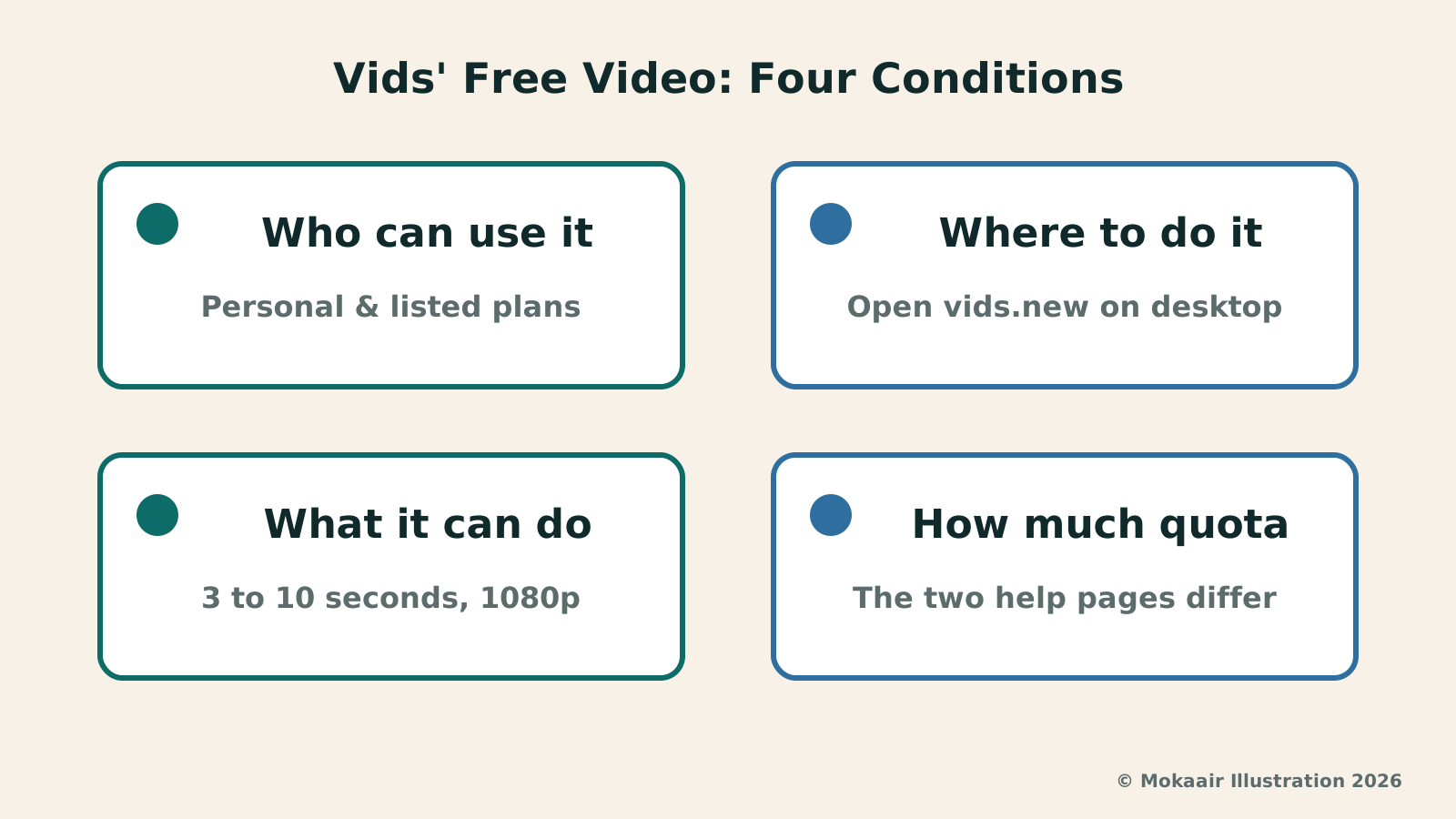
In the early hours of September 24, 2026, Taipei time (September 23, 2026, US time), Google's official blog announced that anyone with a Google account or a Google Workspace account can now generate high-quality video clips for free in Google Vids, using the latest Gemini Omni 1.1 Flash model and new creative controls. To try it, visit vids.new on desktop and select "Create AI videos"; this announcement does not say whether it works on phones or tablets. The regional question Taiwanese readers care about most: the feature is available "in all countries and regions where Google Workspace accounts are available," with no country list and no mention of Taiwan by name; the most reliable way to check is to sign in and see whether "Create AI videos" appears on the getting-started screen.
This article's sources were checked on September 26, 2026. Google's own promotional language in this announcement — "free," "most advanced" — is the vendor's own framing; this article does not recommend which account or plan to buy, and the regions, quotas and features described here may change later.
What Google Announced
This announcement was published simultaneously on Google's official blog and Google Workspace Updates. Google says this brings "Google's most advanced AI" into Google Vids, letting ordinary people make videos without professional editing skills or a big budget — this is Google's own description.
Three creative controls launched alongside this update: first, extending a scene while keeping the visual context, lighting, characters' appearance and the environment consistent — Google's own description; second, setting the exact duration of a generated clip so it lines up with the story and voiceover, in a range of 3 to 10 seconds; third, generating brand-new AI video scenes in 1080p, or upscaling existing AI clips to 1080p.
Every clip generated with Omni 1.1 in Google Vids has an imperceptible SynthID digital watermark embedded in it; Google says this lets viewers verify that content was AI-generated, but does not say how or where to verify it. Mentioning SynthID here does not mean it satisfies any country's or region's AI-labeling regulations.
What It Can Actually Do, and the Specs
The specs for generated clips are: a 24fps frame rate, 720p and 1080p resolution, 16:9 landscape or 9:16 portrait; the length is selectable, in a range of 3 to 10 seconds.
There are several ways to generate: you can create a new clip from a text prompt with reference images or avatars, animate a static image, edit a video you've uploaded, or extend an existing clip with more action. When generating a new clip, you can upload up to 7 reference images — Google's help page calls these "ingredients."
The generation history only lasts for that session: closing the Google Vids tab makes it disappear; to access or edit a generated clip after that session, you need to insert it into your Vid first.
| Item | Google's wording | Status |
|---|---|---|
| Extended-scene consistency | Keeps visual context, lighting, characters' appearance and the environment consistent | Live (Google's claim) |
| Set generation length | Choose a clip duration between 3 and 10 seconds | Live |
| 1080p generation or upscaling | New clips can be generated in 1080p; existing AI clips can be upscaled to 1080p | Live |
| SynthID watermark | An imperceptible watermark embedded in every clip | Live |
| Flash-Lite voiceover | Turns a script into a voiceover in 100+ languages | The Vids post says "Coming soon" |
Who Can Use It, and Where
On the consumer side, Google Workspace Updates lists personal Google account users, along with Google AI Pro and Ultra subscribers, as eligible.
On the Workspace side, the listed editions include Business Starter, Standard and Plus; Enterprise Starter, Standard and Plus; and also Enterprise Essentials, Enterprise Essentials Plus, Nonprofits and Individual, among others; users with an AI Expanded Access add-on license get a higher usage limit. Google Workspace Frontline explicitly does not include Gemini features in Vids. Whether a work or school account can use Google Vids, or use generative AI features at all, is decided by that organization's admin — this update itself has no separate admin control.
On rollout pace: for the Rapid Release and Scheduled Release Workspace domains, Google says the full rollout starts on September 23, with 1 to 3 days for the feature to become visible; this line only covers Workspace domains — the rollout pace for personal Google accounts is not stated separately.
On language and age: many of Vids' AI features currently only support English, and the help page does not separately list which prompt languages are supported for AI video clip generation; none of the four official documents say whether Chinese-language prompts work, or whether there is an age limit for this feature.
How to Read the Free Quota
Free doesn't mean unlimited. Google's official blog itself does not give a number for the free tier's quota — it just points personal-account users who want more generation capacity to Google AI plans; this article does not state any prices or advise whether to subscribe.
The "AI usage" help page that Google names in its Workspace Updates announcement says, for personal Google accounts: up to 6 AI video clips per month, combined with AI avatars, and AI video editing may also have some restrictions; personal accounts also have several other AI features billed in credits — 50 credits per month, resetting at 12:00 AM Pacific Time on the first of each month, which can't be shared with anyone else and doesn't roll over to the next month; the quotas and features are subject to change.
The other generation help page named in the same announcement is worded differently: "Most users can generate up to 50 videos per month," also resetting at 12:00 AM Pacific Time on the first of the month; with Google AI Pro or Ultra and family sharing turned on, that monthly limit is shared across the family. As of September 26, 2026, the two official pages simply disagree, and neither explains the difference; this article lists both numbers rather than picking one as the only free quota.
For Business and Enterprise plans, and for Google AI Pro and Ultra, the AI video clip quota is counted in seconds instead: the help page's default figure at the top of the table is up to 500 seconds per month, and the actual number of seconds varies by plan; users with an AI Expanded Access add-on license get a higher limit, and that figure is also listed in the help page's table.
Restrictions and Reminders Before You Start
In this Vids announcement, Google says Gemini 3.8 Flash-Lite text-to-speech voiceover is "Coming soon," and that it will eventually turn any script into a voiceover in 100+ languages; the announcement does not give a formal launch date.
The generation help page has a separate regional restriction on the "upload your own video to edit" feature: users in the European Economic Area, the United Kingdom, Switzerland, and the US states of Illinois and Texas cannot use this feature to upload and edit videos — they can only edit AI-generated videos already in their generation history; if an uploaded video is over 10 seconds, only the last 10 seconds will be edited. This restriction does not mean those regions can't use Omni to generate new clips, and it can't be read backwards as proof that "every feature works in Taiwan."
Personal Google accounts can only use preset AI avatars, not custom ones; using an avatar as a reference "ingredient" is limited to English and to specific listed plans — on the consumer side, only Google AI Pro and Google AI Ultra are listed, and it's noted as US-only; personal free accounts are not on that list.
On usage policy: Omni-generated clips are made with generative AI, and using this feature is subject to Google's Generative AI Prohibited Use Policy; the help page also states that "generated images and videos are for use only within Vids" — this article only quotes that line and attributes it, without reading it as a license term for what happens to exported video. Generated content may also not represent real-world situations.
Frequently asked questions
Can users in Taiwan generate AI videos for free in Google Vids right now?
Google's help page says the feature is available "in all countries and regions where Google Workspace accounts are available," with no country list and no mention of Taiwan by name. The most reliable way to check is to sign in to your Google account and see whether "Create AI videos" appears on Google Vids' getting-started screen.
So what's the actual free quota?
The two help pages Google names disagree: one says personal Google accounts can generate 6 AI video clips per month, combined with AI avatars; the other says "most users" can generate up to 50 videos per month. Both numbers are as of September 26, 2026, and neither page explains the difference between them, so you shouldn't rely on just one as the answer.
Can I generate videos with this feature on a phone or tablet?
Google's blog announcement describes opening vids.new on desktop, and the help page's own steps all start with "Open Google Vids on your computer" — none of them mention generating video on a phone or tablet.
Can I use Chinese-language prompts?
Google's help page only says many of Vids' AI features currently support English only, without separately listing which prompt languages AI video clip generation supports; whether Chinese prompts work is not stated either.
Can I use the generated video somewhere else?
Google's help page says "generated images and videos are for use only within Vids"; the page does not further explain what that means for a video once it's exported. Generated content is also subject to Google's Generative AI Prohibited Use Policy, and may not represent real-world situations.
Can I use the Gemini 3.8 Flash-Lite voiceover feature right now?
In this Vids announcement, Google says it's "Coming soon" and will eventually turn a script into a voiceover in 100+ languages; the announcement doesn't give a launch date — check what you actually see after signing in.
2026 AI News Roundup: Highlights and Daily Life Applications from January to September2026 AI News Roundup: Highlights and Daily Life Applications from January to SeptemberOrganizing key AI news stories month by month from January to September 2026, linking to full analyses in five languages. Covering models, work tools, creation, costs, and transparency, explaining backgrounds, uses, and limits.Read the full article
Gemini Omni Debuts at I/O: Conversational Video Edits Still Demand CareGemini Omni Debuts at I/O: Conversational Video Edits Still Demand CareReviewing Gemini Omni's conversational video editing unveiled at Google I/O. Using self-shot pottery clips as a case study, we examine shot continuity, multi-turn prompt drift, and asset licensing.Read the full article
Lifestyle
Claude Opus 5.5 Launches: List Price Cut 20%, Paid Plans’ Five-Hour Limit Raised, 40% Is Anthropic’s Cost Estimate
On September 22, 2026, Anthropic introduced Claude Opus 5.5, the first model in the new Claude 5.5 family; the announcement lists no region restrictions. This article separates three easily confused numbers — the 40% cost estimate and the 20% and 60% official price cuts — and lays out which paid plans get the five-hour limit increase and how model switching works (checked September 2026).
Lifestyle
GPT-6 Sol and Luna Launch: API Price Cuts, Available in Codex, Not Yet in Chat
OpenAI launched GPT-6 Sol and Luna in the early hours of September 23, 2026 Taipei time: Plus, Pro, Business, Enterprise, and Edu can use them in ChatGPT Work and Codex, and Free and Go can use Luna in the desktop app; Chat doesn't have them yet. API pricing is 50% cheaper than GPT-5.6 promotional pricing (verified September 2026).
Lifestyle
ChatGPT Ads Begin Rolling Out in Taiwan: Which Plans Will See Them, How to Control Them, and How Businesses Can Buy
OpenAI announced on September 23, 2026 that ChatGPT Ads have begun rolling out in Taiwan: users on the Free and Go plans may gradually start seeing ads, while ad-free plans such as Plus and Pro are unaffected. Businesses in Taiwan can also place ads on ChatGPT through the Ads Solutions team, agency partners, technology partners, or self-service Ads Manager if eligible (verified September 2026).
Lifestyle
NVIDIA launches DGX Spark 64GB: on sale October 23 from $4,999, two units can be linked into 128GB
On October 2, 2026, NVIDIA announced a more affordable 64GB memory version of its DGX Spark personal AI computer, available from October 23 through six makers including Acer and ASUS. It is aimed mainly at developers and researchers who want to run AI models on their own machines. Below we summarize the specs NVIDIA published, its claims about linking two units, and what it means for general readers.
Articles that cite this one
Latest travel guides

GuideTokyo
Where to Stay in Tokyo: Comparing Shinjuku, Ueno, Tokyo Station, Shibuya, Asakusa, Ikebukuro, and Ginza, Plus Airport Access, Accommodation Tax, and Luggage Delivery
Where should you stay in Tokyo? Compare Shinjuku, Ueno, Tokyo Station, Shibuya, Asakusa, Ikebukuro, and Ginza by the same criteria: access from Narita and Haneda, transit routes, nearby attractions, neighborhood character, and who each area suits. Includes a comparison table, a Yamanote Line diagram, Tokyo’s accommodation tax as verified in 2026/9 (changing to 3% in 2027/4), and Airport TA-Q-BIN luggage shipping rules.
- Budget
- Hotels

GuideTokyo
How to Choose Tokyo Transit Passes: Are Suica, Welcome Suica, the Tokyo Subway Ticket, and the JR Pass Worth It?
On a first Tokyo trip, start with an IC card and pay per ride (Welcome Suica has no deposit and is valid for 28 days). If you take four or more subway rides in a day, add a 72-hour Tokyo Subway Ticket for 2,000 yen; a JR Pass is never worthwhile if you stay in Tokyo and do not go to Kansai. See what TOURIST PASMO, Suica on iPhone, and the Tokyo Metro day pass do and do not cover, with a decision chart. Prices verified in September 2026.
- Transport
- Budget

GuideTokyo
Tokyo Disneyland and DisneySea Guide: Ticket Prices, Fantasy Springs, Disney Premier Access (DPA), Standby Pass, and Which Park to Choose for Your First Visit
Tokyo Disney one-day Passport prices vary: most weekdays in 9/2026 cost ¥9,900 and weekends ¥10,900. At 14:00 daily, tickets go on sale for the same date two months later. Free Priority Pass is no longer on the official service list; only paid Disney Premier Access (¥1,000–3,500 per person per use) shortens waits. Covers hours, the 25th anniversary, Standby Pass, Entry Request, Fantasy Springs access and first-visit park choice; checked on the official site in 9/2026.
- Itineraries
- Family
Sources
- Google's official blog: Anyone can make stunning HD videos with Gemini Omni in Google Vids · Checked:
- Google Workspace Updates: Gemini Omni 1.1 Flash now in Vids with improved extension quality, 1080p, and duration control · Checked:
- Google Help Center: Learn about availability of Gemini features in Google Vids · Checked:
- Google Help Center: Use AI to generate video clips in Google Vids · Checked: