Lifestyle
ChatGPT Ads Open Up to Self-Serve Buying: The Tools, Billing, and Targeting from OpenAI's May Announcement
On May 5, 2026, OpenAI announced it was expanding how ChatGPT ads can be bought, adding a beta self-serve ad management tool, CPC bidding, and more measurement tools. Based on the announcement and OpenAI's developer documentation, this article covers the ad account, campaign, ad group, and ad structure, how the three campaign objectives are billed, bidding strategies, and region, platform, and context hints targeting, and notes how the documentation differs from the May 5 announcement.
Updated: About 14 min read
On May 5, 2026, OpenAI published an announcement titled “New ways to buy ChatGPT ads” on its official news page, and that is the date printed on the page. The announcement opens by saying that OpenAI is expanding ChatGPT ads with new ways for advertisers to buy and manage campaigns, built around its own ads principles. The body is organized into four sections, covering in order: expanding how businesses can buy ads, launching cost-per-click (CPC) bidding, developing more ways to measure results, and building the ChatGPT ad platform. Everything below about this announcement is OpenAI's own description.
This article was fact-checked on September 18, 2026, based on the announcement's own page and three ad API documentation pages on OpenAI's developer site. The announcement states that the self-serve ad management tool launched at the time was a beta, and OpenAI said it would gradually open it to more businesses; the developer documentation is a continuously maintained page with no publication date or version number, so it reflects the version read on the day of fact-checking, not necessarily what existed on May 5 itself. This site has not logged into the ads dashboard, has not created or purchased any ads, and does not offer any purchasing advice or platform comparison.
The May 2026 Announcement: A Beta Self-Serve Ad Tool
According to the announcement, OpenAI initially worked directly with a small group of advertisers to run campaigns in ChatGPT, then lowered the barrier through partners as the pilot expanded, before beginning to roll out, on May 5, a beta self-serve ad management tool that lets businesses register as advertisers themselves, enter payment details, set budgets and bids, upload ads, turn campaigns on and off, and view performance in a dashboard. OpenAI also states that this tool is being tested and refined as it goes, and is gradually opening to more businesses. The announcement also mentions partner agencies and technology partners, using the words “including” and “such as” rather than giving a complete list.
A change in billing is another focus of the announcement. It says that in the first phase of the pilot, advertisers could buy ChatGPT ads on a cost-per-mille (CPM) basis, as a preliminary way to understand demand, delivery, and early performance; this time OpenAI is adding cost-per-click (CPC) bidding, so that spend maps more directly to what users do after seeing an ad, and it states that advertisers pay only for the resulting clicks. OpenAI also says it will keep supporting both CPM and CPC buying. On measurement, the announcement says it recently launched a Conversions API and pixel measurement, that advertisers receive aggregated performance data rather than seeing individual conversations, and that these methods do not share conversations or personal details with advertisers.
How Ads Are Bought: Four Layers, Account, Campaign, Ad Group, Ad
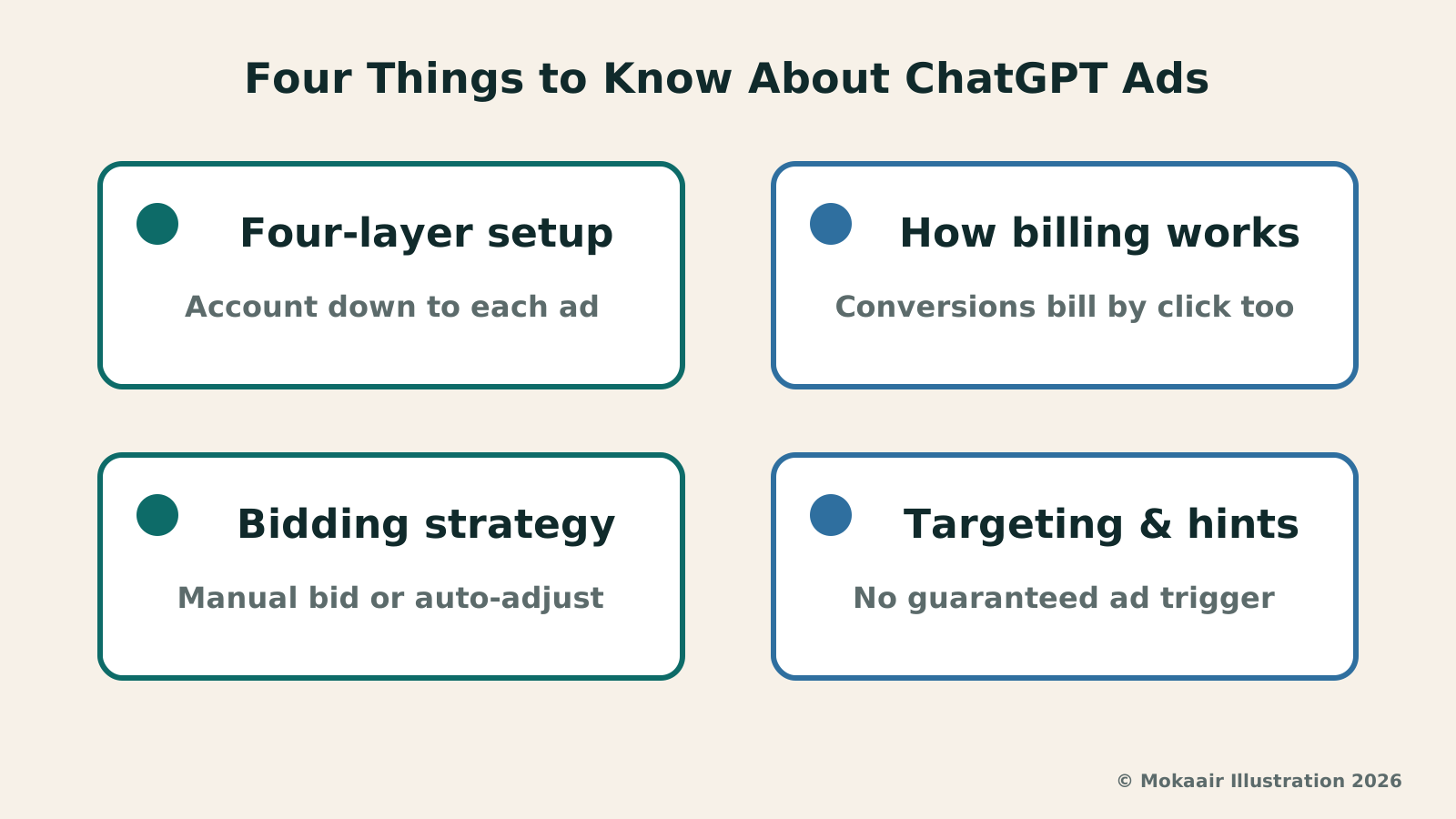
The developer documentation splits ad buying into four layers: under the ad account sits the campaign, under the campaign sits the ad group, and under the ad group sits the ad itself. The documentation lists what each layer configures: the ad account holds brand information, currency, time zone, account access, and spend limits; the campaign holds the objective, budget, schedule, geographic and platform targeting, and audience inclusion and exclusion, plus conversion events; the ad group holds the bidding strategy, context hints (explained below), audience bid adjustments, and the product set; the ad itself holds the creative, an image or product template, and the landing page URL. The documentation specifically notes that an account marked “active” may still have an outstanding review.
The documentation's example flow uses the creative type chat_card, which requires a headline, body text, and a landing page URL, plus an image of at least 640×640 pixels; creating the ad submits its creative for review. The bidding and budgets page states that newly created resources default to a paused state, so advertisers can finish setup before turning delivery on, which means the campaign, ad group, and ad each need their own activation call. The documentation explains that activation enables delivery only once the remaining requirements are met; the preview feature only shows appearance and does not mean an ad already qualifies to go live.
| Layer | Main settings | Status after creation |
|---|---|---|
| Ad account | Brand information, currency, time zone, access, spend limits | – |
| Campaign | Objective, budget, schedule, region and platform targeting, audience inclusion/exclusion | Paused by default |
| Ad group | Bidding strategy, context hints, audience bid adjustments, product set | Paused by default |
| Ad | Creative, image or product template, landing page URL | Paused by default, creative under review |
How Billing Works: Three Campaign Objectives and Bidding Strategies
OpenAI's bidding and budgets page lists three campaign objectives: impressions, clicks, and conversions. The impressions objective bills by impression and only allows a self-set fixed bid; the clicks objective bills by click and can either use a self-set fixed bid or let OpenAI auto-adjust bids to pursue more clicks; the conversions objective is also billed on clicks: the documentation states that conversion campaigns optimize toward the selected action but bill for valid clicks, and here too the bid can be self-set or handed to OpenAI to pursue more conversions. In other words, setting the objective to conversions changes what the bidding is optimized for, while the billing basis remains clicks.
OpenAI collectively calls the two strategies that hand bid adjustment to the system Maximize Results, corresponding to the clicks and conversions objectives; both require a daily budget and cannot have a manually entered bid amount, while a self-set fixed bid can use either a daily or a lifetime budget. Amounts in the API are expressed as integer micros, where one unit of an account's currency equals 1,000,000 micros; this is simply a way of counting, and the budget and bid examples on the bidding and budgets page are stated to be for illustrative purposes. As for thresholds, the documentation only says that the minimum daily budget depends on the account's currency, and that a request below the threshold returns an error telling you the amount required, while bid limits depend on both the account's currency and the campaign objective; neither place prints a specific number.
On whether an ad actually appears, the documentation says that besides the budget and the account spend limit, delivery also depends on the campaign schedule, resource statuses, review outcomes, targeting conditions, and available inventory. Budgets also work at two independent levels: a campaign's own budget is calculated separately from the ad account's overall spend limit, so raising a campaign's budget does not reopen an account spend limit that has already been exhausted; and the documentation states that the account-level spend-limit window is available only to some accounts.
Targeting Conditions: Region, Platform, and Context Hints
The documentation states that region, platform, and audience targeting all apply together, so meeting one of them does not override the others; if the same person falls into both an included and an excluded audience list, the exclusion takes precedence. Region targeting uses ISO 3166-1 alpha-2 country codes, and geographic inclusion and exclusion lists can hold up to 2,500 location IDs, with the documentation noting that account availability and campaign mode can impose additional restrictions. OpenAI also notes that a code's ISO validity does not mean your account can advertise in that region — you need to check the supported advertising locations; none of the four sources checked for this article lists that set of regions. Update, October 3: for where Taiwan stands now, see this reportChatGPT Ads Begin Rolling Out in Taiwan: Which Plans Will See Them, How to Control Them, and How Businesses Can BuyOpenAI announced on September 23, 2026 that ChatGPT Ads have begun rolling out in Taiwan: users on the Free and Go plans may gradually start seeing ads, while ad-free plans such as Plus and Pro are unaffected. Businesses in Taiwan can also place ads on ChatGPT through the Ads Solutions team, agency partners, technology partners, or self-service Ads Manager if eligible (verified September 2026).Read the full article.
For platform targeting, the documentation lists three “broad platform groups”: the iOS app, the Android app, and web; OpenAI gives the example that a person opening the ChatGPT website in an iPhone browser counts as the web group rather than the iOS app group, which is not entirely intuitive. The documentation also states that if a campaign is created without platform targeting set, the default is all platforms. Note that these three are broad groups rather than every value you can enter: the changelog on the documentation's overview page shows that on September 10 the web group was further split into desktop, iOS web, and Android web.
When advertisers upload their own list as an audience, the documentation states the usable identifiers are email, phone, the officially supported SHA-256 hashed forms of those two, and GAID; list files must be no larger than 500,000,000 bytes. Ad groups also have context hints, free text that advertisers write to describe the relevant product, use case, or need, filling in what the creative and landing page URL do not fully convey; the documentation stresses that these hints are not exact-match keywords, cannot replace explicit region, platform, or audience targeting, and that the examples in its table are illustrations of writing style only, not a guarantee that any given conversation will actually trigger an ad.
Still Changing: How to Check the Current State Yourself
The changelog attached to the developer documentation shows that between June 3 and September 10, 2026, this ad API progressively added a region-targeting and location-lookup endpoint, conversion configuration and reporting endpoints, performance data broken down by product, country, and device, add/remove/replace/merge operations for custom audiences, daily account spend limits for ad accounts on postpaid invoice billing, and the further split of the web platform into desktop, iOS web, and Android web. Before that there is only a single undated initial version, so this documentation cannot be used to describe exactly which features existed on May 5 itself.
Readers who want to confirm the current state can check the ad API documentation at developers.openai.com themselves for the latest version and changelog, or look for follow-up announcements on OpenAI's official news page. Everything in this article about what this product can do is sourced from OpenAI's own announcement and documentation; this site has not seen what an ad actually looks like inside the ChatGPT interface. Which options advertisers can actually configure, and how costs are actually calculated, should still be judged from what you see after logging into an account and from OpenAI's own explanation at the time.
Frequently asked questions
Is today's self-serve ad tool the same version announced in May 2026?
Not necessarily. The announcement described it as a beta at the time, and OpenAI said it would test and refine it while gradually opening it to more businesses. The developer documentation's changelog shows new targeting options, conversion settings, and reporting features were progressively added between June 3 and September 10, 2026; the documentation this article checked reflects the version read on September 18, 2026, and the documentation itself does not mark out the feature set that existed on May 5. To find out exactly what is available now, check the official documentation's current content directly.
How is ad spend calculated, and what is the minimum I have to spend?
The announcement says CPC bidding was the new addition on May 5, that advertisers pay only for the resulting clicks, and that OpenAI said it would keep supporting the original cost-per-mille buying as well. The developer documentation splits campaign objectives into impressions, clicks, and conversions, and the billing basis for both the clicks and conversions objectives is clicks. As for minimums, the bidding and budgets page only states that the minimum daily budget depends on the account's currency and that bid limits depend on both the account's currency and the campaign objective; a request below the threshold gets an error message telling you the amount required. The budget and bid examples on the page are stated to be for illustrative purposes, and no specific threshold is printed anywhere.
Can the context hints an advertiser writes make an ad appear in a specific conversation?
The documentation is explicit that it cannot guarantee this. Context hints are free text that advertisers write themselves to describe the relevant product, use case, or need, but the documentation states these hints are not exact-match keywords, that the examples in its table are illustrations of writing style only and not a guarantee that a given conversation will trigger an ad, and that context hints cannot replace explicit region, platform, or audience targeting.
Can advertisers in Taiwan use this tool right now?
None of the four sources checked for this article lists the set of regions where ads can run. What can be confirmed is that the targeting documentation warns that a code's ISO validity does not mean your account can advertise in that region — you need to check the supported advertising locations separately, and account availability and campaign mode can impose additional restrictions; the announcement itself only says the self-serve ad management tool is gradually opening to more businesses, without mentioning any region. Whether it can actually be used should be judged from what an advertiser sees after logging into their account; this article does not guess whether Taiwan is already supported. Update, October 3, 2026: on September 23, 2026, OpenAI announced ChatGPT ads rolling out in Taiwan, and its Help Center's Ads Manager table lists Taiwan as Available for self-serve, provided the legal entity that advertises and is billed is based there.
Will ads affect the answers ChatGPT gives me?
In the May 5 announcement, OpenAI said this update is meant to bring more businesses in while keeping ChatGPT's answers independent, conversations private, and users in control of their experience, and it said the new buying and measurement methods do not share conversations or personal details with advertisers, with advertisers receiving only aggregated performance data rather than seeing individual conversations. These are all OpenAI's own statements; this site has not logged into an account to see how ads actually appear, and neither the announcement nor the developer documentation checked for this article explains how ads are labeled or where they appear in the interface.
2026 AI News Roundup: Highlights and Daily Life Applications from January to September2026 AI News Roundup: Highlights and Daily Life Applications from January to SeptemberOrganizing key AI news stories month by month from January to September 2026, linking to full analyses in five languages. Covering models, work tools, creation, costs, and transparency, explaining backgrounds, uses, and limits.Read the full article
ChatGPT for Financial Services Launches: An AI Tool for Financial Institutions, Not Your Personal AccountChatGPT for Financial Services Launches: An AI Tool for Financial Institutions, Not Your Personal AccountOn September 10, 2026, OpenAI launched ChatGPT for Financial Services. OpenAI says it starts with investment banking and equity research: a customized ChatGPT Work edition with built-in financial data and GPT-6 Astra's reasoning, open to eligible institutions that contact sales. Checked September 18, 2026, this article covers what OpenAI's benchmark charts show and what price, region, and timeline details are missing; we have not used it, and nothing here is investment advice.Read the full article
Lifestyle
ChatGPT for Financial Services Launches: An AI Tool for Financial Institutions, Not Your Personal Account
On September 10, 2026, OpenAI launched ChatGPT for Financial Services. OpenAI says it starts with investment banking and equity research: a customized ChatGPT Work edition with built-in financial data and GPT-6 Astra's reasoning, open to eligible institutions that contact sales. Checked September 18, 2026, this article covers what OpenAI's benchmark charts show and what price, region, and timeline details are missing; we have not used it, and nothing here is investment advice.
Lifestyle
GPT-5.5 Instant Becomes ChatGPT's Default Model: The Gains, Regressions, and New Features OpenAI Announced
On May 5, 2026, OpenAI replaced GPT-5.3 Instant with GPT-5.5 Instant as ChatGPT's default model. Based on OpenAI's official announcement and system card, this article lays out the published factuality gains, the two safety regressions in gore and sexual content, who the new personalization features reach and when, the point on August 6 of the same year when OpenAI stated a new model would replace it, and why OpenAI says its figures do not represent everyday error rates.
Lifestyle
NVIDIA launches DGX Spark 64GB: on sale October 23 from $4,999, two units can be linked into 128GB
On October 2, 2026, NVIDIA announced a more affordable 64GB memory version of its DGX Spark personal AI computer, available from October 23 through six makers including Acer and ASUS. It is aimed mainly at developers and researchers who want to run AI models on their own machines. Below we summarize the specs NVIDIA published, its claims about linking two units, and what it means for general readers.
Lifestyle
Google Cloud Launches Spanner Queues: Putting Message Queues Inside Database Transactions to Make AI Agents More Reliable
Google Cloud has announced the general availability of Spanner queues, which make message creation part of a database transaction. The aim is to stop AI agents' "state" and "actions" from falling out of sync. This article covers Google Cloud's claims, the main features, and what it means for general readers.
Articles that cite this one
- ChatGPT Ads Begin Rolling Out in Taiwan: Which Plans Will See Them, How to Control Them, and How Businesses Can Buy
- ChatGPT Ads Add Sponsored Agents: Testing in the US with Select Advertisers Only
- ChatGPT for Financial Services Launches: An AI Tool for Financial Institutions, Not Your Personal Account
- 2026 AI News Roundup: Highlights and Daily Life Applications from January to September
Latest travel guides

GuideTokyo
Where to Stay in Tokyo: Comparing Shinjuku, Ueno, Tokyo Station, Shibuya, Asakusa, Ikebukuro, and Ginza, Plus Airport Access, Accommodation Tax, and Luggage Delivery
Where should you stay in Tokyo? Compare Shinjuku, Ueno, Tokyo Station, Shibuya, Asakusa, Ikebukuro, and Ginza by the same criteria: access from Narita and Haneda, transit routes, nearby attractions, neighborhood character, and who each area suits. Includes a comparison table, a Yamanote Line diagram, Tokyo’s accommodation tax as verified in 2026/9 (changing to 3% in 2027/4), and Airport TA-Q-BIN luggage shipping rules.
- Budget
- Hotels

GuideTokyo
How to Choose Tokyo Transit Passes: Are Suica, Welcome Suica, the Tokyo Subway Ticket, and the JR Pass Worth It?
On a first Tokyo trip, start with an IC card and pay per ride (Welcome Suica has no deposit and is valid for 28 days). If you take four or more subway rides in a day, add a 72-hour Tokyo Subway Ticket for 2,000 yen; a JR Pass is never worthwhile if you stay in Tokyo and do not go to Kansai. See what TOURIST PASMO, Suica on iPhone, and the Tokyo Metro day pass do and do not cover, with a decision chart. Prices verified in September 2026.
- Transport
- Budget

GuideTokyo
Tokyo Disneyland and DisneySea Guide: Ticket Prices, Fantasy Springs, Disney Premier Access (DPA), Standby Pass, and Which Park to Choose for Your First Visit
Tokyo Disney one-day Passport prices vary: most weekdays in 9/2026 cost ¥9,900 and weekends ¥10,900. At 14:00 daily, tickets go on sale for the same date two months later. Free Priority Pass is no longer on the official service list; only paid Disney Premier Access (¥1,000–3,500 per person per use) shortens waits. Covers hours, the 25th anniversary, Standby Pass, Entry Request, Fantasy Springs access and first-visit park choice; checked on the official site in 9/2026.
- Itineraries
- Family