Lifestyle
WordPress 7.1.2 Patches a Critical Core Vulnerability: Patched Versions by Branch and How to Check Your Site
On September 22, 2026, WordPress released 7.1.2, a security release patching a core vulnerability it rates as critical severity; the patch reaches back from the current 7.1 branch to the 4.7 branch. On September 25 (US time), CISA added it to its Known Exploited Vulnerabilities catalog based on evidence of active exploitation. This piece lays out the patched version for each branch and how to check your own site's version number (verified September 2026).
About 10 min read
On September 22, 2026, WordPress released 7.1.2, a security release patching a core vulnerability it rates as critical severity. The patch reaches back from the current 7.1 branch all the way to the 4.7 branch, with each branch getting its own patched version. The vulnerability can be triggered without logging in, but it can only lead to remote code execution when preconditions on both the server environment and the active theme are met. On September 25 (US time), the US Cybersecurity and Infrastructure Security Agency (CISA) added this vulnerability to its Known Exploited Vulnerabilities (KEV) catalog based on evidence of active exploitation. Whichever branch your site is on, it is worth checking your version number again.
This piece was checked on September 26, 2026, against WordPress.org's “WordPress 7.1.2 Release” announcement and its “Dashboard screen” documentation, the GitHub security advisory GHSA-7hp8-65ch-5whp, and the CISA alert; it does not test any site or attack technique, and it does not recommend a host or theme to buy — it only lays out what these documents say and do not say.
What the September 22 Patch Fixed: A Conditional Core Vulnerability
WordPress.org published “WordPress 7.1.2 Release” on September 22, 2026, opening with: “This security release features a fix for a critical severity security vulnerability.” It goes on: “Because this is a security release, it is recommended that you update your sites immediately.” That is a recommendation, not a mandate.
The release post explains that an unauthenticated attacker who does not need to log in can trigger the issue under certain conditions; if the preconditions on both the server environment and the active theme are met, this “can lead to” remote code execution — it is not guaranteed to happen. GHSA separately names two server environments where the server-side precondition is already met under an official image or a default configuration (one of them limited to a specific PHP version); the attack technique and environment details are not discussed here.
This vulnerability has two official names, presented side by side: the GitHub security advisory GHSA-7hp8-65ch-5whp names it “Unauthenticated path traversal in page-template resolution leading to conditional RCE”; CISA's name for it is “WordPress Core Remote File Inclusion Vulnerability.” The severity rating of Critical and the CVSS 4.0 overall score of 9.2 are GHSA's own scoring, not a score the two agree on.
Which Versions Are Affected: Patched Versions by Branch
GHSA's affected-versions column lists branch by branch, from the current 7.1 branch (7.1.0–7.1.1) down through older branches like 6.7 and 6.6, to the oldest, the 4.7 branch (4.7.0–4.7.36); the patched-versions column lines up row for row with the affected column. The version numbers for the 7.1, 7.0, 6.9, and 6.8 branches are laid out in the table below; for the rest, see GHSA's branch-by-branch table. Readers should match the patched version for their own branch, not install 7.1.2 across the board.
7.1.1 is also within the affected range, meaning that even a site already updated to 7.1.1 needs to update again. The release post says the fix was backported “as a courtesy” to all branches still eligible to receive security fixes, noting in parentheses “currently through 4.7” — that is, it currently reaches back only as far as the 4.7 branch.
The same paragraph in the release post also notes that only the most recent version of WordPress is actively supported; older branches getting this patch is a courtesy backport, not a sign that the branch is still actively supported. Versions earlier than 4.7 do not appear in GHSA's affected-versions table — that is because the table does not list them, not because those versions are unaffected.
| Branch | Affected versions | Patched version |
|---|---|---|
| 7.1 | 7.1.0–7.1.1 | 7.1.2 |
| 7.0 | 7.0.0–7.0.5 | 7.0.6 |
| 6.9 | 6.9.0–6.9.8 | 6.9.9 |
| 6.8 | 6.8.0–6.8.9 | 6.8.10 |
| Branches 6.7 through 4.7 | See GHSA's branch-by-branch table | See GHSA's branch-by-branch table |
| Versions earlier than 4.7 | Not in GHSA's table | The patch reaches back only to the 4.7 branch |
How to Check Your Own Site: Three Steps
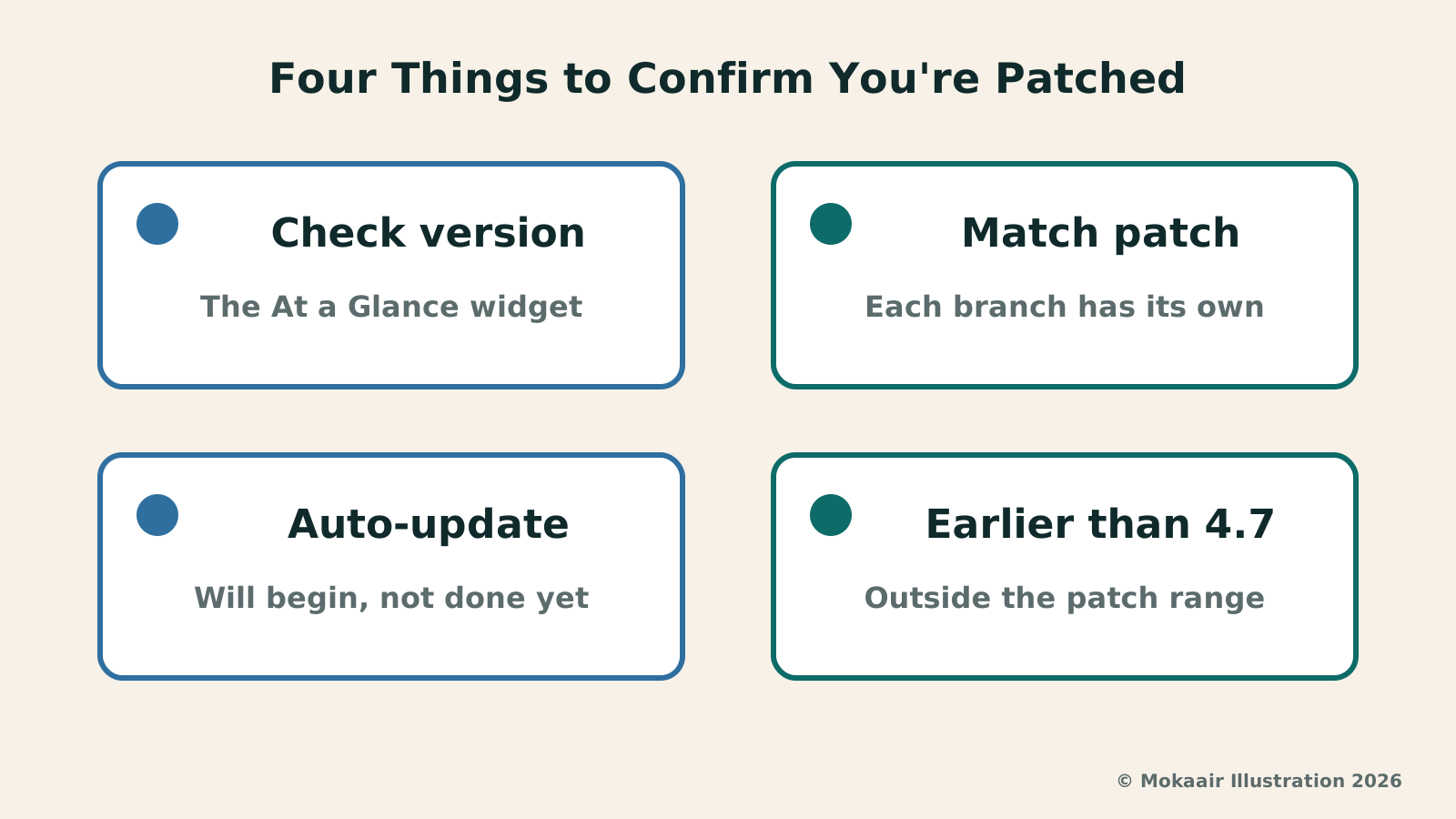
Step one is checking your version number: the Dashboard home screen shows the At a Glance widget by default, and per WordPress.org's documentation, a line at the bottom of that widget tells you which WordPress version your site is running (if the widget is hidden, you can turn it back on in the Screen Options panel). Match that version number against the table above or the GHSA page to confirm whether you are on the patched version for your branch. If you are not, the release post's update path is to go to the Dashboard, click “Updates,” then click “Update Now” — or you can download 7.1.2 directly from WordPress.org and install it.
Step two: do not assume automatic updates have already finished. The release post says: “If you have sites that support automatic background updates, the update process will begin automatically.” That is “will begin,” not “have completed” — check your version number to confirm, rather than relying on whether you received an update notification.
Step three: if your site is managed or maintained by someone else, you can simply ask them to report back the updated version number — this is the editors' suggestion, not something WordPress's documentation states.
Beyond this update, if your site's routine maintenance has not been kept up, What website maintenance involves: a routine for backups, updates, and incident reportsWhat website maintenance involves: a routine for backups, updates, and incident reportsWebsite maintenance includes more than plugin updates: check content, accounts, backups, outgoing email, and expiring services. Using a small WordPress content site, this guide covers routine observation, pre- and post-update checks, restoration, and incident reports, with a worksheet for owners, editors, and maintainers. Set a schedule by update frequency, identify urgent cases, and keep records the next collaborator can use.Read the full article covers that.
What “Actively Exploited” Means — and Does Not
CISA's Known Exploited Vulnerabilities (KEV) catalog is a list CISA maintains based on evidence of actual exploitation. On September 25 (US time), CISA added this vulnerability to the KEV catalog under the name “WordPress Core Remote File Inclusion Vulnerability” — alongside GHSA's name, not replacing it.
CISA's alert states that the related directive requires US Federal Civilian Executive Branch (FCEB) agencies to prioritize rapid remediation of high-risk vulnerabilities, and that it applies only to those agencies; for every other organization, CISA merely encourages risk-based vulnerability management and prioritizing fixes for vulnerabilities in the KEV catalog — none of which binds site owners in Taiwan.
CISA's alert does not state the number of victims, where they are, or who the attackers are — only that the finding is based on evidence of active exploitation. Neither WordPress's September 22 release post nor the GHSA advisory mentions that this vulnerability has been exploited; the exploitation finding comes from CISA alone.
What We Still Do Not Know: Do Not Fill In What the Documents Do Not Say
None of the four documents cited here mention Taiwan — that only means the documents do not say, not that Taiwan is unaffected.
The GHSA page lists no temporary mitigation beyond updating; switching themes, deleting directories, or changing server settings are not alternatives WordPress has proposed — to patch it, you update.
The release post does not say how many sites have already updated via automatic background updates, and there is no such figure here either. This vulnerability is in WordPress Core — the release post, GHSA, and the CISA alert all discuss it without mentioning plugins, so you cannot say installing a security plugin makes it a non-issue.
To check the latest status yourself, look at WordPress.org's news page for a newer security release, and see whether the GHSA-7hp8-65ch-5whp advisory has been updated; if WordPress later ships a version newer than 7.1.2, install that one instead.
Frequently asked questions
My site has automatic updates on — what else should I do?
The release post says the update process “will begin automatically” for sites that support automatic background updates — not that it is already done. It is still worth going back to the Dashboard home screen's At a Glance widget to confirm your current version number matches the patched version for your branch — for example, 7.1.2 for the 7.1 branch or 7.0.6 for the 7.0 branch.
I am not using a theme like Twenty Twelve — am I in the clear?
Not necessarily. GHSA names the legacy Twenty Twelve and Twenty Fourteen themes as affected, and gives examples of some popular third-party themes, such as Neve, Hestia, and Sydney — but that is a set of examples, not a complete list. And the theme is only one of two preconditions; the other is the server environment. You cannot judge safety by whether you use those particular themes — to patch it, update to the patched version for your branch.
I am still on a 6.x version — do I have to jump to 7.1.2?
You do not have to jump to 7.1.2. GHSA lists a patched version for each branch — 6.9.9 for the 6.9 branch, 6.8.10 for the 6.8 branch, and so on — so installing the patched version for your own branch counts as being patched. But WordPress also notes that only the most recent version is actively supported; older branches getting this patch is a courtesy backport.
Does CISA's remediation requirement apply to me?
If your site is not a system run by a US federal civilian executive branch agency, this CISA requirement does not bind you directly: CISA states plainly that the related directive applies only to those agencies, and is merely an encouragement for every other organization. That said, since CISA has judged this vulnerability to be actively exploited, the sooner you update, the better.
My site is managed by someone else — what should I ask them?
You can simply ask whoever maintains it to report your site's current WordPress version number, and whether it is already updated to the patched version for its branch — for example, 7.1.2 for the current 7.1 branch. This is the editors' suggestion, not something WordPress's documentation states; none of the documents cited here mention how managed hosting or maintainers should handle this.
2026 Tech News Roundup: Key Points on Hardware, Platforms, Telecom, and Regulation2026 Tech News Roundup: Key Points on Hardware, Platforms, Telecom, and RegulationThis site's 2026 tech-news explainers in five groups — hardware, platforms, computing infrastructure, Taiwan policy, EU regulation: iPhone Duo and September hardware, M6/M5 Ultra, Snapdragon 8 Elite Gen 6, Project Zenith, Pixel Drop, App Store subscriptions, WordPress and Synology patches, NVIDIA, 6G, the Taiwan–Matsu cables, the sovereign AI corpus, the Cyber Resilience Act, the KIDS Act and Apple's EU terms. No purchase advice; vendor claims attributed; official sources and check dates.Read the full article
EU Cyber Resilience Act Reporting Obligations Begin September 11: Who Must Report, How FastEU Cyber Resilience Act Reporting Obligations Begin September 11: Who Must Report, How FastOn September 11, 2026, the reporting obligations under Article 14 of the EU's Cyber Resilience Act took effect, and ENISA launched its Single Reporting Platform. Based on the European Commission's reporting page, ENISA's press release and FAQ, and the Regulation's text in the Official Journal, this article explains how fast manufacturers must report, where reports go, which obligations already apply, which wait until December 2027, and the fine ceiling in Article 64.Read the full article
Lifestyle
Synology Advisory SA-26:13: Two Unauthenticated 9.8 Flaws — Check Your Version Before Updating
At 4:17 PM Taipei time on September 18, 2026, Synology published security advisory Synology-SA-26:13, addressing eight CVE entries in DSM — two rated Critical with a CVSS 3.1 score of 9.8, exploitable without authentication. The advisory's Mitigation field reads None. Here are the fixed releases for each branch and how to check your NAS's current version yourself (verified September 2026).
Lifestyle
Qualcomm Unveils Two Snapdragon Flagship Mobile Platforms: How the Extreme and 8 Elite Gen 6 Differ
On September 22, 2026, Qualcomm unveiled two flagship mobile platforms at once, the Snapdragon 8 Elite Extreme Gen 6 and the Snapdragon 8 Elite Gen 6, dated from Maui. A look at how the press release splits the two, which brands its Snapdragon Summit partner quotes named, and the foundry, clock speeds and other spec numbers, launch dates and Taiwan information the press release does not state. (Checked September 2026)
Lifestyle
Cloudflare launches Traces in public beta: site operators can follow every step a request takes through the platform on one timeline
On October 2, 2026, Cloudflare announced the public beta of Cloudflare Traces. Website operators and developers using Cloudflare can see a request pass through security rules, caching, routing and the origin server on a single timeline, making it easier to find why a request was blocked or slowed. New pricing takes effect on December 1, 2026. Information comes from the official Cloudflare blog.
Lifestyle
Cloudflare launches Web Search API via AI Gateway, requiring search partners to follow its crawler rules
On October 2, 2026, Cloudflare announced a Web Search API that lets AI agents query live web information through AI Gateway. The first partners are Ceramic.ai, Exa and Linkup. Cloudflare says these partners' crawlers must meet its Verified bots requirements and cite sources. This matters both to developers building AI applications and to website owners whose content may be crawled.
Articles that cite this one
Latest travel guides

GuideTokyo
Where to Stay in Tokyo: Comparing Shinjuku, Ueno, Tokyo Station, Shibuya, Asakusa, Ikebukuro, and Ginza, Plus Airport Access, Accommodation Tax, and Luggage Delivery
Where should you stay in Tokyo? Compare Shinjuku, Ueno, Tokyo Station, Shibuya, Asakusa, Ikebukuro, and Ginza by the same criteria: access from Narita and Haneda, transit routes, nearby attractions, neighborhood character, and who each area suits. Includes a comparison table, a Yamanote Line diagram, Tokyo’s accommodation tax as verified in 2026/9 (changing to 3% in 2027/4), and Airport TA-Q-BIN luggage shipping rules.
- Budget
- Hotels

GuideTokyo
How to Choose Tokyo Transit Passes: Are Suica, Welcome Suica, the Tokyo Subway Ticket, and the JR Pass Worth It?
On a first Tokyo trip, start with an IC card and pay per ride (Welcome Suica has no deposit and is valid for 28 days). If you take four or more subway rides in a day, add a 72-hour Tokyo Subway Ticket for 2,000 yen; a JR Pass is never worthwhile if you stay in Tokyo and do not go to Kansai. See what TOURIST PASMO, Suica on iPhone, and the Tokyo Metro day pass do and do not cover, with a decision chart. Prices verified in September 2026.
- Transport
- Budget

GuideTokyo
Tokyo Disneyland and DisneySea Guide: Ticket Prices, Fantasy Springs, Disney Premier Access (DPA), Standby Pass, and Which Park to Choose for Your First Visit
Tokyo Disney one-day Passport prices vary: most weekdays in 9/2026 cost ¥9,900 and weekends ¥10,900. At 14:00 daily, tickets go on sale for the same date two months later. Free Priority Pass is no longer on the official service list; only paid Disney Premier Access (¥1,000–3,500 per person per use) shortens waits. Covers hours, the 25th anniversary, Standby Pass, Entry Request, Fantasy Springs access and first-visit park choice; checked on the official site in 9/2026.
- Itineraries
- Family