Lifestyle
Gemini 3.8 Flash Launched: What Model Upgrades Mean for Everyday Tools
Google launched Gemini 3.8 Flash and restricted-access Flash Cyber on September 2, 2026, highlighting coding, agents, and multi-step reasoning. Exploring search, spreadsheets, and data organization, this article distinguishes model upgrades from product entry points, subscription access, developer promo pricing and deadlines, and why identical unit rates might still lead to differing total usage costs.
Updated: About 7 min read
Google launched Gemini 3.8 Flash and Gemini 3.8 Flash Cyber on September 2, 2026, focusing on coding, agentic tasks, and multi-step reasoning. The official rollout places the general version into consumer and developer tool entry points, while the Cyber version is made available to trusted defenders through the Fairwind project. Similar names do not mean their intended uses, access eligibility, or security measures are entirely identical.
Verified on September 14, 2026, this article interprets the news from the perspective of tools everyday users encounter. Model updates may appear in search, spreadsheets, or assistant products, but the capabilities and subscription requirements of each entry point must still be evaluated separately. The everyday scenarios below reflect editorial recommendations and do not treat vendor demonstrations or benchmarks as in-house tests by this site.
First check which product you use Gemini in
The release announcement stated that Google AI Pro and Ultra subscribers can access 3.8 Flash through entry points such as the Gemini App, Google Search AI Mode, and Google Sheets. This reflects the product roadmap in the announcement and does not imply that every account, language, or device in Taiwan will see the same features at the exact same time. Opening your own product interface to confirm model and feature details remains a necessary step.
For general readers, the most helpful question to ask is "which task can this entry point help me complete?" Search tools focus on retrieving and organizing external information; spreadsheets require understanding columns and formulas; chat assistants operate according to conversations and available tools. When the same model appears across different entry points, results are also influenced by data, permissions, and product design.
Therefore, seeing higher benchmark scores does not justify assuming all your Google apps will become equally useful. First identify the tasks where you get stuck most often—such as messy spreadsheet columns, search results that are difficult to compare, or a report requiring multiple rounds of revision—and then verify whether the corresponding entry point truly supports the required operations.
Identical unit price: why the entire task may not be just as cheap
Google explained in its announcement that 3.8 Flash may invest more reasoning steps and tool calls for complex tasks; consequently, even if the price per unit remains the same, actual consumption might increase. This is an essential detail when interpreting model costs: more thorough processing may yield better results, but it can also demand more time and billable resources.
At launch, the developer promotional pricing was set at $0.75 per million input tokens and $3.75 per million output tokens, with the announcement noting the promotion runs until December 31, 2026, after which alternative pricing arrangements will apply. These figures are unit rates for API usage, not the monthly fee for Google AI subscriptions. This article preserves dates and currencies to avoid presenting time-limited terms as permanent pricing.
If you only use subscription apps, there is no need to calculate your per-chat cost based on API unit pricing. If you build your own tools, you should record full task usage and retries. When comparing, also look at whether results require rework. Saving a round of manual verification can be valuable, but that must be proven by your own work records, not merely by a vendor's efficiency claims.
| Entry Point | Positioning in Announcement | Cannot Be Inferred Directly |
|---|---|---|
| Gemini App, etc. | Pro/Ultra consumer entry point | All regions and features update simultaneously |
| Developer API | Promotional usage pricing for a limited time | Monthly subscription fees change accordingly |
| Spreadsheet tasks | Processed based on columns and product capability | Model upgrades eliminate the need for verification |
| Flash Cyber | Fairwind trusted defenders | Standard subscribers can freely switch to it |
In spreadsheets, verify columns and rules first
Suppose you have a household expense sheet. The most useful first step may be organizing columns—date, item, payer, and category—rather than immediately asking for a flashy chart. First let the tool explain how it interprets each column, then provide your own classification principles so it avoids conflating expenses of differing natures.
Next, pick a few records where you already know the answer to double-check: check whether a payment is recorded twice, whether a refund was misclassified as income, or whether amounts stored as text are genuinely calculable. These checks do not depend on any single model version, yet they make the effect of a model upgrade observable: is it better at spotting problems, and can it explain its reasoning for modifications?
If the tool proposes a formula, ask it to supply the applicable range along with a small, hand-calculable example. Test it on a duplicate first before deciding whether to apply it across the entire dataset. When results diverge from expectations, inspect column data types, empty cells, and filter conditions first, rather than immediately attributing every discrepancy to an inadequate model or the need to upgrade to a higher tier.
Maintain source chains for search and multi-step research
When comparing travel itineraries or synthesizing a specific topic, you can ask the tool to outline the questions to investigate before gathering information item by item. For instance, when choosing activities, examining event dates, booking procedures, and transit conditions separately makes it far easier to see what the conclusion relies on than simply asking to "recommend the best option."
Outputs from multi-step reasoning should trace back to their sources. Ask the model to distinguish between official facts, recommendations derived from the data, and details that remain unconfirmed. If different pages present conflicting information, preserve the discrepancies and dates instead of picking one convenient version and stating it as a definitive conclusion.
Once data compilation is complete, you can ask the tool to act as a reviewer to identify missing constraints and inconsistent conditions. However, this remains a supplementary check and cannot substitute for reading critical sources yourself. The ideal use of a model's capacity to take extra steps is to make the supporting evidence more complete, not to make flawed premises sound more persuasive.
What Flash Cyber means for everyday users
According to the announcement, Flash Cyber is targeted at trusted government entities, critical infrastructure operators, and software maintainers for cybersecurity defense. Everyday readers should not view it as a chat option available by simply upgrading a subscription, nor should they assume standard tasks require it just because "Cyber" is in the name.
This distinction serves as a reminder that model capabilities and access structures are often designed together. For individuals or small teams, managing daily data and accounts properly while confirming what tools are permitted is generally more practical than pursuing specialized models. If work genuinely involves professional cybersecurity needs, authorized personnel should evaluate it according to project criteria.
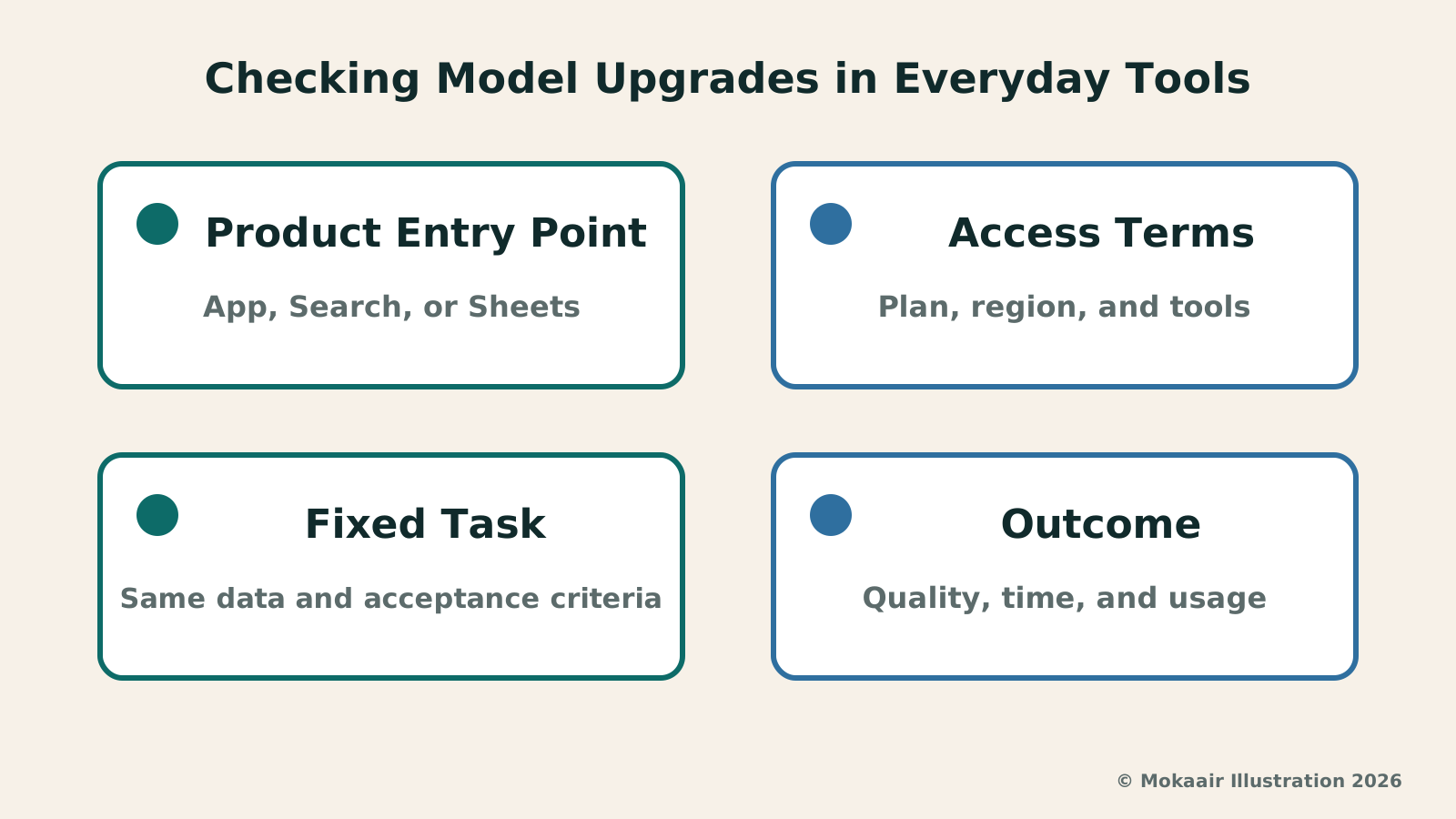
Returning to everyday use cases, what is worth doing after this update is re-testing one or two tasks that previously did not run smoothly. Record the product entry point, model name, task requirements, and outcome, then assess whether rework has decreased. What you are looking for is sustainable improvement you can use, not just an updated, more complex name.
Gemini Live Productivity Update: Handling Emails and To-Dos with VoiceGemini Live Productivity Update: Handling Emails and To-Dos with VoiceOn August 26, 2026, Google announced productivity updates for Gemini Live, extending voice interactions to email, daily briefs, and multi-step tasks. This article outlines the differences between Spark, Daily Brief, and personal data connections, covers plan thresholds, and uses family notice and work note scenarios to show how to scope queries, confirm actions, and verify results, noting Taiwan availability requires separate confirmation.Read the full article
GPT-5.6 Luna and Terra Price Cut: Which Usage Costs Are Affected?GPT-5.6 Luna and Terra Price Cut: Which Usage Costs Are Affected?OpenAI lowered usage prices for GPT-5.6 Luna and Terra on July 30, 2026, but monthly subscription fees and credit budgets were not reduced alongside them. This article separates API unit prices, ChatGPT Work and Codex credit consumption, and standard chat subscriptions into three distinct costs, using data processing and batch workflows to explain cost comparisons so you don't assume your bill will automatically decrease.Read the full article
Lifestyle
NVIDIA launches DGX Spark 64GB: on sale October 23 from $4,999, two units can be linked into 128GB
On October 2, 2026, NVIDIA announced a more affordable 64GB memory version of its DGX Spark personal AI computer, available from October 23 through six makers including Acer and ASUS. It is aimed mainly at developers and researchers who want to run AI models on their own machines. Below we summarize the specs NVIDIA published, its claims about linking two units, and what it means for general readers.
Lifestyle
Google Cloud Launches Spanner Queues: Putting Message Queues Inside Database Transactions to Make AI Agents More Reliable
Google Cloud has announced the general availability of Spanner queues, which make message creation part of a database transaction. The aim is to stop AI agents' "state" and "actions" from falling out of sync. This article covers Google Cloud's claims, the main features, and what it means for general readers.
Lifestyle
GPT-6.1 Sol Launches: New Sol Version in the API, Codex and ChatGPT Work, Not in Chat
OpenAI launched GPT-6.1 Sol on September 29, 2026, with the API name gpt-6.1-sol. The launch rollout covers Codex and ChatGPT Work on Plus, Pro, Business, Enterprise and Edu (Enterprise and Edu need an administrator to enable it); Free and Go are not included at launch, and it is not in Chat (checked September 2026).
Lifestyle
Claude Sonnet 5.5 Launches: Same List Price as Sonnet 5, Available in the API, on Cloud Platforms and in Claude.ai
Anthropic launched Claude Sonnet 5.5 on September 28, 2026. API list prices are the same as Sonnet 5 ($2 per million input tokens, $10 per million output tokens). It is available in Claude.ai, the API and several cloud platforms, and higher-risk cybersecurity requests fall back to Sonnet 5 (checked September 2026).
Articles that cite this one
Latest travel guides

GuideTokyo
Where to Stay in Tokyo: Comparing Shinjuku, Ueno, Tokyo Station, Shibuya, Asakusa, Ikebukuro, and Ginza, Plus Airport Access, Accommodation Tax, and Luggage Delivery
Where should you stay in Tokyo? Compare Shinjuku, Ueno, Tokyo Station, Shibuya, Asakusa, Ikebukuro, and Ginza by the same criteria: access from Narita and Haneda, transit routes, nearby attractions, neighborhood character, and who each area suits. Includes a comparison table, a Yamanote Line diagram, Tokyo’s accommodation tax as verified in 2026/9 (changing to 3% in 2027/4), and Airport TA-Q-BIN luggage shipping rules.
- Budget
- Hotels

GuideTokyo
How to Choose Tokyo Transit Passes: Are Suica, Welcome Suica, the Tokyo Subway Ticket, and the JR Pass Worth It?
On a first Tokyo trip, start with an IC card and pay per ride (Welcome Suica has no deposit and is valid for 28 days). If you take four or more subway rides in a day, add a 72-hour Tokyo Subway Ticket for 2,000 yen; a JR Pass is never worthwhile if you stay in Tokyo and do not go to Kansai. See what TOURIST PASMO, Suica on iPhone, and the Tokyo Metro day pass do and do not cover, with a decision chart. Prices verified in September 2026.
- Transport
- Budget

GuideTokyo
Tokyo Disneyland and DisneySea Guide: Ticket Prices, Fantasy Springs, Disney Premier Access (DPA), Standby Pass, and Which Park to Choose for Your First Visit
Tokyo Disney one-day Passport prices vary: most weekdays in 9/2026 cost ¥9,900 and weekends ¥10,900. At 14:00 daily, tickets go on sale for the same date two months later. Free Priority Pass is no longer on the official service list; only paid Disney Premier Access (¥1,000–3,500 per person per use) shortens waits. Covers hours, the 25th anniversary, Standby Pass, Entry Request, Fantasy Springs access and first-visit park choice; checked on the official site in 9/2026.
- Itineraries
- Family