Lifestyle
Claude Code Adds mods: TypeScript Functions in Plugins Change Its Behavior and Interface
On October 1, 2026, Anthropic introduced Claude Code mods: TypeScript or JavaScript functions that ship inside a plugin and run in the Claude Code process, and can rewrite prompts, manage tool calls and draw new interface. Anthropic says they work in the CLI and the desktop app and are not sandboxed; the documentation says v2.1.287 or later is required (checked October 2026).
About 10 min read
On October 1, 2026, Anthropic introduced mods (small programs that change how Claude Code behaves and looks): functions written in TypeScript or JavaScript that ship inside a plugin and run inside the Claude Code process. Anthropic says they work in both the CLI and the desktop app.
The information in this article was checked on October 4, 2026, against Anthropic's blog and three documentation pages. This site has not installed or run any mod; the features and limits below are Anthropic's account.
What mods are: functions inside a plugin that run in the Claude Code process
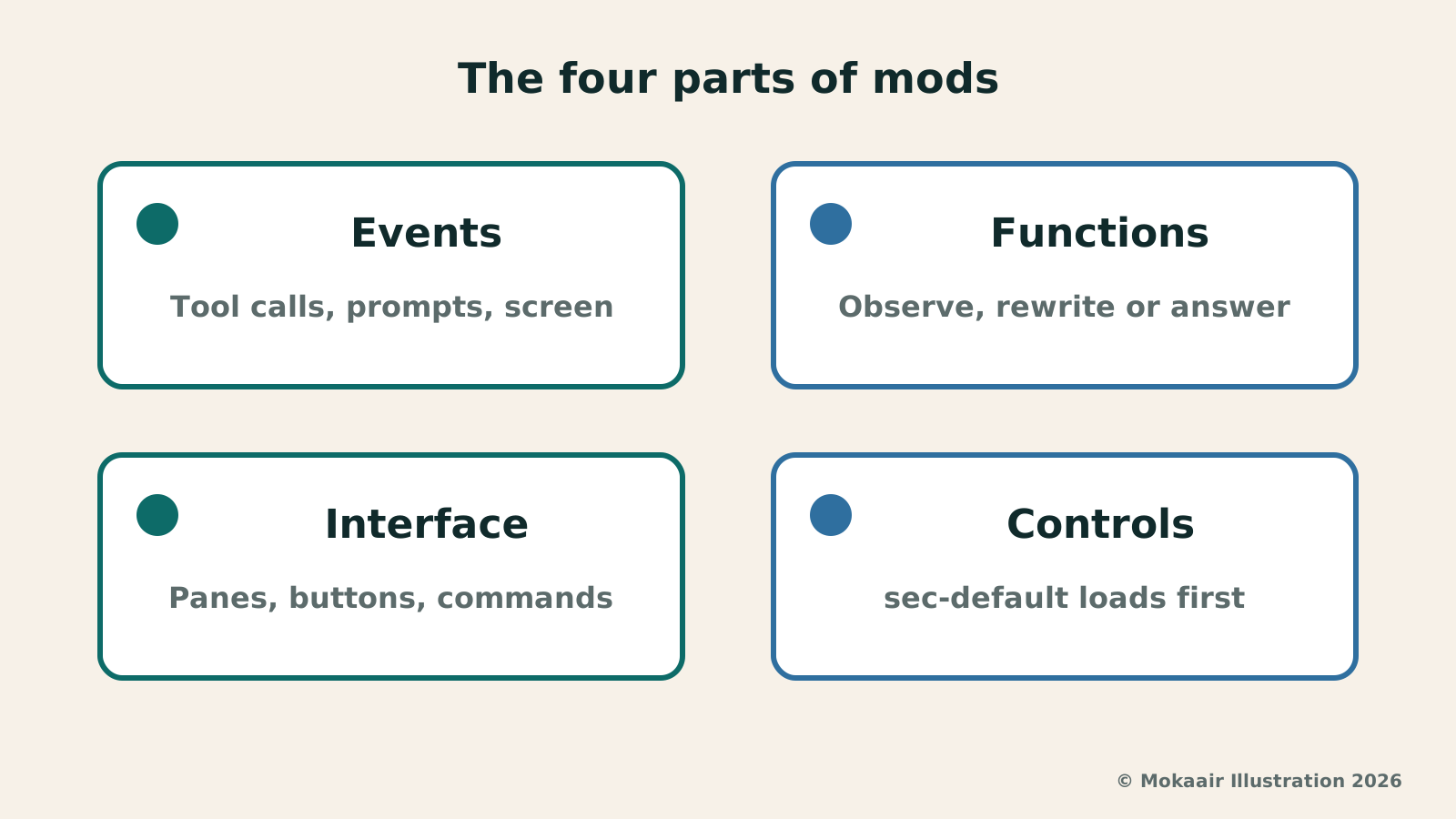
Anthropic says Claude Code emits an event each time it does something, and a mod is a function hooked onto an event that runs before it, after it or instead of it. The documentation says a small mod has three files: .claude-plugin/plugin.json, hooks/hooks.json and hooks/register.js; the modules key in hooks.json points to the code file, and having it is what makes the plugin a mod.
The documentation says Claude Code calls both kinds hooks: a shell command, HTTP request or prompt in a settings file, called a settings hook below, and a handler function that runs inside Claude Code, called a mod's event handler.
When a mod loads, Claude Code calls register(on), and the mod uses on to register event handlers; each handler receives $ (the mods API), e (the event data) and next (which passes the event on to the other mods and then to Claude Code's original behavior). The documentation lists three ways to handle an event: observe, rewrite, and answer (the mod handles the event itself, and the usual behavior does not run).
What they can do: rewrite prompts, manage tool calls, draw interface, add commands
Anthropic lists these abilities: rewrite a prompt before it reaches the model; block, rewrite or retry a tool call; approve or deny a permission request; redact secrets from tool output before Claude reads it; and edit or replace part of the interface and add buttons and inputs. The documentation adds that a mod can draw a pane or a band above the prompt and add a /command that runs without a Claude turn.
When several mods hook the same event, they run in the order they load; the first mod to load sees the event first and the result last. The built-in /diff is now a mod: it can be turned off in /plugin or replaced with your own version, and the documentation says /diff stays after it is disabled, with the built-in version answering it. Anthropic says settings hooks can't rewrite events, draw new interface or replace features, while mods can; the documentation says settings hooks keep running and none of them is deprecated. Of the four in the table below, only a mod can draw interface.
| Type | What it is | What it can change | What you write |
|---|---|---|---|
| mod | A function in a plugin, called by Claude Code in its own process | Tool calls, prompts, commands, turns, and what the interface draws | JavaScript or TypeScript |
| settings hook | A shell command, HTTP request or prompt that Claude Code runs on a lifecycle event | Whether a tool call or prompt goes ahead, a tool call's arguments and result, and context added for Claude | A script plus an entry in settings.json |
| skill | A SKILL.md file of instructions that Claude reads | What Claude knows and does | Markdown |
| MCP server | An external process or service that gives Claude tools | Which tools Claude has | A server in any language |
Where they fit: team controls and example mods
The blog gives three examples of what teams can build with mods themselves: show CI/CD status in a pane beside the conversation; require confirmation before any command touches production config; and have the mod that loads first record every call that every other mod makes.
The documentation's three example mods are in the claude-code-playground repository, shared as they are without support: token-weather draws a forecast of the context window above the prompt; blast-radius holds a risky command such as rm -rf or a force push and shows what it would change; replay-theater adds a /replay command that steps through the file edits Claude made in the last turn.
Built-in mods are listed under Built-in on the Installed tab of /plugin, for example cc-plugin-diff, which takes over /diff, and cc-plugin-sec-default, covered in the last section; cc-plugin-you-should-know is disabled by default, and the documentation says it is listed only "if available for your org".
Getting started: version, installation, asking Claude to write one or writing your own
The documentation says mods require Claude Code v2.1.287 or later and are on by default; check with claude --version. The blog says you can install a plugin that includes mods from the Claude directory or by running /plugin in the CLI; the documentation gives the format /plugin install name@marketplace.
Writing one yourself needs no Node.js or build step; claude --plugin-dir with a directory loads it for one session only and hot-reloads when a file changes. When you ask Claude to write one, the documentation says it follows the built-in plugin-authoring skill, writes the mod in the session's folder under ~/.claude/dev-mods/, and loads it only after you approve; Claude Code deletes that folder once it is older than cleanupPeriodDays.
Before installing someone else's mod, you can get the plugin's files and run claude plugin validate, which lists the events it handles and the methods it calls without running the mod.
The documentation says a mod's interface is drawn in the terminal and in the Code tab of the Desktop app (the Code tab cannot draw elements that are terminal-only); a WSL session in the Desktop app cannot use plugins, so event handlers do not run; in the VS Code extension's chat panel, claude -p, the Agent SDK and cloud sessions (only for a plugin that reaches the cloud session), event handlers run but nothing is drawn; with Remote Control, event handlers run in the session on your computer and draw in the terminal on your computer.
Security and enterprise controls: no sandbox, and what administrators can do
The documentation says mods are not sandboxed and run with your permissions: they can read environment variables and settings files (including an API key in either), approve a tool call before you are asked, and call a model on your plan or API key, but they cannot change the permission prompt itself; with sandboxing on, only the Bash commands Claude runs are isolated, and a process that a mod starts runs outside the sandbox.
The built-in sec-default loads when the machine has managed settings or when the user is signed in with a Team or Enterprise plan; for someone using an API key or Amazon Bedrock, Google Cloud or Microsoft Foundry, it loads only on a machine with managed settings. It only stops a user's mod from changing what administrators manage (for example what managed settings hooks receive and decide, and the system prompt) and from approving a tool call that a deny rule refuses, and allows everything else; deny rules also do not cover a mod's own $.fs and $.process calls.
Administrators' switches include: allowManagedModsOnly blocks mods that users bring; disableSideloadFlags rejects --plugin-dir, --plugin-url and mods Claude writes in a session; prependPlugins and appendPlugins set the order of the organization's mods, and setting prependPlugins requires listing sec-default@builtin to keep the built-in guard; disableAllHooks in managed settings stops even the organization's mods and managed settings hooks.
Individuals can disable a single mod on the Installed tab of /plugin, use --safe-mode to turn off installed mods for one session (other customizations stop too), or set disableAllHooks in ~/.claude/settings.json (settings hooks and a custom status line stop too, while what the organization manages keeps running); the last two do not stop built-in mods.
Frequently asked questions
Which version do I need to use mods?
The documentation says mods require Claude Code v2.1.287 or later and are on by default; you can check with claude --version.
Do I need Node.js or a build step to write a mod?
The documentation says no. Writing a mod yourself needs no Node.js or build step.
Do mods replace settings hooks?
No. What Anthropic says is that mods can do things settings hooks cannot; the documentation says settings hooks keep running and none of them is deprecated.
How do I turn mods off?
Disable a single mod on the Installed tab of /plugin; start a session with --safe-mode, which also disables your other customizations; or set disableAllHooks to true in ~/.claude/settings.json, which also stops settings hooks and a custom status line, while what the organization manages keeps running. Neither --safe-mode nor disableAllHooks stops built-in mods.
Can mods be used on a personal plan?
The blog says only that mods work in both the Claude Code CLI and the desktop app. The blog and three documentation pages cited here, as of the checked date of October 4, 2026, do not say plan by plan whether mods are available.
Can mods be used in the VS Code extension and in cloud sessions?
The documentation says a mod's event handlers run in the VS Code extension's chat panel, and in cloud sessions for a plugin that reaches the cloud session, but neither draws panes or bands.
2026 AI News Roundup: Highlights and Daily Life Applications from January to September2026 AI News Roundup: Highlights and Daily Life Applications from January to SeptemberOrganizing key AI news stories month by month from January to September 2026, linking to full analyses in five languages. Covering models, work tools, creation, costs, and transparency, explaining backgrounds, uses, and limits.Read the full article
Claude Sonnet 5.5 Launches: Same List Price as Sonnet 5, Available in the API, on Cloud Platforms and in Claude.aiClaude Sonnet 5.5 Launches: Same List Price as Sonnet 5, Available in the API, on Cloud Platforms and in Claude.aiAnthropic launched Claude Sonnet 5.5 on September 28, 2026. API list prices are the same as Sonnet 5 ($2 per million input tokens, $10 per million output tokens). It is available in Claude.ai, the API and several cloud platforms, and higher-risk cybersecurity requests fall back to Sonnet 5 (checked September 2026).Read the full article
Lifestyle
Claude Sonnet 5.5 Launches: Same List Price as Sonnet 5, Available in the API, on Cloud Platforms and in Claude.ai
Anthropic launched Claude Sonnet 5.5 on September 28, 2026. API list prices are the same as Sonnet 5 ($2 per million input tokens, $10 per million output tokens). It is available in Claude.ai, the API and several cloud platforms, and higher-risk cybersecurity requests fall back to Sonnet 5 (checked September 2026).
Lifestyle
Claude Opus 5.5 Launches: List Price Cut 20%, Paid Plans’ Five-Hour Limit Raised, 40% Is Anthropic’s Cost Estimate
On September 22, 2026, Anthropic introduced Claude Opus 5.5, the first model in the new Claude 5.5 family; the announcement lists no region restrictions. This article separates three easily confused numbers — the 40% cost estimate and the 20% and 60% official price cuts — and lays out which paid plans get the five-hour limit increase and how model switching works (checked September 2026).
Lifestyle
Google Cloud Launches Spanner Queues: Putting Message Queues Inside Database Transactions to Make AI Agents More Reliable
Google Cloud has announced the general availability of Spanner queues, which make message creation part of a database transaction. The aim is to stop AI agents' "state" and "actions" from falling out of sync. This article covers Google Cloud's claims, the main features, and what it means for general readers.
Lifestyle
GPT-6.1 Sol Launches: New Sol Version in the API, Codex and ChatGPT Work, Not in Chat
OpenAI launched GPT-6.1 Sol on September 29, 2026, with the API name gpt-6.1-sol. The launch rollout covers Codex and ChatGPT Work on Plus, Pro, Business, Enterprise and Edu (Enterprise and Edu need an administrator to enable it); Free and Go are not included at launch, and it is not in Chat (checked September 2026).
Articles that cite this one
Latest travel guides

GuideTokyo
Where to Stay in Tokyo: Comparing Shinjuku, Ueno, Tokyo Station, Shibuya, Asakusa, Ikebukuro, and Ginza, Plus Airport Access, Accommodation Tax, and Luggage Delivery
Where should you stay in Tokyo? Compare Shinjuku, Ueno, Tokyo Station, Shibuya, Asakusa, Ikebukuro, and Ginza by the same criteria: access from Narita and Haneda, transit routes, nearby attractions, neighborhood character, and who each area suits. Includes a comparison table, a Yamanote Line diagram, Tokyo’s accommodation tax as verified in 2026/9 (changing to 3% in 2027/4), and Airport TA-Q-BIN luggage shipping rules.
- Budget
- Hotels

GuideTokyo
How to Choose Tokyo Transit Passes: Are Suica, Welcome Suica, the Tokyo Subway Ticket, and the JR Pass Worth It?
On a first Tokyo trip, start with an IC card and pay per ride (Welcome Suica has no deposit and is valid for 28 days). If you take four or more subway rides in a day, add a 72-hour Tokyo Subway Ticket for 2,000 yen; a JR Pass is never worthwhile if you stay in Tokyo and do not go to Kansai. See what TOURIST PASMO, Suica on iPhone, and the Tokyo Metro day pass do and do not cover, with a decision chart. Prices verified in September 2026.
- Transport
- Budget

GuideTokyo
Tokyo Disneyland and DisneySea Guide: Ticket Prices, Fantasy Springs, Disney Premier Access (DPA), Standby Pass, and Which Park to Choose for Your First Visit
Tokyo Disney one-day Passport prices vary: most weekdays in 9/2026 cost ¥9,900 and weekends ¥10,900. At 14:00 daily, tickets go on sale for the same date two months later. Free Priority Pass is no longer on the official service list; only paid Disney Premier Access (¥1,000–3,500 per person per use) shortens waits. Covers hours, the 25th anniversary, Standby Pass, Entry Request, Fantasy Springs access and first-visit park choice; checked on the official site in 9/2026.
- Itineraries
- Family
Sources
- Claude Blog: Customize Claude Code with mods · Checked:
- Claude Code Docs: Mods overview · Checked:
- Claude Code Docs: Create a mod · Checked:
- Claude Code Docs: Manage mods for your organization · Checked: