Lifestyle
ChatGPT Free Tier and Thinking Feature Updates: What Changes in Daily Use?
On August 6, 2026, OpenAI announced updates to daily ChatGPT chats, expanding text chat and thinking features for free users while updating Sol for paid users. This guide explains quotas for text, files, and images, how to decide whether to spend extra thinking time based on complexity, and how to verify answers using itinerary, comparison, and writing scenarios—avoiding the misconception that better reasoning means always being correct.
Updated: About 7 min read
On August 6, 2026, OpenAI announced updates to the ChatGPT chat experience: paid users received GPT-5.6 Sol with enhanced daily responses, while free users switched to Luna with phased rollouts expanding text chat and Think features. OpenAI also clarified that files, images, and other tools retain their own separate limits; therefore, "unlimited text chat" cannot be extended to mean unlimited access across all features.
Reviewed as of September 14, 2026, this article focuses on how to choose your approach. The news describes arrangements at the time of the announcement and rollout; the interface you currently see may still be affected by subsequent updates, accounts, and devices. The following example questions are editorially designed to help you gauge when more thorough reasoning is needed, not guaranteed screenshots of identical buttons across every account.
The Two Most Easily Confused Points in This Update
The first is how the model answers. The announcement states that the daily chat version of Sol was tuned toward more focused and factually reliable responses, allowing paid users to choose how much thinking effort to invest. This is the vendor's description of product goals and benchmarks; users still need to verify results on their own questions and should not interpret this as no longer needing to verify sources.
The second is the scope of use. The free tier permitting more frequent text conversations does not mean allowances for attachment analysis, image generation, and other tools have been eliminated. When you can continue typing text but can no longer upload files, it may simply be that the two features operate under different limits. Reading the specific prompts on screen clarifies the cause much better than repeatedly logging back in or resubmitting the identical job.
The announcement also distinguished between the daily Chat experience and model versions used in other workspace products. Therefore, seeing "Sol update" in the news should not lead to the assumption that all APIs, workspaces, or developer tools carrying the Sol name instantly received identical behavior. When comparing capabilities, note the specific product entry point as well.
Ask Short Questions Directly; Supply Conditions First for Complex Ones
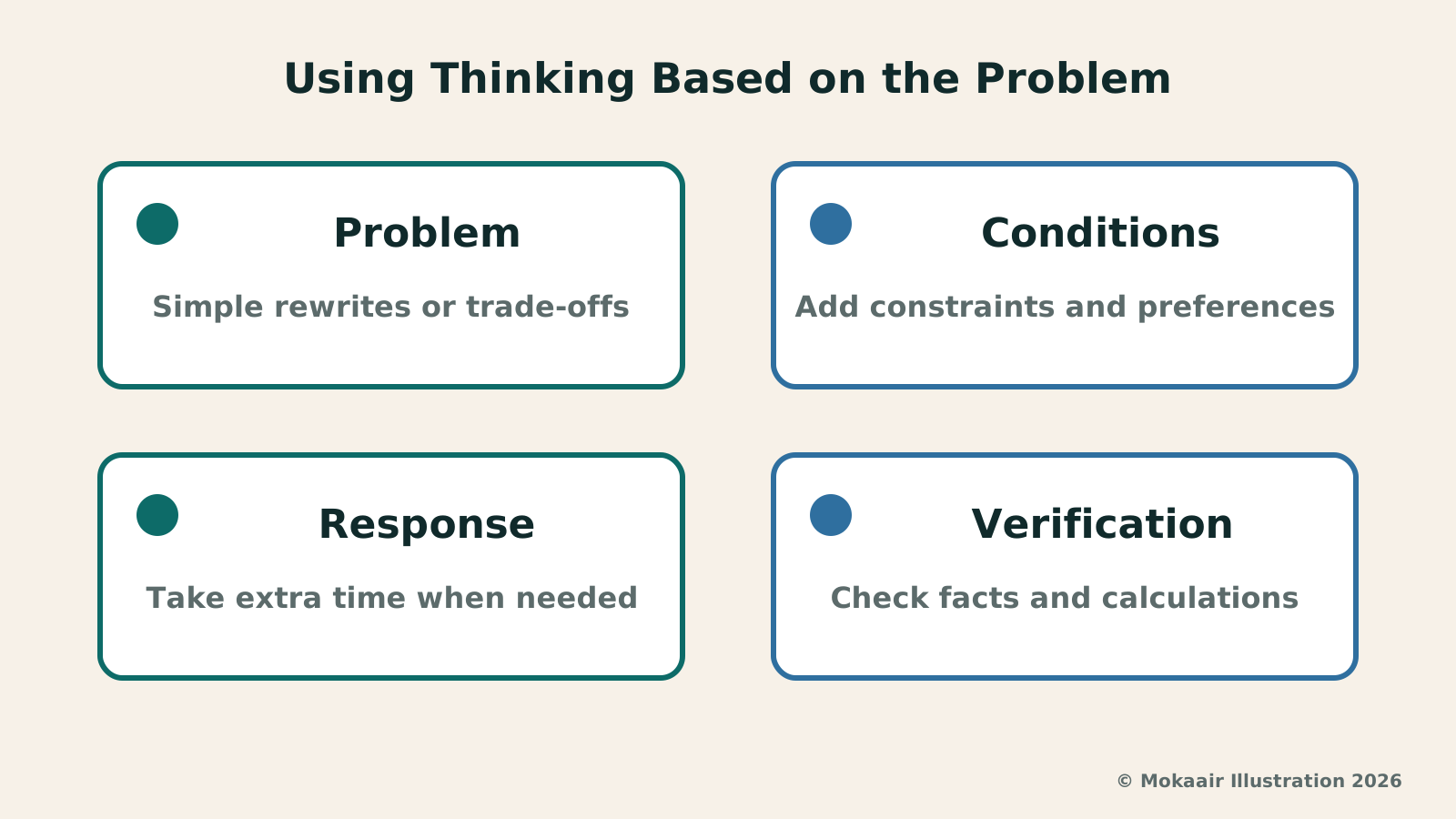
For example, if you want to rewrite a message more politely, providing the original text, the recipient, and the points you wish to preserve is usually enough to get started. You can specify, "Keep the refusal clear without promising to attend next time," and request a concise version. The core of this scenario is communication constraints; it does not necessarily require the model to produce lengthy reasoning or multiple solution sets.
Comparing two job offers is a different story. Compensation is just one factor; commutes, working hours, remote arrangements, and your personal priorities may all be involved. Editors recommend having the tool first list any missing information and then establish a comparison framework, rather than merely dropping in two job titles and expecting the thinking feature to guess your living situation.
Questions worth spending extra time on typically involve multiple interdependent constraints. For instance, a travel itinerary that must simultaneously accommodate a child's naptime, an elderly relative's walking distance, and reservation schedules should have all these conditions fully stated upfront. The thinking feature can check whether arrangements conflict, but operating hours, transit schedules, and ticketing on the day still require separate verification.
| Question Type | How to Ask First | What to Verify |
|---|---|---|
| Short message rewriting | Provide original text, audience, tone | Check if original intent was altered |
| Multi-criteria choices | List constraints and priorities first | Identify what data is missing |
| Itinerary planning | Provide schedule and travel companion needs | Current business hours and transit |
| Attachments or images | Check current feature limits | Separate quotas for that tool |
Observe Whether Thinking Longer Helps Across Three Question Types
The first type is trade-offs. Ask it to compare different options, explain under what conditions each option is preferable, and list missing data. A good outcome does not pick a winner for you right away; instead, it clarifies which premises the decision hinges upon. If those premises change, you should also be able to tell whether the conclusion must be redone.
The second type is organization. This involves turning messy notes into a structured article, report, or to-do list. You can ask for an outline first to confirm no key points were missed before expanding. Even when the output looks comprehensive, cross-check against exceptions and pending items in your raw notes to prevent the organizing process from presenting uncertainties as finalized facts.
The third type is finding contradictions. Provide your own written rules or plans and ask it to list where they conflict, using concrete examples. For example, if an event requires advance check-in while also allowing walk-ins, clarify exactly who needs to show up at what time. The value of this question type lies in exposing ambiguous conditions, not in making the answer as long as possible.
More Reliable Answers Still Require Verifiable Evidence
Increasing thinking effort does not conjure up missing information out of thin air. If you are asking about today's flights, recent events, or current pricing, confirm whether the tool actually retrieved up-to-date sources. Dates, URLs, and applicable regions mentioned in responses should be cross-checkable; a confident tone alone does not prove information is recent.
You can add a clear instruction to the end of your prompt: separate known facts, inferences drawn from data, and items that still need my confirmation. This makes it easier to spot where your direct intervention is genuinely needed when reading answers. If it introduces nonexistent background information, correct it directly and ask for a revised version, rather than continuing to probe along false premises.
For numerical comparisons, it is best to preserve original units and calculation methods. Request that outputs include steps that can be recalculated, and verify that different timeframes or currencies are not being compared interchangeably. This is a standard verification practice, not a demand to inspect internal model thinking processes; what readers truly need are verifiable rationales and results.
How Free Users Can Structure Daily Tasks
If your needs primarily involve text drafts, you can divide the work into ideation, outline, drafting, and final polishing. Clarifying the direction first and revising paragraph by paragraph generally makes quality control easier than asking for a complete rewrite every time. Retain versions you like and specify which sections to modify, avoiding subsequent generations rewriting content you already approved.
When facing tasks that require files or images, check the current limits of that feature first. If access is unavailable, you can use text excerpts you are authorized to share to handle partial tasks, or wait for quotas to reset. Do not paste entire sensitive documents just to work around operational inconveniences, nor assume upgrading will automatically resolve every restriction.
This update offers an opportunity to reassess usage habits: ask simple questions directly, provide constraints first for complex questions, and independently verify time-sensitive facts from external sources. Observing whether the final answer is easier to adopt and leaves fewer errors for you to clean up is how you evaluate whether the update is genuinely useful to you.
GPT-5.6 Luna and Terra Price Cut: Which Usage Costs Are Affected?GPT-5.6 Luna and Terra Price Cut: Which Usage Costs Are Affected?OpenAI lowered usage prices for GPT-5.6 Luna and Terra on July 30, 2026, but monthly subscription fees and credit budgets were not reduced alongside them. This article separates API unit prices, ChatGPT Work and Codex credit consumption, and standard chat subscriptions into three distinct costs, using data processing and batch workflows to explain cost comparisons so you don't assume your bill will automatically decrease.Read the full article
GPT-6 Astra Announced: From Answering Questions to Completing Computer TasksGPT-6 Astra Announced: From Answering Questions to Completing Computer TasksOpenAI announced GPT-6 Astra on September 3, 2026, emphasizing computer use, multi-step workflows, and template-based document output. Focusing on general reporting, data organization, and admin tasks, this article explains the gap between model ability and tool permissions, how to draft verifiable tasks, set required confirmation checkpoints, and recognize phased rollouts without assuming launch demos are instantly available to every account.Read the full article
Lifestyle
NVIDIA launches DGX Spark 64GB: on sale October 23 from $4,999, two units can be linked into 128GB
On October 2, 2026, NVIDIA announced a more affordable 64GB memory version of its DGX Spark personal AI computer, available from October 23 through six makers including Acer and ASUS. It is aimed mainly at developers and researchers who want to run AI models on their own machines. Below we summarize the specs NVIDIA published, its claims about linking two units, and what it means for general readers.
Lifestyle
Google Cloud Launches Spanner Queues: Putting Message Queues Inside Database Transactions to Make AI Agents More Reliable
Google Cloud has announced the general availability of Spanner queues, which make message creation part of a database transaction. The aim is to stop AI agents' "state" and "actions" from falling out of sync. This article covers Google Cloud's claims, the main features, and what it means for general readers.
Lifestyle
GPT-6.1 Sol Launches: New Sol Version in the API, Codex and ChatGPT Work, Not in Chat
OpenAI launched GPT-6.1 Sol on September 29, 2026, with the API name gpt-6.1-sol. The launch rollout covers Codex and ChatGPT Work on Plus, Pro, Business, Enterprise and Edu (Enterprise and Edu need an administrator to enable it); Free and Go are not included at launch, and it is not in Chat (checked September 2026).
Lifestyle
Claude Sonnet 5.5 Launches: Same List Price as Sonnet 5, Available in the API, on Cloud Platforms and in Claude.ai
Anthropic launched Claude Sonnet 5.5 on September 28, 2026. API list prices are the same as Sonnet 5 ($2 per million input tokens, $10 per million output tokens). It is available in Claude.ai, the API and several cloud platforms, and higher-risk cybersecurity requests fall back to Sonnet 5 (checked September 2026).
Articles that cite this one
Latest travel guides

GuideTokyo
Where to Stay in Tokyo: Comparing Shinjuku, Ueno, Tokyo Station, Shibuya, Asakusa, Ikebukuro, and Ginza, Plus Airport Access, Accommodation Tax, and Luggage Delivery
Where should you stay in Tokyo? Compare Shinjuku, Ueno, Tokyo Station, Shibuya, Asakusa, Ikebukuro, and Ginza by the same criteria: access from Narita and Haneda, transit routes, nearby attractions, neighborhood character, and who each area suits. Includes a comparison table, a Yamanote Line diagram, Tokyo’s accommodation tax as verified in 2026/9 (changing to 3% in 2027/4), and Airport TA-Q-BIN luggage shipping rules.
- Budget
- Hotels

GuideTokyo
How to Choose Tokyo Transit Passes: Are Suica, Welcome Suica, the Tokyo Subway Ticket, and the JR Pass Worth It?
On a first Tokyo trip, start with an IC card and pay per ride (Welcome Suica has no deposit and is valid for 28 days). If you take four or more subway rides in a day, add a 72-hour Tokyo Subway Ticket for 2,000 yen; a JR Pass is never worthwhile if you stay in Tokyo and do not go to Kansai. See what TOURIST PASMO, Suica on iPhone, and the Tokyo Metro day pass do and do not cover, with a decision chart. Prices verified in September 2026.
- Transport
- Budget

GuideTokyo
Tokyo Disneyland and DisneySea Guide: Ticket Prices, Fantasy Springs, Disney Premier Access (DPA), Standby Pass, and Which Park to Choose for Your First Visit
Tokyo Disney one-day Passport prices vary: most weekdays in 9/2026 cost ¥9,900 and weekends ¥10,900. At 14:00 daily, tickets go on sale for the same date two months later. Free Priority Pass is no longer on the official service list; only paid Disney Premier Access (¥1,000–3,500 per person per use) shortens waits. Covers hours, the 25th anniversary, Standby Pass, Entry Request, Fantasy Springs access and first-visit park choice; checked on the official site in 9/2026.
- Itineraries
- Family