Lifestyle
GPT-Live Lets ChatGPT Voice Listen as It Talks: Interruptions, Plan Limits, Recordings
OpenAI released GPT-Live in July 2026, letting ChatGPT Voice listen and speak at the same time and be interrupted, while search and reasoning are handed to a background model. Based on OpenAI's official documentation, this article covers how the flow of conversation changes, each plan's model and usage limits after the September adjustment, use cases such as cooking and speaking practice, and audio retention and training settings, with a brief note on API pricing.
Updated: About 10 min read
OpenAI released GPT-Live, its next-generation voice model, on July 8, 2026; both the official blog post and the ChatGPT release notes carry that date. GPT-Live uses a full-duplex architecture that can listen and speak at the same time, and it now powers ChatGPT Voice. When a question calls for web search, deeper reasoning, or more complex work, it delegates the task in the background to another frontier model, which was GPT-5.5 at launch, and brings the result back into the conversation once it is ready. OpenAI released two versions at the same time: GPT-Live-1 and GPT-Live-1 mini.
This article was checked on September 15, 2026, against OpenAI's announcement, the ChatGPT Voice page in the Help Center, and the release notes. The announcement describes a gradual rollout to ChatGPT users worldwide on iOS, Android, and ChatGPT.com, while the release notes say it is rolling out in supported regions and that, at launch, it did not include Business, Enterprise, or Edu workspaces. Neither lists which regions are covered, and neither mentions Taiwan specifically. This site has not tried the feature, and all capability descriptions come from OpenAI. To see whether the option has reached your Taiwan account, check the app's settings. The cooking, speaking-practice, and in-car scenarios in this article are examples designed by the editors.
How the Rhythm of a Conversation Changes When Voice Listens While It Talks
OpenAI explains that the original ChatGPT Voice chained three models together, speech-to-text, a language model, and text-to-speech, which made responses slow and stiff. The later Advanced Voice Mode processed audio within a single model, but it still waited for the user to finish before responding, and it judged turns by silence, so a brief pause or background noise could be mistaken for the end of what you were saying.
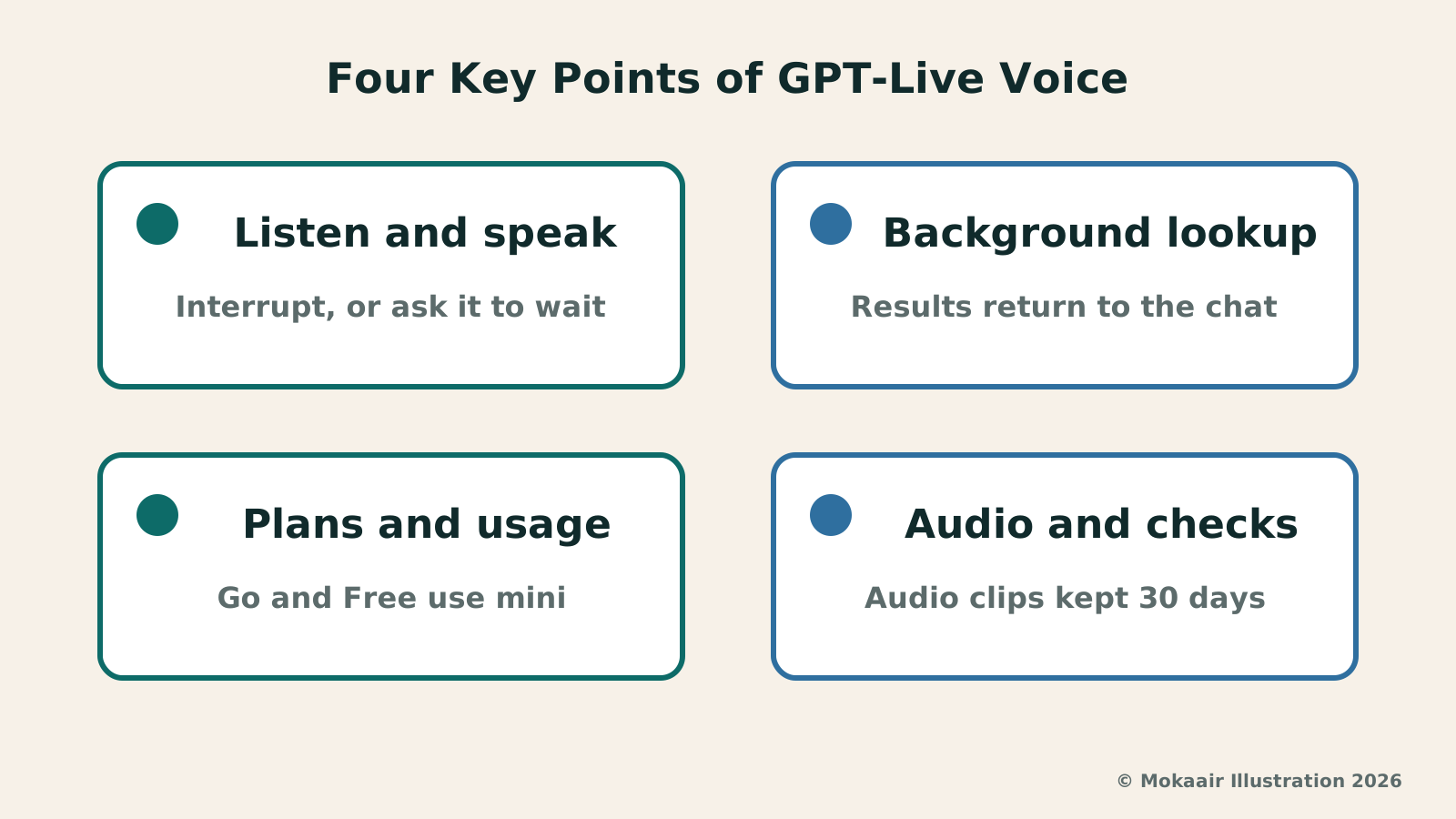
GPT-Live, by contrast, keeps listening while it generates speech. OpenAI says the model can decide many times per second whether to speak, keep listening, pause, interject, or call a tool. In conversation, you can cut in with a question while it is halfway through an answer, stop to collect your thoughts, or ask it to slow down. It may say things like “mm-hmm” or “got it” to show it is following along, and when you ask it to stay quiet and listen, it should do so.
The Help Center also cautions that overlapping speech, background noise, network conditions, and microphone settings can all affect what it hears, and that long pauses or other people talking may still prompt it to speak. OpenAI suggests using headphones or moving somewhere quieter, and iPhone users can turn on Voice Isolation from Mic Mode in Control Center. If you want to think out loud, you can say at the start, “Wait until I ask you to respond.” Live is designed primarily for one-on-one conversation and is not yet optimized for several people speaking at once.
Waiting while it looks something up is also different from before. OpenAI says that while search or reasoning is handled by the background model, GPT-Live can keep talking with you, and it brings the result into the conversation once it is ready. The editors suggest not treating its interim replies during the wait as conclusions; once the result comes back, ask it to explain what the answer is based on.
Which Model Each Plan Uses and How Long You Can Talk Each Day
On launch day, OpenAI said GPT-Live-1 was the default model for Go, Plus, and Pro users, while the free tier defaulted to GPT-Live-1 mini. At that time, Voice also offered a separate choice of reasoning level, ranging from quick replies to taking more time to think. Both Go's model and that set of reasoning levels were changed in the September 9, 2026, release notes, so anyone who read early coverage should go by the current status.
According to the September 9 release notes and the Help Center, Go now gets up to 3 hours of GPT-Live-1 mini, replacing GPT-Live-1. Plus gets up to 3 hours of GPT-Live-1, Pro at $100 per month gets up to 15 hours, and Pro at $200 per month has no hour limit. Plus and Pro no longer switch to mini once they reach their limits. Usage is measured over a rolling 24-hour period; the free tier gets limited access, and its limits may change.
The September 9 release notes also say that when Voice needs to search or think through a harder question, it can use GPT-5.6 or GPT-6 Astra, with the model and reasoning effort now chosen through the same controls as text chat; which models are available and how much you can use them depends on your plan. The three voice-specific reasoning levels have been retired. The Help Center now also states that eligible Business, Enterprise, Edu, and Healthcare workspaces can use Voice, subject to workspace settings.
| Plan | Live model | Usage limit |
|---|---|---|
| Free | GPT-Live-1 mini | Limited, may change |
| Go | GPT-Live-1 mini | 3 hours |
| Plus | GPT-Live-1 | 3 hours |
| Pro ($100/month) | GPT-Live-1 | 15 hours |
| Pro ($200/month) | GPT-Live-1 | Unlimited |
Cooking, Speaking Practice, and CarPlay: Three Use Cases
The first scenario is asking questions while you cook. With flour on your hands, you can simply ask whether an ingredient can be substituted, and if halfway through the answer you realize you only have two eggs left, you can cut in to correct the details without waiting for it to finish. Even so, cooking temperatures, allergens, and storage instructions should still be checked against the recipe or the food packaging rather than relying on a single sentence you heard.
The second scenario is speaking practice. In its announcement, OpenAI noted that more than 150 million people talk with ChatGPT each week through features such as voice and dictation, including to practice languages. You can choose the language you speak most often under Settings → Voice, and you can ask it mid-conversation to switch languages or speak more slowly, although the Help Center says precise playback-speed controls are not currently available. OpenAI says it has optimized for some of the most commonly used languages but has not published a list, and some languages may carry a non-native accent or sound less fluent, so do not treat its accent as the standard when you practice pronunciation.
The third scenario is the car. The Help Center says ChatGPT is available through Apple CarPlay on supported iPhones, and it also reminds users to use their mobile device only when allowed by law and when conditions permit safe use, to set up the app before driving, and to avoid interacting with the device while the vehicle is in motion. The editors recommend not looking at text responses on the screen while driving; details such as opening hours and addresses are best confirmed against official sources after you have parked.
If you want to keep the conversation going after switching to another app or locking your phone, you need to turn on Background conversations under Settings → Voice. The August 31, 2026, release notes also mention that the iPhone Lock Screen and Dynamic Island can show the content of Live voice conversations. A background conversation ends when you end it, force close the app, reach a usage limit, or reach the maximum session length.
Recordings, Transcripts, and Training: Start With OpenAI's Data Controls Guidance
The Help Center says audio clips from Live and Advanced Voice conversations are stored together with the transcript in your chat history and retained for 30 days. When you delete a chat, the associated audio clips are deleted within 30 days, except where they need to be kept for security, safety, or legal reasons, or where you previously chose to share them and they have already been disassociated from your account. Deletion cannot be undone, and archiving only removes the chat from the sidebar; it does not delete the audio.
Whether your recordings are used to train models comes down to two toggles. The Help Center says audio clips are not used for training unless you choose to share them. Free, Plus, and Pro users in personal workspaces share clips only if they first turn on Improve the model for everyone under Settings → Data Controls and then turn on Include your audio recordings; clips cannot be shared from Business, Enterprise, or Edu workspaces. Note, too, that as long as Improve the model for everyone is on, transcripts and other files from your voice conversations may be used for training, depending on your plan and settings.
Shared clips may be reviewed by OpenAI's teams, and after you stop sharing, clips that were previously disassociated from your account may continue to be used. OpenAI also updated its announcement on July 31, 2026, saying that supported audio generated by GPT-Live now carries a SynthID watermark. Parents can also use parental controls to decide whether their teens can use Voice.
Spoken Answers Still Need Checking, Plus a Quick Note on API Pricing
A spoken answer is gone once you have heard it, which makes it harder to go back and check than text. The Help Center reminds users that ChatGPT can make mistakes and that questions involving dates, times, or locations especially need checking. Voice uses your device or browser time zone to interpret words like “today” and “tomorrow,” so if an answer seems off, you can say the exact date and location. With Live, responses also appear as text while they are spoken, and you can review them in your chat history afterward, but the transcript is not a verbatim record and may not exactly match what was actually said.
Live also has functional limits for now. The Help Center says it does not support video, screen sharing, connected apps, or plugins; eligible subscribers who need video or screen sharing can switch to Advanced mode in the iOS and Android apps. You can have only one voice conversation at a time, and a conversation may also end when it reaches a usage limit, the maximum session length, or the context limit of a long conversation.
The developer side is a separate matter from the rollout in ChatGPT. OpenAI's API changelog noted on September 10, 2026, that GPT-Live 1 is now generally available in the API, with voice sessions costing $0.05 per minute, billed per second, and the backend model and tool usage charged separately.
2026 AI News Roundup: Highlights and Daily Life Applications from January to September2026 AI News Roundup: Highlights and Daily Life Applications from January to SeptemberOrganizing key AI news stories month by month from January to September 2026, linking to full analyses in five languages. Covering models, work tools, creation, costs, and transparency, explaining backgrounds, uses, and limits.Read the full article
Gemini Live Productivity Update: Handling Emails and To-Dos with VoiceGemini Live Productivity Update: Handling Emails and To-Dos with VoiceOn August 26, 2026, Google announced productivity updates for Gemini Live, extending voice interactions to email, daily briefs, and multi-step tasks. This article outlines the differences between Spark, Daily Brief, and personal data connections, covers plan thresholds, and uses family notice and work note scenarios to show how to scope queries, confirm actions, and verify results, noting Taiwan availability requires separate confirmation.Read the full article
Lifestyle
NVIDIA launches DGX Spark 64GB: on sale October 23 from $4,999, two units can be linked into 128GB
On October 2, 2026, NVIDIA announced a more affordable 64GB memory version of its DGX Spark personal AI computer, available from October 23 through six makers including Acer and ASUS. It is aimed mainly at developers and researchers who want to run AI models on their own machines. Below we summarize the specs NVIDIA published, its claims about linking two units, and what it means for general readers.
Lifestyle
Google Cloud Launches Spanner Queues: Putting Message Queues Inside Database Transactions to Make AI Agents More Reliable
Google Cloud has announced the general availability of Spanner queues, which make message creation part of a database transaction. The aim is to stop AI agents' "state" and "actions" from falling out of sync. This article covers Google Cloud's claims, the main features, and what it means for general readers.
Lifestyle
GPT-6.1 Sol Launches: New Sol Version in the API, Codex and ChatGPT Work, Not in Chat
OpenAI launched GPT-6.1 Sol on September 29, 2026, with the API name gpt-6.1-sol. The launch rollout covers Codex and ChatGPT Work on Plus, Pro, Business, Enterprise and Edu (Enterprise and Edu need an administrator to enable it); Free and Go are not included at launch, and it is not in Chat (checked September 2026).
Lifestyle
Claude Sonnet 5.5 Launches: Same List Price as Sonnet 5, Available in the API, on Cloud Platforms and in Claude.ai
Anthropic launched Claude Sonnet 5.5 on September 28, 2026. API list prices are the same as Sonnet 5 ($2 per million input tokens, $10 per million output tokens). It is available in Claude.ai, the API and several cloud platforms, and higher-risk cybersecurity requests fall back to Sonnet 5 (checked September 2026).
Articles that cite this one
Latest travel guides

GuideTokyo
Where to Stay in Tokyo: Comparing Shinjuku, Ueno, Tokyo Station, Shibuya, Asakusa, Ikebukuro, and Ginza, Plus Airport Access, Accommodation Tax, and Luggage Delivery
Where should you stay in Tokyo? Compare Shinjuku, Ueno, Tokyo Station, Shibuya, Asakusa, Ikebukuro, and Ginza by the same criteria: access from Narita and Haneda, transit routes, nearby attractions, neighborhood character, and who each area suits. Includes a comparison table, a Yamanote Line diagram, Tokyo’s accommodation tax as verified in 2026/9 (changing to 3% in 2027/4), and Airport TA-Q-BIN luggage shipping rules.
- Budget
- Hotels

GuideTokyo
How to Choose Tokyo Transit Passes: Are Suica, Welcome Suica, the Tokyo Subway Ticket, and the JR Pass Worth It?
On a first Tokyo trip, start with an IC card and pay per ride (Welcome Suica has no deposit and is valid for 28 days). If you take four or more subway rides in a day, add a 72-hour Tokyo Subway Ticket for 2,000 yen; a JR Pass is never worthwhile if you stay in Tokyo and do not go to Kansai. See what TOURIST PASMO, Suica on iPhone, and the Tokyo Metro day pass do and do not cover, with a decision chart. Prices verified in September 2026.
- Transport
- Budget

GuideTokyo
Tokyo Disneyland and DisneySea Guide: Ticket Prices, Fantasy Springs, Disney Premier Access (DPA), Standby Pass, and Which Park to Choose for Your First Visit
Tokyo Disney one-day Passport prices vary: most weekdays in 9/2026 cost ¥9,900 and weekends ¥10,900. At 14:00 daily, tickets go on sale for the same date two months later. Free Priority Pass is no longer on the official service list; only paid Disney Premier Access (¥1,000–3,500 per person per use) shortens waits. Covers hours, the 25th anniversary, Standby Pass, Entry Request, Fantasy Springs access and first-visit park choice; checked on the official site in 9/2026.
- Itineraries
- Family
Sources
- OpenAI: Introducing GPT-Live · Checked:
- OpenAI Help Center: ChatGPT Voice · Checked:
- OpenAI Help Center: ChatGPT Release Notes · Checked:
- OpenAI Developer Docs: API Changelog · Checked: